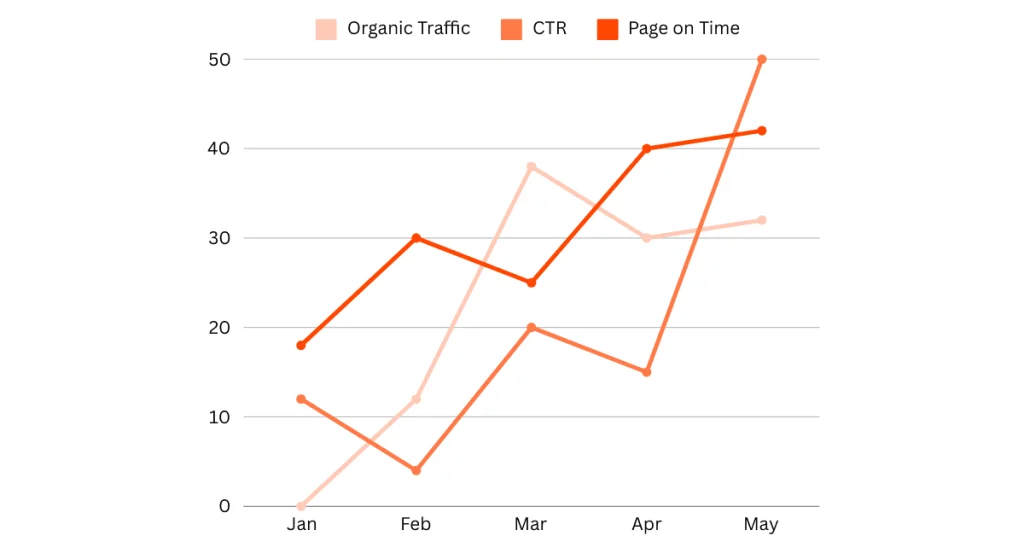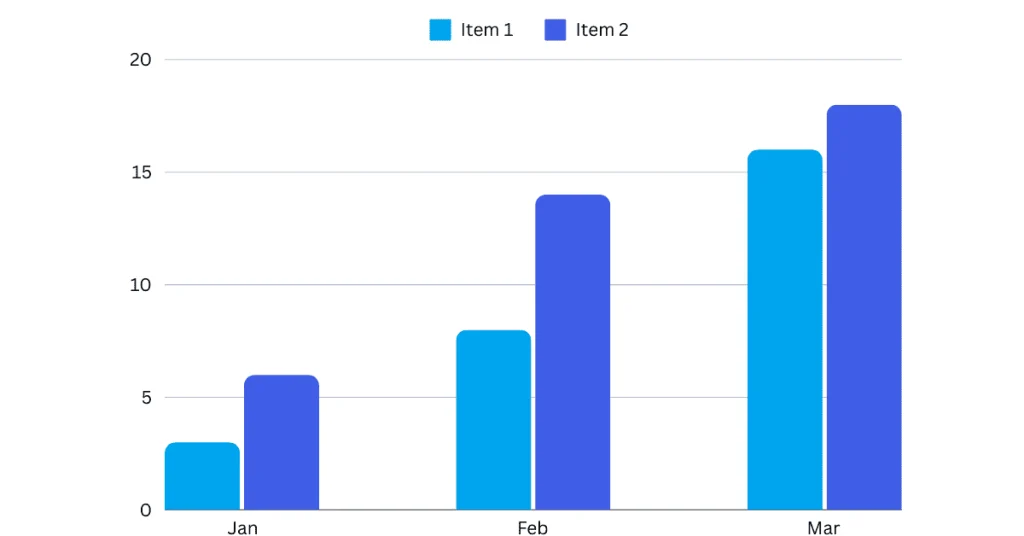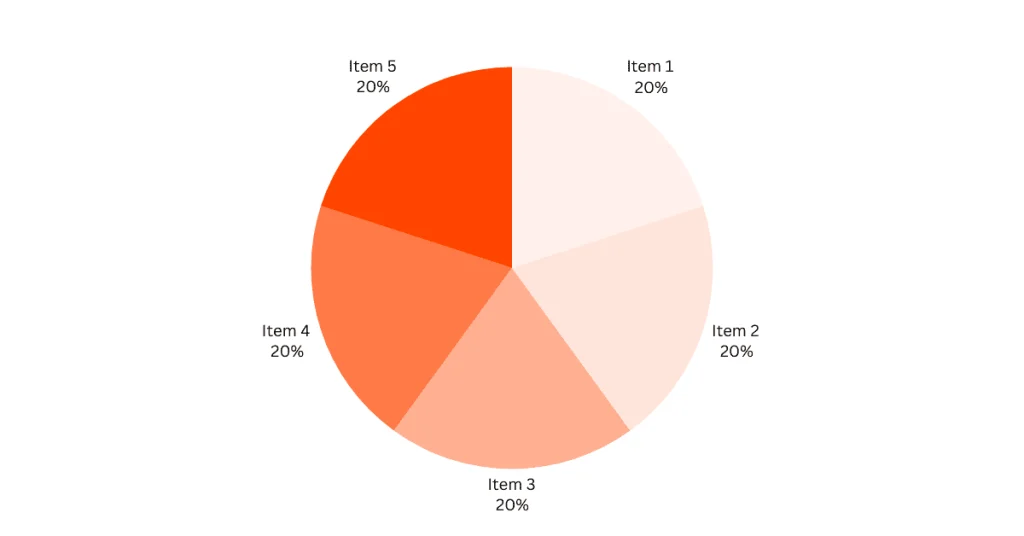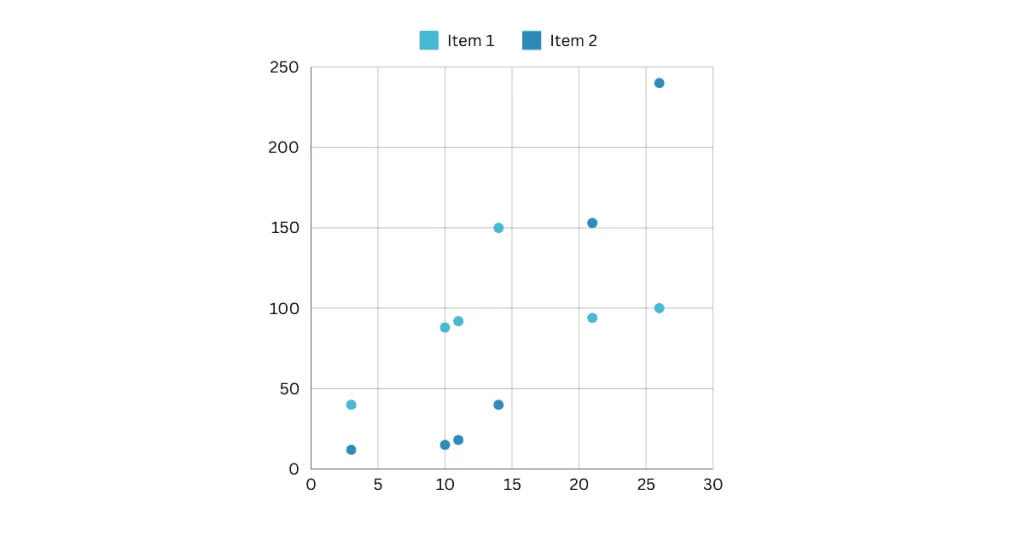
Author: Sumit

  • Elevate Your SEO: Keys to Accurate Rank Tracking in 2024

    Elevate Your SEO: Keys to Accurate Rank Tracking in 2024

    Read in 19 min

    Ready to boost your SEO game? Imagine knowing exactly where your pages stand in search rankings at any given moment.

    Accurate rank tracking isn’t just a nice to have; it’s essential for refining your strategy and staying ahead in the ever-competitive SEO landscape of 2024.

    keyword rank checker

    Why settle for guesses when you can have precise data?

    Here’s why this matters: With the right rank-tracking tools and strategies, you can spot trends early, make informed decisions, and boost traffic to your site.

    Think of it as your SEO dashboard, showing you real-time insights into your digital footprint.

    Isn’t it time you took complete control of your SEO destiny?

    TL;DR:

    • Understand the necessity of accurate rank tracking in 2024
    • Learn how it impacts your SEO strategy
    • Discover tools that provide real-time insights
    • Drive more targeted traffic with informed decisions

    Introduction to Accurate Rank Tracking

    Rank tracking is more important than ever in 2024. Why?

    Because the competition is fiercer, and search engines are constantly updating their algorithms.

    If you’re serious about climbing those search results, you need to know exactly where your keywords stand at any moment.

    rank tracking software

    Accurate tracking helps you spot trends, make informed adjustments, and stay ahead of your competitors. But it’s not just about knowing your rank; it’s about understanding and using the data to drive your SEO strategy.

    TL;DR:

    • Accurate rank tracking is essential in 2024 due to increasing competition and frequent algorithm updates by search engines.
    • It helps evaluate the outcomes of your SEO initiatives and refine strategies accordingly.
    • Accurate tracking enables setting realistic goals and monitoring progress, ensuring alignment with the overall strategy.
    • It aids in identifying seasonal trends and planning content and promotions to capitalize on peak interest periods.

    Why Accuracy Matters in 2024

    Imagine trying to navigate a place without a map. That’s what SEO is like without accurate rank tracking. When your data is precise, you can see the real impact of your efforts.

    For example, if you’re tracking keyword rankings accurately, you’ll know which tactics are working and which aren’t.

    organic traffic

    Take an industry example: an e-commerce site aiming to rank for “organic skincare products.” By tracking their keyword rankings accurately, they noticed a dip in their position for this key term.

    They discovered that their competitors had optimized for new, trending sub-keywords.

    With this insight, they adjusted their content to include these sub-keywords, regaining and improving their rank. This wouldn’t have been possible without precise tracking.

    Setting the Stage for SEO Success

    Accurate rank tracking is the backbone of effective SEO planning. It’s not just about knowing where you are but also about plotting your course.

    With precise data, you can set realistic goals and monitor your progress. It helps you stay laser-focused and ensures your efforts are aligned with your broader strategy.

    For example, a travel blog aiming to rank for “budget travel tips” needs to know how its keywords are performing to adjust its content strategy.

    travel blog

    If it notices that its articles are not ranking as well as it hoped, accurate rank tracking can help pinpoint the problem. Maybe it needs more backlinks, better keyword integration, or more engaging content. With this data, it can tweak its strategy and see what works.

    Additionally, accurate tracking helps identify seasonal trends. For instance, if a website selling holiday decorations tracks its keyword rankings throughout the year, it can see spikes in interest around certain holidays.

    This allows it to plan its content and promotions accordingly, ensuring it capitalizes on peak interest periods.

    Accurate rank tracking provides the roadmap you need to succeed in SEO. It highlights where you are, where you must go, and the best way to get there.

    With the correct data, you can make decisions that catapult your SEO efforts forward.

    The Importance of Precision in SEO

    Precision in rank tracking is crucial for effective SEO strategies.

    When your rank tracker provides accurate data, you can make informed decisions directly impacting your search engine rankings. Unreliable data, on the other hand, can lead to misguided efforts, wasted resources, and missed opportunities.

    Let’s explore why accuracy matters and the risks of flawed data.

    The Role of Accuracy in SEO Success

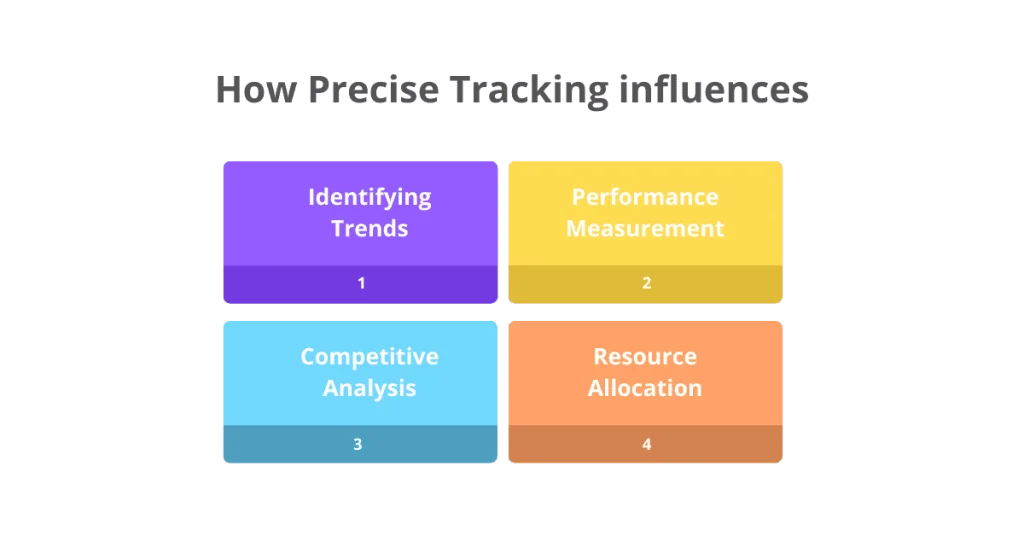
    Accurate rank tracking is the backbone of a successful SEO strategy. Here’s how precise tracking influences your tactics and decisions:
    keyword rank tracking
    • Identifying Trends: Accurate data helps you spot trends early. For instance, if a keyword suddenly drops in ranking, you can quickly investigate and adjust your strategy.
    • Performance Measurement: You need precise tracking to measure the success of your SEO efforts. Without accurate data, you cannot know what’s working and what’s not.
    • Competitive Analysis: Knowing where you stand compared to competitors is vital. Accurate rank tracking allows you to benchmark against them effectively.
    • Resource Allocation: When you know which keywords drive traffic, you can allocate resources more efficiently. There’s no guessing, just data-driven decisions.

    Take the example of an e-commerce site. By accurately tracking its keyword rankings, it noticed that “summer dresses” was losing its top spot to a competitor.

    With this insight, it revamped its content and backlinks, regaining its ranking within weeks. Without precise tracking, it might not have noticed this drop until it was too late.

    Potential Pitfalls of Inaccurate Rank Tracking

    Flawed data can have severe consequences for your SEO efforts. Here are some potential negative outcomes:

    • Misguided Strategies: If your rank tracker shows inaccurate rankings, you might focus on the wrong keywords, wasting time and resources.
    • Missed Opportunities: Inaccurate data can cause you to miss out on trending keywords or emerging opportunities that could drive significant traffic.
    • Poor Performance Assessment: You can’t accurately assess the performance of your SEO campaigns without reliable data, leading to potential missteps and ineffective strategies.
    • Competitive Disadvantage: Without precise tracking, you can’t effectively benchmark against competitors, putting you at a strategic disadvantage.

    Consider a digital marketing agency that relied on inaccurate rank tracking. They believed their client’s site was performing well based on flawed data.

    However, they discovered multiple underperforming keywords when they switched to a more accurate tracker. This oversight had cost their client valuable traffic and sales. Accurate data would have highlighted these issues sooner, allowing for timely corrections.

    In summary, the importance of precision in rank tracking cannot be overstated. Accurate data provides the foundation for successful SEO strategies, enabling you to make informed decisions, measure performance effectively, and stay competitive.

    On the flip side, inaccurate data can derail your efforts, leading to wasted resources and lost opportunities. Ensure your rank tracker is reliable to keep your SEO on track and achieve your goals.

    Choosing the Right Rank Tracking Tool

    Selecting the right rank-tracking tool can significantly impact your SEO success. With so many options available, how do you find the one that aligns with your specific goals?

    Let’s break it down and see what features are essential to look for in a reliable rank tracker.

    Key Features to Consider

    When choosing a rank-tracking tool, several key features should be at the top of your list:

    • Accuracy and Precision: Ensure the tool provides accurate data, reflecting real-time changes in keyword rankings.
    • Frequency of Updates: The best tools offer daily or hourly updates to keep you informed.
    • Comprehensive Reporting: Look for detailed, easy-to-understand, and actionable reports.
    • Scalability: The tool should grow with your business, handling increased data as your SEO efforts expand.
    • Integration Capabilities: Can it work seamlessly with the tools you already use?, like Google Analytics or SEMrush?
    keyword rank tracking

    Imagine you’re running an online store and suddenly notice a drop in sales.

    A precise rank tracker can quickly show if a drop in keyword rankings on search engines like Google or Bing might be the cause. This insight allows you to react swiftly, adjusting your strategy before it impacts your revenue significantly.

    Compatibility with SEO Objectives

    Your rank-tracking tool should align perfectly with your SEO objectives. Here’s what to consider:

    • Targeted Keywords: Ensure the tool can effectively track all your crucial keywords.
    • Geographic Targeting: If you’re focusing on local SEO, ensure the tool can track rankings in specific regions.
    • Competitor Analysis: The ability to monitor your competitors’ rankings can provide valuable insights.

    For instance, if your goal is to dominate local search results, choose a tool that excels in local SEO tracking. It should provide data on your rank in specific cities or regions, helping you optimize for local search trends and stay ahead of competitors.

    User-Friendly Interface

    An intuitive interface can help you save time and streamline your SEO efforts. Look for:

    • Ease of Navigation: You should be able to find what you need without clicking through endless menus.
    • Clear Visuals: Charts and graphs should be easily read and interpreted.
    • Customization Options: You should be able to tailor the dashboard to show the most relevant data for your needs.

    Consider using a tool that presents data in a clean, intuitive layout. For example, SEMrush offers customizable dashboards that allow users to view the most critical metrics at a glance, streamlining the SEO workflow.

    Search Engines Supported

    Your rank-tracking tool should support multiple search engines to give you a comprehensive view.

    alternative search engines

    Here’s what to consider:

    • Google: The primary search engine for most businesses.
    • Bing and Yahoo: Other significant players that can’t be ignored.
    • Niche Engines: Depending on your industry, consider tools that track rankings on smaller or industry-specific search engines.

    Tracking keyword rankings across various search engines can identify unique opportunities and threats.

    search engine

    For instance, a travel website might notice that it ranks higher on Bing than Google for specific keywords. This insight could lead to targeted optimization strategies to balance and improve platform rankings.

    Keyword Research and Analysis

    Effective rank tracking goes hand-in-hand with robust keyword research. Here’s how a good tool can help:

    • Discover Organic Competitors: Identify your competitors for organic traffic.
    • Analyze Competitors’ Tactics: See what keywords your competitors rank for and their strategies.
    • Find Competitors’ Best Keywords: Pinpoint top-performing keywords your competitors use and incorporate them into your strategy.

    For example, Ahrefs allows users to see detailed keyword data, including how competitors rank and which keywords drive their traffic. This can inform your strategy, helping you to target high-value keywords more effectively.

    Customization and Reporting

    Finally, customization and detailed reporting are crucial:

    • Customizable Reports: Tailor reports to highlight the most critical metrics for your strategy.
    • Scheduled Reports: Schedule automated report deliveries to ensure your team stays informed.
    • Insightful Data: Ensure reports provide actionable insights, not just raw data.
    rank tracker tool

    A tool like Moz Pro offers customizable reports that can be scheduled and shared with your team. This ensures everyone is on the same page and making data-driven decisions.

    In conclusion, choosing the right rank-tracking tool involves considering various factors, from accuracy and integration capabilities to user-friendly interfaces and robust reporting.

    By evaluating these features, you can find a tool that suits your immediate needs and grows with your business, helping you achieve long-term SEO success.

    Top Rank Tracking Tools

    Choosing a suitable rank tracker can significantly impact your SEO efforts. With search engine algorithms continuously evolving, a reliable tool for tracking keyword rankings is essential.

    Let’s explore some of the top-rank tracking software available in 2024 and understand their key features and benefits.

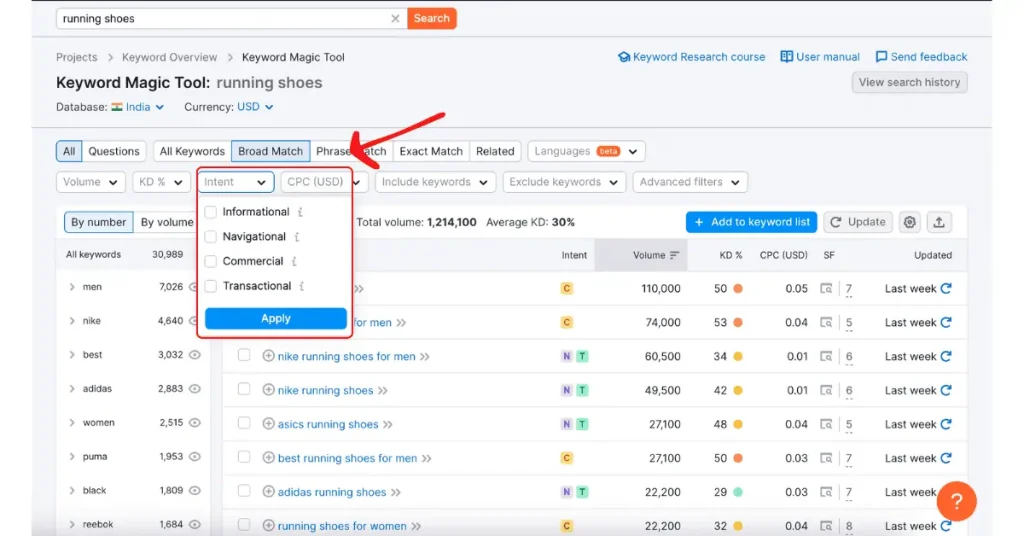
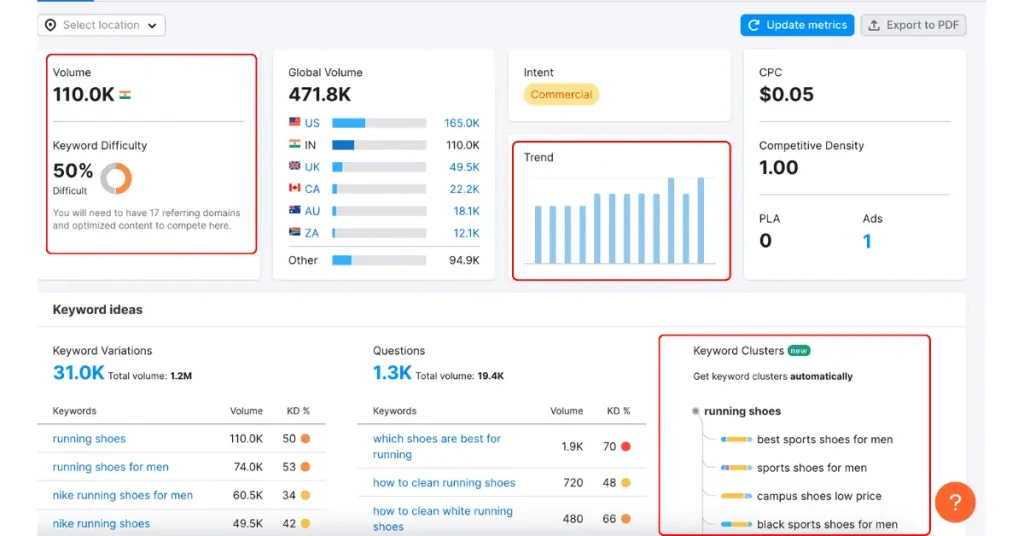
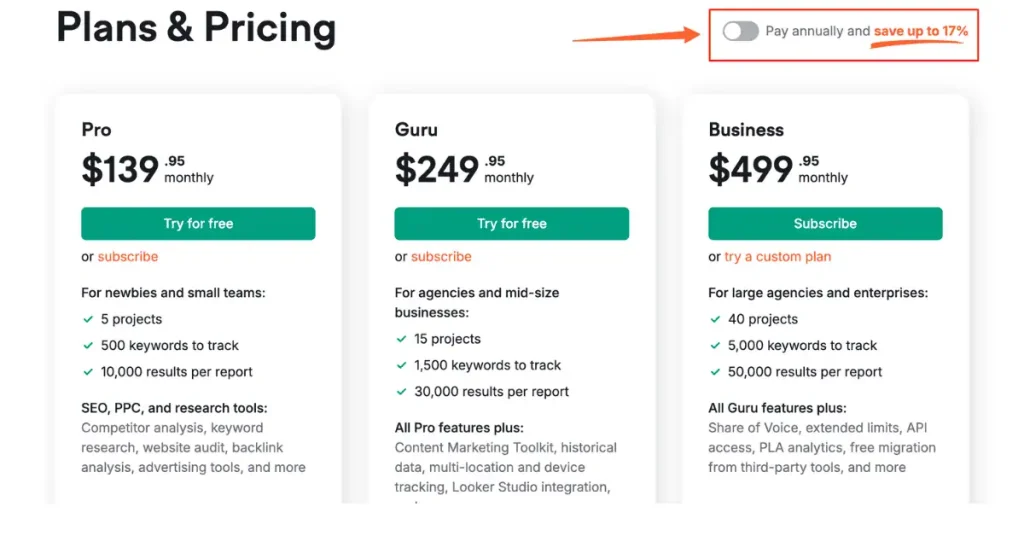
    1. Semrush

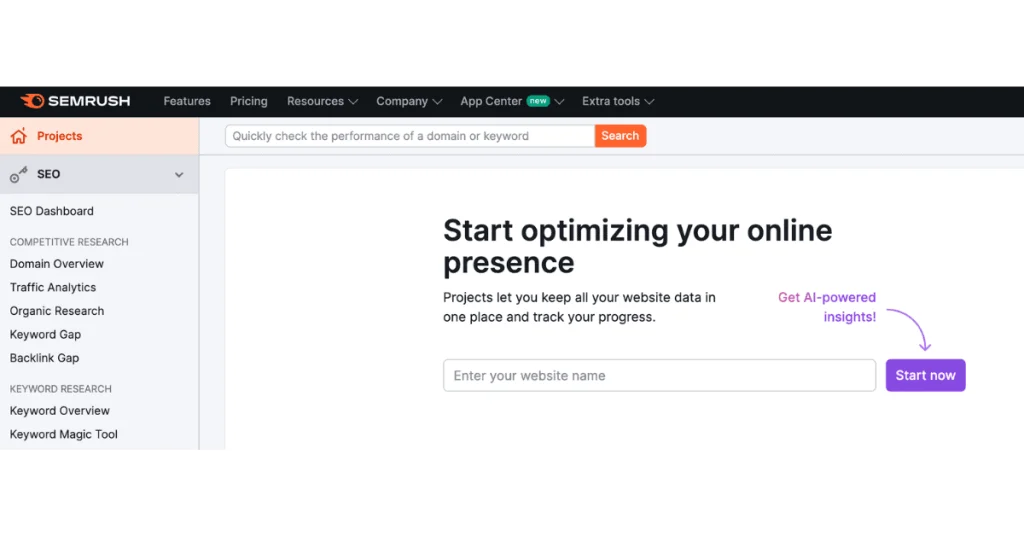
    Semrush is known for its advanced keyword position tracking. Here’s what makes it stand out:

    • Track Keyword Rankings: Monitor your rankings on Google, Bing, Yahoo, and more.
    • Device-Specific Data: Get ranking data for both desktop and mobile devices.
    • Competitor Analysis: Analyze competitors’ keyword tactics and identify opportunities.
    • SERP Checker: Check keyword positions in universal organic results and Google Maps listings.
    • SEO Intelligence: Gain insights into keyword difficulty and search volumes.
    rank tracker

    For instance, a digital marketing agency can utilize Semrush to monitor their clients’ keyword rankings across different devices, allowing them to optimize their strategies accordingly.
    rank tracker

    With its comprehensive competitor analysis, it can identify gaps and lost opportunities to stay ahead in the SEO game.

    2. SEO Tester Online
    keyword rank tracker

    SEO Tester Online offers robust mobile and local SEO rank tracking:
    • Mobile Rank Tracker: Track mobile keyword rankings and optimize for mobile search.
    • Mobile-Specific Opportunities: Identify ranking opportunities unique to mobile searches.
    • Local SEO Rank Tracker: Track local keyword rankings and optimize for local search.
    • Location-Specific Data: Identify ranking opportunities based on specific locations.
    keyword rank tracker

    Did you know that more than 60% of organic search engine visits in the US come from mobile devices? (Source: Statista) This makes SEO Tester Online’s mobile focus particularly valuable for businesses looking to capture this significant market share.

    A small business focusing on local customers can benefit greatly from SEO Tester Online. By tracking local keyword rankings, they can tailor their content to meet the needs of local searchers, improving their visibility and attracting more customers.

    3. Ahrefs
    keyword tool

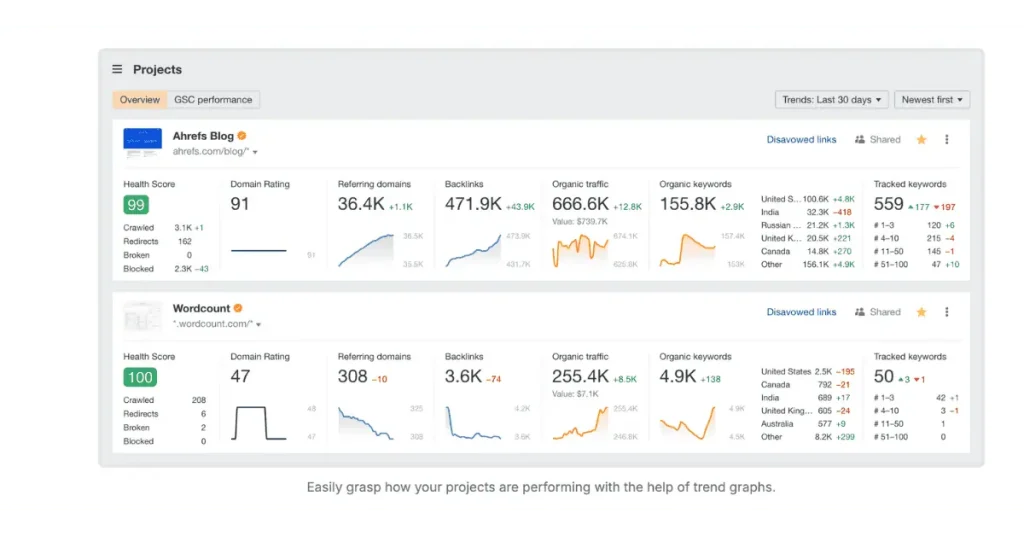
    Ahrefs is a powerful rank-tracking tool with extensive features:
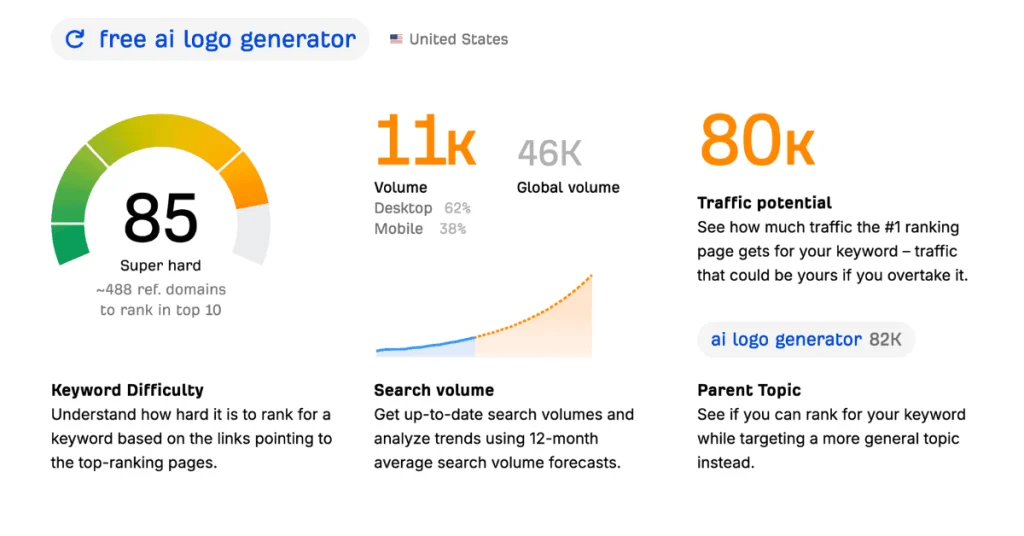
    • Multi-Engine Tracking: Track keyword rankings on various search engines.
    • Detailed Keyword Analysis: Get in-depth keyword analysis and competitor insights.
    • Google Tools Integration: Integrate with Google Analytics and Google Search Console for enhanced insights.
    keyword tool

    For instance, an e-commerce site can use Ahrefs to track keyword rankings across multiple search engines, providing a broad view of its SEO performance.

    By integrating with Google tools, it can gain deeper insights and refine its strategies to drive more traffic and sales.

    4. Mangools
    keyword research

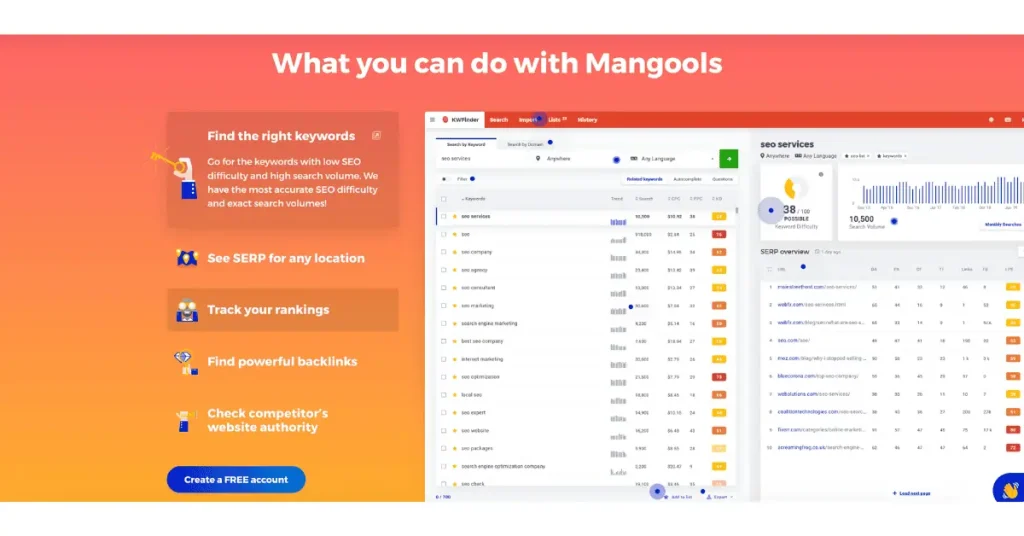
    Mangools offers an easy-to-use keyword rank checker with customizable reporting:
    • Keyword Rank Checker: Check keyword positions on Google, Bing, and Yahoo.
    • Keyword Insights: Get insights into keyword difficulty and search volumes.
    • Custom Reports: Build custom reports with target keywords and competitors.
    • Report Sharing: Share reports with clients or team members.
    keyword research

    A freelance SEO consultant can leverage Mangools to create detailed keyword reports for their clients. By sharing these custom reports, they can demonstrate progress and highlight areas for improvement, building trust and showcasing their expertise.

    5. Rank Tracker
    rank tracker tool

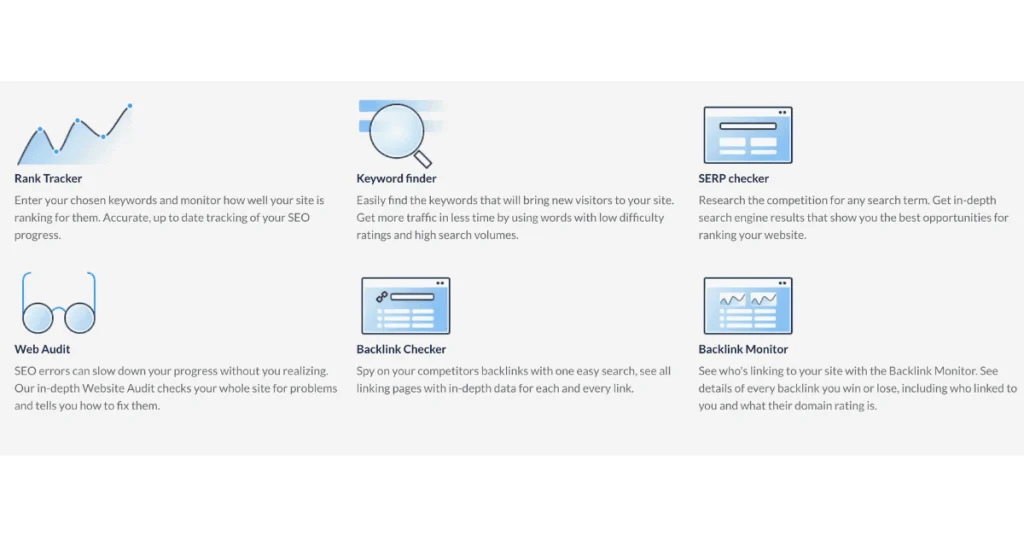
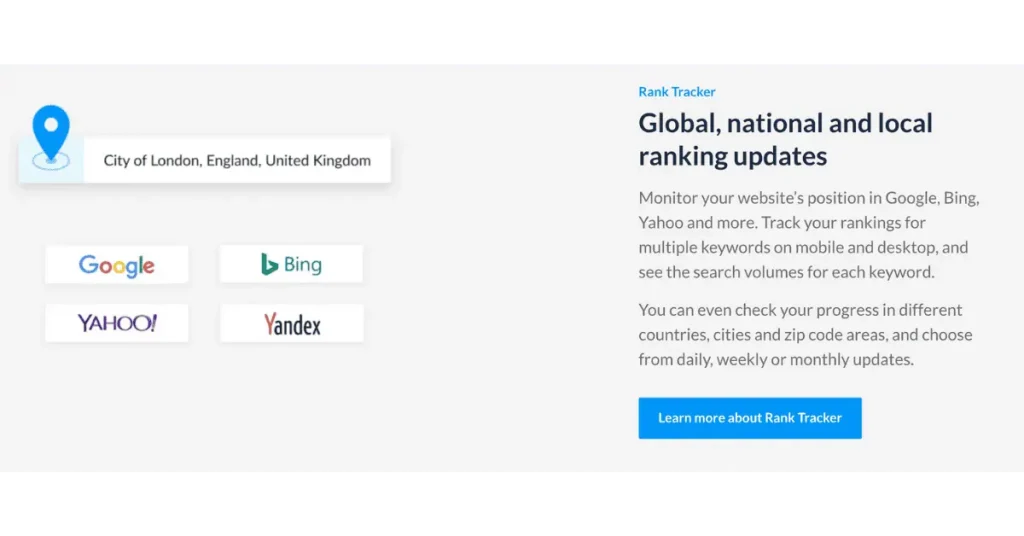
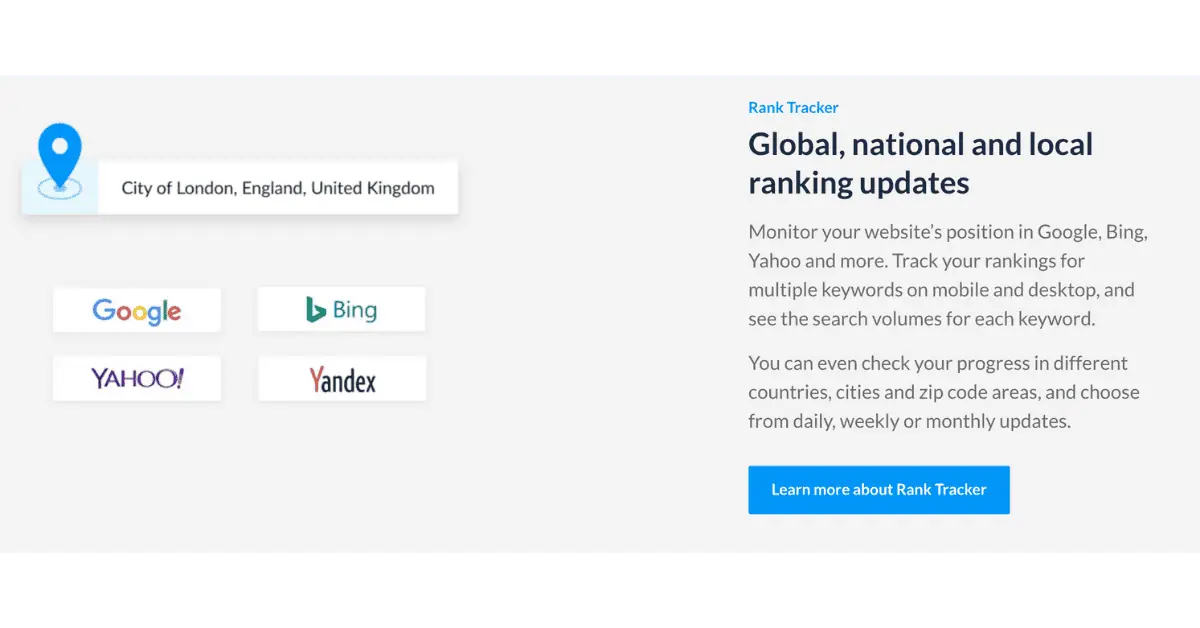
    Rank Tracker provides comprehensive tracking features across multiple platforms:

    • Google Ranks Checker: Check keyword positions on Google and other search engines.
    • Keyword Insights: Get insights into keyword difficulty and search volumes.
    • Position History: Track keyword ranking history to identify trends.
    • Ranking Data Analysis: Analyze ranking data to optimize content and improve SEO.

    An SEO team in a large corporation can use Rank Tracker to monitor their keyword positions over time, identifying trends and making data-driven decisions.
    rank tracker tool

    rank tracker tool

    By analyzing the ranking data, they can optimize their content strategy and improve their overall SEO performance.

    Selecting the right rank-tracking tool is crucial for effective SEO. Each tool offers distinct features that cater to different needs, from local SEO to comprehensive competitor analysis.

    By evaluating these tools based on your specific goals, you can enhance your SEO strategy and achieve better results.

    Remember, the essential factor is finding a tool that aligns with your business objectives and integrates effortlessly with your existing processes. The right choice will help you stay competitive and promote long-term business growth.

    Rank Tracking Across Search Engines

    Keeping tabs on your target keywords across multiple search engines can broaden your SEO strategy significantly.

    Why restrict to just one search engine when there are several that people use daily?

    target keyword

    A comprehensive rank tracker that monitors various platforms can provide a more complete picture of your online presence and help you identify new growth opportunities.

    The Need for Multi-Engine Monitoring

    Monitoring your keyword rankings across different search engines is crucial for several reasons:

    • Diverse User Bases: Different search engines cater to different user bases. While Google dominates the market, Bing and Yahoo still hold a significant share, especially in certain demographics.
    • Algorithm Variations: Search engines use different algorithms, which means your site might rank differently on each one. Understanding these gaps can help you optimize your site more effectively.
    • Broader Insights: By tracking across multiple platforms, you can better understand how your keywords perform overall.

    Imagine a business that relies solely on Google for its SEO insights. Suppose that the same business tracked its keywords on Bing and Yahoo. In that case, it might discover untapped audiences driving additional traffic.

    According to Statista, Bing accounted for nearly 11% of desktop searches globally in 2024. Ignoring this segment means missing out on a quarter of potential search traffic.

    Benefits of Broad Coverage

    There are several advantages to having broad coverage in your rank-tracking efforts:

    • Increased Visibility: Optimizing for multiple search engines increases your site’s visibility across the web.
    • Risk Mitigation: Relying on one search engine can be risky. If your rankings drop on Google, having a presence on other platforms can cushion the impact.
    • Competitive Edge: Understanding where you rank on different search engines can provide a competitive edge. You might outperform competitors on one platform even if you lag on another.

    For instance, a local business might rank higher on Bing for specific keywords, driving local traffic that Google misses. This broad coverage can lead to more consistent and diversified traffic sources, ensuring the business doesn’t rely too heavily on a single platform.

    Implementation Strategies

    To effectively implement a multi-engine rank tracking strategy, follow these steps:

    1. Choose the Right Tools: Select a rank tracker tool that supports multiple search engines. Tools like Ahrefs, SEMrush, and Moz offer extensive multi-engine tracking capabilities.

    2. Set Up Keyword Lists: Create separate lists of target keywords for each search engine. This will help you understand how different engines respond to your content.

    3. Monitor Regularly: Regular monitoring is crucial. Set up alerts and reports to stay updated on your rankings across platforms.

    4. Analyze and Adjust: Regularly analyze the data to spot trends and modify your SEO strategy accordingly. Focus on improving rankings where you see the most potential.

    For example, an e-commerce website could use SEMrush to track its keyword rankings on Google, Bing, and Yahoo.

    By analyzing this data, the site might notice that certain products perform better on Bing. The business can then optimize those product pages specifically for Bing, driving more traffic and sales.

    In conclusion, keyword rank tracking across multiple search engines is essential for a comprehensive SEO strategy. It broadens your scope, helps mitigate risks, and provides deeper insights into your performance.

    Spotting SEO Opportunities

    How can you uncover hidden opportunities and get ahead in the SEO game? Leveraging your rank tracker to analyze target keywords is a great place to start. This approach reveals how your content is performing and highlights areas ripe for improvement.

    Let’s dive into how to make the most of your rank-tracking data.

    Utilizing Data to Enhance SEO Tactics

    Data is your best friend when it comes to refining your SEO tactics. Here’s how you can use your rank tracker to gain valuable insights:

    • Monitor Keyword Performance: Track how your target keywords rank over time. This will help you see what’s working and what isn’t.
    • Identify Seasonal Trends: Some keywords perform better at certain times of the year. Recognizing these patterns can help you plan your content calendar more effectively.
    • Analyze Competitor Rankings: See where your competitors rank for the exact keywords. This can provide insights into their strategies and areas where you can outperform them.

    For example, a fashion retailer might notice that searches for “summer dresses” spike in the spring. By planning, they can optimize their content and product listings to capture more traffic during this peak season.

    Identifying Underexploited Areas

    Sometimes, the best opportunities are the ones that aren’t immediately obvious. Here’s how to use your rank tracker to uncover these hidden gems:

    • Long-Tail Keywords: These are less competitive but highly specific phrases that can attract targeted traffic. Check for long-tail variations of your main keywords that you’re not actively targeting.
    • Content Gaps: Analyze your competitors’ content to find gaps you can fill. If they aren’t covering a particular angle or question, that’s your chance to create content that stands out.
    • Emerging Trends: Identify new trends in your industry. Early adoption of trending topics can give you a significant edge.

    A tech blog, for instance, might discover that competitors haven’t covered a new gadget release in depth. By publishing detailed reviews and guides, they can attract readers searching for information on that specific product.

    keyword research

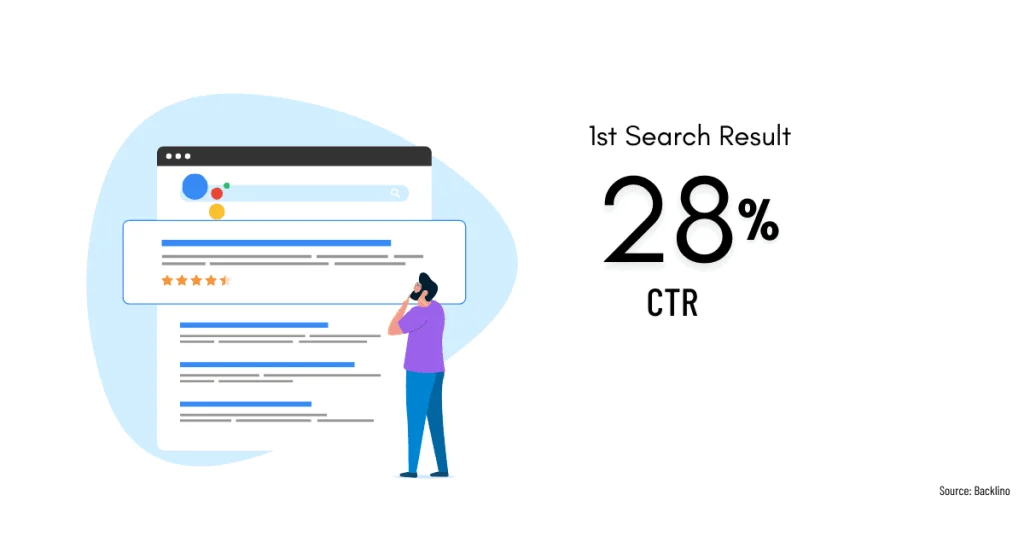
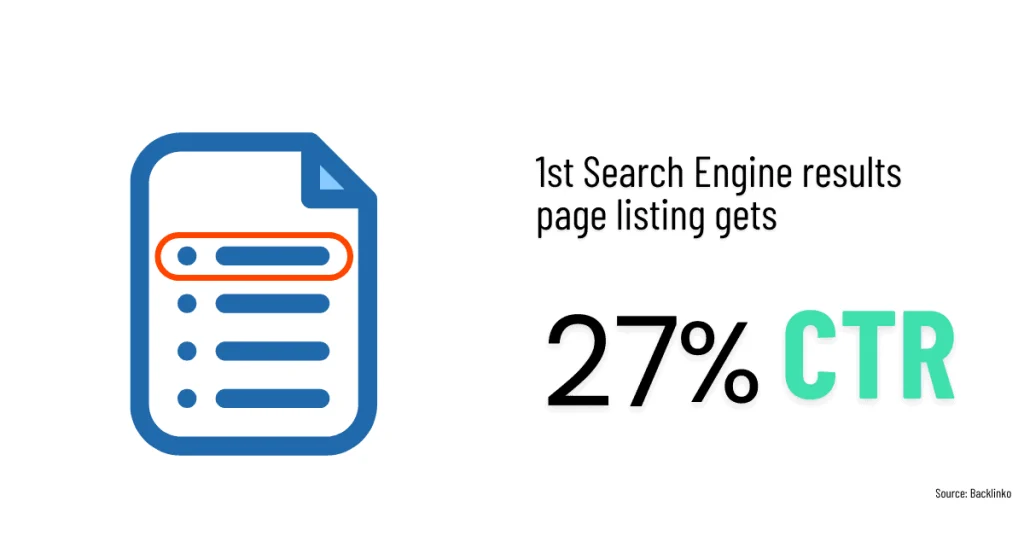
    Want a quick win? Focus on moving keywords from positions 11-20 to the first page. A study by Advanced Web Ranking found that the click-through rate jumps from 2.5% for position 10 to 34% for position 1 on desktop searches. (Source: Advanced Web Ranking, 2023)

    Adjusting Strategies Based on Data

    Your SEO strategy should be dynamic and constantly evolving based on the latest data. Here’s how to adjust your approach effectively:

    • Revise Underperforming Content: Identify pages that aren’t performing well and update them with new information or better keywords.
    • Focus on High-Performing Areas: Double down on content that is already performing well. Look for ways to expand on these topics and maintain your rankings.
    • Experiment with New Approaches: Don’t be afraid to try new tactics based on your data. Whether tweaking your meta tags or exploring different types of content, experimenting can lead to valuable insights.

    Consider a health and wellness site that notices its blog post on “yoga for beginners” performs exceptionally well. To capitalize on this interest and attract more traffic, the site could create a series of related posts, such as “yoga poses for flexibility” or “yoga for stress relief.”

    target keyword

    Have you considered the impact of local SEO on your rankings? According to SEOroundtable, 46% of all Google searches have local intent. (Source: SEOroundtable) Are you tracking your performance in local pack results?

    In conclusion, leveraging your rank tracker to analyze target keywords can uncover valuable SEO opportunities. By monitoring performance, identifying underexploited areas, and adjusting your strategies based on data, you can stay ahead in the competitive SEO world.

    Analyzing Data for Insights

    Have you ever wondered how to turn raw rank-tracking data into actionable SEO insights? Analyzing your data effectively is key to understanding your search engine performance and refining your strategies. Let’s break down the process and explore some proven techniques.

    Techniques for Data Interpretation

    Interpreting rank tracking data can seem overwhelming, but with the right approach, it becomes manageable. Here are some methods to help you extract valuable insights:

    • Trend Analysis: Look at how your target keywords have moved over time. Are there patterns or sudden changes?
    • Competitor Comparison: Compare your keyword rankings with those of your competitors. Identify where you are leading or lagging.
    • Keyword Grouping: Organize your keywords into groups based on themes or topics. This helps in understanding which areas are performing well and which need improvement.
    • Correlation Studies: Examine the correlation between your keyword rankings and traffic or conversion rates. This can reveal which keywords are most valuable.

    For example, a travel blog might notice that their keywords related to “summer vacation spots” peak during certain months. By analyzing these trends, they can plan content to align with these high-traffic periods, maximizing their visibility and engagement.

    Tools and Platforms for Analysis

    Several tools and platforms can assist in analyzing rank-tracking data effectively. Here are some popular options:

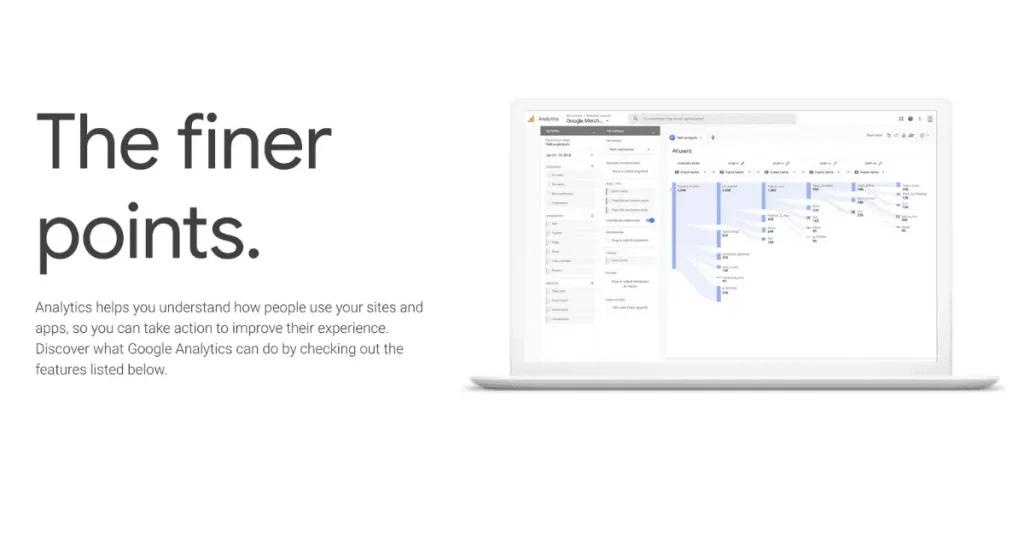
    • Google Analytics: Integrate your rank-tracking data with Google Analytics to comprehensively view your website’s performance.
    • Ahrefs: Offers detailed keyword analysis and competitor insights, helping you understand where you stand.
    • SEMrush: Provides robust tools for keyword research, rank tracking, and competitor analysis.
    • Moz: Known for its user-friendly interface, Moz helps you track keyword rankings and analyze SEO performance.

    Turning Data Into Actionable Insights

    It’s one thing to gather data, but turning it into actionable insights truly matters. Here’s how to do it:

    • Identify Quick Wins: Look for keywords where minor improvements can lead to significant gains. These are often keywords on the cusp of the first page.
    • Optimize Underperforming Pages: Use your data to identify pages that aren’t ranking as well as they should. Update and optimize these pages for better performance.
    • Expand on High-Performing Topics: Find topics where you are already performing well and create more content around these themes.
    • Monitor and Adjust: SEO is not a one-time task. Continuously monitor your rankings and adjust your strategies based on the latest data.

    Local SEO and Rank Tracking

    Optimizing for local SEO is crucial if you want to stand out in local search engine results. Effectively using rank-tracking tools can boost your local visibility and attract more local customers. Let’s explore some techniques for leveraging these tools in your local SEO campaigns.

    Strategies for Local SEO Success

    Using rank tracking for local SEO requires a strategic approach. Here are some key strategies to consider:

    • Focus on Local Keywords: Identify and target keywords relevant to your local audience. These could include your city, neighborhood, or specific local terms related to your business.
    • Monitor Local Rankings: Use a rank tracker to monitor your keyword rankings in your local area. This will help you understand how well you are performing in local search engine results.
    • Optimize Google My Business (GMB): Ensure your GMB listing is complete and optimized. This includes accurate business information, high-quality images, and customer reviews.
    • Local Backlinks: Build backlinks from local websites and directories. This can improvize your local search rankings and increase your online authority.

    For example, a coffee shop in Austin could focus on keywords like “best coffee in Austin” or “Austin coffee shops.” By monitoring these keywords, the shop can adjust its SEO strategies to maintain a high ranking in local search results.

    Localized Keywords and Their Impact

    Localized keywords are essential for capturing local traffic. Here’s how they can impact your SEO:

    • Relevance: Localized keywords enhance the relevance of your content to local searchers, increasing the chances of your business appearing in local search results.
    • Higher Conversion Rates: Local searchers are often ready to make a purchase. By targeting localized keywords, you attract customers who are more likely to convert.
    • Improved Visibility: Using localized keywords can improve your visibility in “increasingly popular near me” searches.

    Consider a plumber in Chicago. Targeting keywords like “emergency plumber Chicago” or “Chicago plumbing services” can attract more local customers searching for these specific services.

    Adjusting to Local Search Trends

    Local search trends can change quickly, so staying on top of them is essential. Here’s how to adjust your strategies based on these trends:

    • Analyze Search Data: Use tools like Google Trends to discover popular search terms in your region. This enables you to adjust your keyword strategy to match current trends.
    • Update Content Regularly: Ensure your website content is fresh and relevant. Periodic updates can help you stay ahead of local search trends and maintain high rankings.
    • Monitor Competitors: Keep an eye on what your local competitors are doing. If they’re ranking higher for certain keywords, analyze their strategies and adapt accordingly.
    • Engage with Local Community: Participate in local events and activities. This not only boosts your local presence but also provides opportunities for content creation and backlink building.
    search engine results pages

    For instance, a local bakery could notice a spike in searches for “gluten-free bakery near me.” By updating their website to highlight their gluten-free options and optimizing for these keywords, they can attract more customers.

    Niche Market Adaptations

    Navigating the world of SEO for niche markets can be tricky. Each market has unique challenges that require tailored solutions. Effectively using a keyword rank tracker in these markets means customizing your approach to meet specific needs and ensuring your strategies are on point.

    Let’s explore why customization is critical and how to tackle these unique challenges.

    Custom Solutions for Unique Challenges

    In niche markets, a one-size-fits-all approach doesn’t work. Here’s how you can tailor your rank-tracking efforts to fit your specific market needs:

    • Targeted Keywords: Focus on keywords that are highly relevant to your niche. These might be less competitive but can drive more qualified traffic.
    • Localized Strategies: If your niche is geographically specific, ensure your rank tracker monitors local search engine results.
    • Competitor Analysis: Analyze your direct competitors within the niche. This provides insights into their strategies and areas where you can outperform them.
    • Content Customization: Develop content that speaks directly to your niche audience. Use insights from your rank tracker to identify topics that resonate.

    For instance, an online store specializing in eco-friendly products might focus on keywords like “sustainable living tips” or “eco-friendly home goods.” The store can optimize its content by tracking these niche-specific keywords to attract an audience that values sustainability.

    Challenges in Niche SEO

    Niche markets come with their own set of SEO challenges. Here are some common issues and how to address them:

    • Limited Search Volume: Niche keywords often have lower search volumes. To combat this, focus on long-tail keywords that capture more specific search intents.
    • High Competition for General Terms: General terms might be dominated by big players. Instead, target specific, less competitive keywords where you can stand out.
    • Constantly Evolving Trends: Niche markets can change rapidly. Use your keyword rank tracker to monitor emerging trends and adjust your strategy accordingly.
    • Content Relevance: Keeping your content relevant to your audience’s needs is crucial. Update your content regularly based on the latest data from your rank tracker.

    For example, a blog on vegan recipes might struggle with broad terms like “healthy recipes.” Still, it can excel with specific keywords such as “vegan gluten-free desserts.” Focusing on these niche keywords can attract a dedicated audience looking for specialized content.

    Advanced Techniques and Features

    Advanced rank tracking techniques and the latest features can help improve your efforts’ precision and effectiveness. Using these tools, you can keep your strategies on point. Let’s explore some cutting-edge developments in rank tracking.

    Cutting-Edge Developments in Rank Tracking

    n recent years, rank-tracking tools have evolved significantly. These advancements help you get more precise and actionable data:
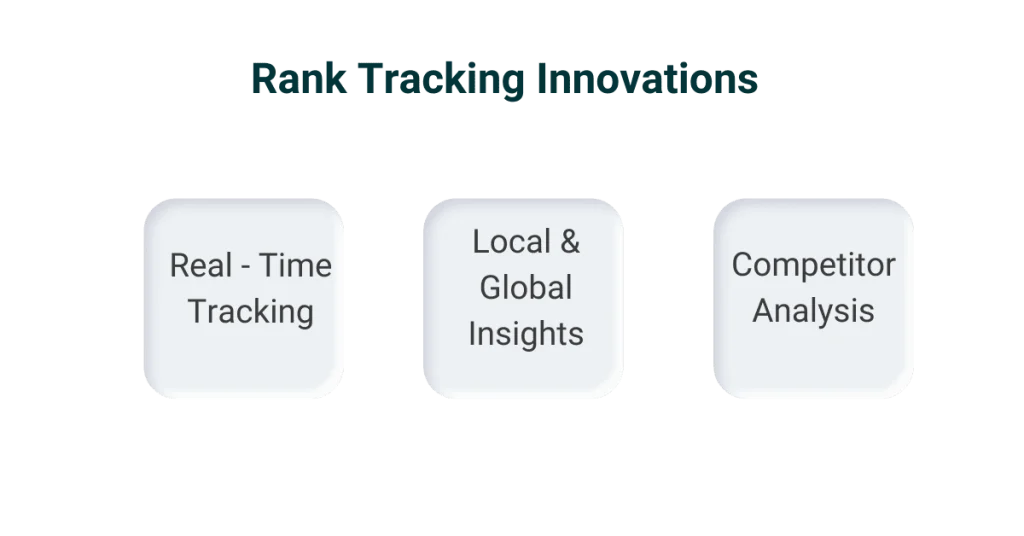
    • Real-Time Tracking: Gone are the days of waiting for weekly updates. Modern rank trackers offer real-time data, allowing you to react instantly to changes in search engine rankings.
    • Local and Global Insights: Advanced tools provide detailed insights into local and global rankings, helping you optimize your strategy for different markets.
    • Competitor Analysis: Some rank trackers now include robust competitor analysis features, which give you a clearer picture of your position relative to your rivals.
    keyword research

    For example, tools like SEMrush offer real-time tracking and comprehensive competitor analysis, making identifying gaps and opportunities in your strategy easier.

    AI and Machine Learning Enhancements

    Artificial Intelligence (AI) and machine learning (ML) are transforming how we approach SEO. Here’s how these technologies are enhancing rank tracking:

    • Predictive Insights: AI can analyze patterns and predict future ranking trends, helping you stay ahead of the curve.
    • Automated Recommendations: Machine learning algorithms can suggest optimizations based on your data, saving you time and effort.
    • Improved Accuracy: AI enhances the precision of rank tracking by considering many factors that traditional methods might overlook.

    For example, Ahrefs uses AI to provide predictive insights and automated recommendations. This helps you make more informed decisions and optimize your content effectively.

    Predictive Analytics in SEO

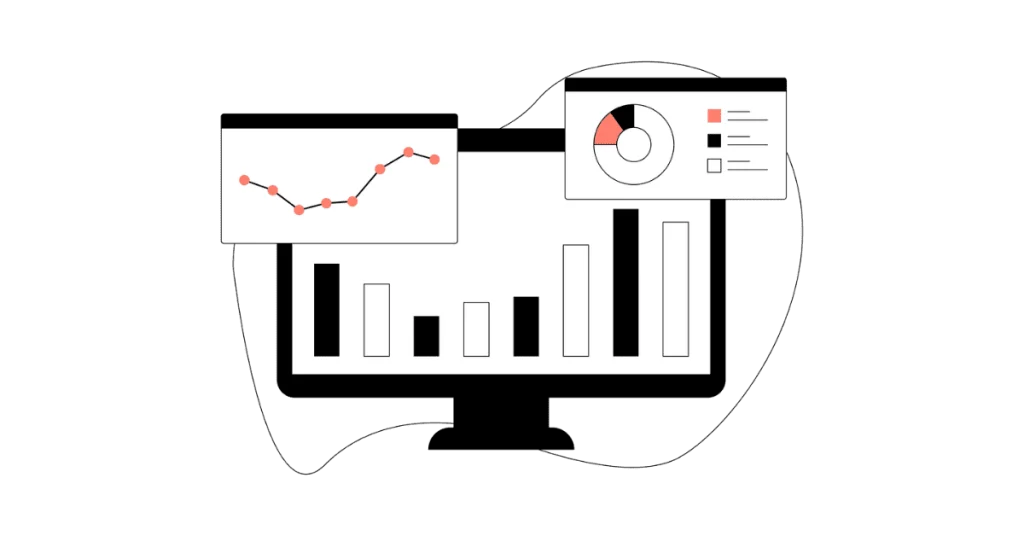
    Predictive analytics is another game-changer in SEO.
    target keyword

    By analyzing historical data, you can forecast future trends and adjust your strategies accordingly:

    • Trend Analysis: Use predictive analytics to understand how your target keywords might perform.
    • Traffic Forecasting: Predictive tools can estimate future traffic based on current rankings, helping you plan your content and marketing efforts more effectively.
    • Risk Mitigation: Identify potential drops in rankings before they happen and take preemptive measures to counteract them.

    For instance, a company using predictive analytics might notice a seasonal drop in search volume for certain keywords. By preparing in advance, they can adjust their marketing strategy to maintain consistent traffic throughout the year.

    Wrapping Up

    Accurate rank tracking is the backbone of a successful SEO strategy in 2024.

    By focusing on precision, selecting the right tools, and leveraging advanced techniques, you can stay ahead in the competitive SEO landscape. Integrating real-time updates, AI, and machine learning enhances your ability to effectively adjust and refine your strategies.

    So, what are the key takeaways?

    First, accurate data is crucial. It informs your decisions and helps you fine-tune your strategies.

    Second, choose rank-tracking tools that align with your SEO goals and offer features like comprehensive insights and competitor analysis.

    Third, utilize advanced techniques such as AI-driven predictive analytics to anticipate trends and stay ahead.

    I’ve seen firsthand the transformative power of accurate rank tracking. We dramatically improved our search engine results by implementing specific techniques discussed in this tutorial.

    For instance, using real-time data from tools like SEMrush, we could quickly respond to ranking changes and adjust our strategies on the fly. This not only boosted our rankings but also enhanced our overall SEO performance.

    I highly encourage you to adopt these rank-tracking techniques. They are not just about tracking positions; they provide valuable insights that can drive your entire SEO strategy.

    With accurate data, you can make informed decisions, optimize your content, and achieve better visibility and higher rankings in search engine results.

    By integrating these practices into your workflow, you’ll be well-equipped to navigate the dynamic world of SEO and achieve sustained success.

    Remember, the key is to stay updated, adaptable, and proactive in your approach.

    Frequently Asked Questions

    Accurate rank tracking helps you understand which keywords are performing well and which need adjustment. This lets you optimize your content, improve rankings, and drive more organic traffic.

    (Keywords: SEO strategy, rank tracking)

    Top tools for 2024 include SEMrush, Ahrefs, and Moz. They offer real-time updates, competitor analysis, and comprehensive insights to enhance your SEO strategy.

    (Keywords: best rank tracking tools, SEO tools 2024)

    It’s best to check your keyword rankings weekly. This frequency helps you stay updated on changes and make timely adjustments to your SEO strategy without being overwhelmed by daily fluctuations.

    (Keywords: keyword ranking frequency, SEO monitoring)

    Absolutely! Rank tracking helps identify how well you’re performing in local searches. It guides you in optimizing for local keywords and improving your visibility in your target area.

    (Keywords: local SEO, rank tracking, local)

    Common mistakes include not using accurate tools, ignoring competitor analysis, and checking rankings too infrequently. Avoid these to ensure you get reliable data and can adjust your strategy effectively.

    (Keywords: SEO mistakes, rank tracking errors)

  • Transform your SEO Data Analysis into Engaging Visual Stories: 9-Step Guide

    Transform your SEO Data Analysis into Engaging Visual Stories: 9-Step Guide

    Read in 12 min

    SEO data analysis can feel like piecing together a giant jigsaw puzzle.

    But imagine the power you’ll have when you can turn those complex data points into engaging visual stories that captivate your audience.

    This guide is your key to unlocking that power. Picture yourself presenting your SEO insights in an informative and visually stunning way. It’s like going from a black-and-white TV to a 4K experience; you’re in control.

    Together, we’ll walk through a simple 9-step process to transform raw data into visuals that tell a story.

    search engines

    These visuals will help you communicate effectively with your team and stakeholders, foster collaboration and shared understanding, and crystallize your SEO strategies.

    TL;DR

    • Understand the basics of SEO data visualization
    • Choose relevant metrics
    • Use the right tools
    • Design an effective dashboard
    • Incorporate interactive elements
    • Keep visualizations updated
    • Highlight key performance indicators
    • Use storytelling techniques
    • Tailor visualizations for different audiences

    Ready to make your SEO data analysis pop? Let’s dive in!

    What is SEO data analysis and Visualization?

    SEO data analysis is like piecing together a puzzle, each metric showing your website’s performance.

    You can uncover trends and insights that drive your SEO strategy by tracking metrics like organic traffic, bounce rates, and conversion rates. But how do you make sense of all this data? That’s where SEO data visualization comes in.

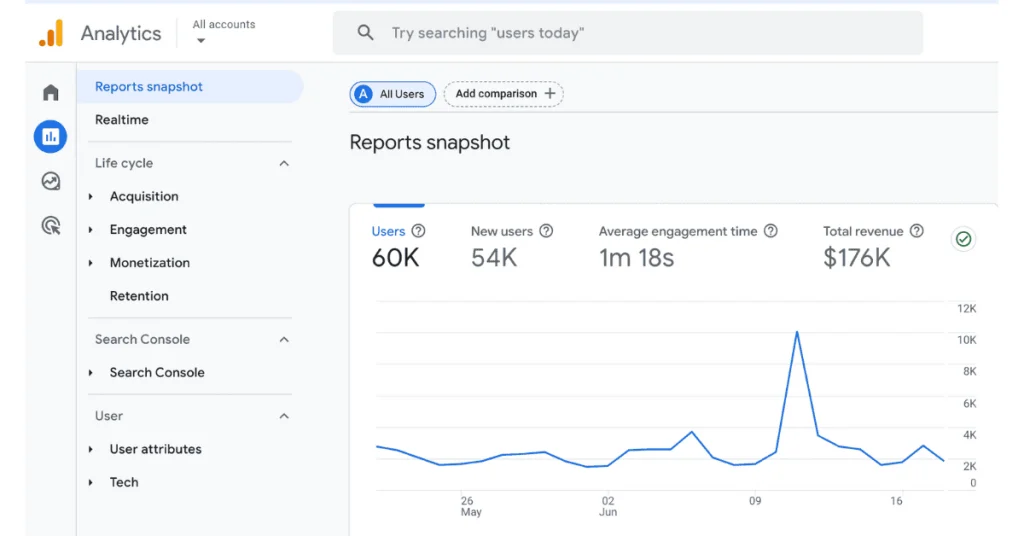
    SEO data visualization transforms raw data from tools like Google Analytics into visual formats like charts, graphs, and dashboards. This approach makes complex data more accessible and easier to interpret.

    seo analytics

    Imagine turning a dense spreadsheet into a colorful dashboard highlighting key metrics at a glance. It’s not just about aesthetics but clarity and better decision-making.

    Importance of Visualization

    Why is visualization crucial in SEO? First, it simplifies data interpretation.

    When you visualize data, patterns, and trends that were hidden in spreadsheets, become immediately apparent. For example, a line graph showing organic search traffic over time can quickly reveal whether your SEO efforts are paying off.

    Second, it aids in communication, making your work more efficient. Visual data is more engaging and easier to understand, whether you’re presenting to your team or stakeholders.

    Studies show that humans consume visual information 60,000 times faster than text (source: 3M Corporation).

    Presenting data visually ensures your audience grasps vital points quickly, saving time and effort.

    Lastly, visualizations are potent tools for problem-solving and opportunity identification.

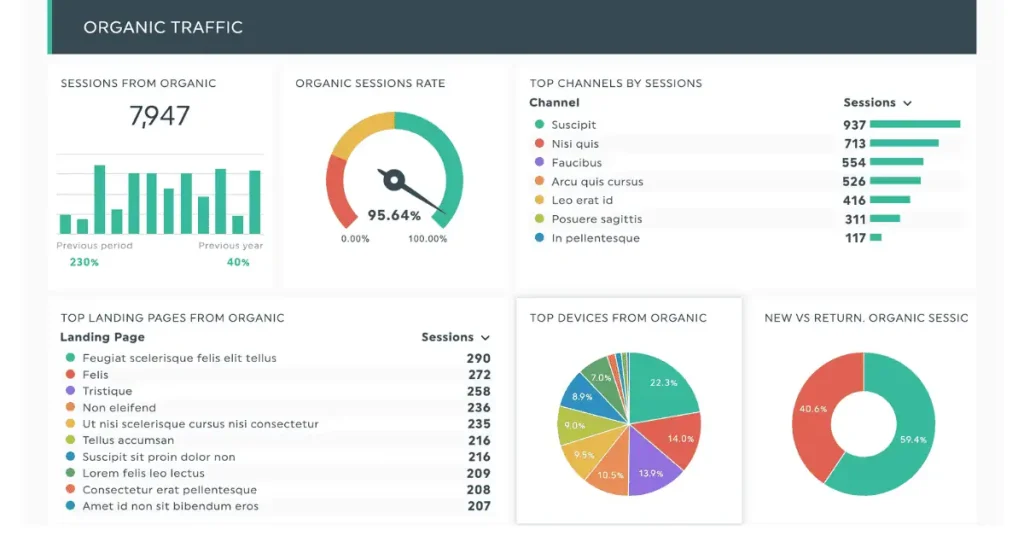
    Organic traffic

    Source: Hotjar.com

    For instance, a heatmap of your website’s click activity can show which areas are receiving the most attention and which are being ignored. This insight can guide adjustments to improve user experience and increase conversions, empowering you to address issues and seize opportunities.

    Further Reading: SEO Reporting In 2024: What’s Changing?

    Consider this example: A marketing team uses a Google Analytics account to track organic search traffic. They notice a steady decline in visitors but can’t pinpoint the cause.

    By visualizing the data, they see a sharp drop corresponding with a recent website redesign. This visualization helps them identify and address the issue quickly.

    Industry Examples and Statistics

    Let’s look at how industry leaders use SEO data visualization to drive success.

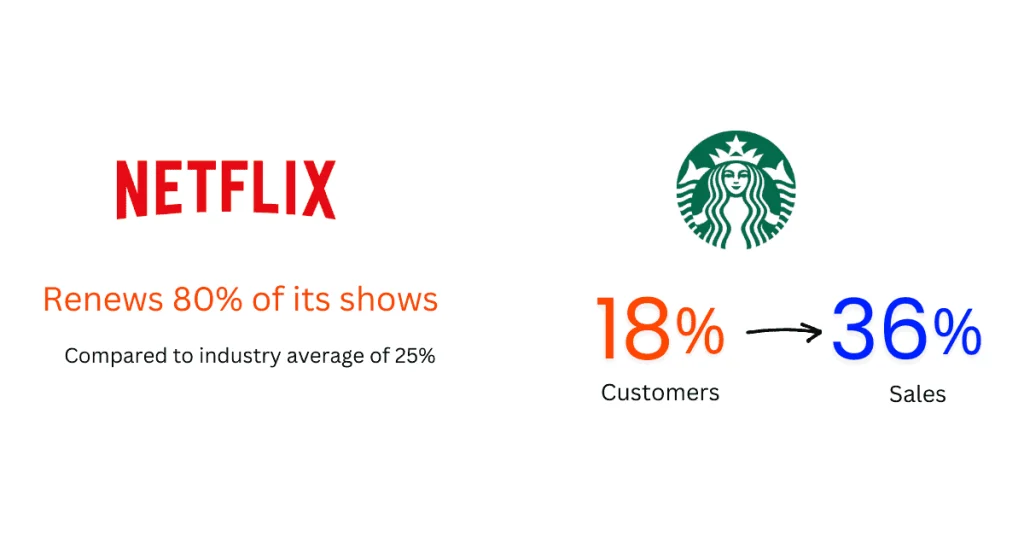
    Netflix’s data analysts examined subscriber interests and found that fans of the original British show admired actor Kevin Spacey and director David Fincher.

    seo campaign

    This insight helped Netflix create one of its most successful series. As a result, Netflix renews more than 80% of its shows, significantly higher than the industry average of 25%. (Source: Toucantoco)

    In another case, Starbucks processes over 90 million weekly transactions across more than 25,000 stores globally.

    They’ve managed to use this data to make intelligent decisions. The numbers show their personalization and customer engagement efforts are paying off.

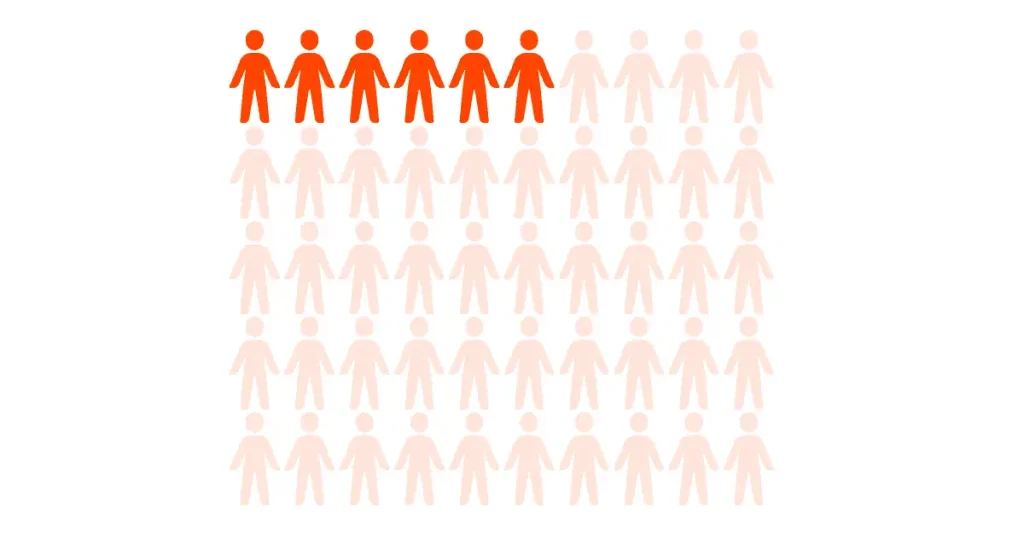
    Impressively, 18 percent of Starbucks’ 75 million customers generate 36 percent of the company’s sales. This is a significant win for Starbucks and highlights a huge potential if they can earn the loyalty of more customers.

    9-Step Guide to Captivating Visual Stories

    SEO data can be overwhelming, but turning it into visual stories makes it much more digestible. By visualizing SEO data, you can reveal insights that might otherwise be hidden in spreadsheets.

    This process helps you understand your data better and allows you to present your findings more effectively.

    Here’s a step-by-step guide to transforming your SEO analytics into engaging visual stories.

    TL;DR

    • Choose the Right SEO Metrics
    • Select Appropriate Visualization Tools
    • Design Your SEO Dashboard
    • Incorporate Interactive Elements
    • Regularly Update Your Visualizations
    • Highlight Key Performance Indicators (KPIs)
    • Use Storytelling Techniques
    • Customize Visualizations for Different Audiences
    • Test and Iterate Your Visual Stories

    Step 1: Choose the Right SEO Metrics

    Choosing the right metrics is the first step in creating compelling visual stories from your SEO data. Not all data is equally valuable; focusing on the right metrics can make a big difference.

    Start by identifying which metrics align with your SEO goals.

    For example, you’ll want to track organic search traffic metrics like page views, bounce rates, and average session duration to increase organic traffic.

    Tools like Google Analytics (GA4) and Google Search Console GSC can provide these metrics. Prioritize metrics that offer insights into your most critical SEO activities.

    google search console

    Next, consider the relevance of each metric. Only some metrics will be equally important at all times. Prioritize those that provide the most actionable insights.

    For example, if you’re running a content marketing campaign, engagement metrics like time on page and social shares might be more relevant than usual.

    Step 2: Select Appropriate Visualization Tools

    The right tools can make all the difference in visualizing your SEO data effectively. There are several options available, each with its strengths and weaknesses.

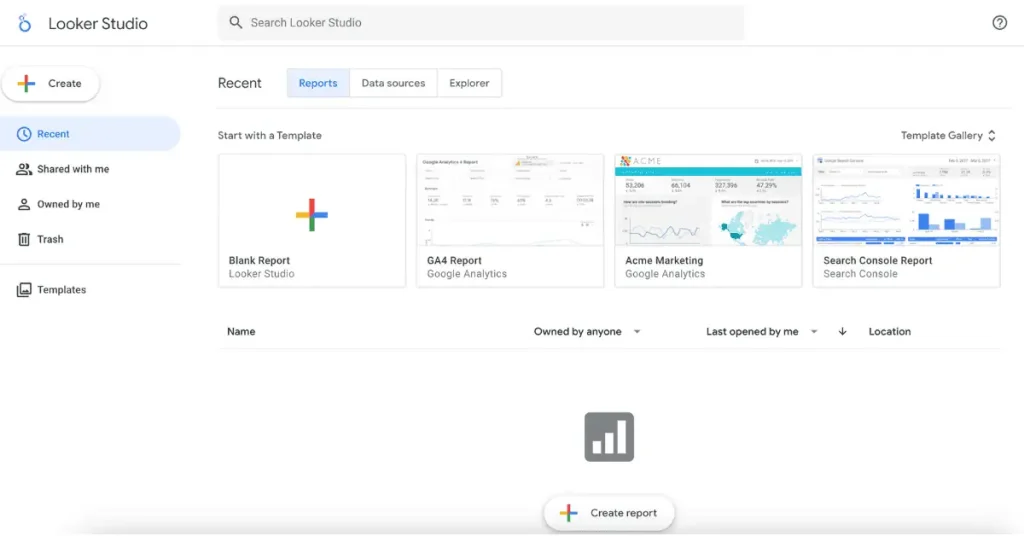
    Google Data Studio is a powerful, free tool that integrates well with other Google services like Analytics and Search Console. It allows you to build personalized dashboards and reports.

    Tableau is another popular option, known for its robust data visualization capabilities and interactive features. While it has a steeper learning curve, it’s highly effective for detailed SEO analytics.

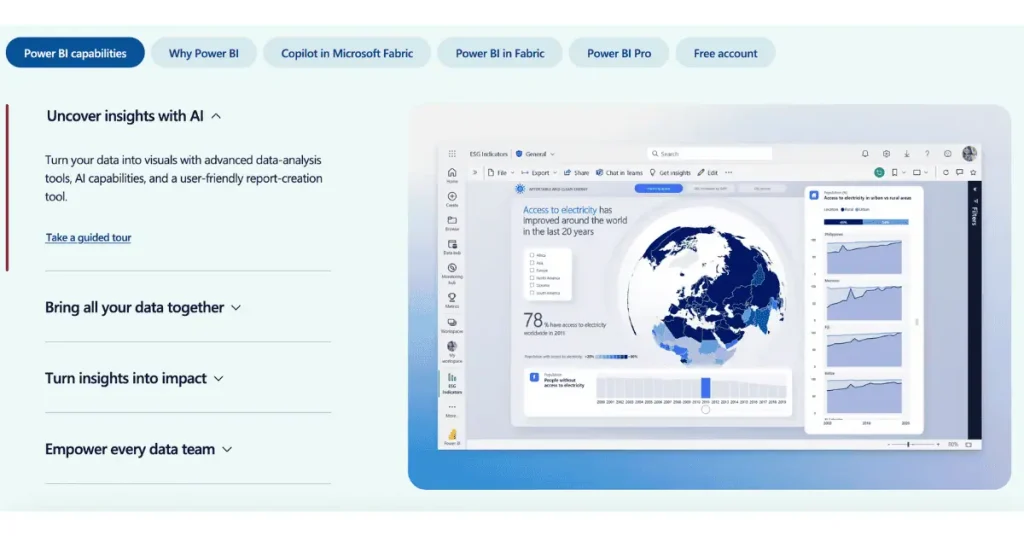
    Power BI by Microsoft offers strong integration with other Microsoft products and is excellent for business intelligence and SEO analytics.

    seo analytics tools

    Each tool has unique features, so choose the one that best suits your needs.

    Check out our post on 11+ Best SEO Reporting Software In 2024 for a comprehensive comparison.

    Step 3: Design Your SEO Dashboard

    Designing an effective dashboard is crucial for visualizing your SEO data. A well-structured dashboard can help you quickly identify trends and insights.

    Start by organizing your data logically. Group related metrics together to create a clear and intuitive layout. Use charts and graphs to represent data visually, as these are often easier to understand than raw numbers.

    For example, a line chart can show trends over time, while a pie chart can illustrate the distribution of different traffic sources.

    keyword rankings

    Pay attention to the design principles. Keep your dashboard clean and uncluttered.

    Refrain from using excessive colors or intricate charts, as these can make your data harder to understand. Instead, use contrasting colors to highlight key metrics and trends.

    Also, consider using white space to make your dashboard visually appealing and easier to navigate.

    Step 4: Incorporate Interactive Elements

    Interactive elements can make your data visualizations more engaging and accessible. Features like filters, drill-downs, and hover effects allow users to interact with the data and discover insights on their own.

    Filters let you view specific segments of your data. For example, you could use a filter to view traffic data for a particular date range or from a specific source.

    keyword research

    Drill-downs allow users to explore data in more detail, moving from a high-level overview to a more detailed view. Hover effects can provide additional context when a user hovers over a data point.

    Incorporating these interactive elements can make your visual stories more dynamic and engaging. It also helps users find the insights they need without digging through raw data.

    Step 5: Regularly Update Your Visualizations

    Keeping your visualizations up-to-date is essential for maintaining their relevance and accuracy. Regular updates ensure that your data reflects the most current trends and insights.

    Automating data updates can save time and reduce the risk of errors. Many visualization tools, like Google Data Studio and Tableau, offer features for automating data refreshes. Set up this automation to ensure your dashboards are always up-to-date.

    It is also important to review your visualizations regularly. Check for outdated information or trends that may no longer be relevant, and make adjustments to keep them accurate and useful.

    Step 6: Highlight Key Performance Indicators (KPIs)

    Key performance indicators (KPIs) are critical metrics that reflect the success of your SEO efforts. These metrics directly measure your SEO strategy’s performance and indicate whether you’re achieving your goals.

    Highlighting these KPIs in your visualizations can help you and your stakeholders quickly assess performance.

    Identify the KPIs that are most relevant to your goals.

    Common SEO KPIs include organic traffic, conversion rates, and keyword rankings. Display these KPIs prominently in your dashboards to ensure they are easily visible.

    Visual elements like bold colors or larger fonts can draw attention to your KPIs. Make sure they stand out from other metrics and are immediately noticeable.

    You can also consider using different chart types or positioning the KPIs in a prominent location on the dashboard to make them more noticeable.

    Step 7: Use Storytelling Techniques

    Storytelling is a powerful way to make your data more engaging and memorable. Telling a story with your data helps your audience grasp the context and importance of your findings.

    Begin by focusing on the main message you want to share. What is the main takeaway from your data? Build your visualizations around this message, using charts and graphs to support your story. This approach can help you connect to the audience more deeply and make your data more relatable.

    google analytics tracking code

    Use narrative elements like titles, subtitles, and annotations to guide your audience through visualizations.

    For example, a title can introduce a chart, a subtitle can provide additional context, and annotations can highlight key data points.

    Step 8: Customize Visualizations for Different Audiences

    Different stakeholders may have different data needs and interests. Customizing your visualizations for different audiences ensures everyone gets the insights they need.

    For example, an executive might be more interested in high-level KPIs and trends. At the same time, a marketing manager might need more detailed data on campaign performance. Tailor your dashboards to highlight the most relevant information for each audience.

    Using different visualization tools or creating separate dashboards for various stakeholders can help you meet their unique needs.

    For more tips, check out our post on How To Supercharge Your SEO Reporting With AI Tools.

    Step 9: Test and Iterate Your Visual Stories

    Creating compelling visual stories is an ongoing process. Testing and iterating your visualizations can help refine your approach and improve your results.

    Start by gathering feedback from your audience. What do they find most useful? Are there any areas where they feel more information is needed? Use this feedback to adjust your visualizations.

    Regularly reviewing and improving your visualizations can help you stay current with changing trends and needs. Continuously testing and iterating your visual stories will ensure they remain relevant and effective.

    10 Game-Changing Visualization Techniques to Enhance Your Data

    Visualizing SEO data is not just nice; it’s crucial for making sense of complex information and gaining actionable insights.

    By transforming numbers into visual stories, you can uncover trends, spot opportunities, and communicate findings more effectively.

    Let’s explore ten powerful visualization techniques that will elevate your SEO analytics, Google Analytics, and Google Search Console data and make your data analysis more efficient and effective.

    TL;DR

    • Heatmaps
    • Line Charts
    • Bar Graphs
    • Pie Charts
    • Scatter Plots
    • Histograms
    • Area Charts
    • Bubble Charts
    • Treemaps
    • Gantt Charts

    1. Heatmaps

    Heatmaps are fantastic for showing where users interact most on your website using color variations. They highlight high and low activity areas, indicating where users click, scroll, and spend the most time.

    For example, using heatmaps in SEO analysis can reveal which parts of your landing page draw the most attention, helping you optimize content placement. Tools like Hotjar and Crazy Egg make creating heatmaps straightforward and effective.

    2. Line Charts

    Line charts are perfect for tracking trends over time. Connecting data points with a line lets you see patterns and shifts easily.

    In SEO analysis, line charts can help you monitor organic traffic over months or years, revealing the impact of your strategies.

    With user-friendly tools like Google Data Studio and Excel, crafting these charts is a breeze. They offer customization to suit your needs and make you confident in your SEO analytics.

    3. Bar Graphs

    Bar graphs are ideal for comparing different categories of data. Each bar’s length represents its value, making it easy to see differences at a glance.

    seo analytics

    In SEO, bar graphs can compare traffic sources, showing which channels drive the most visitors. Tableau and Power BI are excellent tools for creating detailed, customizable bar graphs.

    4. Pie Charts

    Pie charts break down proportions within a whole, using slices to represent parts of the data. They are handy for showing the distribution of traffic sources or device usage.

    keyword rankings

    In SEO analysis, a pie chart can illustrate the percentage of visitors from organic search versus other channels. Google Charts and Chart.js are user-friendly options for making pie charts.

    5. Scatter Plots

    Scatter plots depict the connection between two variables, with each point representing a data pair. This chart type helps identify correlations, such as the connection between bounce rate and session duration.

    search engine results

    Scatter plots in SEO analysis can highlight how different metrics interact. Tools like Plotly and Matplotlib make creating scatter plots easy and effective.

    6. Histograms

    Histograms display a dataset’s distribution, showing how data is spread out. By grouping data into bins, histograms reveal the frequency of different values.

    In SEO, histograms can help you understand the distribution of session durations or page load times. R and Python are robust tools for generating histograms, especially for large datasets.

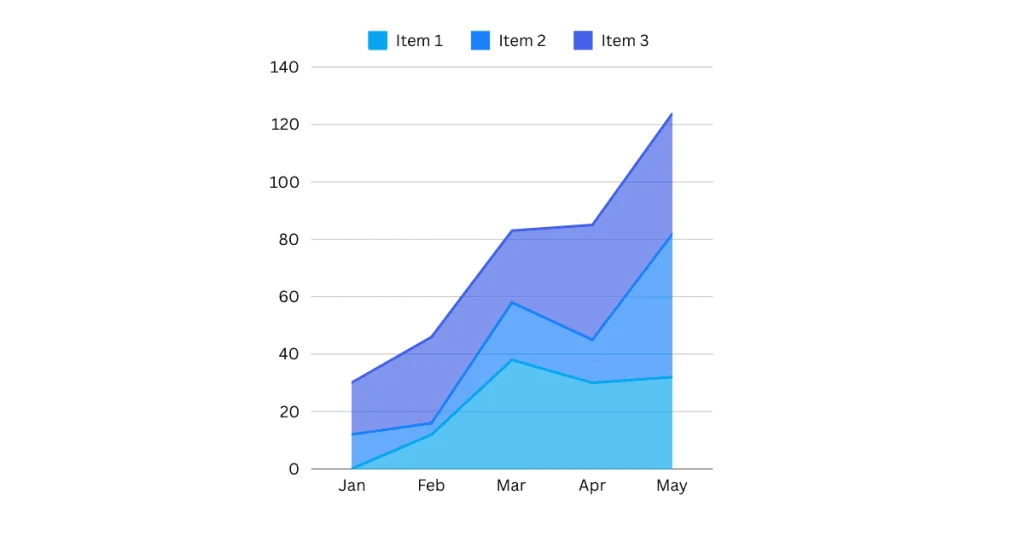
    7. Area Charts

    Like line charts, area charts emphasize cumulative data trends over time by filling the area under the line. They are great for showing overall growth or decline.

    seo metrics

    In SEO, area charts can track cumulative monthly traffic, highlighting trends and seasonal changes. Google Sheets and Highcharts offer excellent features for creating area charts.

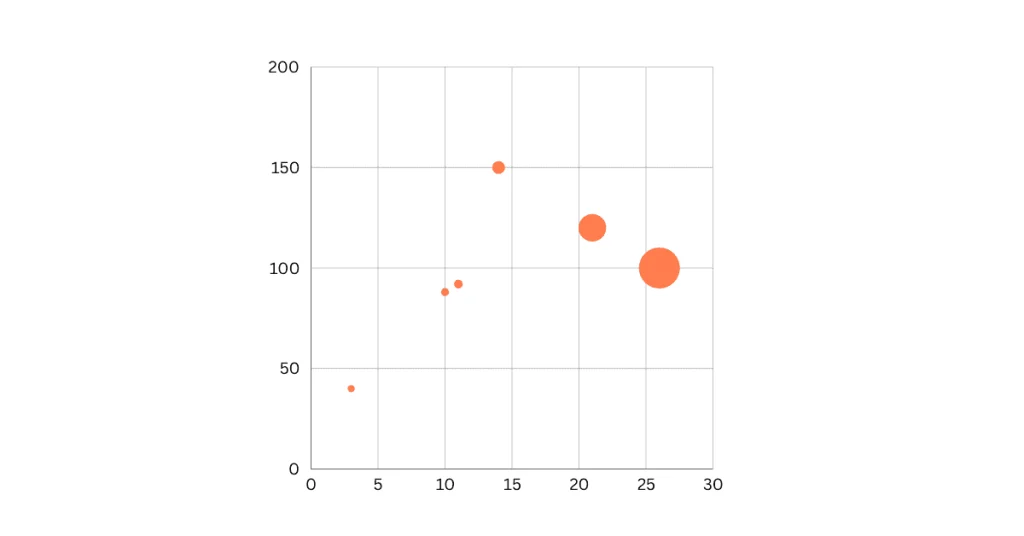
    8. Bubble Charts

    Bubble charts enhance scatter plots by adding a third dimension, using bubble size to represent an additional variable.

    seo metrics

    This allows for more complex data visualization, such as showing the relationship between traffic, bounce rate, and conversion rate. D3.js and Chart.js are powerful tools for creating interactive bubble charts that can reveal intricate data relationships.

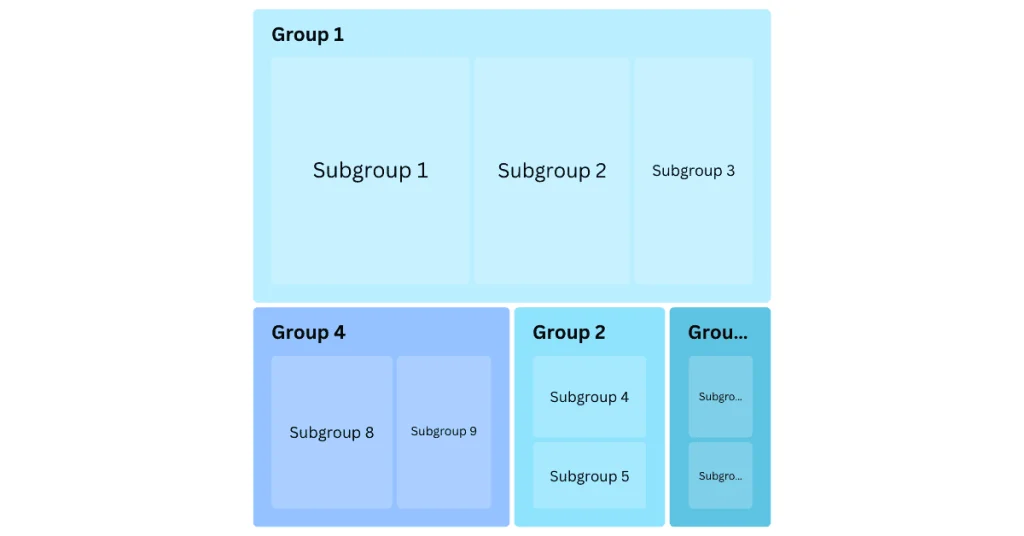
    9. Treemaps

    Treemaps visualize hierarchical data as nested rectangles, where each rectangle’s size represents its value. They help display the structure of website content and traffic distribution.

    search data

    In SEO analysis, treemaps can show which site sections receive the most visits. Tableau and Google Charts are popular choices for creating detailed treemaps.

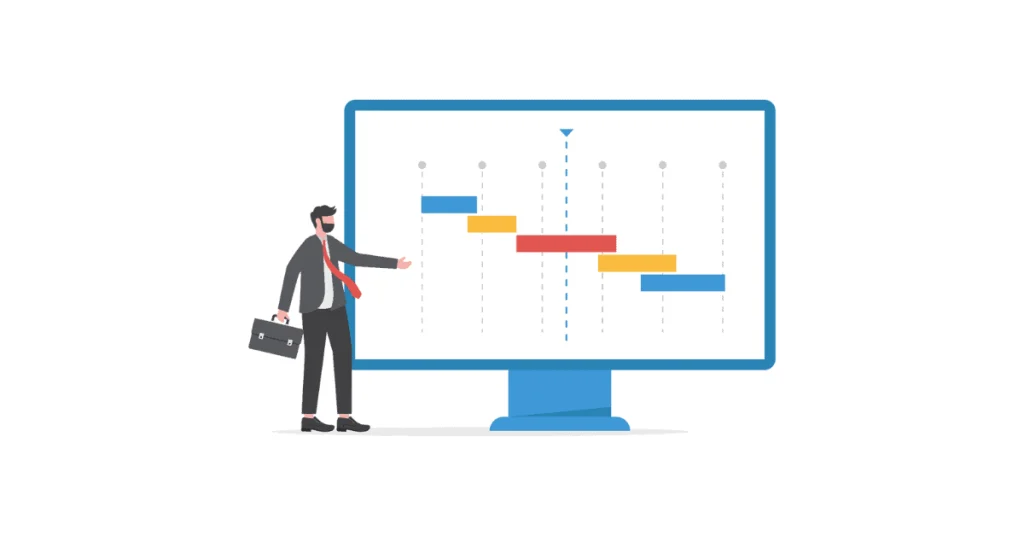
    10. Gantt Charts

    Gantt charts are essential for project management, showing task timelines and progress. In SEO, Gantt charts can help plan and track projects like content updates or link-building campaigns.

    google ads

    Microsoft Project and TeamGantt are excellent tools for creating and managing Gantt charts, ensuring your SEO projects stay on track.

    Essential Tips for Successful Visualization

    Creating compelling visualizations is vital to maximizing your SEO analytics. Whether you’re presenting data to your team or trying to uncover insights, these tips will help ensure your visualizations are clear and impactful.

    Data Accuracy

    Your role in ensuring data accuracy is crucial. Inaccurate data can lead to wrong conclusions, potentially harming your search engine optimization efforts.

    google analytics account

    Always double-check your data sources and verify your metrics. Tools like Google Analytics GA4 and Google Search Console provide reliable data. Still, it’s your interpretation and display that ensures its accuracy.

    Balance Between Detail and Simplicity

    Striking the correct balance between detail and simplicity is essential. Overloading your visualizations with too much information can overwhelm the viewer, while too little detail can leave out important insights.

    Focus on key metrics that reflect your SEO goals to achieve clarity. Use labels and annotations sparingly to highlight crucial points without cluttering the visual.

    Impact of Visual Design

    The design of your visuals dramatically impacts how your data is interpreted. Good design practices make data more accessible and engaging to understand.

    marketing efforts

    Use consistent colors, fonts, and styles to create a cohesive look. Contrast helps to emphasize important data points, while a clean layout ensures your visual is easy to read. Remember, the goal is to make your data tell a story.

    Taking it to the Next Level

    Once you’ve mastered the basics, it’s time to take your SEO data visualization to the next level. Here are some advanced techniques to consider.

    Predictive Analytics

    Predictive analytics can provide deeper insights by forecasting future trends based on historical data. This approach uses algorithms to analyze patterns and predict future outcomes.

    Predictive analytics can help you forecast traffic growth or identify potential drops in organic search traffic before they happen. Incorporating predictive analytics into your SEO strategy helps you stay ahead of the curve.

    Integrating Multiple Data Sources

    Collating data from multiple sources can provide a more comprehensive view of your SEO performance. Integrating data from Google Analytics, Google Search Console (GSC), and other SEO tools allows you to correlate different metrics and uncover more profound insights.

    technical aspects

    For instance, combining traffic data with social media metrics can help you understand the full impact of your content strategies.

    Using Machine Learning

    Machine learning can automate data analysis and uncover patterns that might not be immediately visible. By applying machine learning algorithms, you can identify correlations and trends within your SEO data.

    analyze data

    This can lead to more effective optimization strategies and better decision-making. Tools like Python and R offer libraries for machine learning that can be integrated into your data analysis processes.

    Alternatives to Standard SEO Data Visualization Techniques

    While traditional charts and graphs are effective, other methods of visualizing your SEO data can be just as impactful.

    Infographics

    Infographics use a blend of visuals and text to present information effectively. They are great for summarizing complex data and presenting it in an easy-to-digest format.

    website visitors

    They can highlight key statistics, trends, and insights, making them perfect for sharing on social media or in reports.

    Videos

    Videos are an engaging way to present data. They can incorporate animations, voiceovers, and visual effects to bring your data to life.

    Videos are handy for presentations and webinars where you must explain complex data sets interactively. Adobe Premiere Pro and Camtasia are excellent for creating professional data visualization videos.

    Presentations

    Presentations allow you to combine different types of visualizations and narrative elements to tell a comprehensive story.

    seo reporting

    Using slides, you can lead your audience through your data, highlighting important points and explaining their significance. PowerPoint and Google Slides offer robust features for creating detailed, interactive presentations.

    Wrapping Up

    Visualizing your SEO data can transform how you understand and communicate insights.

    This guide covered everything from choosing the right metrics, like organic traffic, bounce rate, and conversion rate, and tools like Google Analytics and SEMrush to designing effective dashboards and using advanced techniques like predictive analytics and machine learning.

    For instance, a line chart showing the trend of organic search traffic over time or a heatmap indicating the areas of a webpage that receive the most clicks can provide valuable insights.

    Turning complex data into engaging visual stories allows you to make more informed decisions and convey your SEO successes clearly.

    When you visualize data accurately and balance detail and simplicity, the results speak for themselves. Sound design principles ensure that your visualizations are informative and compelling.

    These techniques help you highlight key performance indicators and effectively tailor your visual stories to different audiences.

    From my experience, using visual storytelling in SEO has been a game-changer. Implementing heatmaps, line charts, and interactive dashboards has provided insight into user behavior and SEO performance.

    For instance, a well-designed dashboard helped my team identify and fix a drop in organic search traffic, leading to a 20% increase in visitors the following month for a client. These tools have made our reporting more precise and engaging, encouraging stakeholders to take actionable steps.

    Implementing these techniques into your SEO strategy allows enhanced data analysis and presentation. Whether you’re just starting or looking to refine your approach, the tips and tools discussed here offer a pathway to creating impactful visualizations.

  • How to Integrate Multiple Data Sources for Automated SEO Reports

    How to Integrate Multiple Data Sources for Automated SEO Reports

    Read in 7 min

    Tired of sifting through endless data from different SEO tools? You’re in the right place.

    Automated SEO reports are here to save your time and sanity.

    Integrating multiple data sources gives you a unified view of your SEO performance without the manual grind.

    automated seo report

    Imagine having all your critical metrics in one place, updated in real-time. Sounds like a dream, right?

    Automated SEO reports streamline your workflow and provide more accurate insights, helping you make better decisions faster.

    Ready to simplify your SEO reporting process? Let’s get started.

    TL;DR

    • Combine data from different SEO tools automatically.
    • Save time and reduce manual work.
    • Get real-time, accurate insights.
    • Make better, faster decisions with comprehensive data.

    What are Automated SEO Reports?

    Imagine never having to manually recompile SEO data. That’s the magic of automated SEO reports.

    These reports pull data from various tools and present it in an easy-to-digest format. By automating data collection and reporting, they aim to save time and reduce errors.

    Instead of spending hours gathering information, you get real-time insights.

    automated SEO report

    Automated SEO reports streamline your workflow, providing consistent and accurate data.

    They help you make quicker, data-driven decisions, enhancing your SEO strategies without the tedious manual effort.

    Benefits of automated SEO reporting

    In digital marketing, staying ahead means being efficient and effective. Automated SEO reporting plays a crucial role here. Let’s dive into some key benefits:

    • Efficiency Booster: Automated reports are a time-saving marvel that instantly collects and compiles data. Say goodbye to countless hours of manual data entry.
    • Accuracy: Reduce human errors with automated data processing. Accurate data means better decision-making.
    • Consistency: Regular, automated reports ensure consistency in data presentation, helping you track performance over time without discrepancies.
    • Real-Time Insights: Access up-to-date information whenever you need it. This allows for quicker adjustments to your strategies.
    • Comprehensive Data: Integrate data from various sources into one report for a holistic view of your SEO performance.
    • Customization: Tailor reports to focus on the metrics that matter most to you. You get the insights you need, whether keyword rankings, traffic, or conversions.
    • Enhanced Collaboration: Easily share automated reports with your remote team or clients, ensuring everyone is on the same page.

    Automated SEO reporting isn’t just a time-saver; it’s a game-changer.

    Integrating these reports into your workflow enhances your ability to respond to trends, optimize campaigns, and drive better results. Automated SEO reports put the crown on your head in a world where data is king.

    Steps to Integrate Multiple Data Sources for Automated SEO Reports

    Creating effective SEO reports means integrating data from various sources to get a complete picture. For a deep dive, read SEO Reporting In 2024: What’s Changing?

    Here’s how you can streamline your SEO reporting with an automated system.

    Follow these steps to improve the accuracy and efficiency of your SEO reports, freeing up your time for strategic tasks.

    Step 1: Identify Essential Data Sources

    First, you must determine which data sources are essential for your SEO reporting. Think about the platforms you rely on daily. Google Analytics (GA4) and Google Search Console are must-haves.

    Tools like SEMrush and Ahrefs offer valuable insights into keyword rankings and backlinks. Remember, social media analytics if you track engagement on those channels.

    seo reporting software

    Recommended Read: 11+ Best SEO Reporting Software In 2024

    Make sure you have the necessary permissions to access these sources.

    Setting up accounts for any new tools you plan to integrate is also a good idea. This way, you have a clear starting point and know exactly where your data comes from.

    Step 2: Set Up Data Extraction

    Once you’ve identified your sources, setting up data extraction is the next step. This is where the magic happens.

    Connect to each data source using APIs. APIs allow you to pull data directly from platforms like Google Analytics without manual intervention.

    automated reporting

    Scheduling regular data extraction is crucial. This ensures your reports are always up-to-date.

    Pick a schedule that matches your reporting needs, whether daily, weekly, or monthly. Consistent data extraction helps maintain the accuracy and reliability of your reports.

    Step 3: Clean and Normalize Data

    Now that you’ve extracted data, it’s time to clean and normalize it. Start by removing duplicates and irrelevant data. This step ensures that your data is as accurate as possible. AI tools can transform your SEO reporting process, making it faster and more accurate.

    Further Read: How To Supercharge Your SEO Reporting With AI Tools

    Standardizing data formats is equally essential. Data from different sources often comes in various formats.

    Normalizing your data ensures consistency, making it easier to analyze and report. Think of it as organizing your closet – everything in its place, making it easier to find what you need.

    Step 4: Implement a Data Integration Tool

    With clean data, the next step is to implement a data integration tool. Tools like Google Data Studio, Tableau, and Power BI are excellent.

    best SEO reporting tools

    They allow you to bring all your data into one place, making it easier to visualize and analyze.

    Configure your chosen tool to automate data import and integration. This means setting up connections to your data sources so that the data flows in automatically.

    These tools often come with templates and customization options, enabling you to tailor the reports to your needs.

    Step 5: Automate Report Generation

    Finally, it’s time to automate your report generation. Using your chosen tool, design your report template. This template should include all the key metrics and visualizations you need.

    Set up automated data refresh to keep the report updated. This means that whenever new data is available, your report updates itself.

    Schedule regular report distribution to ensure stakeholders receive the latest insights without manual effort. This could be through email, dashboards, or any other preferred method.

    Read: How to Transform Your SEO Data Analysis Into Engaging Visual Stories

    Essential Tips for Seamless Data Source Integration

    Integrating multiple data sources for SEO reporting can be a game-changer but requires careful attention to detail.

    Beyond the steps outlined earlier, here are some key insights to ensure your process is smooth and effective.

    1. Ensure Data Accuracy

    Data accuracy is crucial for reliable SEO reporting. Regularly audit your data sources to spot any discrepancies or errors. This helps maintain the integrity of your reports and builds trust in the insights you provide.

    2. Maintain Data Consistency

    Data formatting consistency is essential.

    search engine

    Different sources can have varied formats, leading to potential confusion. Standardizing these formats ensures that your data is comparable and easy to analyze, making your automated SEO reporting more effective.

    3. Align Reports with Business Objectives

    Your SEO reports should reflect your business goals. Whether it’s increasing organic traffic, improving conversion rates, or enhancing user engagement, aligning your reports with these objectives ensures that your insights are actionable and relevant.

    4. Monitor Tool Performance

    Even the best tools need regular check-ups. Monitor the performance of your data integration tool to ensure it’s running smoothly. Make adjustments as necessary to keep your system efficient and effective.

    Enhancing Automated SEO Reports

    Once you’ve got the basics down, it’s time to elevate your SEO reporting. Here’s how you can enhance your reports for even better insights.

    1. Use Machine Learning to Predict Trends

    Machine learning can analyze past data to predict future trends. This can help you stay ahead of the curve and adjust your strategies proactively. By identifying patterns, you can forecast potential challenges and opportunities in your SEO efforts.

    2. Integrate AI for Advanced Analysis

    AI, a game-changer in data analysis, can take your SEO reporting to the next level.

    seo insights

    It has the ability to identify insights that might be overlooked in manual reviews, offering a deeper understanding and more precise recommendations. Integrating AI into an automated SEO reporting tool can catapult your data analysis capabilities.

    3. Continuously Refine Report Templates

    Your initial report template is just the beginning. Continuously refine it based on feedback and evolving business needs. Regular updates ensure that your reports remain relevant and useful, providing the most valuable insights for your SEO strategy.

    Alternatives

    If automated integration isn’t feasible for your business, there are other methods to consider. Here are a few alternatives to keep your SEO reporting on track.

    1. Manual Data Compilation

    Manually compiling data can be time-consuming and prone to errors. While it allows for a high level of control, the process is less efficient and can lead to inconsistencies. This method is best for small datasets or when automation tools are unavailable.

    2. Single-Platform Reporting

    Relying on a single platform for reporting can simplify the process, but it offers a limited view. This method is useful for beginners or small businesses but lacks the depth and breadth of integrated multi-source reports. It’s a trade-off between simplicity and comprehensiveness.

    3. Outsourcing to SEO Agencies

    Outsourcing your SEO reporting to an agency can save time and ensure professional handling. However, it may lack the customization needed for specific business objectives. This option works well if you prefer to focus on core activities and leave SEO reporting to experts.

    Wrapping Up

    Integrating multiple data sources for an automated SEO report can transform your digital marketing efforts.

    By pulling together data from tools like Google Analytics or Google Search Console and automating your reporting process, you can save time and gain more accurate insights.

    This approach streamlines your workflow and ensures that your reports are up-to-date and actionable.

    Throughout this guide, we’ve covered the essential steps:

    • Identifying key data sources
    • Setting up data extraction
    • Cleaning and normalizing data
    • Using tools like Google Data Studio for integration

    We’ve also discussed the importance of maintaining data accuracy, ensuring consistency, aligning reports with business goals, and regularly monitoring your tools’ performance.

    In my experience, optimizing automated SEO reporting has been a game-changer.

    By implementing these techniques, I reduced reporting time by 50% and enhanced the quality of insights.

    The use of machine learning to predict trends and the integration of AI for advanced analysis were particularly empowering.

    These strategies allowed us to stay ahead of SEO trends and make confident, data-driven decisions that boosted our performance.

    Remember, the key to successful SEO reporting lies in your ability to adapt and continuously refine your processes. You can achieve a more efficient and insightful reporting system by following the steps and tips outlined in this tutorial.

    Key Takeaways:

    • Integrate data from various sources for comprehensive insights.
    • Automate data extraction and reporting for efficiency.
    • Maintain data accuracy and consistency.
    • Use machine learning and AI for advanced analysis.
    • Regularly refine your report templates based on feedback.
    • Align reports with business objectives for actionable insights.
    • Monitor and adjust your tools for optimal performance.

    Following these practices will help you maximize the benefits of automated SEO reporting, making your SEO strategy more effective and your decision-making process more informed.

    Frequently Asked Questions

    Keywords: integrate data sources, start SEO reporting

    A: Identify key data sources like Google Analytics, Search Console, and social media platforms. Use tools like Google Data Studio to combine these into a single, automated report.

    Keywords: SEO reporting tools, automated SEO report

    A: Tools like Google Data Studio, Supermetrics, and SEMrush can help automate the process. These tools pull data from various sources and compile them into easy-to-read reports.

    Keywords: multiple data sources, SEO reporting benefits

    A: Integrating data from multiple sources provides a comprehensive view of your SEO performance. It helps identify trends, track progress, and make informed decisions based on a complete data set.

    Keywords: update SEO reports, SEO report frequency

    A: Aim to update your reports weekly to confirm you have the latest insights. Some businesses, especially those in a highly competitive market, may benefit from daily updates.

    Keywords: SEO integration challenges, data source problems

    A: Common challenges include data discrepancies, integration issues, and accuracy. Using reliable tools and regularly auditing your data can help mitigate these issues.

  • How To Skyrocket User Engagement with SEO Metrics

    How To Skyrocket User Engagement with SEO Metrics

    Read in 10 min

    Need help with high bounce rates and low user interaction? It’s a common issue. But guess what? There’s a solution that’s simpler than it seems.

    Leveraging SEO metrics can be your game-changer.

    These metrics can transform your understanding of user interactions and help you make data-driven decisions.

    SEO metrics like bounce rate, time on page, and click-through rate reveal how users engage with your content.

    User engagement

    Brands that excel in customer engagement are 41% more likely to see significantly higher conversion rates than the previous year (Source: Emarsys)

    Imagine knowing exactly what content resonates with your audience. By tracking user engagement through SEO metrics, you can tailor your content strategy to meet your audience’s needs.

    This means more engaged users and, ultimately, higher conversions.

    By the end of this post, you’ll have actionable insights to boost engagement using SEO metrics.

    Let’s dive in.

    TL;DR:

    • Importance of key SEO metrics for customer engagement
    • Key SEO metrics to track and analyze
    • Strategies to improve engagement with data-driven insights

    What is User engagement?

    User Engagement is vital, but what exactly does it mean?

    In simple terms, It measures how users interact with your content.

    This includes activities like clicks, shares, comments, and time spent on your site. By analyzing these actions, you can understand how effective your content is and how much it resonates with your audience.

    Why it matters?

    Why should you care about customer engagement? Let’s break it down. Understanding and monitoring it is crucial for several reasons.

    • Provides deeper insights into user behavior: Knowing how users navigate your site can reveal valuable patterns. For instance, if you notice users spend more time on certain pages, you can deduce what content they find most appealing.
    • Helps identify what content clicks with your audience: By tracking engagement, you can pinpoint which topics, formats, and styles your audience prefers. This information allows you to create more of what they love.
    • Enables data-driven decision-making: Instead of guessing what works, you can use concrete data to guide your content strategy, leading to more effective marketing efforts.
    • Enhances user retention and satisfaction: Engaged users are more likely to return to your site and convert into customers, subscribers, or loyal followers.

    So, how can you practically track customer engagement?

    SEO metric is a tried-and-tested method. These metrics offer tangible indicators of user activity and preferences.

    Tools like Google Analytics can assist you in monitoring essential metrics such as bounce rate, average session duration, and click-through rates.

    Keyword rankings

    You can adapt your content strategy by consistently observing these metrics to better cater to your audience’s needs.

    In conclusion, understanding and tracking customer engagement is not just beneficial; it’s essential. It offers insights that can transform your content strategy, improve user satisfaction, and drive higher conversion rates.

    For a deeper dive into SEO metrics and their impact on reporting, check out our detailed guide on SEO Reporting in 2024: What’s Changing?

    Focusing on customer engagement and leveraging the right SEO metrics can help create a more engaging, effective, and successful online presence.

    Key Steps to Track Engagement with SEO Metrics

    Tracking engagement is crucial for understanding how visitors interact with your website.

    Utilizing new metrics and advanced tools can help you gain insights that drive better decisions and improve user experience. Let’s explore a structured process for effectively tracking customer engagement.

    1. Identify Key Engagement Metrics

    To begin, it’s essential to identify which engagement metrics matter most for your site.

    Key metrics include bounce rate, average session duration, pages per session, click-through rate (CTR), and social shares.

    • Bounce Rate: This metric shows the % of visitors who exit your site after reading just one page. A high bounce rate indicates your content isn’t meeting user expectations.
    • Average Session Duration: It informs how long users stay on your site. Longer sessions often suggest higher engagement.
    • Pages Per Session: This metric indicates the average number of pages scrolled during a single session. More pages per session typically mean users find your content interesting.
    • Click-Through Rate (CTR): CTR measures the percentage of users who click on a specific link. Understanding the effectiveness of your calls to action is crucial.
    • Social Shares: The number of times your content is shared on social media platforms can reflect its popularity and engagement level.

    Choosing the right metrics depends on your specific goals. To increase organic traffic, focus on metrics that indicate content effectiveness, such as CTR and social shares.

    2. Set Up Analytics Tools

    Once you’ve identified your key metrics, the next step is to set up analytics tools.

    Google analytics

    Don’t worry, it’s easier than you might think. Google Analytics, a widely used tool, offers comprehensive tracking and insights. Here’s a straightforward guide to get you started:

    • Install Google Analytics: To start collecting data, add the tracking code to your website. You can do this through your site’s content management system (CMS) or by manually inserting the code into your site’s HTML.
    • Configure Goals: In Google Analytics, set goals to monitor specific user actions, like form submissions or product purchases. This helps you measure conversions and other vital engagements.
    • Enable Enhanced Link Attribution: This feature allows you to see which links on a page are clicked the most, providing deeper insights into user behavior.
    • Set Up Event Tracking: Track specific interactions like button clicks, video plays, or downloads to get a more granular view of engagement.

    Tools like Hotjar can also provide heatmaps and session recordings, showing how users navigate your site. This visual data complements the numerical insights from Google Analytics.

    3. Track and Measure Engagement

    With your tools in place, it’s time to start tracking customer engagement. Regularly monitor the key metrics you’ve set up to gather meaningful data. Here are some tips:

    • Create Custom Dashboards: In Google Analytics, set up custom dashboards to easily view your most important metrics. This saves time and keeps your focus on what’s important.
    • Use Segments: Analyze different segments of your audience, such as new vs. returning users or mobile vs. desktop users. This helps identify specific patterns and behaviors.
    • Monitor Real-Time Data: Google Analytics’ real-time reports let you see current user activity on your site. This is vital for tracking the immediate impact of new content or promotions.
    target audience

    Plugins and integrations can enhance your data collection. For instance, integrating your social media accounts with Google Analytics can help you track social shares and their impact on site traffic.

    4. Analyze Data and Generate Reports

    Collecting data is just the initial step; the real value comes from analyzing it and applying the insights to your website.

    For instance, you can scout for patterns and trends in your engagement metrics to understand user behavior.

    If you notice that certain types of content consistently attract more engagement, you can focus on creating more of such content. Here’s a practical guide on how to make the most of your data:

    • Identify Trends: Look at your data over time to spot trends. For example, do certain types of content consistently attract more engagement?
    • Compare Periods: Compare metrics across different periods to evaluate the impact of changes you’ve made. For example, did a new blog post format improve average session duration?
    • Use Visualization Tools: Tools like Google Data Studio and Google Search Console can help visualize your data, making it easier to interpret and share. Create charts and graphs to highlight key insights.

    Further, Read How to Transform Your SEO Data Analysis Into Engaging Visual Stories

    Generating reports that summarize your findings is crucial for making informed decisions. These reports can guide your content strategy, helping you focus on what works best for your audience.

    AI SEO tools can revolutionize the way you handle reporting. By automating SEO reports, these tools can process vast amounts of data quickly and accurately.

    Further Reading: How to Supercharge Your SEO Reporting with AI Tools

    5. Optimize Based on Insights

    Finally, apply the insights from your analysis to implement strategic changes.

    Remember, your audience’s feedback and behavior are invaluable in this process. Here’s how to optimize your site for better visitor engagement:

    • Update Content: Refresh and update your most popular content to keep it relevant. Add new information, improve readability, and optimize search results.
    • Improve User Experience: Use your data to identify areas for improvement in the user experience. This could include simplifying navigation, speeding up page loading, or making your site more mobile-friendly.
    • Test and Iterate: Implement A/B testing to compare different versions of your content or site elements. Apply the results to refine and improve your approach continually.

    Reviewing and acting on your engagement data helps create a more engaging and effective website.

    Best Practices for Successfully Tracking User Engagement

    Tracking user engagement effectively requires more than setting up tools and monitoring metrics.

    You must dig deeper to understand your audience and make informed decisions. Here are some key insights to consider:

    Continuous Monitoring

    Monitoring user engagement is not a one-time task. It’s essential to continuously monitor your metrics. Tools like Google Search Console and Google Analytics help you track changes in organic traffic and other SEO metrics over time.

    seo metrics to track

    Regular tracking lets you spot trends, identify issues early, and make timely adjustments. This proactive approach can significantly improve your website’s SEO performance.

    Adapting to New Metrics

    The digital landscape is constantly evolving. What worked yesterday might not work tomorrow. Therefore, it’s crucial to stay updated with new metrics and tools.

    Adapting to these changes can provide deeper insights into user behavior.

    For example, emerging metrics like scroll depth and interaction rates can offer a more detailed picture of user engagement.

    Being flexible and ready to incorporate new metrics into your analysis will keep you ahead of the curve.

    Role of Qualitative Data

    While quantitative data provides the numbers, qualitative data gives you the why behind those numbers.

    User feedback, surveys, and session recordings can reveal user motivations and frustrations.

    seo efforts

    This information is invaluable for making informed improvements. For instance, if users consistently leave feedback about difficult navigation, you know exactly what to fix.

    Understanding these considerations helps in building a robust engagement strategy.

    Here are key points to remember:

    • Continuous monitoring is essential.
    • Adapt to new metrics as they emerge.
    • Qualitative data complements quantitative metrics.
    • Regularly update your tracking methods.
    • Use comprehensive tools for in-depth insights.

    Going Next Level: How to Enhance Tracking

    Once you’ve mastered the basics, it’s time to take your tracking to the next level. Here are advanced techniques to further improve your insights and strategies.

    A/B Testing

    Often known as split testing, it involves comparing two web page versions to see which performs better. You can determine what drives user engagement by changing one element at a time, such as a headline or a call-to-action button.

    This method is incredibly effective for optimizing content and improving conversion rates.

    search engines

    For example, a slight tweak in your landing page design might significantly increase user interactions.

    Consider a scenario where a marketing professional changes the color of a call-to-action button from green to red, resulting in a 20% increase in click-through rates.

    Cohort Analysis

    Cohort analysis helps you understand how different groups of users behave over time.

    You can track and compare users’ engagement by segmenting them based on shared characteristics, such as when they first visited your site.

    This analysis can uncover patterns that might not be apparent when looking at all users as a single group. For instance, users who joined during a specific marketing campaign have higher engagement levels.

    User Journey Mapping

    User journey mapping involves visualizing a user’s steps to complete a task on your site.

    This technique helps identify pain points and opportunities for improvement in the user experience.

    By mapping user journeys, you can see where users drop off and why, allowing you to make data-driven adjustments. For example, simplifying a multi-step process could lead to higher conversion rates.

    These advanced techniques can significantly enhance your tracking capabilities:

    • Implement A/B testing.
    • Conduct cohort analysis.
    • Create user journey maps.
    • Utilize advanced tools and features.
    • Continuously refine based on insights.

    Alternatives to Traditional Engagement SEO Metrics

    While traditional metrics like bounce rate and session duration are valuable, other methods to track user engagement can provide deeper insights.

    Heatmaps

    Heatmaps are visual representations of user interactions on your website, showing where users click, scroll, and hover.

    This tool can highlight which areas of a page are getting the most attention and which are being ignored. Heatmaps can help you optimize page layouts and improve user experience.

    search engine results pages

    For instance, if a critical call-to-action button is rarely clicked, a heatmap might show it’s placed too far down the page.

    Understanding heatmaps is crucial as they provide valuable insights into user behavior, helping you make informed design decisions.

    Session Recordings

    Session recordings allow you to watch real user interactions on your site. By tracking how visitors engage with your content, you can identify usability problems and areas for improvement.

    This method provides a first-hand look at user behavior, making it easier to understand their challenges and preferences. For example, watching recordings might reveal that users struggle with a complex form, prompting you to simplify it.

    User Feedback Surveys

    Direct feedback from users can be precious. Surveys can help you gather insights on user satisfaction, preferences, and pain points.

    This qualitative data complements your quantitative metrics, providing a fuller picture of user engagement.

    For instance, if many users mention that your site is challenging to navigate, you have clear guidance on where to focus your improvements.

    Exploring alternative metrics can offer fresh perspectives on user engagement:

    • Utilize heatmaps for visual insights.
    • Analyze session recordings for behavior patterns.
    • Conduct user feedback surveys.
    • Combine qualitative and quantitative data.

    Additional Practices to Boost User Engagement

    Improving user engagement is essential for any website. Engaged users are likelier to return, convert, and share your content. Let’s dive into five effective ways to boost user engagement on your site.

    Introduce a Lead Magnet

    A lead magnet is an invaluable resource you offer visitors in return for their contact details.

    This could be an eBook, a discount code, or a free trial. Lead magnets work because they provide immediate value to your users.

    By offering something relevant and valuable, you can capture their interest and encourage them to interact more with your site.

    seo metrics

    For example, if your website focuses on SEO, offering a free SEO checklist (to augment SEO efforts) can attract and engage users interested in improving their search engine rankings.

    To create one, you can use tools like Canva to design eBooks and discount codes or Mailchimp to manage your email list. These tools can improve the process and make it easier for you to implement this strategy.

    Improve User Experience

    User experience (UX) is crucial for keeping visitors on your site. Users will leave quickly if your website is hard to navigate, slow to load, or visually unappealing.

    Focus on creating a seamless experience. Ensure your site is mobile-friendly, easy to navigate, and visually attractive.

    Google’s Core Web Vitals metrics measure critical aspects of UX, such as loading speed, interactivity, and visual stability.

    Prioritizing these metrics can significantly enhance user satisfaction and engagement. For instance, reducing page load time can decrease bounce rates and enhance users’ time on your site.

    Utilize Google Search Console for Insights

    Google Search Console is vital for assessing your site’s performance in search engines. It offers crucial insights into the relevant keywords driving traffic, how users discover your site, and the top-performing pages.

    By examining this data, you can enhance your content and boost user engagement.

    For example, suppose you notice a high click-through rate (CTR) for a particular keyword. In that case, you can create more content around that topic to attract more visitors.

    Regularly monitoring and adjusting based on these insights helps keep your content relevant and engaging.

    Create Interactive Content

    Interactive content, such as polls, quizzes, and surveys, can significantly boost user engagement. This type of content invites users to participate rather than passively consume information.

    Interactive elements can make your site more enjoyable and memorable, enabling users to spend more time there.

    For instance, a quiz that helps users determine the best SEO strategy for their business can provide value and keep them engaged. Plus, interactive content often gets more shares on social media, increasing your reach and engagement even further.

    Focus on Quality Content

    Quality content is the anchor of user engagement. Users visit your site for valuable, informative, and entertaining content.

    Ensure your content is well-researched, well-written, and relevant to your audience. Use SEO metrics to understand what type of content clicks with the users and focus on those topics.

    For example, blog posts that provide actionable tips, in-depth guides, or insightful case studies can attract and retain users. Regularly updating your content to keep it current and relevant is also crucial.

    Wrapping Up

    Boosting user engagement through SEO metrics is essential for any successful website. We’ve covered the fundamentals, starting with understanding user engagement and its importance.

    You can gain valuable insights by identifying key metrics, setting up analytics tools, and consistently tracking and analyzing engagement.

    Adopting best user engagement practices involves more than continuous monitoring and new metrics. It also includes incorporating qualitative data and utilizing advanced techniques. A/B testing, cohort analysis, and user journey mapping are not just buzzwords but practical tools that can refine your strategy.

    Exploring alternatives to traditional metrics, such as heatmaps, session recordings, and user feedback surveys, can provide deeper insights into user behavior and make your strategy more effective.

    In my own experience, implementing these strategies made a significant difference.

    By introducing a lead magnet and improving the user experience, I saw a noticeable increase in organic search traffic and engagement. Utilizing tools like Google Search Console allowed me to gain valuable insights and create interactive content that resonated with my audience, leading to SEO success.

    Focusing on quality content has always been a priority, and it truly pays off in terms of user retention and satisfaction.

    In summary, consistently applying these practices will help you skyrocket user engagement and achieve your website goals.

  • How to Choose the Best SEO Reporting Software Like a Pro

    How to Choose the Best SEO Reporting Software Like a Pro

    Read in 9 min

    Choosing the best SEO reporting software can feel like a challenge, right? You’re not alone in this struggle.

    Many marketers, just like you, find themselves grappling with confusing data and clunky interfaces.

    Think about it: hours spent trying to make sense of reports that should be helping you, not holding you back. Frustrating, isn’t it?

    search engine optimization

    But fear not; there’s a solution. This guide is your key to choosing the best SEO reporting tool like a seasoned pro. You’ll save time and gain clear, actionable insights to propel your SEO strategy forward.

    Ready to revolutionize your reporting? Let’s dive in.

    TL;DR:

    • Identify your reporting needs
    • Research top SEO reporting tools
    • Compare features and usability
    • Test and implement the right software

    What is an SEO Reporting Tool?

    An SEO reporting tool is a software solution designed to analyze, track, and report on the performance of SEO campaigns.

    Think of it as your personal assistant for all things SEO. It provides the data you need to understand your website’s performance in search engines.

    SEO reporting tools are not just tools; they are game-changers for marketers and businesses.

    best seo reporting tools

    They enable you to make informed, data-driven decisions, showing you which strategies are effective, where you can improve, and, ultimately, how to achieve better results for your website.

    Why Choosing the best SEO Reporting software Matters

    Choosing the right SEO reporting tool is crucial for effective SEO management. Here’s why it’s so important:

    • Accurate data collection: Reliable tools ensure the data you base your decisions on is correct.
    • Comprehensive analysis: A promising tool that thoroughly analyzes and helps you understand the bigger picture.
    • Customizable reporting: Tailored reports mean you get the most important insights into your business.
    • Ease of integration with other tools: Seamless integration with your existing systems saves time and hassle.
    • Time-saving features: Automation and efficient reporting processes free up your time for other essential tasks.

    Imagine sifting through piles of data manually – sounds exhausting, right?

    The right SEO reporting tool simplifies this process, making it easier to understand your SEO performance and plan future strategies.

    For example, tools like Google Analytics offer robust features that track user behavior and website performance, providing insights critical for SEO success (source: Google Analytics).

    google analytics

    SEO reporting tools are set to revolutionize the industry in 2024. Integrating AI and machine learning will offer predictive analytics and personalized insights, making it essential to choose a tool that can evolve with your business needs.

    For more on the future of SEO reporting, check out our detailed guide on SEO Reporting in 2024: What’s Changing?

    Step-by-Step Instructions to Choose the Best SEO Reporting Tool

    Choosing the right SEO reporting software can seem overwhelming, but it doesn’t have to be.

    Here’s a simple, step-by-step guide to help you find the perfect SEO reporting tool to fit your needs and improve your SEO strategy.

    TL;DR

    • Identify Your Needs
    • Research Available Tools
    • Evaluate Features
    • Check Integration Capabilities
    • Consider Usability
    • Read Reviews and Testimonials
    • Test the Tool
    • Analyze Pricing
    • Make a Decision
    • Implement and Train
    • Track and Tweak

    Step 1: Identify Your Needs

    Before diving into the options, it’s crucial to identify what you need from an SEO reporting tool.

    Do you need detailed keyword tracking, backlink analysis, or site audit capabilities?

    Start by listing the key metrics and features essential for your reporting. Prioritize these based on your goals.

    For example, if your primary focus is improving keyword rankings, look for tools that excel in keyword tracking and analysis. 

    By identifying your requirements, you can streamline your choices and select a tool that aligns perfectly with your goals.

    Step 2: Research Available Tools

    Once you finalize your needs, the next step is to research the available SEO reporting tools.

    There are many options out there, each with its strengths and weaknesses. Use reliable sources like review sites, industry blogs, and forums to gather information.

    Sites like G2 and Capterra offer detailed reviews and comparisons from real users, providing valuable insights into each tool’s performance.

    best seo reporting tools

    Additionally, read articles and expert opinions to get a comprehensive view of the tools available on the market.

    Step 3: Evaluate Features

    After researching the available tools, it’s time to compare their features.

    A good SEO reporting tool should offer customizable reports, automated data collection, and integration with other SEO tools. Create a checklist of your needed features and see how each tool measures up.

    seo reports

    For example, tools like SEMrush and Ahrefs are known for their comprehensive features and ease of use. By evaluating the features, you can ensure that your chosen tool meets all your requirements and helps you achieve your SEO goals.

    Further Reading: 11-best-SEO-reporting-software-in-2024

    Step 4: Check Integration Capabilities

    Integration capabilities are crucial when choosing an SEO reporting tool.

    Ensure the tool you select integrates well with other software you use, such as Google Analytics, Google Search Console, or your CRM system.

    Seamless integration can help save time and streamline your reporting process. To verify integration capabilities, check the tool’s documentation or ask the vendor. This step ensures you can connect your tools quickly and avoid technical issues.

    To learn more, you may check our post on How To Integrate Multiple Data Sources For Automated SEO Reports

    Step 5: Consider Usability

    A user-friendly interface significantly impacts your overall experience with the SEO reporting tool. Evaluate usability by testing demos or free trials.

    Pay attention to how intuitive the tool is and how easily you can navigate its features. The tool should be easy for all team members, regardless of their technical expertise.

    Look for features like drag-and-drop report building, clear visualizations, and simple navigation. An easy-to-use tool reduces your team’s learning curve.

    Step 6: Read Testimonials

    Before you make your final choice, take a moment to read through reviews and testimonials from other users.

    These insights can be incredibly valuable, offering a real-world perspective on the tool’s performance and reliability.

    Look for reviews on trusted platforms like G2, Capterra, and Trustpilot. Look for common themes in user feedback, like customer support, usability, and overall satisfaction. Learning from others’ experiences will help you make a well-informed decision and choose a tool that fits your needs.

    Step 7: Test the Tool

    Many SEO reporting tools offer free trials or demos. Take advantage of these to explore the tool’s capabilities.

    seo reporting solutions

    This hands-on experience will give you a clear idea of whether the tool meets your needs and is user-friendly.

    During the trial period, test the features you’re most interested in, such as report generation, data accuracy, and integration with other tools. This step is crucial in ensuring your chosen tool correctly fits your organization.

    Step 8: Analyze Pricing

    Pricing is a vital factor in your decision-making process.

    Compare different pricing plans and see what fits within your budget. Consider the value the tool provides relative to its cost.

    seo tools

    Some tools may offer tiered pricing based on features or usage levels, so choose a plan that aligns with your needs.

    Remember to account for additional costs, such as setup fees or ongoing support. By analyzing pricing carefully, you can ensure you get the best value for your investment.

    Step 9: Make a Decision

    After evaluating all these factors, it’s time to make a decision.

    Summarize all your gathered information and compare the tools based on your criteria. Use a checklist to ensure the tool meets your needs, fits your budget, and integrates well with your systems.

    Consider any additional factors, such as customer support and future scalability. Making an informed decision will help you finalize a tool that fits your current requirements and grows with your business.

    Step 10: Implement and Train

    Once you’ve chosen a tool, ensure proper implementation.

    Follow the vendor’s guidelines for setup and integration. This step ensures that the tool works seamlessly with your existing systems. Train your team thoroughly to ensure everyone can use the tool effectively.

    Provide training sessions, user manuals, and support resources to help your team get up to speed. Proper training will maximize the tool’s benefits and ensure accurate reporting.

    Step 11: Track and Tweak

    Continuous monitoring is essential to getting the most out of your SEO reporting tool.

    Review the tool’s performance regularly and make adjustments as needed. Stay updated with new features and updates that can enhance your reporting process.

    Collect feedback from your team members and address any issues promptly. By monitoring and adjusting, you can ensure that the tool continues to meet your needs and provides accurate, actionable insights.

    By following these steps, you can ensure that you choose the best SEO reporting tool to meet your needs and improve your SEO efforts. 

    Key Factors for Choosing the Right SEO Reporting Tool

    When selecting the right SEO tools, a few tips can make a difference in your experience and outcomes. Here are some insights to keep in mind:

    Customization Options: Every business has unique reporting needs. Customizable reports are crucial because they allow you to tailor the data to match your goals and metrics.

    Whether tracking specific keywords or analyzing traffic patterns, the ability to customize can save time and provide more relevant insights.

    Customer Support: Reliable support from your SEO tool provider is invaluable. When issues arise, or you need help understanding a feature, prompt and effective customer support can keep your workflow smooth.

    Scout for tools that offer robust support options, including live chat, email support, and comprehensive knowledge bases.

    Scalability: Your business will grow, and your SEO reporting tool should grow with it. Scalability ensures that the tool can handle increased data, more complex reports, and additional users as your needs expand.

    Choose a tool that offers flexible plans and features that adapt to your business’s evolving requirements.

    Taking it to the Next Level

    Once you’ve chosen the right SEO reporting tool, it’s time to get the most out of it. Here are a few ways to enhance its use:

    Advanced Features: Dive into your SEO tool’s advanced features for deeper insights. These might include advanced filtering options, competitor analysis, and predictive analytics. These features can provide a more comprehensive view of your SEO performance and help you identify new opportunities.

    Integration with AI Tools: Integrating AI tools can take your SEO reporting to the next level. AI can help predict trends, automate repetitive tasks, and provide more nuanced insights.

    For more, check out our guide on How to Supercharge Your SEO Reporting With AI Tools.

    Alternatives to SEO Reporting Tools

    Sometimes, even using one of the best SEO reporting tools might not fit your needs. Here are some alternatives:

    Manual Reporting: Creating reports manually can be time-consuming but offers complete control over the data presented. It allows for a personalized touch to fit specific needs. However, it requires more effort and expertise.

    Outsourcing: Hiring an agency or consultant to handle your SEO reporting can be a good option if you lack the time or expertise. Outsourcing enables you to leverage the skills of professionals specializing in SEO, though it can be more expensive.

    Hybrid Approaches: Combining tools and manual methods can provide a balanced solution. For instance, you can use tools for data collection and initial analysis, then manually refine the reports to meet specific requirements.

    This approach combines efficiency with customization, allowing you to get the best of both worlds.

    Summary

    • Customization Options: Ensure the tool allows tailored reports to meet your needs.
    • Customer Support: Choose tools with robust and reliable customer support.
    • Scalability: Choose tools that can grow with your business.

    Automated SEO Reports

    Why spend countless hours manually compiling SEO data when you can automate it?

    Automated SEO reports streamline the entire process, allowing you to focus on analyzing results and strategizing for future improvements.

    With the right SEO reporting software, you can effortlessly track performance metrics, generate comprehensive reports, and share insights with your team or clients in just a few clicks.

    automated seo reporting software

    These tools save you time and ensure accuracy by eliminating human errors.

    For instance, you can identify the keywords driving the most traffic to your website or which pages perform best in organic search. 

    Build and Automate Your First SEO Report

    Creating and automating your first SEO report is easier than you think. Here’s a step-by-step guide to get you started:

    1. Choose the Right Tool

    Select an SEO reporting software that fits your needs. Popular options include SEMrush, Ahrefs, and Google Data Studio. Each offers unique features, so pick one that aligns with your goals.

    2. Set Up Your Data Sources

    Connecting your SEO reporting tool to your data sources is straightforward.

    Log in to your SEO reporting software, navigate to the ‘Data Sources’ section, and select the platforms you use for tracking SEO performance, such as Google Analytics, Google Search Console, and more. The tool will guide you through establishing the connection.

    3. Customize Your Report

    Tailor the report to highlight the metrics that matter most to you. This could include keyword rankings, organic traffic, backlink profiles, and more.

    4. Schedule Automatic Reports

    Most SEO reporting tools let you schedule automatic report generation and delivery. Set the frequency that works best for your workflow—weekly, monthly, or quarterly.

    5. Review and Refine

    Once your report is set up, review it to ensure all the necessary information is included. Make adjustments as needed to optimize its effectiveness.

    Following these steps, you can build and automate an SEO report that provides valuable insights without the manual hassle.

    For more detailed guidance, check out our comprehensive guide on How to Transform Your SEO Data Analysis Into Engaging Visual Stories

    This guide explores the different types of SEO data you can visualize, the best practices for doing so, and how to interpret the insights gained from these visualizations.

    You can monitor your SEO efforts using automated reports and make decisions that drive success. So, why wait? Start building your first automated SEO report today!

    Wrapping Up

    Choosing the right SEO reporting software is vital for effective SEO management. We’ve explored what an SEO reporting tool is and why selecting the right one matters.

    The step-by-step guide walked you through identifying your needs, researching tools, evaluating features, checking integration capabilities, considering usability, reading testimonials, testing tools, analyzing pricing, making a decision, implementing and training, and finally, tracking and tweaking your setup.

    Critical factors like customization options, reliable customer support, and scalability are essential. Taking your reporting to the next level involves leveraging advanced features and integrating AI tools.

    Based on your needs, alternative methods to using SEO reporting tools, such as manual reporting or outsourcing, can also be considered.

    From my experience, automating SEO reports with the best tools, such as Google Analytics and other SEO tools, saves significant time and provides accurate, actionable insights. By automating your reports, you can focus more on strategy and less on data collection.

    To build and automate your first SEO report, choose the right tool, set up your data sources, customize your report, schedule automatic reports, and regularly review and refine your setup.

    This approach ensures you get the most out of your SEO efforts and stay ahead in the competitive digital landscape.

    Ready to streamline your SEO reporting? Start today with the insights and tips we’ve shared, and watch your SEO performance soar.

  • How to Supercharge Your SEO Reporting with AI Tools

    How to Supercharge Your SEO Reporting with AI Tools

    Read in 10 min

    Is your SEO reporting taking up too much time? Do you feel overwhelmed by the endless data you need to analyze? It’s time to let AI SEO tools do the heavy lifting.

    AI tools can transform your SEO reporting process, making it faster and more accurate.

    Imagine getting real-time insights and actionable data without the tedious manual work. You’ll have more time to focus on strategy and creative work.

    25% of marketers believe that AI automation boosts the effectiveness of their marketing strategies. (Source: Semrush)

    seo reporting tools

    So, what are you waiting for?

    TL;DR

    • AI SEO tools save time and boost accuracy.
    • Get real-time insights and actionable data.
    • Focus more on strategy and creativity.

    Curious to explore how AI can streamline your SEO reporting? 

    Let’s get started!

    Overview of AI in SEO Reporting

    SEO reporting is the backbone of understanding your website’s performance in search engines. It helps you keep track of critical metrics, analyze performance trends, and make informed decisions.

    But let’s be honest; manually sorting through all that data can be exhausting. This is where AI SEO tools come in handy.

    Why is SEO Reporting important?

    Imagine driving a car without a dashboard. You wouldn’t know your speed, fuel level, or if something needs attention.

    SEO reporting is similar. It provides essential data about your website’s performance, including traffic, rankings, and conversion rates.

    These reports help you understand what’s working, what isn’t, and where to focus your efforts. They’re crucial for tweaking strategies to improve results.

    AI as a Game-Changer in SEO Reporting

    AI SEO tools can revolutionize the way you handle reporting. By automating SEO reports, these tools can process vast amounts of data quickly and accurately.

    They highlight key insights and make spotting trends and opportunities easier without the tedious manual work.

    For example, AI tools can automatically identify changes in keyword rankings or shifts in traffic patterns, giving you the information you need to act promptly.

    search engine optimization

    Consider the case of HubSpot. They integrated AI into their SEO strategy and saw a significant improvement in their reporting accuracy and speed. Using AI SEO tools, they could make data-driven decisions quickly and more effectively.

    Another great example is Moz. Their AI-powered reporting tools helped them automate routine tasks, allowing their team to focus on more strategic activities.

    The result? Better insights and improved performance.

    Benefits of AI SEO Tools in Reporting

    AI SEO tools offer several advantages, making reporting more effective and less time-consuming. Here are a few key benefits:

    • Improved Accuracy: AI minimizes the risk of human error in data analysis.
    • Enhanced Efficiency: Automating reports saves time, allowing you to focus on strategy.
    • Better Data Analysis: AI can handle complex data sets and provide deeper insights.
    • Real-Time Monitoring: Get up-to-date information on your SEO performance.
    • Predictive Insights: AI can forecast trends and suggest proactive measures.
    • Scalability: Easily manage SEO reporting for large websites or multiple clients.
    • Customization: Tailor reports to highlight the metrics that matter most to your business.

    Integrating AI tools into your strategy is more than keeping up with the latest technology; it’s about gaining a competitive edge in a rapidly evolving landscape.

    Utilizing AI helps you stay ahead of competitors through strategy formulation based on real-time data and predictive insights. For a deeper dive into the future of SEO reporting, check out our comprehensive post on SEO Reporting in 2024: What’s Changing?

    AI tools like SEMrush’s AI-driven analytics are powerful tools that can revolutionize your reporting process.

    For instance, according to a study by HubSpot, 63% of marketers reported that AI has significantly improved their data analysis capabilities. This is a clear testament to AI’s impact on your SEO strategy.

    By embracing AI, you’re improving your reports and empowering your strategy to be more dynamic and responsive.

    Step-by-Step Approach to Supercharge SEO Reporting

    Are you looking to streamline your SEO reporting process and get more accurate insights? AI SEO tools can enable you to achieve this with ease. Here’s a step-by-step guide to supercharging your SEO reporting.

    TL;DR

    • Define Your SEO Goals
    • Select the Right AI SEO Tools
    • Automate Data Collection
    • Analyze Keyword Performance
    • Monitor Backlinks
    • Track Competitor Strategies
    • Generate Automated SEO Reports
    • Use Predictive Analytics
    • Optimize Content with AI
    • Measure and Adjust
    • Stay Updated with SEO Trends

    1. Define Your SEO Goals

    Before diving into the tools, it’s essential to understand what you want to achieve. Are you planning to increase organic traffic, improve keyword rankings, or boost conversions? Clearly defined goals will guide your SEO strategy and help you choose the right tools.

    For instance, if your primary goal is to boost keyword rankings, tools like SEMrush and Ahrefs can provide comprehensive keyword analysis and tracking.

    2. Select the Right AI SEO Tools

    Shortlisting the right tools can make or break your SEO strategy.

    Tools like Moz, Ahrefs, and SemRush each have unique features. Moz is excellent for tracking keyword rankings and building links, while Ahrefs excels at competitor analysis.

    search engine optimization

    Evaluate your requirements and select tools that align with your goals.

    For a detailed comparison, check out our post on How To Choose The Best SEO Reporting Software Like A Pro

    3. Automate Data Collection

    Manually gathering data from multiple sources can be overwhelming. AI SEO tools automate this process, pulling data from platforms like Google Analytics, Google Search Console, and social media.

    This not only saves time but ensures your data is accurate and up-to-date. For example, Screaming Frog can efficiently crawl your site and gather crucial SEO data, making the process seamless.

    4. Analyze Keyword Performance

    Keywords are the foundation of SEO. AI tools can analyze keyword performance, highlighting which keywords drive traffic and which need improvement.

    search engine results

    Tools like SEMrush and Ahrefs provide detailed keyword reports, including search volume, competition, and ranking difficulty.

    Use this data to focus on high-potential keywords and adjust your strategy.

    5. Monitor Backlinks

    Backlinks are critical for SEO, but tracking them can be challenging.

    AI SEO tools like Ahrefs and Majestic can monitor your backlinks, alerting you to new links and identifying harmful ones.

    Maintaining a healthy backlink profile improves your site’s authority and ranking. Ahrefs offers a comprehensive backlink analysis, helping you understand your link profile and plan your link-building efforts.

    6. Track Competitor Strategies

    Knowing what your competitors are doing can provide valuable insights.

    AI tools can analyze competitors’ SEO strategies, revealing their top-performing keywords, backlink sources, and content strategies.

    seo analytics

    Tools like SpyFu and SimilarWeb offer detailed competitor analysis, helping you identify opportunities and threats. Understanding your competition helps refine your plan to stay ahead.

    7. Generate Automated SEO Reports

    Creating SEO reports manually is time-consuming. AI SEO tools can generate automated reports, providing detailed insights and visualizations. These reports can be customized to filter out the metrics that matter most to you.

    Tools like Google Data Studio and SEMrush offer robust reporting features, enabling you to create professional reports quickly and easily.

    8. Use Predictive Analytics

    Predictive analytics helps you forecast future trends and adjust your strategies proactively. AI tools analyze past data to predict future SEO performance, identifying potential opportunities and risks.

    technical seo

    Tools like BrightEdge use predictive analytics to provide actionable insights, helping you stay ahead of the curve.

    9. Optimize Content with AI

    Content is crucial in SEO. AI tools can help optimize your content by providing recommendations on keyword usage, readability, and relevance. Tools like Clearscope and MarketMuse analyze your content and suggest improvements to enhance SEO performance.

    Clearscope can identify content gaps and recommend topics to cover, ensuring your content is comprehensive and valuable to readers.

    10. Measure and Adjust

    Continuously measuring your SEO performance and adjusting your strategies is critical to success. AI SEO tools provide real-time data, enabling you to track progress and make data-driven decisions.

    Regularly reviewing your SEO metrics helps identify what’s working and needs improvement. Use this information to refine your approach and achieve better results.

    11. Stay Updated with SEO Trends

    SEO is constantly evolving. To stay updated and ensure your strategies remain effective, follow industry blogs, attend webinars, and participate in SEO forums. Tools like Google Trends and SEMrush’s blog can provide valuable insights into emerging trends.

    Incorporating AI tools into your SEO reporting can significantly enhance your ability to analyze data, track performance, and make informed decisions. By following these steps, you’ll be well on your way to supercharging your strategy.

    Further Reading:
    How To Integrate Multiple Data Sources For Automated SEO Reports
    Transform Your SEO Data Analysis Into Engaging Visual Stories: 9-Step Guide

    Key Considerations for Successfully Leveraging AI SEO Tools

    When using AI SEO tools, there are a few extra points to remember for optimal results.

    First, it’s crucial to monitor your data sources. Ensure your tools integrate well with reliable data sources like Google Analytics and Google Search Console.

    This integration provides a comprehensive view of your SEO performance, reducing the risk of missing out on critical insights.

    create seo reports

    Next, remember the importance of continuous learning.

    The world of SEO and AI is ever-changing. To stay updated with best practices, participate in webinars, follow industry blogs, and engage with SEO communities.

    Lastly, balance is key. While AI tools can automate many tasks, human oversight is essential.

    Review your tools’ insights regularly and combine them with your expertise to make the most informed decisions.

    Taking it to the Next Level

    Want to improve your SEO even further? Consider experimenting with advanced techniques, such as machine learning models tailored to your needs. Custom models can analyze your unique data sets, offering insights that off-the-shelf tools might miss.

    Another way to enhance your SEO efforts is by integrating AI with other digital marketing tools.

    For example, combining AI SEO tools with customer relationship management (CRM) software can provide a holistic view of your marketing performance, linking SEO efforts directly to customer acquisition and retention.

    Lastly, investing in training for your team can pay huge dividends. Ensure everyone is proficient in using AI tools and interpreting the data they produce. This knowledge empowers your team to leverage AI to its full potential.

    Other Alternatives

    While AI tools are powerful, other options exist for effective SEO reporting. One alternative is to use manual data analysis.

    Tools like Excel or Google Sheets can be versatile when analyzing and visualizing SEO data. Although more labor-intensive, this method allows for complete customization.

    You can also outsource your reporting to a specialized agency. 

    Agencies often have access to an array of tools and expertise that can provide high-quality insights without needing to manage the tools yourself. This can be cost-effective if you lack the time or resources to handle in-house reporting.

    Lastly, consider using non-AI software solutions.

    Tools like Google Data Studio can help you create detailed reports by pulling data from various sources and offering robust visualization options. While not AI-driven, these tools offer significant capabilities for effective reporting.

    5 Best paid and free AI SEO tools

    Looking to boost your SEO game with some top-notch AI tools? Both paid and free options can significantly impact your SEO strategy.

    Let’s dive into a quick summary of the best ones out there.

    Paid AI SEO Tools

    1. Semrush

    Semrush is a versatile SEO tool that offers a wealth of insights for keyword research, site audits, and competitor analysis. Its AI capabilities help you identify the most effective keywords to target and provide a comprehensive view of your performance over time. 

    Local SEO

    With SEMrush, you gain invaluable insights into your competition’s strategies, equipping you with the knowledge to stay ahead.

    2. Surfer SEO

    Surfer SEO focuses on content optimization. It uses AI to analyze top-ranking pages and offers clear tips on how to improve your content. From keyword density to content structure, Surfer SEO offers actionable insights to help your pages rank higher.

    ai seo software

    Its user-friendly interface makes it a favorite among content marketers, even those who are not AI experts.

    3. DashThis

    DashThis is an excellent tool for creating automated SEO reports. It integrates with various data sources like Google Analytics and Search Console, pulling in data to create visually appealing and easy-to-understand reports.

    seo report

    DashThis allows you to customize your reports to highlight the most critical metrics, saving time and effort.

    Free AI SEO Tools

    1. Google Analytics

    Google Analytics, a cornerstone of any SEO strategy, provides detailed data on your website’s traffic, user behavior, and conversions.

    free ai seo tool

    While it may not offer the advanced AI features of paid tools, it more than compensates with its robust data analysis capabilities. Best of all, it’s completely free, making it a cost-effective choice for any SEO professional.

    2. Google Search Console (GSC)

    Google Search Console is another vital tool for SEO. It offers invaluable insights into how your site performs in Google search. It provides the data you need to optimize your site, from tracking keyword rankings to identifying technical issues.

    seo report

    It’s an invaluable resource, especially considering it’s free.

    Using a mix of these AI SEO tools can significantly enhance your SEO efforts.

    Whether you opt for the advanced features of paid tools like SEMrush and Surfer SEO or the robust capabilities of free tools like Google Analytics and Search Console, each brings unique benefits.

    For a deeper dive into the best SEO tools available, check out our post on 11+ Best SEO Reporting Software In 2024.

    Wrapping Up

    Integrating AI tools into your SEO reporting can dramatically improve efficiency and accuracy. Here’s how you can do it effectively.

    First, recognize the importance of reporting and finalizing an SEO report template. It’s essential for tracking your website’s performance and making data-driven decisions. With AI, this process becomes more accessible and more insightful.

    AI tools have changed the game by automating tedious tasks and providing real-time insights. They help you collect and analyze data without manual effort, saving time and reducing errors.

    Next, let’s discuss the benefits of using AI for SEO reports. These tools offer precise data collection, faster processing, and deeper insights, making your reports more comprehensive and actionable.

    To supercharge your reporting, start by defining clear goals. Know what you want to achieve, and use this to guide your tool selection. Choose the right AI tools for your needs—whether paid options like SEMrush or free ones like Google Analytics.

    Automate your data collection to ensure accuracy and consistency. Analyze keyword performance to understand what’s working and what isn’t. Monitor backlinks and competitor strategies to stay competitive.

    Generate automated SEO reports for a quick overview of your progress. Use predictive analytics to forecast trends and adjust your strategies accordingly. Optimize your content based on AI recommendations to boost performance.

    Lastly, measure your results and stay updated with the latest SEO trends. This continuous process ensures your strategies remain effective and your SEO efforts constantly improve.

    In my experience, integrating AI tools has significantly improved the efficiency and accuracy of my SEO reports. It has allowed me to focus more on strategy and less on manual data collection, ultimately enhancing my overall SEO efforts.

    Leveraging AI tools for SEO reporting can transform your approach, making it more efficient and effective. Use these insights to take your SEO to the next level and stay ahead in the digital landscape.

    Frequently Asked Questions

    Keywords: AI SEO benefits, improve SEO reports.

    AI tools automate data collection and analysis, saving time and increasing accuracy. They provide actionable insights that help you optimize your SEO strategy effectively.

    Keywords: best AI SEO tools, top SEO tools

    Popular AI tools for SEO reporting include SEMrush, Surfer SEO, and DashThis for paid options. Google Analytics and Search Console (GSC) are great free alternatives.

    Keywords: AI SEO reporting setup, start AI SEO

    Begin by defining your SEO goals. Then, select the right AI tools that align with those goals. Automate your data collection processes and regularly analyze the results to adjust your strategy.

    Keywords: AI keyword analysis, SEO keyword tools

    AI tools analyze keyword performance to identify which keywords drive traffic. They provide insights on keyword opportunities and trends, helping you optimize your content.

  • 9 Key SEO Performance Metrics You Can’t Ignore

    9 Key SEO Performance Metrics You Can’t Ignore

    Read in 10 min

    Are you wondering why your website isn’t ranking as high on Google as you’d like or why your organic traffic isn’t growing?

    You might need to focus on the right SEO performance metrics.

    Climbing from 2nd position to that number-one spot can boost your organic traffic by an impressive 50%.

    seo performance

    So, what should you track to reach and maintain that coveted position?

    Understanding which metrics matter can transform your SEO strategy and boost your site’s visibility and traffic.

    Many businesses overlook critical SEO metrics, hindering their ability to dominate in search rankings. 

    Ignoring these metrics means missing out on significant traffic and revenue.

    Are your current tracking methods giving you the whole picture, or are you flying blind?

    By directing your attention to the most relevant SEO metrics, you can refine your strategy, surpass your competitors, and attract a larger share of organic search traffic, significantly boosting your business’s success.

    As detailed in my article, SEO Reporting In 2024: What’s Changing?, the focus has shifted towards more sophisticated metrics and integration of AI to provide deeper insights and real-time data analysis. 

    We will review 9 key SEO metrics to track organic search traffic that every SEO expert needs.

    TL;DR:

    • Understand essential SEO metrics.
    • Identify changes that can improve your site’s SEO performance.
    • Enhance your site’s visibility and organic traffic.

    Why are SEO Metrics important?

    SEO metrics are crucial for anyone looking to boost their website’s visibility on search engines and drive more organic traffic.

    seo report template

    These metrics shape your SEO strategy, helping you understand where your efforts are succeeding and where they might need some tweaking.

    Understanding the Role of Metrics in SEO

    SEO metrics are crucial because they measure the success of your SEO strategies, influence your tactical decisions, and enhance your website’s overall performance.

    They help you pinpoint which aspects of your site attract visitors and which parts may be causing them to leave.

    By monitoring these metrics, you can create a more user-friendly experience that aligns with search engine standards, boosting your site’s visibility and traffic.

    Importance of SEO Metrics

    1. Visibility on search engines

    2. Growth in organic traffic

    3. User engagement tracking

    4. Content performance analysis

    5. Website usability enhancement

    6. Mobile optimization checks

    7. Strategic decision support

    Evolution of SEO Metrics

    SEO metrics have undergone significant transformations since the early days of the internet. Let’s take a closer look at how they have evolved over the last few decades:

    2000-2004

    Initially, SEO was predominantly about keyword density and meta tags.

    search engine results page

    Marketers focused on stuffing content with as many keywords as possible to rank higher.

    2005-2009

    The introduction of more sophisticated search engine algorithms began prioritizing backlinks, leading to the rise of link-building strategies.

    broken links

    2010-2014

    Social signals and content quality became important. Search engines began integrating social media engagement into their ranking algorithms, recognizing quality content over keyword-filled text.

    2015-2019

    Mobile optimization became crucial with Google’s mobile-first indexing, a shift in how Google indexes and ranks websites.

    SEO metrics expanded to include mobile usability and page speed, reflecting the shift toward mobile browsing.

    2020-2024

    The focus shifted towards user experience metrics, such as Core Web Vitals, which are specific factors that Google considers essential in a webpage’s overall user experience. They include site speed, responsiveness, and visual stability.

    2024 & beyond

    Integrating AI and machine learning in SEO suggests metrics will continue to evolve towards even more personalized and user-centric approaches.

    This evolution is not a one-time event; it’s a continuous journey.

    It reflects the ongoing changes in user behavior and technological advancements, emphasizing the need for SEO strategies that prioritize user experience and technical optimization.

    Keeping up with these changes is essential, not optional. It allows marketers to ensure their websites meet current standards and prepare for future developments.

    Essential Metrics for SEO Reporting

    Understanding essential SEO metrics is crucial for leveraging search engine optimization effectively and boosting organic traffic.

    Let’s explore the metrics that serve as the lifelines of successful SEO strategies.

    1. Organic Traffic

    Measuring organic traffic is like taking the pulse of your website—vital for assessing the health of your SEO efforts. It shows the number of visitors coming through search engines and reflects the efficacy of your content and keyword strategies.

    Significance: It’s the clearest indicator of SEO success, as higher organic traffic often correlates with effective search engine optimization.

    For instance, sites that attract more visitors from Google are likely doing many things right, such as optimizing their content for relevant keywords and providing valuable information.

    A study by BrightEdge reveals that organic channels account for 53% of all website traffic.

    track organic traffic

    2. Keyword Rankings

    Tracking where your keywords rank on search engine results pages directly impacts your site’s visibility and traffic. It’s a direct metric that helps gauge how well your content aligns with user searches.

    Significance: The higher you rank for relevant keywords, the more likely potential visitors will see and click on you.

    seo report

    Backlinko reports that websites appearing at the top of Google search results can expect a click-through rate of about 28%.

    3. Conversion Rate

    Conversion rate is critical in determining your SEO efforts’ ROI. It calculates the proportion of visitors who complete a desired action, such as subscribing to a newsletter or purchasing a product.

    Significance: This metric helps assess the effectiveness of your site in attracting users and driving them toward meaningful engagements.

    According to firstpagesage, the average SEO conversion rate is around 2.4%, demonstrating the impact of targeted SEO strategies on user behavior.

    Understanding average conversion rates for SEO-optimized pages is helpful, but knowing specific benchmarks for different pages is even more insightful. 

    Have you considered how conversion rates vary by page type or industry? 

    For instance, a product page typically has a higher conversion rate than a location landing page, where the commitment from the reader is usually less demanding.

    As highlighted by Firstpage Sage, the conversion rates for different page types are below.

    seo reports

    4. Bounce Rate and Time on site

    Bounce rate and time on site are vital for understanding how engaging your content is. A lower bounce rate and higher time on site highlight that your content is relevant and engaging to visitors.

    Significance:They offer insights into user engagement and content effectiveness, shaping SEO and user experience strategies.

    HubSpot notes that the average bounce rate for a website should be between 26% to 40%. 

    Bounce rate vs. exit rate

    Differentiating bounce and exit rates is crucial for analyzing user behavior on your website. These metrics give you valuable insights into how visitors interact with your content, helping you spot areas for improvement.

    Bounce Rate tracks the percentage of visitors who land on a page and leave without exploring other pages on your site.

    A high bounce rate may indicate that visitors aren’t finding what they need or that the content isn’t engaging enough to retain their interest.

    pages per session

    Exit Rate, however, looks at the percentage of visitors who leave your site from a specific page. Still, these visitors might have viewed other pages before exiting.

    This metric helps identify which pages are often the last ones seen before users leave, pointing to potential issues with those pages.

    For instance, let’s consider a blog post that’s one of your top exit pages. If the bounce rate for this page is low, visitors are exploring other parts of your site after reading the post.

    However, if the exit rate is high, many visitors leave after reading it, suggesting that the post might not guide them to other valuable content.

    By comparing these metrics with the average session duration, you can better understand user behavior and confidently make changes to improve your site’s performance.

    5. Click-Through Rate (CTR)

    CTR measures how often people who view your listing in search results decide to click through to your site. It directly reflects the impact and relevance of your title and meta description.

    Significance: High CTR means that your search result snippet is appealing and relevant, which can also improve your SEO rankings.

    The top URL in search results typically has an average CTR of 27.6%. In comparison, the URL in the tenth position averages only 2.6%. (Source: Semrush).

    6. Backlink Quality and Quantity

    Backlinks are among the cornerstone metrics of SEO; the quality and number of backlinks to your site significantly affect your search engine authority and rankings.

    Significance: High-quality backlinks from reputable sites signal trust to search engines, boosting your site’s credibility and search ranking.

    broken links

    A study by Ahrefs discovered that 43.7% of top-ranking pages on Google include reciprocal links.

    Summary

    • Organic Traffic: Indicator of SEO success.
    • Keyword Rankings: Measures visibility on SERPs.
    • Conversion Rate: Shows effectiveness in achieving ROI.
    • Bounce Rate and Time on Site: Reflect user engagement and content relevance.
    • Click-Through Rate: Gauges the appeal of your search snippets.
    • Backlink Quality and Quantity: Crucial for enhancing site authority.

    Monitoring and improving these metrics can effectively refine your SEO strategies and significantly enhance your site’s performance.

    This journey of improvement in the ever-evolving digital marketing landscape is not just rewarding; it’s inspiring.

    Advanced Metrics for Enhanced SEO Insights

    Keeping up with advanced metrics is crucial for staying ahead in search engine optimization and driving organic traffic.

    Let’s dive into newer metrics that can significantly impact your SEO strategy.

    7. Page Speed and Core Web Vitals

    Page speed has always been critical, but now, with Google’s Core Web Vitals, it’s even more crucial. These metrics focus on user experience, measuring loading time, interactivity, and visual stability.

    Fast-loading pages not only improve user satisfaction but also rank higher on Google.

    google analytics

    Significance: A slow site can annoy users, causing them to leave before the page fully loads. This adversely affects your bounce rate, which is the percentage of visitors who leave your site after viewing only one page, and overall site performance.

    Improvising page speed can lead to better user engagement and higher rankings.

    Google reports that a 1-second delay in mobile load times can pull down conversion rates by up to 20%.

    8. Mobile Usability

    Mobile usability has become a key metric with the rise of mobile browsing. Search engines prioritize optimized sites for mobile users, considering factors like responsive design and mobile-friendly navigation.

    google analytics

    Mobile usability is no longer a luxury; it’s a necessity. Neglecting this SEO metric can lead to a significant drop in user experience and search engine rankings.

    As we witness a surge in mobile users, it is imperative to ensure your site is mobile-friendly and works seamlessly on all screen sizes.

    9. Optimizing for Voice Search

    As smart speakers and voice assistants become more popular, optimizing for voice search is becoming more crucial. Voice search metrics focus on how well your site answers conversational queries, which often differ from typed searches.

    data insights

    Optimizing for voice search is not only a trend; it’s an opportunity.

    As per Hubspot, 41% of adults use voice search in the U.S. daily.

    This SEO metric opens doors to a wider audience, particularly those using mobile devices or smart speakers, to search for information hands-free. Embrace this emerging trend and expand your reach.

    Summary

    • Page Speed and Core Web Vitals: Enhances user experience and rankings.
    • Mobile Usability: Crucial for mobile-first indexing and user satisfaction.
    • Optimizing for Voice Search: Expands reach and caters to voice-assisted searches.

    Focusing on these advanced metrics can help you fine-tune your SEO strategy, improve user engagement, and stay ahead in the competitive digital landscape.

    However, it’s important to remember that SEO is a complex field, and these metrics are just a part of the puzzle. Other factors like content quality, backlinks, and user intent significantly affect your website’s performance.

    Utilizing SEO Reporting Tools and Techniques

    To maximize your SEO strategy, you need the right tools. These tools help you track keyword rankings, monitor site performance, and analyze user behavior. 

    Google Analytics, along with Google Search Console, are fundamental, but other advanced tools are worth considering.

    Overview of Top SEO Reporting Tools

    In 2024, several SEO reporting tools stand out for their capabilities and ease of use. Here’s a quick overview

    Google Analytics

    This tool is vital for tracking website traffic and user behavior. It offers detailed insights into how visitors find and interact with your site, helping you identify what’s working and what needs improvement.

    Google Search Console (GSC)

    GSC allows you to monitor your site’s position in Google SERPs. It provides insights into Google’s perspective on your site, tracks keyword rankings, and finds and fixes issues that could affect your rankings.

    Beyond these, our top three recommended tools are SEMRushSurfer SEO, and Dashthis. Each offers unique features to enhance your SEO reporting and strategy.

    Check out our detailed round-up post “11+ Best SEO Reporting Tools in 2024” for a comprehensive review of the best SEO tools.

    Integrating AI in SEO Reporting

    Artificial Intelligence (AI) is revolutionizing SEO reporting. By leveraging AI, you can automate data analysis, uncover patterns, and gain insights that might be missed through manual analysis. AI can also help predict future trends, allowing you to stay ahead of the competition.

    For instance, AI tools can quickly analyze large datasets, providing actionable real-time insights. According to a study by McKinsey, 40% of businesses plan to increase investment in gen-AI.

    To learn more about leveraging AI in your SEO reporting, read our step-by-step guide, How To Supercharge Your SEO Reporting With AI Tools

    Tips for Choosing the Right SEO Tool

    Selecting the right SEO reporting tool depends on your specific needs. Here are some tips to help you choose:

    • Identify Your Goals: What does the tool need to do? Whether tracking keyword rankings, analyzing traffic, or monitoring backlinks, know your primary goals.
    • Consider Your Budget: Tools vary widely in cost. Determine your budget and find tools that offer the best value.
    • Ease of Use: Ensure the tool is user-friendly and offers good customer support.
    • Integration Capabilities: Choose a tool that integrates well with your other software.
    • Features: Scout for features that match your needs, such as competitor analysis, site audits, and reporting capabilities.

    For more advice on selecting the best SEO tool for your needs, visit our guide How To Choose The Best SEO Reporting Software Like A Pro

    Summary

    • Google Analytics: Analyzes visitor traffic and behavior patterns.
    • Google Search Console: Monitors your site’s presence in search results.
    • SEMRush, Surfer SEO, Dashthis: Top advanced tools for 2024.
    • AI Integration: Automates data analysis and predicts trends.
    • Identifying Goals: Key to choosing the right tool.
    • Budget Consideration: Find tools within your budget.
    • Ease of Use: Essential for efficient workflow.
    • Integration: Ensure compatibility with other software.
    • Features: Match the tool’s features to your needs.

    Utilizing the right SEO tools and techniques can enhance your SEO strategy, improve your site’s performance, and achieve better rankings on search engines.

    Wrapping Up

    Tracking SEO metrics is essential for any business looking to enhance its online presence. 

    Focusing on vital metrics can help you gain a clearer picture of your website’s performance and make informed decisions to improve your strategy.

    From analyzing organic traffic to monitoring keyword rankings and conversion rates, each metric offers valuable insights into user behavior and search engine results.

    Advanced metrics like page speed, mobile usability, and voice search optimization are crucial in today’s fast-paced digital landscape. 

    Tools like Google Analytics provide the data needed to fine-tune your approach and effectively reach your target audience.

    Why AI?

    Using AI in SEO reporting can take your analysis to the next level, helping you identify trends and make smarter decisions. When selecting SEO tools, it’s important to consider your specific needs and objectives.

    In conclusion, monitoring these metrics and utilizing the best tools can greatly enhance your website’s performance, increase traffic, and boost user engagement. 

    Keep your content relevant and your site fast, and always think from your audience’s perspective. This holistic approach to SEO will ensure your strategies remain effective and adaptable to changing trends.

  • 11+ Best SEO reporting software in 2024

    11+ Best SEO reporting software in 2024

    Read in 23 min
    Best Overall

    4.5/5

    2114 reviews (G2)

    SEMRUSH

    SEMRush

    SEMRush equips you with robust tools to tackle your SEO challenges, giving insights to outsmart your competitors and climb the search rankings.

    Read Review

    Best On-page SEO

    4.8/5

    509 reviews (G2)

    SURFER SEO

    Surfer SEO

    Surfer SEO offers advanced, AI-driven on-page optimization to help your content rank higher by analyzing and adapting to real-time data insights.

    Read Review

    Best Reporting Tool

    4.8/5

    77 reviews (G2)

    DASHTHIS

    Dashthis

    DashThis centralizes your marketing data into easy-to-use dashboards, streamlining your reporting process for more effective decision-making.

    Read Review

    Did you know that over two-thirds of clicks (68.7%) on search engine result pages (SERPs) go to the top three organic listings? 

    google search

    This critical insight into user behavior emphasizes the importance of being at the top of the search results to capture the most potential traffic.

    Securing those coveted spots at the top of the search results is a challenge, especially with search algorithms constantly evolving. That’s why understanding the importance of comprehensive SEO reporting is crucial and enlightening. 

    Further Reading: SEO Reporting in 2024: What’s Changing?

    It’s a key tool for businesses aiming to boost their visibility and traffic. It helps them leapfrog in the competitive digital marketing landscape by tracking keyword rankings, understanding user behavior, and identifying areas of improvement.

    Whether managing a small website or multiple clients, you don’t want to miss out on significant organic traffic. 

    By harnessing the power of SEO reporting tools, you can supercharge your ranking strategy, dominate the SERPs, and attract the traffic your website truly deserves. 

    This post explores the 11+ best SEO reporting tools in 2024, giving you a clear guide to making an informed decision. Each SEO tool provides comprehensive features, from rank tracking to in-depth reporting. 

    TL;DR

    • Discover the best SEO reporting tools in 2024.
    • Learn about tools with features like rank tracking and comprehensive reports.
    • Choose the best SEO tool that fits your business needs.

    What is the best SEO reporting software?

    Finding the best SEO reporting software is essential to streamline your SEO efforts.

    The right tool can make all the difference, helping you make data-driven decisions while tracking your site’s performance.

    With so many SEO tools available, it helps to classify them into three broad categories: Rank Tracking ToolsAll-in-One SEO Suites, and Data Analytics and Reporting Tools.

    Rank Tracking Tools

    Keyword research tools

    These tools help you keep track of your website’s rankings in search engines, giving you invaluable insights into the keyword and SERP performance.

    • Morning Score: Offers insights into keyword rankings and competitor analysis.
    • Nightwatch: Focuses on local rank tracking and deep keyword analysis.
    • Surfer SEO: A unique tool that provides keyword-based ranking insights.
    • Mangools: Known for its keyword research and rank tracking features.
    • SpyFu: Helps uncover competitors’ ranking strategies and provides keyword rankings.

    All-in-One SEO Suites

    These comprehensive tools are a one-stop solution, simplifying your SEO tasks by combining rank tracking, site audits, and backlink analysis features.

    seo tool
    • SEO Power Suite: Offers a range of tools for rank tracking, audits, and link management.
    • SEMRush: One of the most popular suites, covering everything from keyword research to competitor analysis.
    • Raven Tools: Provides SEO services, including site audits, rank tracking, and link management.

    Data Analytics and Reporting Tools

    These tools analyze data and generate reports that help you understand user behavior, allowing you to make well-informed decisions based on insights.

    free seo tools
    • Databox: Known for its custom reporting and analytics capabilities.
    • DashThis: Specializes in creating intuitive and customized SEO reports.
    • Kissmetrics: Offers insights into user behavior and customer journey analytics.
    • Google Looker Studio (formerly Data Studio) Helps visualize data from various SEO sources.
    • Google Analytics: A widely-used tool for understanding website traffic and user behavior.

    When selecting the best SEO reporting tools, aligning their features with your business needs is crucial. 

    Whether you’re focused on in-depth ranking analysis, comprehensive SEO strategies, or deep data insights, there’s a tool that will perfectly fit your requirements. 

    Click here to learn How To Choose The Best SEO Reporting Software Like A Pro.

    This alignment will ensure you get the most out of your SEO reporting software and drive significant improvements in your website’s performance and visibility.

    1. SEMRUSH (Editor’s Pick)

    Editor’s Pick

    SEMRush

    SEMRUSH

    SEMRush equips you with robust tools to tackle your SEO challenges head-on, giving you the insights you need to outsmart your competitors and climb the search rankings.

    My Rating: 4.7/5
    Best All-in-one SEO Suite

    4.5/5

    2114 reviews (G2)

    Pricing Starts: $139.95/month

    Annual Discount: 17%

    Regarding SEO tools, SEMRush is a market leader offering various tools that significantly enhance marketing efforts. 

    It’s known for its comprehensive features and user-friendly interface, catering to beginners and experienced SEO professionals.

    seo tool

    I have used SEMRush extensively and found it valuable for in-depth keyword research.

    The competitor analysis has given me insights that have directly influenced my SEO strategies, and the site audit tool has helped me fix issues affecting my website’s search engine rankings.

    If you’re considering SEMRush, it’s a robust tool worth exploring. It offers comprehensive features to help you make data-driven decisions and enhance your SEO performance.

    seo tool

    Key Features

    SEMRush stands out with its extensive feature set:

    • Keyword Magic Tool: A powerful tool that uncovers valuable keywords and provides insights into search volume, competition, and trends.
    • Competitor Analysis: Offers detailed insights into competitors’ strategies, including keywords, backlinks, and ads.
    • Site Audit: Identifies technical SEO issues affecting your website’s ranking on search engines.
    • Backlink Analysis: Evaluate your backlink profile, tracking new and lost links to refine your link-building efforts.
    • Content Analyzer: Reviews existing content for opportunities to optimize SEO performance.

    Let’s start with the Keyword Magic tool, one of the best available, and you will learn how to navigate it.

    Let’s enter the keyword in the space provided, for instance, running shoes, and choose the target location from the drop-down.

    seo tool

    Once you click on search, it will show all variations of the keyword searched for.

    In this case, you can see there are 30989 keywords available, with details like intent, search volume, Keyword difficulty (%), Cost-per-click (USD), and when the result was last updated.

    seo data

    You can also check for all or only keywords as Questions (highlighted).

    The keywords relevant to the search are Broad Match, Phase Match, and Exact Match. You click on either of the tabs to see the appropriate results.

    To narrow the search, we can filter the search results based on volume, keyword difficulty, and intent, as shown below.

    seo data
    seo data
    seo data

    Once we click on a particular result, for instance, “running shoes” in this case, it provides a detailed overview for the keyword like:

    1. Volume & Keyword difficulty%
    2. Global volume (Break-up country-wise)
    3. Intent
    4. Trend
    5. CPC
    6. Available keyword variations
    7. Relevant Questions
    8. Keyword clusters (That help to create a topical authority)
    seo metrics

    Pricing

    seo tool

    SEMRush offers flexible plans to suit different user needs:

    • Pro Plan: $139.95/month for small teams and individual professionals.
    • Guru Plan: $249.95/month, ideal for growing agencies and mid-size businesses.
    • Business Plan: $499.95/month for larger businesses and marketing teams.

    However, you can opt for the annual plan and save up to 17%.

    Pros & Cons

    • Comprehensive feature set for SEO, content, and PPC.
    • Detailed competitor analysis and keyword research.
    • Site audit reveals critical technical SEO issues.
    • The steep learning curve for beginners.
    • Higher-tier pricing may deter smaller businesses.

    Success Stories

    Brands like Samsung, P&G, and FedEx have benefited from using SEMRush.

    Users highlight its robust competitor analysis and keyword research capabilities. Many find the site audit tool invaluable for uncovering technical SEO issues.

    Check out the SEMRush success stories here.

    User Reviews

    seo tool

    Bottomline

    SEMRush offers a comprehensive suite of tools, leaving no stone unturned for anyone serious about improving their search engine rankings.

    From in-depth keyword research to detailed competitor analysis, it provides actionable insights that can refine any SEO strategy. Its versatile features and ease of use make it a valuable tool for digital marketers and SEO professionals.

    2. Surfer SEO ( Best on-page SEO tool)

    Surfer SEO

    Surfer SEO

    Surfer SEO offers advanced, AI-driven on-page optimization to help your content rank higher by analyzing and adapting to real-time data insights.

    My Rating: 4.9/5
    Best On-Page SEO Tool

    4.8/5

    509 reviews (G2)

    Pricing Starts: $89/month

    Annual Discount: Up to 22%

    Surfer SEO stands out in the SEO tools landscape for its innovative approach to on-page optimization.

    It combines machine learning and data analysis to help you rank better by creating content tailored to search engine optimization.

    I’ve found Surfer SEO’s Content Editor to be a real game-changer for my content.

    It fine-tunes my articles with spot-on keyword suggestions and real-time optimization tips, significantly boosting my search rankings.

    It helps align content with what search engines expect, and the results have been great!

    seo tool

    Here are a few snips of my articles scoring 97/100 and even 100/100 Content Score, which clearly outranks the competition regarding content quality. 

    seo optimization
    seo optimization

    Key Features

    • Content Editor: This tool helps optimize your content in real time, offering recommendations for relevant keywords, content length, and structure based on top-ranking pages.
    • SERP Analyzer: This tool provides insights into the best-performing content for specific keywords, helping you understand what’s working for competitors.
    • Audit: The Audit tool provides on-page optimization suggestions, including keyword usage and backlink opportunities.
    • Keyword Research Tool: Helps identify relevant keywords and topics to improve content strategies and rankings.
    seo tool

    The Content Editor helps optimize the content in real-time by providing feedback on the number of words, headings, paragraphs, or images your content should have.

    Content score is a real-time responsive metric that shows you if you are on track for optimization.

    Let’s start by creating a post and choosing the keyword “running shoes.”

    seo data

    Once we start the post, the content score is 6/100. If you look closely, Content structure highlights how our post should be structured in terms of words, Headings, paragraphs, and images. For instance, in the current example, it says:

    • The word count for the post should be between 1651 and 1899.
    • It should have a minimum of 23 headings (H1, H2, H3, etc.), and the upper limit is 107.
    • There should be at least 25 paragraphs.
    • The content must have images between 44 and 129.

    It also provides a post outline for headings based on ranking the top results on SERPs. Once we include them, the content score goes up significantly.

    As we can see, the content score is already 51/100. We generally can’t include the headings directly and need to tweak them based on our content plan and what we will share with the readers.

    However, it provides a basic framework for planning your blog post layout, which is both user—and search-engine-friendly.

    seo tool

    It helps to share the NLP-ready keywords that we can plan to include in our content plan.

    keyword ideas

    This will make our content search engine friendly by passing signals to crawlers that this topic can be ranked higher in search results as it includes all the suggestive keywords the audience seeks.

    A quick sidebar: Please ensure that keywords do not overstuff your content and should reflect naturally in your content. Over-stuffing keywords is a big NO, as it will jeopardize your SEO efforts.

    To learn more, read our blog post, Adding Keywords: 7 Essential Tips To Boost Your SEO Impact.

    Next, we can learn about the keyword research tool and how it helps create topical authority by providing relevant keywords.

    seo tool

    You can enter the target keyword in the space provided and select the location. For instance, we have the target keyword as “running shoes” and the location as the United States.

    Please ensure the Topical Map is toggled ON. It will help us create a list of keywords to enhance topical authority.

    best seo tools

    The result is that we have a curated list highlighting the pillar page and supporting pages as below:

    best seo tools

    Pricing

    Surfer SEO Pricing

    Surfer SEO has multiple pricing tiers to accommodate different needs:

    • Essential: $89/month for small business owners and freelancers.
    • Scale: $129/month for mid-sized agencies and marketing teams.
    • Scale AI: $219/month for agencies and teams looking to scale up with AI.

    However, you can opt for the annual plan and save up to 22%.

    Pros & Cons

    • Intuitive and user-friendly interface.
    • Comprehensive content optimization tools.
    • Real-time content analysis for data-driven insights.
    • Advanced features may be overwhelming for beginners.
    • Higher-tier pricing could be costly for some users.

    Success Stories

    Many SEO professionals and marketers have successfully improved their search engine rankings using Surfer SEO.

    Users frequently highlight its data-driven recommendations for helping create content that resonates with search engines and readers. To name a few:

    Click here to explore more.

    User Reviews

    excellent SEO tool

    Bottomline

    Surfer SEO offers powerful features designed to streamline on-page SEO strategies.

    Its data-driven approach makes it a must-have for anyone serious about boosting their search engine rankings. Surfer SEO is a strong choice if you need precise, actionable insights.

    3. DashThis ( Best SEO Reporting tool)

    DashThis

    DashThis

    DashThis centralizes your marketing data into easy-to-use dashboards, streamlining your reporting process for more effective decision-making.

    My Rating: 4.5/5
    Best SEO Reporting Tool

    4.8/5

    77 reviews (G2)

    Pricing Starts: $49/month

    Annual Discount: Up to 15%

    When it comes to SEO reporting tools, DashThis is a standout option. Its interactive interface and customizable dashboards make it ideal for marketing teams looking for straightforward reporting solutions.

    other SEO reporting tools

    I’ve been using DashThis, a tool that has simplified my reporting process and saved me a significant amount of time.

    Its preset templates are a lifesaver, and the automated reports have streamlined my SEO performance monitoring, freeing up my time for other important tasks.

    Key Features

    • Custom Dashboards: It enables users to create custom dashboards that can fetch data from multiple sources and visualize them in a single place.
    • Preset Templates: This service offers a wide range of preset templates designed for different marketing needs, simplifying the reporting process.
    • Integration with Various SEO Tools: It easily integrates with primary SEO tools like Google Analytics and Google Search Console, providing seamless data import for comprehensive analysis.
    • Automated Reporting: Set up automated reports that deliver insights regularly so you don’t have to gather and analyze data manually.

    DashThis supports many integrations like Google Analytics GA4, TikTok Ads, Hubspot, etc., making it a go-to reporting tool for businesses and freelancers.

    seo report

    Dashthis provides numerous SEO reporting templates with a few examples as below:

    seo report
    seo reports
    seo reports
    internal and external links

    Pricing

    Dashthis Pricing

    DashThis offers flexible pricing based on the number of dashboards:

    • Individual Plan: Starts at $49/month, ideal for personal projects.
    • Professional Plan: Starts at $149/month, suitable for small marketing teams.
    • Business Plan: Starts at $289/month, suitable for mid-size agencies
    • Standard Plan: Starts at $449/month, suitable for businesses with extensive reporting needs.

    However, you can opt for the annual plan and save up to 15%.

    Pros & Cons

    • User-friendly with no steep learning curve.
    • Extensive integrations with various marketing platforms and SEO tools.
    • Time-saving automated reports and custom dashboards.
    • Advanced features may not be as extensive as more comprehensive analytics platforms.
    • Pricing can be expensive for individuals needing multiple dashboards.

    Success Stories

    Users across marketing agencies and corporate teams praise DashThis for its simplicity and ability to consolidate data from multiple sources. Let’s explore the success stories below:

    User Reviews

    reporting tool

    Bottomline

    DashThis is not just a tool; it’s a comprehensive solution for SEO reporting. Its customizable dashboards and seamless integrations make it adaptable to any reporting needs.

    And the best part?
    Its user-friendly interface makes it accessible to all, from seasoned marketers to SEO reporting beginners.

    4. Morning Score

    Morning Score offers a simplified SEO approach, making search engine optimization’s complexities more approachable.

    reporting tool

    Its clean, user-friendly interface is a good option for individuals and small businesses looking for a straightforward tool for tracking keywords and SEO reporting.

    Using Morning Score has simplified my SEO tasks significantly.

    The keyword research tool helped me discover new ranking opportunities, and the website health checker highlighted several areas for improvement that boosted my site’s performance.

    Key Features

    • Keyword Research Tool: Morning Score’s keyword tool allows you to analyze keyword difficulty, search volume, and ranking opportunities to refine your SEO strategy.
    • SEO Reporting: The reporting feature provides detailed insights into your website’s SEO performance, highlighting key metrics and improvement areas.
    • Website Health Checker is a site audit tool that helps you understand and fix SEO issues affecting your site’s performance.
    • Rank Tracking enables you to Track keyword rankings over time and understand how SEO efforts translate into improved search engine visibility.
    seo analysis

    Pricing

    Morning Score offers flexible pricing plans based on user needs:

    • Lite Plan: $49/month for a small business new to SEO.
    • Business Plan: $69/month for the intermediate user growing their SEO.
    • Pro Plan: $129/month for the professional SEO expert working on numerous projects.
    • Premium Plan: $259/month for the international company or agency.

    If you choose the annual plan, you pay for 10 months and get 2 months free.

    rank checker tool

    Pros & Cons

    • Intuitive and user-friendly interface.
    • Offers an exhaustive set of features for SEO strategy, from keyword research to site health.
    • The dashboard provides an easy-to-understand overview of SEO performance.
    • Some advanced features may not be as robust as those in more comprehensive SEO tools.
    • Limited integrations compared to other SEO platforms.

    Bottomline

    Morning Score offers a practical solution for those seeking a straightforward SEO tool.

    Its features are comprehensive enough to aid small businesses and marketers in refining their SEO strategies, making it a worthwhile investment.

    5. Nightwatch

    Nightwatch is a versatile SEO tool designed to help businesses improve their online visibility through accurate rank tracking, detailed reporting, and comprehensive site audits.

    automated seo reporting

    It offers many features tailored to marketers and SEO professionals, making it a powerful asset in any digital marketing strategy.

    I found Nightwatch excellent for tracking keyword rankings across search engines and locations.

    Its customizable reports helped me present data to clients effectively, and the site audit tool was crucial in fixing technical issues that improved website performance.

    Key Features

    web traffic
    • Rank Tracker: Nightwatch excels at tracking keyword rankings across various search engines and locations. It provides precise data, enabling users to see how their SEO efforts impact visibility over time.
    • Reporting: Nightwatch simplifies reporting with customizable dashboards that deliver rankings, backlinks, and organic traffic insights. Its visual reports can be tailored for clients, making it easier to present complex data.
    • Site Audit: The site audit tool analyzes website health, uncovering technical SEO issues like broken links, missing metadata, and page speed problems. This helps users prioritize fixes that can improve their site’s search engine rankings.
    • AI Tracking: Monitor ChatGPT 3.0 and 4.0’s real-time performance to thoroughly understand your business or service’s ranking. Learn the specific phrases and questions users are searching for so you can adjust your digital strategy and content accordingly.
    valuable insights

    Pricing

    Nightwatch pricing plans

    Nightwatch offers three main pricing plans:

    • Starter Plan: $39/month for 250 keywords.
    • Optimize Plan: $59/month for 500 keywords.
    • Agency Plan: $99/month for 1000 keywords.

    It also provides higher plans with increased keyword tracking, API access, white-label reports, etc. 

    You can save up to 20% if you choose to go for annual plans.

    Pros & Cons

    • Accurate rank tracking with local and global search engine data.
    • User-friendly, customizable dashboards.
    • Site audit tool provides actionable insights to improve website health.
    • The extensive range of features in the interface might feel a bit overwhelming for beginners.
    • Higher pricing might not suit smaller businesses with limited budgets.

    Bottomline

    Nightwatch offers a robust suite of SEO tools that help businesses improve their search engine rankings.

    Its accurate rank tracking, customizable reporting, and comprehensive site audit features make it an excellent choice for marketers and SEO professionals looking to enhance their strategies.

    6. SEO PowerSuite

    SEO PowerSuite offers a robust collection of SEO tools designed to help boost your website’s search engine rankings effectively.

    Its four core tools – Rank Tracker, WebSite Auditor, SEO SpyGlass, and LinkAssistant – cover every aspect of SEO, making it an all-in-one solution for marketers.

    free seo reporting tools

    I’ve been using SEO PowerSuite for a few months and have found it invaluable. The WebSite Auditor has helped me uncover technical SEO issues holding back my site’s performance, and the Rank Tracker’s detailed reports allow me to monitor progress effectively.

    Key Features

    free tools
    • Rank Tracker: Tracks your keyword rankings across various search engines, enabling you to stay on top of your SEO progress.
    • WebSite Auditor: Performs a technical SEO audit to identify issues affecting your site’s health, like broken links or missing metadata.
    • SEO SpyGlass: Provides in-depth backlink analysis, offering insights into your backlink profile and competitors.
    • LinkAssistant: Helps you find link-building opportunities and manage your outreach campaigns effectively.

    Pricing

    best free seo tools

    SEO PowerSuite has both free and paid versions (Only yearly plans available):

    • Free Plan: Limited access to features, ideal for exploring the tool.
    • Professional Plan: $299/year, suitable for freelancers and small businesses.
    • Enterprise Plan: $499/year, designed for large agencies and enterprises.

    Pros & Cons

    • Comprehensive suite covering all aspects of SEO, from technical audits to backlink management.
    • User-friendly interface with detailed reports.
    • Flexible pricing options for different business needs.
    • The desktop-based application can be slow at times.
    • Advanced features in the Enterprise plan may not be needed for smaller businesses.

    Bottomline

    SEO PowerSuite is a robust SEO toolset that provides a comprehensive solution for marketers. Its ability to handle everything from rank tracking to backlink analysis makes it an excellent choice for anyone serious about optimizing their online presence.

    7. Mangools

    Mangools is a user-friendly suite of SEO tools designed to assist marketers, bloggers, and SEO professionals improve their websites’ performance.

    seo analysis

    The suite includes several individual tools: KWFinder (one of the best keyword research tools available), SERPChecker, LinkMiner, SERPWatcher, and SiteProfiler.

    Key Features

    • KWFinder: It provides insights into search volume, competition, and trends to help you find the most effective keywords.
    • SERPChecker: This tool enables users to analyze search engine result pages (SERPs) and understand what factors contribute to higher rankings.
    • LinkMiner is a backlink analysis tool that provides data on backlinks to help you understand your link profile and discover opportunities for improvement.
    • SERPWatcher: Tracks keyword rankings over time, helping you monitor the impact of your SEO efforts.
    • SiteProfiler: Offers an overview of your website’s performance, including authority metrics, backlinks, and top-performing pages.
    seo analysis

    Pricing

    se ranking

    Mangools offers a transparent pricing structure with three main plans:

    • Basic Plan: $36.75/month, suitable for freelancers and small websites.
    • Premium Plan: $51.75/month, aimed at growing businesses.
    • Agency Plan: $96.75/month, best for agencies and larger enterprises.

    If you choose annual plans, you can save up to 35%.

    Pros & Cons

    • User-friendly interface that simplifies SEO for beginners.
    • A comprehensive suite of tools that covers keyword research, backlink analysis, and rank tracking.
    • Affordable pricing options compared to other SEO tools.
    • The data may not be as comprehensive as more advanced tools.
    • Limited features compared to enterprise-level SEO suites.

    Bottomline

    Mangools is an accessible SEO tool suite with insightful features like keyword research and SERP analysis. As one of the top paid SEO tools available today, this platform stands out for its robust features and competitive pricing. 

    Its straightforward design and affordable pricing make it an excellent choice for those looking to enhance their SEO strategies without overwhelming themselves with overly technical details.

    8. RAVEN Tools

    Raven Tools is a robust SEO platform for digital marketers and SEO professionals. Its combination of SEO reporting tools, social media management features, and backlink tracking makes it an excellent choice for enhancing search engine optimization efforts.

    search engine ranking

    Raven Tools has proven to be an invaluable asset in my SEO campaigns.

    The LinkSpy tool, for instance, has provided me with a wealth of insights into my competitors’ backlink strategies, empowering me to stay one step ahead.

    Additionally, the site auditor has been instrumental in identifying and resolving technical issues hampering my site’s performance, boosting its health and visibility.

    Key Features

    • LinkSpy: Provides in-depth backlink analysis to identify high-quality backlink opportunities and uncover insights into competitor link-building strategies.
    • Social Media: The platform offers tools for managing social media, enabling users to schedule their posts, track analytics, and monitor activity across multiple networks.
    • Site Auditor: Analyzes technical SEO issues, including missing metadata and broken links, to help you improve your site’s health.
    • SEO Reporting Tools offers customizable reports that collate data from multiple sources, making it easy to present insights to clients or stakeholders.
    internal links

    Pricing

    Raven Tools offers five main pricing plans:

    • Small Biz Plan: $49/month, suitable for individuals or partners who have just started.
    • Start Plan: $109/month, suitable for freelancers aiming big.
    • Grow Plan (Most Popular): $199/month, designed for growing marketing teams.
    • Thrive Plan: $299/month, ideal for marketing teams handling multiple clients.
    • Lead Plan: $479/month, ideal for larger teams and agencies.
    Raven tools pricing

    You can always contact Raven for enterprise plans if you need even more users, domains, keywords, crawls, or backlinks.

    Just be mindful that choosing annual plans can help you save up to 30%.

    Pros & Cons

    • Provides a comprehensive suite of tools for SEO and social media management.
    • Customizable SEO reporting tools offer detailed insights.
    • Flexible pricing options suitable for the needs of various business sizes.
    • The user interface can feel overwhelming due to the range of features.
    • Some advanced features may not be as comprehensive as other tools.

    Bottomline

    Raven Tools offers a robust suite of SEO tools that can benefit marketers and agencies looking for a versatile platform. Its features provide detailed insights and flexible reporting, making it a worthy investment for those aiming to boost their search engine optimization efforts.

    9. Databox

    Databox is an all-in-one SEO reporting tool that helps marketers, SEO professionals, and businesses visualize their data in real time. With its intuitive dashboard, Databox is designed to simplify complex data, making it easier to track and understand key metrics across multiple sources.

    seo auditing tool

    I’ve been using Databox for my marketing campaigns, and it has made reporting so much easier.

    The ability to consolidate data from different sources into one platform has been a huge time-saver, and the mobile app keeps me updated on my campaigns’ performance even when I’m on the move.

    Key Features

    • Custom Dashboards: Users can create personalized dashboards to visualize data from numerous sources, including Google Analytics, HubSpot, and more.
    • Automated Reporting: Automatically generate and schedule reports that provide detailed insights into your marketing campaigns.
    • Data Integrations: Seamlessly connects with over 70 data sources, enabling you to consolidate and compare data in one place.
    • Mobile App: Offers a mobile app that lets you monitor your data on the go, ensuring you stay informed about performance anytime, anywhere.
    databox

    Pricing

    Databox offers several pricing tiers to cater to different needs:

    • Free Plan: Access to basic features; suitable for individuals and small teams.
    • Starter Plan: $59/month designed for startups and small businesses.
    • Professional Plan: $169/month for mid-sized businesses.
    • Growth Plan (Best Value): $399/month for high-growth companies.
    • Premium Plan: $999/month for large enterprises and agencies.

    If you go for an annual plan, you can save 20%.

    Databox pricing

    Pros & Cons

    • User-friendly interface for creating custom dashboards.
    • Wide range of data integrations.
    • Automated reporting simplifies the process of sharing insights.
    • The free Plan has limited features.
    • Larger businesses might require the more expensive Performer plan for advanced features.

    Bottomline

    Databox offers a comprehensive solution for marketers and businesses looking to streamline their SEO reporting. Its interactive interface, a wide range of integrations, and automated reporting features make it a worthwhile tool for anyone serious about data-driven decision-making.

    10. SpyFu

    SpyFu is a versatile SEO tool known for its extensive competitor analysis capabilities. It helps businesses uncover competitor strategies and gain insights into their SEO performance.

    With features like keyword research, backlink tracking, and PPC analysis, SpyFu stands out as a comprehensive solution for marketers.

    Spyfu

    Using SpyFu has given me deep insights into my competitors’ SEO strategies. The RivalFlow AI is particularly impressive, allowing me to keep up with real-time changes and adjust my strategy effectively.

    Key Features

    • Competitor Analysis Tool: SpyFu excels in revealing your competitors’ SEO strategies by uncovering the keywords they rank for, their top content, and their backlink profile.
    • Keyword Research: Helps identify valuable keywords for your campaigns, providing data on search volume, ranking difficulty, and competition.
    • PPC Analysis: Offers insights into competitors’ pay-per-click campaigns, helping you identify successful ad strategies and bidding opportunities.
    Spyfu features

    RivalFlow AI

    RivalFlow AI is SpyFu’s cutting-edge feature that provides real-time insights into competitor activity.

    By leveraging artificial intelligence, it tracks changes in competitors’ strategies, helping users adjust their SEO and PPC tactics accordingly. This tool is essential for staying ahead in the competitive landscape and stands out in SpyFu’s feature set.

    Pricing

    SpyFu offers flexible pricing plans to suit different needs:

    • Basic Plan: $39/month, ideal for individuals and small businesses.
    • Professional Plan: $79/month, designed for growing teams.

    Yearly plans save you up to 30%, and yes, they offer a 30-day money-back guarantee.

    Spyfu pricing

    Regardless of your plan, SpyFu grants unlimited access to its full database, allowing you to leverage as much data as needed.

    Pros & Cons

    • Comprehensive competitor analysis tool.
    • Detailed keyword research and PPC analysis features.
    • RivalFlow AI offers unparalleled competitive insights.
    • The user interface can be overwhelming due to the extensive features.
    • Data accuracy can vary for some keywords.

    Bottomline

    SpyFu is an exceptional SEO tool with advanced competitor analysis, keyword research, and PPC insights. The inclusion of RivalFlow AI makes it even more valuable, providing real-time intelligence that can significantly enhance your marketing strategy.

    11. Kissmetrics

    Kissmetrics, an advanced analytics platform, empowers businesses by providing a detailed understanding of customer behavior and enhancing their marketing strategies.

    Kissmetrics

    Unlike traditional SEO tools, it focuses on user insights, equipping you with valuable data to refine your online marketing and SEO reporting.

    Kissmetrics has been a game-changer in my journey, helping me understand how users interact with my website. The behavioral segmentation feature has been my secret weapon, enabling me to tailor my marketing campaigns and significantly improve conversion rates.

    Key Features

    • Customer Journey Analysis: Tracks user behavior throughout their journey, allowing businesses to see which marketing channels are most effective.
    • Funnel Reports: Provides insights into user drop-off points in the funnel, enabling marketers to optimize conversion paths.
    • A/B Testing enables users to experiment with various elements of their websites or marketing campaigns to determine the most effective ones.
    • Behavioral Segmentation: Enables businesses to segment their audience based on behavior, ensuring targeted and personalized marketing efforts.
    Kissmetrics features

    Pricing

    Kissmetrics offers custom pricing based on your specific needs and goals. This means that the cost of your subscription will depend on factors such as the number of users you need to track, the volume of data you generate, and the level of support you require.

    Kissmetrics pricing

    This ensures you get access to the features that matter most to your business without paying for unnecessary extras.

    Off-late, they have 2 pricing options, but the customized ones are more popular.

    • Basic Plan: $199/month, ideal for small teams.
    • Professional Plan: $499/month, designed for mid-size teams.

    Pros & Cons

    • Focuses on user behavior to provide actionable insights.
    • Offers advanced features like funnel reports and behavioral segmentation.
    • Helps identify the most effective marketing channels.
    • Custom pricing can be expensive for small businesses.
    • Involves a bit of a learning curve involved to understand and utilize all its features effectively.

    Bottomline

    Kissmetrics stands out with its focus on customer behavior analysis and advanced analytics features. While it might have a learning curve and custom pricing, its comprehensive insights make it a valuable tool for marketers aiming to understand their customers and enhance their marketing strategies.

    12. Google Looker Studio

    Google Looker Studio, earlier known as Google Data Studio, is a robust SEO reporting tool that enables users to transform their data into informative reports and dashboards.

    google data studio

    Key Features

    It integrates seamlessly with various Google services, including Google Search Console, making it a powerful option for anyone looking to improve their SEO reporting using free SEO tools.

    I’ve been using Google Looker Studio for my SEO reporting needs, and its integration with Google Search Console has provided invaluable insights.

    The customizable dashboards help me present data visually appealingly, which is excellent for sharing insights with my team.

    Key Features

    • Data Integration: Google Looker Studio offers integration with data sources like Google Analytics, Google Search Console, and Google Sheets, allowing for a comprehensive data view.
    • Customizable Dashboards: You can create dashboards to visualize data to suit your reporting needs. The drag-and-drop feature makes it easy to build and customize.
    • Collaboration: Allows multiple users to collaborate on the same report in real-time, which enhances teamwork and ensures up-to-date insights.
    • Free Templates: This site offers various pre-built templates for faster report generation, which benefits those starting with data visualization.

    Pricing

    It is a free tool that enables businesses of all sizes to create custom SEO reports and dashboards without additional costs.

    Also, there is an option for Looker Studio Pro at a minimal cost of $9 per user per project per month.

    Pros & Cons

    • A free tool with robust data visualization capabilities.
    • Seamless integration with other Google services.
    • Customizable dashboards for unique reporting needs.
    • Collaboration features enable team members to work together in real-time simultaneously.
    • The learning process can be challenging for individuals who aren’t familiar with tools for data visualization.
    • Limited integrations with non-Google services.

    Bottomline

    Google Looker Studio is an excellent SEO reporting tool for businesses seeking a free and customizable solution. Its seamless integration with Google services, customization features, and collaboration options make it a worthwhile choice for anyone seeking to improve their SEO reporting.

    13. Google Analytics

    Google Analytics is one of the most widely used SEO reporting tools. It offers invaluable insights into website traffic and user behavior. Marketers can refine their strategies to boost website performance by tracking and analyzing data.

    I’ve been using Google Analytics for several years (free version only), which has helped me better understand my audience.

    The conversion tracking feature has been handy to measure the success of my marketing campaigns.

    google analytics account

    Key Features

    • Traffic Analysis: Google Analytics offers in-depth traffic data, helping you understand the source of your visitors and the effectiveness of your campaigns.
    • Audience Insights: Get a clear view of who visits your site, including demographics, location, and interests, enabling more personalized marketing strategies.
    • Behavior Analysis: This tool provides insights into user behavior on your website, highlighting how visitors interact with your content and where they drop off.
    • Conversion Tracking: It allows you to track conversions and derive goals to measure the success of your campaigns.

    Pricing

    Google Analytics is available in two versions:

    • Free Version: Offers extensive features suitable for most businesses.
    • Google Analytics 360: A paid version that provides more advanced features for enterprises, with pricing based on usage and specific needs.

    Pros & Cons

    • Provides detailed insights into website performance and user behavior.
    • The free version provides a comprehensive suite of features.
    • Seamless integration with other Google tools like Google Ads and Google Search Console.
    • The interface can be complex for beginners due to its extensive features.
    • Some of the more advanced features are exclusive to the paid version.

    Bottomline

    Google Analytics is one of the top free tools for SEO reporting, offering insights into website traffic and user analytics. Despite the steep learning curve, its comprehensive features make it an essential tool for marketers looking to optimize their online strategies.

    Selection Criteria For SEO Reporting Tools

    Choosing the right SEO reporting tool is crucial for effectively analyzing your website’s performance.

    Here are some key features to consider:

    TL;DR

    • Data Integration
    • Customization
    • Scalability
    • Usability
    • Reliability
    • Reporting
    • Insights and Recommendations

    1. Data Integration:

    A tool that integrates with various data sources allows for a comprehensive analysis of your SEO strategy. For example, SEMRush integrates with Google Analytics, Google Search Console, and more, making it a versatile choice.

    2. Customization:

    Being able to customize reports ensures that you can highlight the metrics that matter most to your business. DashThis offers customizable dashboards, allowing users to tailor their reports based on the audience and specific goals.

    3. Scalability:

    A scalable tool can grow in tandem with your business, accommodating increasing data needs. SEMRush excels here, offering different pricing tiers and features suited for freelancers, agencies, and large enterprises.

    4. Usability:

    Surfer SEO’s user-friendly interface instills confidence even in beginners, helping them optimize their content effectively. Its interactive design ensures you can quickly understand and utilize the data it provides.

    5. Reliability:

    SEMRush, a tool trusted by SEO professionals worldwide, has earned a reputation for delivering reliable data. This reassures you that the data you receive is accurate, assisting you to make informed decisions with confidence.

    6. Reporting:

    The ability to generate automated and detailed reports is crucial for tracking progress. DashThis excels at automated reporting, enabling regular insights with minimal manual effort.

    7. Insights and Recommendations:

    Tools that provide actionable insights help refine your strategy. Surfer SEO provides on-page optimization suggestions, making aligning your content with search engine expectations easy.

    Wrapping Up

    Choosing the best SEO reporting software is crucial for driving your website’s growth and understanding its performance.

    The right tool offers more than just data; it provides insights that empower you to refine your SEO strategy.

    Do you want to track keyword rankings, analyze your content’s performance, or visualize your site’s data? It’s critical to identify the tool that fits your needs.

    SEMRush, Surfer SEO, and DashThis are popular options because they cover a range of SEO needs. SEMRush is known for its comprehensive features, Surfer SEO specializes in content optimization, and DashThis excels in data visualization.

    When evaluating tools, consider their usability, data integration, scalability, and ability to provide actionable insights.

    This significant time-saving advantage allows you to focus on strategic decisions and improve your site’s search engine rankings, making it an ideal investment for your business.

    An effective SEO reporting tool is essential to your digital marketing toolkit.

    It’s important to evaluate your needs, test a few options, and find the one that aligns with your business goals.

    This process will ensure you choose the best tool to meet your specific requirements and help you achieve your SEO objectives.

  • SEO Reporting in 2024: What’s Changing?

    SEO Reporting in 2024: What’s Changing?

    Read in 15 min

    Did you know that the first search engine results page (SERP) listing usually gets a click-through rate (CTR) of 27.6%?

    It’s also 10X more likely to get a click than a listing in the tenth position.

    search engine optimization

    This data underlines why aiming for high rankings on key search terms is vital.

    To ensure your client’s website reaches its target audience, tracking and documenting their data—from organic keywords to search traffic—in a detailed SEO report is critical.

    What other way can you check if your SEO tactics are successful?

    TL;DR

    • Significant updates in SEO reporting are unfolding in 2024.
    • The role of AI in enhancing SEO reporting
    • Adapting to new SEO metrics and tools is crucial.
    • 9 things every SEO report should include
    • Staying updated can help you maintain a competitive edge.

    Introduction to SEO Reporting in 2024

    Keeping up with SEO reporting can feel like chasing a constantly moving target.

    As we navigate through 2024, what significant shifts should we prepare for?

    Updates to algorithms and new technologies are critical to keep your SEO strategy competitive.

    With rapid changes, how can you ensure your SEO reports stay current and effective?

    successful seo reporting

    Let’s explore how these tools shape the industry, allowing marketers to craft more precise SEO reports that drive decisions and strategies.

    Why Keep up with SEO Reporting?

    Staying updated with your SEO report is like keeping a finger on the pulse of your digital health.

    Are your efforts to boost organic traffic paying off?

    How well are your pages actually ranking for the keywords you’ve targeted?

    It’s not just about tracking; it’s about understanding and strategizing. By consistently monitoring keyword rankings and other vital metrics, you gain clear insights into what works and what doesn’t.

    This clarity can drive your SEO strategy forward, ensuring it aligns perfectly with market demands and search engine updates.

    Remember, being reactive isn’t enough in the digital world—you must be proactive.

    It helps to understand if your SEO strategy is working

    Continually checking your SEO report isn’t just about collecting data; it’s about making sense of that data to see the real-world impact of your efforts.

    Is your organic traffic rising? Do your pages rank higher for targeted keywords?

    Analyzing these elements helps you validate the effectiveness of your SEO strategy, providing a roadmap for necessary adjustments or confirming that your current path is leading to success.

    The digital marketing context

    The digital marketing landscape is intricately tied to the ability to analyze organic search traffic effectively.

    Why does this matter?

    Because your visibility on search engines hinges on understanding and optimizing for these metrics.

    As keyword rankings fluctuate and consumer behaviors shift, being equipped with a robust analysis of organic traffic trends becomes indispensable.

    This isn’t just about being visible—it’s about being relevant. How you adapt to these changes can determine your traffic and the quality and engagement of the audience you attract.

    Further Reading: 11+ Best SEO Reporting Software In 2024

    connect google analytics

    The Role of AI in Enhancing SEO Reporting

    AI is redefining the way we approach SEO reporting. The days of manually sifting through data and crunching numbers are behind us.

    Now, AI technologies are streamlining the process, from automated data analysis to predictive analytics. But what does this mean for the accuracy and efficiency of SEO reports?

    They are becoming more precise and far quicker to compile.

    AI helps create set reports and adjusts them based on ongoing results, which ensures that your SEO strategy is always guided by the latest data.

    Want to dive deeper into leveraging AI for your SEO efforts? Check our post on How To Supercharge Your SEO Reporting With AI Tools

    seo report

    Automation and efficiency

    Imagine spending less time on routine tasks and more on strategy. That’s what automation in SEO reporting can offer. 

    Google Analytics (GA) and Google Search Console can be integrated into automated systems, providing real-time data for better decision-making.

    website's seo performance

    But how does this automation affect the quality of your SEO reports?

    Automation ensures your SEO strategy is backed by reliable, up-to-date information, reducing human error and speeding up data collection.

    seo analytics

    Automated data analysis

    Automated data analysis is transforming how we interact with SEO data. With tools like Google Analytics (G4) and Google Search Console, the system automatically identifies trends and patterns.

    What used to take hours of manual labor is now instant.

    But what’s the real benefit here?

    It’s the ability to react swiftly to changes in your SEO landscape, ensuring your strategies always align with the latest trends.

    key data

    Predictive Analytics

    Predictive analytics is about looking forward.

    It uses data from SEO reports to forecast future trends in organic traffic. This approach allows you to anticipate changes and adapt your strategies accordingly.

    But why is this advantageous?

    By predicting future shifts, you can optimize your website in advance, improving your chances of maintaining high search rankings.

    seo knowledge

    AI’s Impact on SEO Decision Making

    AI’s role in SEO goes beyond data analysis; it directly influences a website’s performance and traffic decision-making.

    How?

    By providing actionable insights based on comprehensive data, AI helps refine SEO strategies to target the right audience at the right time.

    But what does this mean for website traffic?

    It leads to more targeted, effective, and efficient marketing tactics that drive better results.

    organic visibility

    Key SEO Metrics and Their Evolving Importance

    In 2024, mastering SEO is not just about understanding the basics; it’s about delving into the metrics that matter.

    Why?

    Because the right data points guide your strategy, refine your content, and boost your site’s visibility.

    Using tools like Google Analytics helps identify which metrics—such as organic search traffic—are pivotal.

    What should you be looking at to stay ahead?

    Key metrics that track user engagement and behaviors are now crucial. These tell you who’s visiting your site and how they interact with it.

    Want to know more about tailoring your strategy with these metrics? Check out 9 Key SEO Performance Metrics You Can’t Ignore

    What Metrics Are Leading in 2024?

    As we forge ahead in 2024, knowing which metrics to prioritize can make a significant difference.

    What’s trending now?

    Data points like search volume and other key metrics (highlighted below) remain at the forefront.

    But why focus on these?

    They provide a clear picture of what entices visitors to your site and keeps them there. Exploring these trends allows you to adjust your tactics, ensuring your SEO efforts are current and ahead of the curve.

    Key Metrics to Monitor in 2024:

    • Search Volume: Tracks the number of searches for your key terms, indicating popularity and relevance.
    google search results
    • Click-Through Rate (CTR): This metric calculates the proportion of viewers who click on your link after viewing your listing in search results, revealing the effectiveness of your titles and descriptions.
    • Bounce Rate: This percentage shows how many visitors leave after only viewing one page of your website, highlighting the relevance and appeal of your content.
    • Conversion Rate: The percentage of visitors who complete a desired action, such as signing up or making a purchase, which helps gauge the success of your site in achieving its business goals.
    • Page Loading Speed is critical for SEO and user experience, as slower pages drive visitors away.
    • Organic Traffic is the number of visitors coming to your site from search engines, which reflects your site’s visibility and SEO effectiveness.
    • Backlink Count is the total number of links from other websites leading to yours, which can enhance your site’s credibility and search rankings.
    high quality links
    • Keyword Rankings: Tracks your key phrases’ positions in search results, indicating how well your SEO strategies perform.
    • Mobile Traffic: The percentage of users accessing your site via mobile devices, emphasizing the need for a mobile-friendly website.
    paid traffic
    • Session Duration: Measures the average duration visitors spend on your website, offering invaluable insights into user engagement and the quality of your content marketing efforts.

    Tracking these metrics will give you a detailed view of your SEO effectiveness, enabling you to make informed decisions that improve your digital marketing efforts.

    Importance of User Engagement Metrics

    Regarding SEO in 2024, one thing is clear: user engagement metrics are invaluable.

    These metrics, crucial for improving SEO rankings, help us understand the depth of interaction each visitor has with your site. Why does this matter?

    Search engines rank sites that offer value, and a higher engagement indicates just that.

    By optimizing for better user interaction, you’re aiming to increase organic search visibility and enhance the user experience.

    How To Choose SEO Reporting Metrics

    Selecting the right metrics for SEO reporting can seem daunting.

    What’s essential for measuring your website’s performance?

    It is crucial to focus on metrics that provide direct insights into how your content performs and how users react to it.

    Why bother?

    Because these insights drive more thoughtful, effective marketing decisions.

    google ads

    Here are seven steps to guide you in choosing the most effective SEO reporting metrics:

    • Identify your main goals (e.g., increasing traffic, improving engagement).
    • Match goals with relevant metrics (e.g., search volume for traffic).
    • Use Google Analytics to track these metrics.
    • Review data regularly to spot trends.
    • Adjust strategies based on metric performance.
    • Create set reports that highlight key changes and outcomes.
    • Continuously refine your choice of metrics as objectives evolve.

    Each step ensures your SEO reporting is thorough and actionable, steering your strategies toward measurable success.

    Integration of SEO Tools and Platforms

    In today’s digital landscape, effectively managing SEO means making the most of the tools and platforms at your disposal.

    Have you ever wondered how top-performing websites seem to always stay ahead?

    It’s because they connect systems like Google Analytics to create automated set reports, offering them a panoramic view of their SEO landscape.

    This integration allows you to see success by making informed decisions based on comprehensive data.

    The right blend of tools can transform raw data into actionable insights, precisely guiding your SEO strategy.

    Interested in mastering this art? Learn How To Integrate Multiple Data Sources For Automated SEO Reports

    automated seo reports

    Benefits of a Holistic SEO Toolset

    Using a holistic SEO toolset provides a multi-dimensional view of your SEO efforts.

    Why settle for snapshots when you can have the whole picture?

    Automated SEO reports and effective seo reports are just the beginning. Here’s how a well-rounded toolset can elevate your SEO game:

    • Comprehensive Data Overview: See all your metrics in one place.
    • Time Efficiency: Spend less time compiling data and more on analysis.
    • Accuracy: Reduce errors that come from manual data handling.
    • Real-Time Insights: React to market changes swiftly.
    • Predictive Analysis: Anticipate trends before they fully emerge.
    • Custom Reports: Tailor reports to what’s most crucial for your strategy.
    • Scalability: Adapt tools as your business grows without losing detail.

    Strategies for Effective Integration

    A great SEO report starts with the smart integration of tools and insights.

    How can you ensure that every piece of data serves a purpose?

    Here are some strategies for integrating tools like keyword research programs and analytics platforms to produce valuable data:

    • Align Tools with Goals: Ensure each tool contributes to your objectives.
    • Streamline Data Collection: Use APIs and plugins for seamless data integration.
    • Regular Updates: Keep your tools updated to leverage the latest features.
    • Cross-Platform Compatibility: Ensure tools work well together.
    • User Training: Align your team with the knowledge to use these tools effectively.
    • Data Segmentation: Break down data for more focused analysis.
    • Automate Routine Tasks: Save time with automation on regular reports.
    • Quality Checks: Regularly audit your data for accuracy.
    • Feedback Implementation: Adjust based on insights from report data.
    • Continuous Learning: Always stay updated with new tools and methodologies.

    Data Source Compatibility

    Not all data sources work well together when maximizing your SEO performance. The solution?

    Ensuring compatibility among the various tools and platforms you use. This means selecting software that meets your needs and integrates seamlessly.

    broken links

    Why does this matter?

    Compatibility reduces friction in data processing, allowing you to generate more accurate and timely insights that dramatically enhance your SEO strategy.

    Enhancing Data Accuracy

    Accuracy in your SEO reports isn’t just important—it’s essential.

    How can you boost the precision of your data?

    website's seo health

    By refining how you collect, process, and analyze it. Implementing robust validation processes and advanced data-cleaning tools can produce more dependable reports.

    Why focus on accuracy?

    Precise data underpins every successful SEO decision, helping you better understand your audience and refine your tactics based on solid evidence rather than assumptions.

    Advancements in SEO Reporting Tools

    As we delve into the evolving world of SEO, the tools at our disposal transform how we gather and analyze data.

    Have you noticed how quickly SEO platforms are adapting?

    The latest advancements in SEO reporting tools are about delivering efficiency and deeper insights.

    From real-time reporting capabilities that offer instant data access to the customization that tailors tools to specific business needs, the integration of AI and machine learning is setting a new standard.

    These innovations simplify complex data and predict trends that could affect your strategy.

    Curious about which tools could best enhance your SEO strategy? Find out How To Choose The Best SEO Reporting Software Like A Pro

    What’s New in SEO Tools for 2024?

    The landscape of SEO tools is constantly evolving, and 2024 is no exception.

    Here’s a snapshot of what’s new in the world of SEO reporting tools this year:

    • Enhanced AI algorithms for better predictive analytics.
    • Improved user interfaces for more intuitive navigation.
    • Greater integration with social media platforms.
    • Advanced real-time analytics capabilities.
    • More robust data privacy and security features.
    • Increased customization options for reports.
    • Smarter voice search optimization tools.
    • More detailed competitor analysis features.
    • Expanded mobile SEO tracking and reporting.
    • Better integration with other marketing tools.

    Real-Time Reporting

    In the fast-paced digital marketing world, timing is everything. That’s why real-time reporting in SEO tools has become a game-changer.

    What are the benefits of accessing your SEO data as it happens?

    • Immediate feedback on strategy implementation.
    • Faster response times to sudden market changes.
    • Up-to-the-minute data for making informed decisions.
    • Better tracking of short-term campaigns.
    • Enhanced ability to test and adjust SEO tactics.
    • Greater accuracy in reporting with up-to-date data.
    • Improved client reporting with instant results.

    Customization and Flexibility

    Today’s SEO demands more than a one-size-fits-all approach. Every business has unique needs and goals. Customization and flexibility in SEO reporting tools are critical for tailoring strategies that align with specific objectives.

    How does this help?

    • Tailored reports focus directly on your key metrics.
    • Flexible tools adapt to your evolving business model.
    • Customized dashboards keep relevant information front and center.
    • Personalized alerts ensure you never miss critical changes.
    • Adaptable features grow with your business, providing long-term value.

    With these capabilities, SEO tools fit your business like a glove and evolve as your strategy sharpens. This level of customization leads to more effective and strategic decision-making, enhancing overall SEO success.

    Visualization Techniques for SEO Data

    Have you ever felt overwhelmed by the sheer volume of data in your SEO reports?

    The secret to simplifying this complexity lies in data visualization. Advanced visualization tools can transform dense data into clear, actionable insights.

    Why does this matter?

    Because visual representations like charts, graphs, and heat maps make it easier to see what’s working and what’s not in your SEO strategy. They allow you to quickly identify trends, patterns, and anomalies.

    Ready to enhance your ability to create SEO reports that are not only comprehensive but also easy to understand? Learn How to Transform Your SEO Data Analysis Into Engaging Visual Stories.

    Making SEO Data Actionable

    Turning SEO data into actionable insights is crucial for any digital marketer aiming to improve their online presence.

    But how do you go from raw data to strategic actions?

    Here are seven steps to ensure your SEO data isn’t just collected but actively used to drive results:

    • Establish clear, quantifiable objectives for your data-driven goals.
    • Regularly update and clean your data to maintain its accuracy and relevance.
    • Use segmentation to focus on different aspects of your data for more targeted analysis.
    • Develop hypotheses based on data trends and test them.
    • Implement dashboards for real-time data monitoring and quick adjustments.
    • Share findings across teams to ensure integrated strategy adjustments.
    • Regularly adjust your strategy in response to feedback and outcomes.

    Tools and Techniques for Visualization

    Effective visualization is critical to understanding complex SEO data. What tools and techniques can help you achieve this clarity? Here’s a list to get you started:

    • Google Analytics for real-time data tracking.
    • Tableau for creating interactive and shareable dashboards.
    • Microsoft Power BI for detailed reporting.
    • Infogram for user-friendly graphic creation.
    • Google Data Studio is used to integrate various data sources.
    • Adobe Analytics for in-depth performance insights.
    • QlikView for personalized, guided analytics.
    • Chart.js is used to embed responsive charts into web pages.
    • D3.js for manipulating documents based on data.
    • Highcharts for interactive web charts.
    • Klipfolio to help monitor your SEO performance metrics.
    • Sisense for integrating data from multiple sources into a single comprehensive platform.
    • Looker for exploring, analyzing, and sharing business insights.
    • Matplotlib for detailed graphs and plots in Python.
    • Plotly for creating sophisticated visualizations and dashboards.

    Case Studies on Effective Visualizations

    Visual data presentations can dramatically enhance your understanding and use of SEO data. Here are five compelling case studies that show the power of effective visualizations:

    • Case Study 1: An airline soars with Google Data Studio
    • Case Study 2: Watchfinder Clocks 1300% ROI Using Precision Remarketing With Google Analytics
    • Case Study 3: Bentley Motors uses Tableau self-service analytics to drive transformational change
    • Case Study 4: Eurobet increases revenue through improved customer engagement using Adobe Analytics
    • Case Study 5: How Domino’s achieved more than 50 percent of all global retail sales from digital channels via the use of real-time data analytics

    Each case study provides insights into how different organizations have successfully used visualization tools to enhance their revenue and decision-making processes. They showcase the practical benefits of turning complex data into visually digestible and actionable strategies.

    9 Things every SEO Report should include

    Crafting an SEO report that genuinely impacts your strategy is about focusing on the essentials.

    What does your data tell you? Where can you improve?

    Here’s what every SEO report should cover to ensure it’s both comprehensive and actionable:

    • Executive Summary: Begin with a snapshot of your SEO efforts. The executive summary should provide a quick overview of the key findings, progress made, and an outline of the next steps. It’s your chance to highlight successes and areas needing attention, making it perfect for readers who need to grasp the big picture quickly.
    • Keyword Performance: Your SEO report needs to detail how keywords are performing. Which keywords are ranking well? Which ones have dropped? Include changes in rankings and their impact on traffic. This section helps you track the effectiveness of your keyword strategy and adjust as needed.
    target keywords
    • Traffic Analysis: Explore where your traffic is coming from.

      Break down the traffic by source—organic, which is traffic that comes from search engines; paid, which is traffic that comes from paid advertising; referral, which is traffic that comes from other websites linking to yours; and direct, which is traffic that comes from users typing your URL directly into their browser—and discuss trends over time.

      Analyzing traffic helps you understand what’s working and where you might need to pivot your efforts.
    • Backlink Profile: Analyze the health and growth of your backlinks.

      Your backlink profile refers to collecting all the backlinks pointing to your site. How many new backlinks have you gained? Have you lost any significant ones?

      A robust backlink profile strengthens your site’s authority and rankings, so keeping an eye on this area is crucial.
    • Conversion Metrics Beyond attracting visitors, it’s about getting them to act.

      Track your main conversion points, whether they’re form submissions, purchases, or sign-ups, and link these actions back to specific SEO activities. This analysis helps prove the ROI of your SEO efforts.
    • Page Performance: Each page’s performance should be scrutinized.

      How quickly do your pages load? What’s the bounce rate? The bounce rate highlights the proportion of visitors who exit your website after only seeing a single page. 

      How long do people stay? Page performance can dramatically affect user experience and SEO rankings, making this a vital area to report on.
    • Competitor Analysis Compare your SEO performance with that of your competitors.

      What keywords are they targeting? How do their backlinks compare to yours?

      Understanding your competitive landscape can uncover new opportunities and potential threats.
    • Actionable Recommendations: This is where your SEO report comes to life.

      Based on your findings, these practical steps are your roadmap to improving rankings, enhancing page performance, and boosting conversion rates.

      These tailored recommendations transform data into strategy, providing the guidance and support you need to improve your SEO efforts.
    • Technical SEO Analysis: This part examines the technical features of your website that affect its ability to rank in search engines.
    broken links
    • It assesses your site’s crawlability—the ease with which search engines can explore and index your pages—along with its mobile compatibility, URL configuration, and SSL implementation.

      SSL is a security measure that encrypts the data exchanged between a user and a website to protect privacy. Also, assess the use of structured data, site speed, and any crawl errors that could prevent search engines from indexing your pages effectively.

      A thorough technical SEO analysis helps pinpoint underlying issues that might not be visible at the surface level but could significantly hinder your site’s ability to rank well.

      Addressing these technical elements ensures that your site adheres to the technical requirements of modern search engines and delivers a good user experience, which is crucial for retaining the traffic garnered from your SEO efforts.

    SEO Reporting best practices

    Creating insightful SEO reports is more than just a routine; it’s an essential part of your digital marketing strategy that guides decision-making and strategy adjustments.

    Here’s how you can optimize your SEO reporting to make it as effective and efficient as possible:

    1. Prioritize Key Performance Indicators (KPIs)

    Identify and highlight the KPIs that directly impact your business goals. This focus ensures that your reports align with what truly matters for growth and success.

    2. Use Segmentation for Deeper Insights

    Break down your data by demographics, device usage, or geographical location. This isn’t just about a more nuanced analysis; it’s about uncovering patterns that are not visible at a higher level, providing you with a deeper understanding and insightful revelations.

    marketing team

    3. Integrate Comparative Data

    To track progress and trends, include historical data comparisons, such as month-over-month or year-over-year performance. This helps stakeholders understand whether SEO efforts are improving over time and where adjustments are needed.

    4. Visualize Data Effectively

    Visual aids such as graphs, charts, and heatmaps are powerful tools for presenting complex data. They allow stakeholders to quickly grasp the insights without getting lost in the raw data, making your SEO reports more impactful.

    5. Automate Data Collection

    Use tools that automate the gathering and consolidation of data. Automation enhances efficiency, minimizes errors, and supports more regular and reliable reporting.

    6. Provide Contextual Analysis

    Don’t just present data; explain what it means in the context of your SEO goals and the broader market trends. This helps transform raw data into actionable intelligence.

    7. Provide Practical Suggestions

    Always conclude your reports with clear, practical recommendations based on the analyzed data. These should offer direct steps to improve rankings, enhance user engagement, or increase conversions.

    For Instance, please refer below table for observations and the relevant questions to ask accordingly:

    • Observation
    • Question to Ask
    • 1. High bounce rate on key pages
    • 1. What can be done to improve user engagement?
    • 2. Increase in page load time
    • 2. What factors are causing the increase?
    • 3. Unusual traffic patterns in analytics
    • 3. Could this indicate spam or bot activity?
    • 4. Increase in backlinks from unknown sources
    • 4. Are these backlinks harmful or beneficial?

    By following these best practices, you can ensure that your SEO reports are informative and instrumental in driving strategic decisions and improving your online visibility.

    Remember, a good SEO report informs, but a great one inspires action.

    Wrapping up

    As we’ve explored in “SEO Reporting in 2024: What’s Changing?”, the landscape of SEO is undergoing significant transformations.

    From integrating AI to enhance automation and efficiency in reporting practices to new tools that make SEO data more accessible and actionable, the need to stay current with these advancements has never been more critical.

    Why?

    Understanding the shift in key SEO metrics and adapting to these new tools isn’t just about keeping up—it’s about staying ahead of the curve to maintain a competitive edge.

    We’ve seen how AI is redefining the efficiency of processes like data analysis and predictive analytics and how crucial it is to integrate these advancements into your daily SEO practices.

    Moreover, the role of user engagement metrics and the suitable SEO report template can drastically influence your strategic decisions.

    So, what’s next for you? It’s time to take action.

    Dive into our recommended tools and strategies linked throughout this guide to SEO reporting. By equipping yourself with a robust understanding of your keyword rankings and ensuring your SEO reports are comprehensive and customized to meet the demands of this dynamic digital era, you’re not just adapting—you’re innovating.

    This empowerment allows you to steer your SEO efforts towards measurable success and a solid return on investment, confident in your ability to navigate the ever-evolving SEO landscape.

    The future is here, and it’s data-driven.

    Let’s navigate it with confidence.

    Frequently Asked Questions

    AI is streamlining SEO by automating data analysis and enhancing predictive capabilities. This allows marketers to anticipate trends and adjust strategies faster.

    (Keywords: AI in SEO, SEO reporting automation)

    Focus on user engagement metrics like session duration and interaction rate. These provide deeper insights into user behavior and content effectiveness.

    (Keywords: SEO metrics, user engagement)

    Update your SEO reports at least monthly to track progress and adapt to changes quickly. For dynamic industries, consider bi-weekly updates.

    (Keywords: SEO report frequency, updating SEO reports)

    Leverage tools like Google Analytics 4 for comprehensive insights and SEMrush for competitive analysis to ensure a well-rounded view of your SEO landscape.

    (Keywords: SEO reporting tools, Google Analytics 4)

    Include clear recommendations based on data findings and plan actions based on their potential impact to drive measurable improvements in your SEO strategy.

    (Keywords: actionable SEO reports, SEO strategy improvement)

  • Adding Keywords: 7 Essential Tips to Boost Your SEO Impact

    Adding Keywords: 7 Essential Tips to Boost Your SEO Impact

    Read in 9 min

    Do you need help to boost your search engine rankings? You’re not alone.

    Understanding how to strategically add keywords to your content can transform your SEO efforts from miss to hit. Keywords are the backbone of SEO; they help your content get discovered by the right audience.

    insert keywords

    But there’s a fine art to adding keywords effectively without sounding like a robot.

    In this post, I’ll walk you through seven crucial tips to make your content not only visible but also valuable in the eyes of search engines.

    Imagine tapping into the potential of SEO just by tweaking how and where you add keywords.

    Recent data suggests that websites optimized for keywords are significantly more likely to gain higher search engine positions. It’s not just about sprinkling fancy terms; it’s about strategic placement, understanding user intent, and making adjustments based on analytics.

    Here’s what we’ll cover to boost your SEO impact through practical keyword usage:

    TL;DR

    • Understand the basics of keyword research.

    • Learn where and how to embed keywords seamlessly.
    • Avoid common pitfalls like keyword stuffing.
    • Explore tools for better keyword analysis and tracking.

    1. Getting Started With Adding Keywords For SEO

    Search Engine Optimization may seem like a complex web of tactics. Still, at its core, it’s about making your website more visible to those looking for what you offer.

    How does SEO achieve this?

    Primarily by improving your ranking on search engines like Google, Bing, and others. This is where keywords come into play—the guideposts that direct traffic to your site.

    Why should you be concerned about your search engine ranking?

    most important places

    Consider this: Google’s top three search results receive nearly 55% of all clicks (Backlinko). With billions of searches happening daily, appearing at the top means tapping into a vast potential audience.

    best practice

    Even more compelling, a study by Moz highlighted that the first page of Google captures up to 92% of traffic clicks. This stat alone makes a strong case for why optimizing your keyword strategy can’t be overlooked.

    But how exactly do keywords improve your SEO ranking? Keywords direct search engines to your content, indicating that it is relevant to users’ queries.

    Search engines aim to maximize this relevance when presenting results to users, striving to connect their searches with the best content. It’s about having relevant keywords and where you place them: in your titles, headers, body, and even meta descriptions.

    The Relationship Between Keyword Research and SEO

    Understanding keyword research is crucial because it determines the success of your SEO efforts.

    Are you targeting the terms your potential customers are searching for?

    choose keywords

    Keyword research involves identifying famous words and phrases that people enter into search engines. Tools like Ahrefs, Google Keyword Planner, or SEMrush can provide insights into search volume, competition, and relevance, helping you refine your strategy and prioritize terms that offer the highest potential return on investment.

    As we go deeper into SEO and the critical role keywords play, remember that the ultimate goal is to increase traffic and drive the right kind of traffic—visitors who are genuinely interested in what you offer.

    This strategy ensures that your site not only climbs in ranking but does so in a way that enhances both visibility and engagement.

    2. Understanding Keyword Research

    Keyword research is your roadmap to SEO success. 

    exact keyword

    To get started, you can use tools like Google Keyword Planner, Ahrefs, and SEMrush. These tools not only help you find keywords but also provide insights into their search volumes, competition, and relevance. This data is invaluable as it guides you in selecting optimal keywords for your content and can improve your ranking on search engines.


    But what types of keywords should you focus on? Let’s break it down:

    Types of Keywords and Their Significance

    • Primary Keywords are the main terms describing your content’s overall topic. They’re vital for improving your ranking and helping search engines understand your page.
    • Long Tail Keywords: These are specific, less competitive phrases highly targeted to your audience. They’re excellent for drawing in qualified traffic and boosting your SEO efforts.

    Effective keyword research isn’t just about knowing what tools to use; it’s about understanding how to use them to uncover the correct terms to drive your content strategy.

    Step-by-Step Approach to Keyword Research

    • Identify your core topic.
    • Generate keyword ideas using research tools.
    • Analyze the search volume.
    • Look at the keyword competition.
    • Consider keyword relevance.
    • Select a mix of primary and long-tail keywords.
    • Finalize your keyword list.

    By systematically following these steps, you position your content to be both seen and relevant. The aim of keyword research is not merely to increase traffic but to attract the type of visitors who are most likely to convert into loyal customers.

    3. Why is learning how to add SEO keywords important?

    Choosing the right keywords is pivotal for boosting your SEO and connecting with your target audience.

    Think of it as tuning into your audience’s frequency using search volume, competition, relevance, and searcher intent. Why is this crucial? It shapes how well your content performs on-page SEO and helps you connect more effectively with your audience through their search queries.

    Search Volume and Competition: Why Both Matter

    • Search Volume refers to the number of times a keyword is searched for within a given timeframe. High search volume means high interest, but it often comes with high competition.
    • Competition: This measures how many other websites are targeting the exact keywords. Lower competition can mean easier ranking opportunities, even if the search volume isn’t sky-high.
    Relevance and Searcher Intent: The Heart of Keyword Strategy

    • Relevance: Keywords must be relevant to your content. This ensures that your site answers the questions your audience is asking.
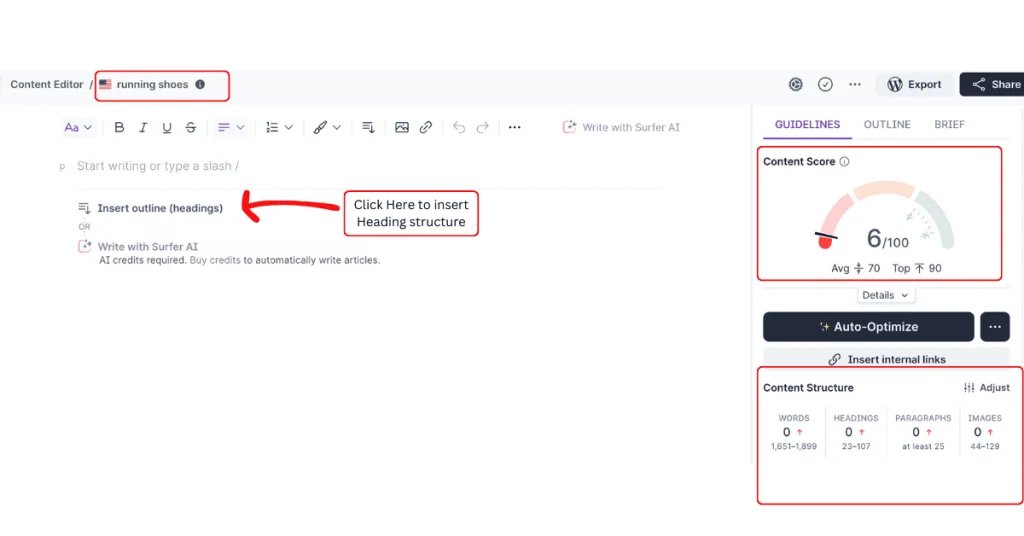
    • Searcher Intent: Understanding why someone searches for a term is vital. Are they looking to buy, learn, or find a specific website? Tailoring content to this intent can dramatically improve your SEO effectiveness.

    The Power of Long-Tail Keywords

    Focusing on long-tail keywords—those specific, often longer queries made by searchers—can significantly enhance targeting. These keywords usually have less competition and a more precise intent, which can lead to higher conversion rates than more generic searches.

    Summary of Key Points

    • Consider search volume and competition balance.
    • Ensure keyword relevance to the content.
    • Align keywords with searcher intent.
    • Prioritize long-tail keywords for better targeting.

    By integrating these strategies, you can create more focused, effective content that speaks directly to your audience’s needs and interests.

    4. Where to Use Keywords in Your Content Writing

    Placing keywords strategically throughout your content is crucial in boosting SEO and ensuring your web pages are visible to the right audience.

    Let’s look at where to insert keywords to maximize their impact without falling into the trap of keyword stuffing.

    Use Keywords in a Meta Description

    A meta description is a summary below your page title in search results. Including keywords here improves your page’s relevance to search queries and entices readers to click through.

    Use Keywords in a Meta Title Tag

    Your meta title tag is your content’s headline on search engine results pages. It’s crucial to add keywords here as it facilitates search engines in understanding the main focus of your page, directly impacting your ranking and visibility.

    Use Keywords in Anchor Text Links

    When linking to other pages, using keywords in your anchor text helps improve SEO by showing how pages are interlinked and relevant to specific topics. It’s also useful for users navigating your site.

    Use Keywords Within the First 200 Words

    You incorporate keywords early in your content to signal to search engines, which is the main focus of your article right from the start. This helps align the user’s search intent with the content they find.

    Adding Keywords in Image Alt-tags

    Image alt-tags describe pictures to search engines and are crucial when images can’t be displayed. Keywords in these tags help improve the discoverability of your visuals in image searches.

    alt tag

    Adding Keywords in Headings (H1s, H2s, H3s, etc)

    Including keywords in headings helps structure your article and makes it easier for search engines to grasp your content’s main and subsidiary topics, enhancing user experience and SEO.

    Keywords in Heading 1s (H1s)

    Your main heading or H1 should contain the primary keyword to emphasize the overall theme of your page. It sets the tone and topic at the very beginning of your content.

    Keywords in Heading 2s (H2s)

    Use secondary keywords in your H2s to support the main keyword, outlining related subtopics or details that enrich your main content.

    Keywords in Heading 3s (H3s)

    H3s can further break down the information from your H2 sections. Inserting keywords here pinpoints more specific details or aspects of the overall topic.

    Key Points

    • Keywords in meta descriptions and title tags.
    • Keywords in anchor text and the first 200 words.
    • Keywords in image alt-tags and headings.

    With these strategies, you’re equipped to enhance your content’s visibility and effectiveness on search engines.

    5. WARNING: Avoid Keyword Stuffing

    Mastering the right balance of keywords on your web page is crucial for effective on-page SEO.

    Packaging your content with as many keywords as possible might be tempting to climb higher in search rankings. Still, this tactic, known as keyword stuffing, often backfires. Instead, it’s better to focus on keyword density—the proportion of keywords to the total words on your page.

    Aim to sprinkle keywords thoughtfully throughout your content rather than cramming them in every sentence.

    This keeps your content reader-friendly and aligns with search engine guidelines, helping you avoid penalties for keyword stuffing.

    Remember, the goal is to make your content as accessible and engaging for humans as it is optimized for search engines.

    What makes a ‘good’ keyword density for your website?

    What’s the best keyword density for your content?

    There’s no strict rule, but most SEO experts recommend keeping it between 1-2%.

    This means your keyword should appear about once or twice per 100 words. This guideline helps ensure your content stays approachable and transparent, avoiding the pitfalls of spam filters or annoying your readers.

    Why is this important?

    Search engines employ sophisticated algorithms to assess content quality, penalizing sites for overloading keywords to game the system. Keeping your keyword use balanced is vital to maintaining readability for your audience and credibility with search engines. 

    A study by Moz suggests that pages with a keyword density closer to 2% perform better in search results as they appear more natural and user-focused.

    However, it’s about more than sticking to these percentages. The placement of your keywords—for example, in headings, subheadings, and the first 200 words—can also significantly impact their effectiveness.

    Ensuring your keywords are used contextually within high-quality, valuable content is vital. Think about how your keywords can enhance the reader’s understanding and engagement with the topic rather than just filling space.

    Remember, while optimizing for search engines, your primary focus should still be providing value to your readers.

    Does your content answer questions and solve problems?

    Are you enriching the reader’s experience with insightful information?

    These considerations should guide your keyword strategy to improve rankings and connect with and convert your target audience.

    By maintaining a balanced keyword density and focusing on quality content, you can effectively avoid the pitfalls of keyword stuffing and make your SEO efforts count.

    Quick recap

    • Ideal keyword density is between 1-2%.
    • Excessive use of keywords can trigger penalties from search engines.
    • It’s vital to place keywords thoughtfully in headings, subheadings, and the early parts of your content.
    • Focus on contextual use of keywords within high-quality content.
    • Aim to provide value to readers, enhancing engagement and solving problems.
    • Maintaining balanced keyword density avoids keyword stuffing and optimizes SEO efforts.

    6. Using Related Keywords and Synonyms

    Expanding your SEO strategy to include LSI (Latent Semantic Indexing) keywords and synonyms makes your content more engaging and boosts your rankings on search engines.

    What are LSI keywords, you ask?

    They’re related terms that help search engines better understand your content’s context, improving its relevance and the overall user experience.

    By weaving these keywords into your content, you avoid the monotony of repeating the exact keywords and enhance the richness of the information you provide.

    Latent Semantic Indexing: Enhancing Content Relevance

    Latent Semantic Indexing might sound technical, but it’s about making your content more thoughtful and more connected to what search engines and readers are looking for.

    LSI keywords help clarify your content’s relevance and intent, which can enhance its ranking and visibility. If your primary keyword is “healthy eating,” LSI keywords could include “nutritious recipes,” “balanced diet,” and “calorie intake.”

    But why does this matter? Search engines focus on user intent and content quality, not just keyword repetition.

    A study by SEMrush found that content enriched with relevant LSI keywords ranks better because it appears more natural and comprehensive. This doesn’t just improve SEO; it makes the content more informative and valuable, which readers appreciate most.

    Incorporating LSI keywords means thinking beyond the obvious. It requires understanding your topic and what your audience might think about when exploring related issues.

    How does your content answer the direct queries and related ones they have yet to ask? By weaving synonyms and associated terms throughout your article, you ensure that your content resonates more deeply, providing value that keeps readers coming back.

    With this strategy, you aim to create content that fully serves the reader’s needs, enhancing their experience and your site’s authority.

    7. Monitoring and Adjusting Keywords

    Tracking the performance of your keywords and on-page SEO is crucial if you want to keep your content relevant and ranking high in search engines.

    Inserting keywords into your content and meta descriptions is not enough; you need to monitor their impact over time. Google Analytics can help you see which keywords attract traffic and which ones might need a rethink.

    But why stop just watching their performance?

    Based on the data you gather, you can start to tweak and adjust your keywords to better align with SEO trends and changes in user behavior.

    Perhaps a keyword that once brought you a lot of traffic has decreased in effectiveness. Or maybe there are new, relevant keywords on the rise that you haven’t considered yet. Regularly updating your keywords ensures that your content stays competitive and visible to your target audience.

    Here are some actionable tips for keeping your keyword strategy sharp:

    • Regularly review keyword performance metrics in Google Analytics.
    • Update and adjust your keywords in response to changes in search trends.
    • Refine your meta descriptions and on-page content to incorporate new, high-performing keywords.
    • Keep an eye on your page ranking changes and optimize content to boost underperforming keywords.

    Key Points

    • Track keyword performance with tools like Google Analytics.
    • Tweak keywords based on their effectiveness and SEO trends.
    • Update meta descriptions and content with new, relevant keywords.
    • Monitor and adjust page rankings.

    With these practices, you can ensure that your site not only keeps up with the evolving digital landscape but also continues to engage and attract your ideal audience.

    Final Thoughts

    As we wrap up our exploration of adding keywords to your content, remember that the proper use of keywords is not just about inserting them into your content and meta descriptions.

    It’s about understanding and implementing strategies that enhance your site’s visibility and ranking. With the right approach to keywords for SEO, your content can do more than just appear in search results—it can effectively engage and convert your target audience.

    So, what are the key takeaways from our discussion?

    First, focus on relevant keywords that resonate with your audience’s search queries.

    Then, strategically place these keywords in your meta descriptions, headings, and content to optimize your on-page SEO.

    Remember, keyword stuffing is a no-go; instead, aim for a natural integration that supports the flow and value of your information.

    Here’s a quick checklist to keep you on track:

    • Regularly update your keyword strategy based on analytics insights.
    • Ensure all your keywords are relevant and precisely targeted.
    • Use keywords thoughtfully in meta descriptions to boost click-through rates.
    • Monitor your rankings and adjust your tactics to maintain a competitive edge.

    Implementing these strategies can significantly impact your site’s performance, making your content more discoverable and compelling. 

Get 50 Actionable insights to

  • Supercharge your Marketing
  • Achieve 10X Productivity
  • Earn your first $1000 online
Bonus: You will get my free newsletter, delivered weekly.

No Spam. No fluff. Unsubscribe Anytime

50 Actionable insights

Unlock the secrets of top 1% digital entrepreneurs to achieve financial freedom.

yours free!

Bonus: You will get my free newsletter, delivered weekly.

No Spam, No Fluff. Unsubscribe Anytime

error: Protected content