Category: SEO Analytics

  • 5 best SEO AI Tools That Actually Boost Rankings in 2024

    5 best SEO AI Tools That Actually Boost Rankings in 2024

    Read in 20 min
    Best for Content Strategy

    4.6/5

    214 reviews (G2)

    Market Muse

    MarketMuse accelerates content creation, reinventing how marketers improve organic search rankings, drive expertise and impact revenue.

    Read Review

    Best for AI Writing

    4.8/5

    295 reviews (G2)

    Frase

    Frase generates research-driven content with AI, and empowers creators to go from keyword to well-researched SEO-optimized articles faster and better.

    Read Review

    Best for All-in-one SEO

    3.9/5

    7 reviews (G2)

    AlliAi

    Alli AI is Artificial Intelligence for SEO. Alli shows you how to rank your site. Alli will find links, fix your content and optimize your website.

    Read Review

    Ready to supercharge your SEO in 2024?

    It’s all about AI seo tools this year, and I’ve got the inside scoop on the tools that are really shaking things up.

    I’ve been knee-deep in digital marketing for ages, and trust me, the right AI tool can work wonders.

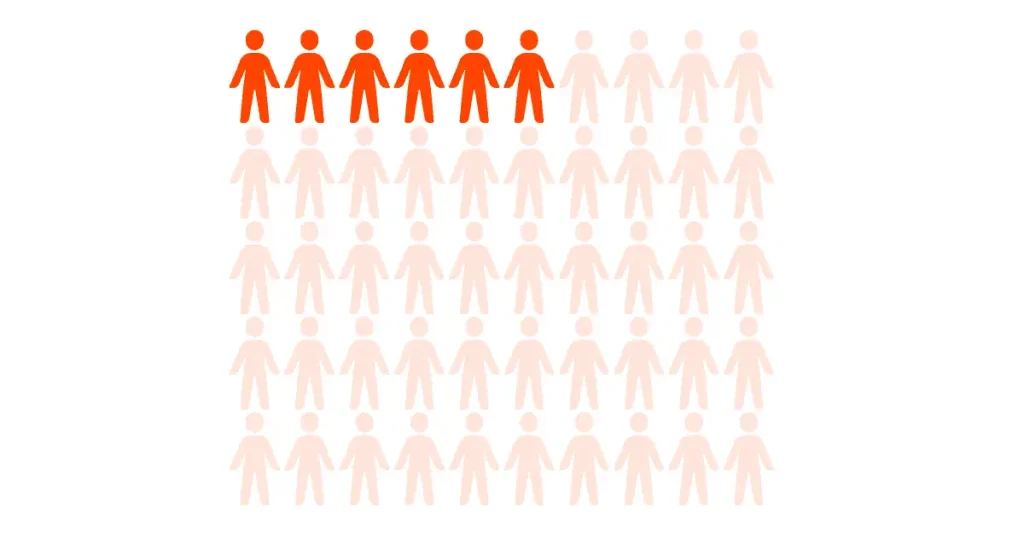
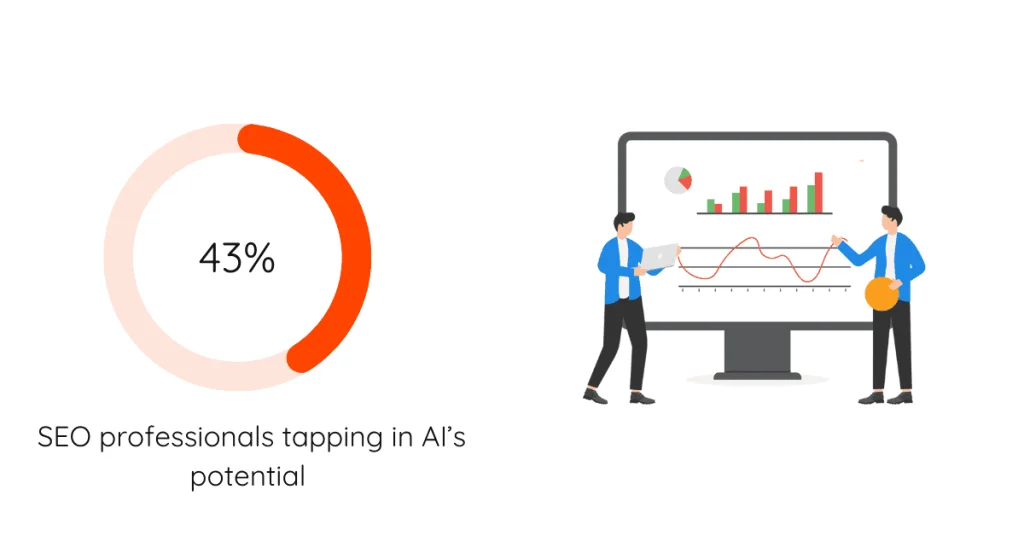
    But get this – a SEMrush study found that only 43% of SEO pros are really tapping into AI’s potential.
    ai seo software

    Crazy, right? That means there’s a ton of room for those of us ready to jump on the AI bandwagon.

    So, let’s check out the cream of the crop when it comes to SEO AI tools that are actually making a difference in 2024!

    1. MarketMuse: The Content Strategy Powerhouse

    Editor’s Pick

    MarketMuse

    Market Muse

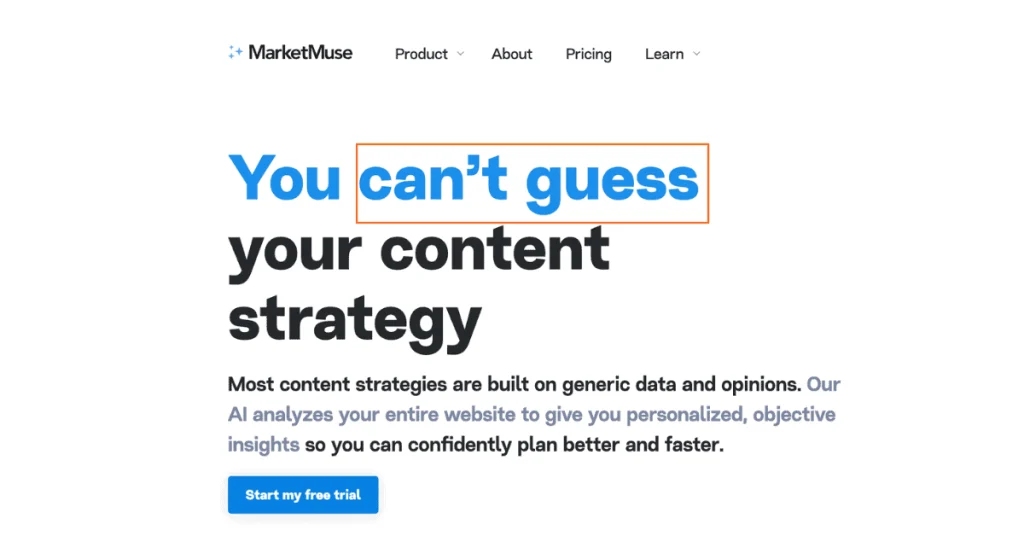
    MarketMuse revolutionized my content strategy. This AI-powered tool analyzes your content, identifies gaps, and provides data-driven recommendations. It’s like having a brilliant content strategist at your fingertips.

    My Rating: 4.7/5
    Best for Content Strategy

    4.6/5

    214 reviews (G2)

    Pricing Starts: $149/month

    Annual Discount: 20%

    Let me tell you about my journey with MarketMuse. When I first heard about it, I was skeptical.

    Another AI tool promising to revolutionize content strategy? Yeah, right.

    But I couldn’t have been more wrong. This tool has completely transformed how I approach content creation.
    search engine optimization

    I remember the day I decided to give it a shot. I was struggling with a piece about sustainable living – a topic I thought I knew inside out. Was i in for a surprise? Yes, indeed. MarketMuse’s AI-driven content planning feature blew me away.

    It suggested angles I hadn’t even considered, like the impact of sustainable living on mental health. Who knew?

    Key Features

    • AI-powered content briefs
    • Competitor analysis
    • Content optimization suggestions
    • Content inventory and auditing
    • SEO keyword research

    Let’s review each feature in brief.

    seo tools

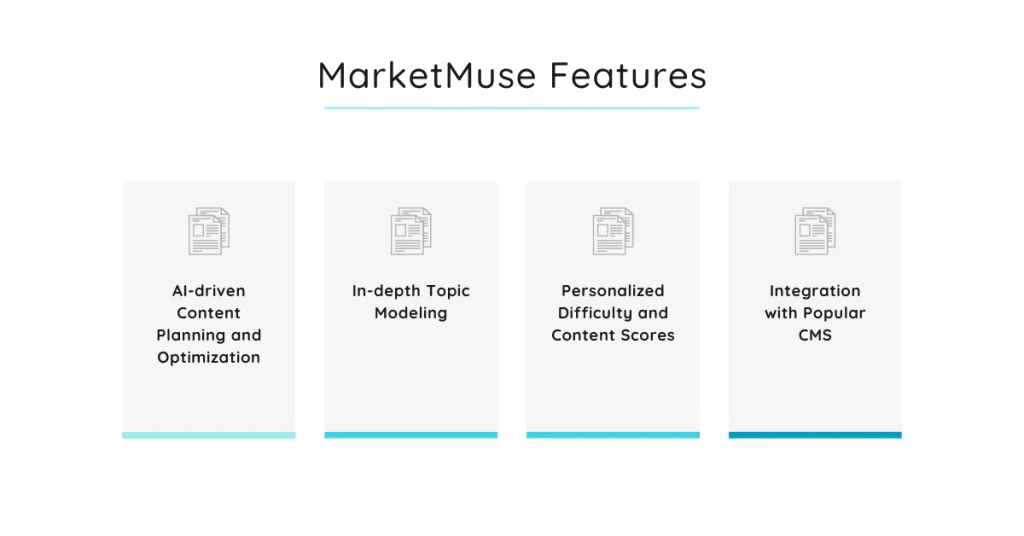
    AI-driven Content Planning and Optimization

    The AI doesn’t just spit out a list of keywords. It’s like having a brilliant research assistant who never sleeps.

    I once used it for an article on digital marketing trends, and it suggested covering the rise of voice search optimization. That section ended up being the most shared part of my article!

    In-depth Topic Modeling

    Now, let’s talk about the topic modeling. It’s deep. Really deep. I mean, it goes beyond just scratching the surface.

    I used it for a piece on home gardening for a client, and it suggested covering topics like soil pH balance and companion planting. These were things I hadn’t initially planned to include, but they made my content so much more comprehensive.

    Personalized Difficulty and Content Scores

    This feature is like getting a report card, but way less stressful than high school. I remember feeling pretty cocky about an article I wrote on social media strategies.

    MarketMuse gave it a mediocre score. Ouch. But after swallowing my pride and making the suggested changes, my traffic increased by 30%. Can’t argue with results, right?

    Integration with Popular CMS

    I use WordPress for my blog, and the integration was smooth as butter. No more copying and pasting between different tools. Everything just works together seamlessly.

    However, I did have a bit of a hiccup setting it up initially.

    Pricing Plans

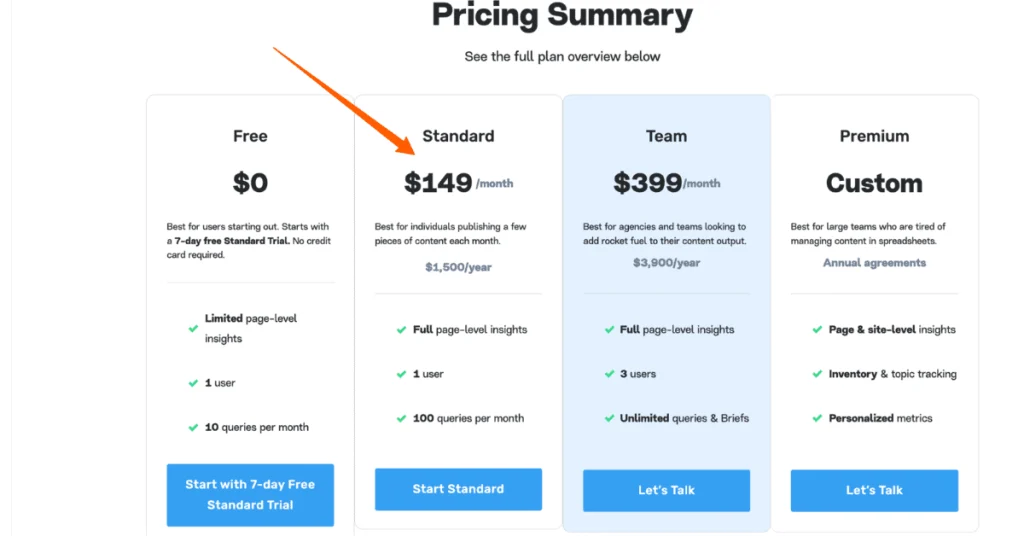
    I’m not gonna lie, MarketMuse isn’t cheap. But in my experience, it’s worth every penny.
    seo tools

    Here’s the breakdown:

    • Free: Limited features, good for trying it out
    • Standard: $149/month, best for individuals publishing few content pieces
    • Team: $399/month, best for agencies and teams
    • Premium: Custom pricing, for larger organizations

    Annual Discount: 20%

    Free Trial: 7 Days

    I started with the free plan but quickly realized I needed more. The Standard plan has been perfect for my needs.

    Pros & Cons

    • Incredibly detailed content suggestions
    • Saves tons of time on research
    • Helps create truly comprehensive content
    • Steep learning curve
    • Can be overwhelming with all the data
    • Pricey for solo content creators

    The learning curve is real. I spent a good week just figuring out all the features. But once I got the hang of it, it was smooth sailing.

    Integrations Available

    MarketMuse plays nice with others. It integrates with:

    • WordPress
    • Google Docs
    • HubSpot

    User Reviews and Testimonials

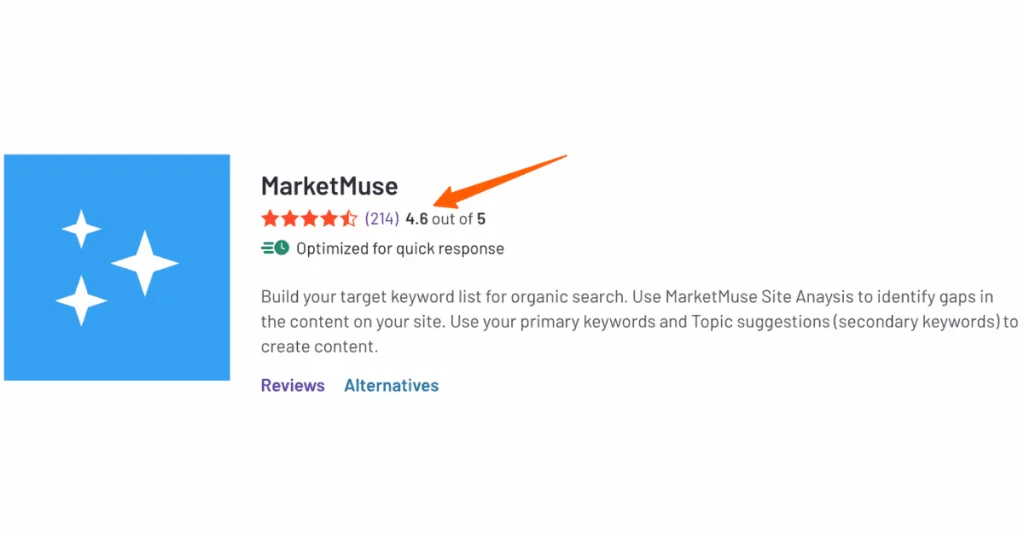
    On G2, MarketMuse has a solid 4.6 out of 5 stars.

    One user said, “The whole suite of apps within MarketMuse gives a different set of tools to create comprehensive content for people and SEO.” I couldn’t agree more!
    best ai seo

    Another reviewer mentioned, “The Optimize section of MarketMuse is a game-changer.” Spot on, in my experience.

    In my journey with MarketMuse, I’ve had my share of frustrations. There were times when I wanted to pull my hair out trying to understand all the metrics.

    But you know what?

    The results speak for themselves. My content is more comprehensive, ranks better, and actually helps my readers more.

    Just be prepared to invest a couple of hours in learning the ropes. Trust me, it’s worth it. And who knows? You might even start enjoying the content creation process more. I know I did!

    Bottomline

    Is MarketMuse perfect? Nope. Is it a magical solution that’ll instantly make you a content superstar?

    Absolutely not. But if you’re serious about upping your content game and don’t mind a bit of a learning curve, it could be your new best friend.

    2. Frase: Your AI Writing Assistant on Steroids

    Frase

    Frase

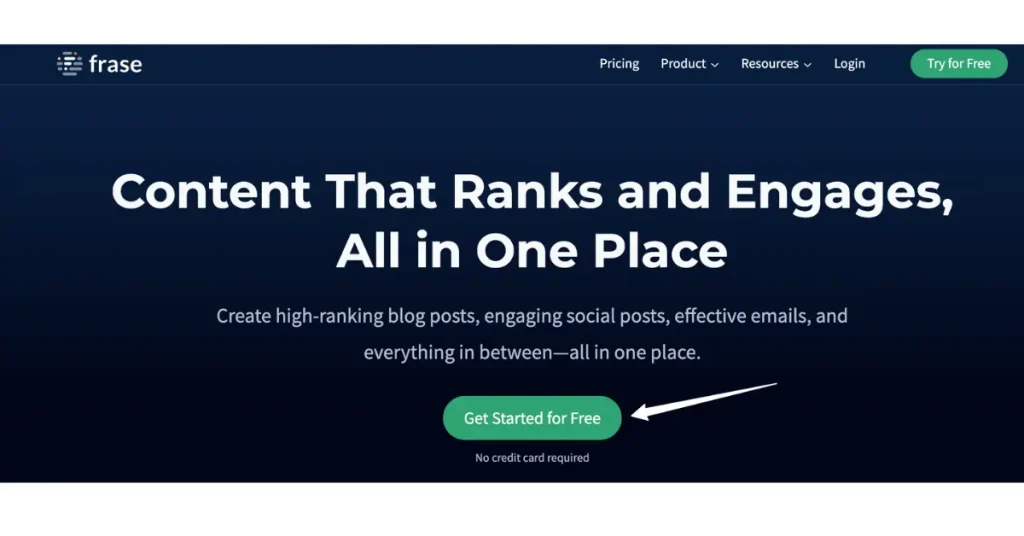
    Frase is my secret weapon for creating SEO-optimized content quickly. It uses AI to generate content briefs, answer questions, and even draft articles. It’s a game-changer for content creation.

    My Rating: 4.5/5
    Best for AI Writing

    4.8/5

    295 reviews (G2)

    Pricing Starts: $15/month

    Annual Discount: Up to 20%

    I’ve been in the content creation game for quite a while now, and let me tell you, finding the right tools can make or break your workflow. When I first discovered Frase, I was a bit apprehensive.
    ai powered tools

    Another AI writing assistant? How different it will be from others already in the market?

    Let’s dive into what makes Frase tick, shall we?

    Frase in a Nutshell

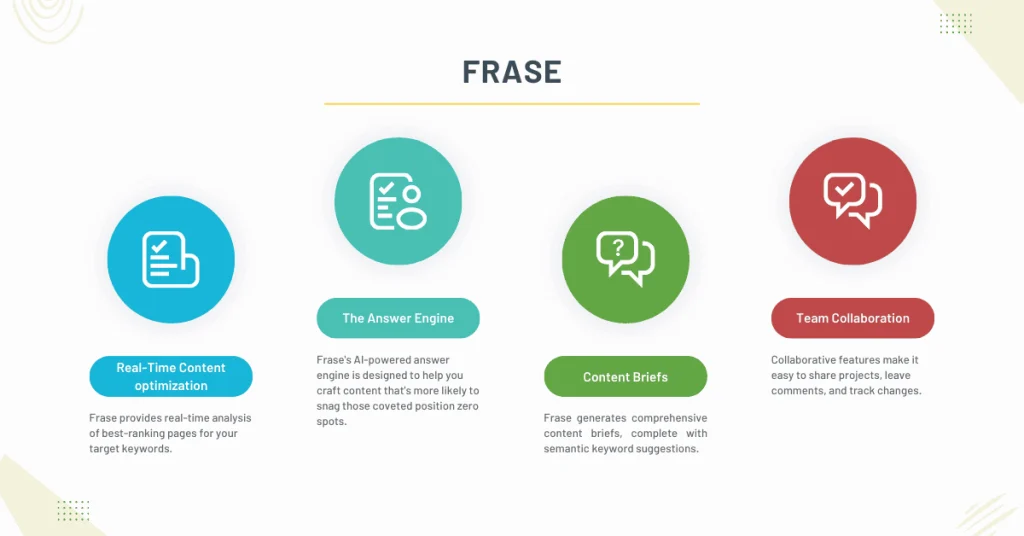
    • AI-powered content optimization tool
    • Real-time analysis of top-ranking pages
    • Answer engine for featured snippet targeting
    • Content brief generator with semantic keyword suggestions
    • Team collaboration features
    • Multiple pricing tiers to fit different needs

    Now, I’m not one to just rattle off features without giving you the real scoop. So let’s break this down, piece by piece.
    seo efforts

    Real-time Content Optimization: A Game-Changer

    Remember the days of manually analyzing competitor content? Yeah, those weren’t fun.

    Frase takes that headache away by providing real-time analysis of best-ranking pages for your target keywords. It’s like having a super-smart intern who never sleeps.

    I once spent hours trying to figure out why my article on “best houseplants for beginners” wasn’t ranking. Turns out, I’d missed a crucial subtopic that all the top-ranking pages were covering.

    Frase would’ve caught that in seconds. Live and learn, right?

    The Answer Engine: Featured Snippet Gold

    If you’re not optimizing for featured snippets, you’re leaving money on the table. Frase’s AI-powered answer engine is designed to help you craft content that’s more likely to snag those coveted position zero spots.

    I’ll admit, I was pretty clueless about featured snippets when I first started.

    But Frase’s suggestions helped me restructure an old post about “how to propagate succulents,” and within weeks, it was sitting pretty at the top of the search results. Talk about a confidence boost!

    Content Briefs: Your Roadmap to Success

    Gone are the days of staring at a blank page, wondering where to start. Frase generates comprehensive content briefs, complete with semantic keyword suggestions.

    It’s like having a content strategy expert in your pocket.

    The first time I used this feature, I was writing about “sustainable fashion brands.” The brief Frase generated was so detailed, I felt like I’d done hours of research in minutes.

    It even suggested some niche keywords I hadn’t considered, which really helped round out the article.

    Teamwork Makes the Dream Work

    For those of you working with a team (or aspiring to), Frase has got your back.

    Their collaborative features make it easy to share projects, leave comments, and track changes. No more endless email chains or version control nightmares.

    Pricing Plans

    Now, I know what you’re thinking. “This all sounds great, but what’s it gonna cost me?” Well, Frase offers a few different pricing tiers:
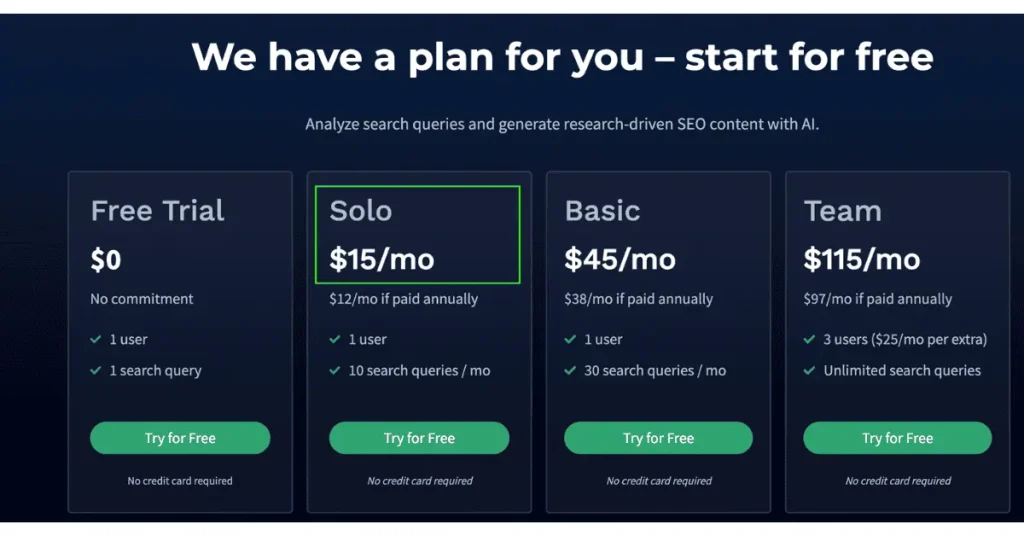
    • Solo: $15/month
    • Basic: $45/month
    • Team: $115/month
    ai seo tool

    Annual Discount: Up to 20%

    Free Trial: $1 for 5 days

    I started with the Basic Plan and found it more than sufficient for my needs. As my content team grew, we upgraded to the Team Plan, which has been a great investment.

    Pros & Cons

    • Saves tons of time on research and optimization
    • Intuitive interface that’s easy to learn
    • Regularly updated features based on user feedback
    • Can be a bit pricey for absolute beginners
    • Occasional hiccups with the AI suggestions (but hey, no one’s perfect)

    Integrations

    Frase plays well with a bunch of other tools you might be using.

    It integrates seamlessly with WordPress, Google Docs, and even some popular SEO tools. This makes it super easy to incorporate into your existing workflow.

    User Reviews

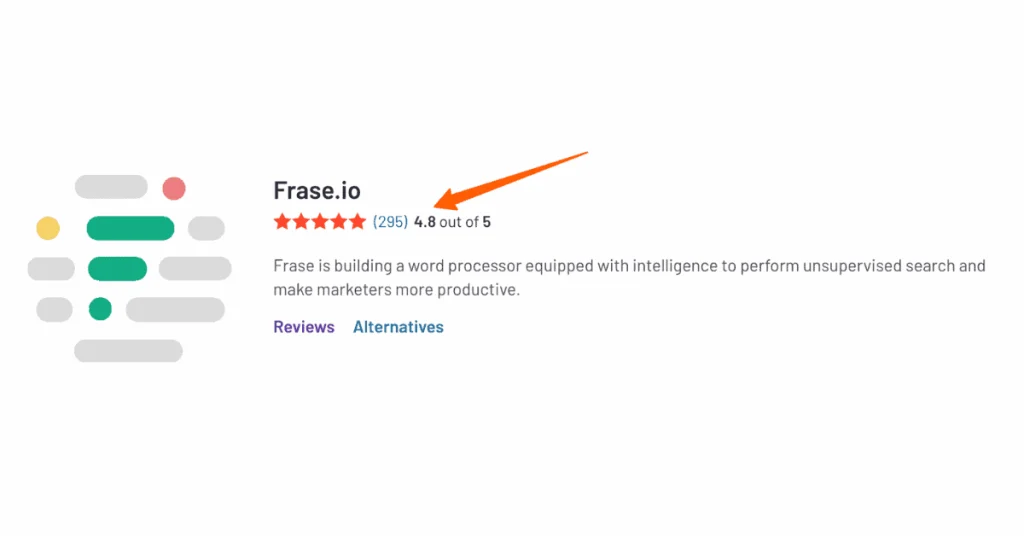
    It enjoys 4.8 out of 5 stars on G2. That’s incredible!

    I’m not the only one singing Frase’s praises. Here’s what some other users have to say:
    search engine results

    “Frase puts everything you need to write better content and drive traffic at your fingertips.” – Christopher S., Small business owner

    “The only tool you need for content writing.” – Ray M., Product Team Lead

    Of course, not everyone’s experience is sunshine and rainbows. Some users have mentioned a bit of a learning curve, and others feel the features are limited. But overall, the reviews tend to be pretty positive.

    Just remember, no tool is a magic bullet. Frase can give you a serious edge, but it’s still up to you to bring your unique voice and expertise to the table.

    Bottomline

    At the end of the day, Frase is a powerful tool that can seriously level up your content game. Is it perfect? Nah. But in my experience, its benefits far outweigh any drawbacks.

    If you’re serious about creating high-quality, SEO-optimized content efficiently, Frase is definitely worth a look.

    3. Alliai: The All-in-One SEO Automation Platform

    Alliai

    Alliai

    Alliai is the Swiss Army knife of SEO tools. From keyword research to technical audits, it covers all bases. Its AI-driven insights have helped me improve rankings across multiple sites.

    My Rating: 4.3/5
    Best for AIl-in-one SEO

    3.9/5

    7 reviews (G2)

    Pricing Starts: $299/month

    Annual Discount: 2 months free

    As I’ve been in the SEO game for what feels like forever, and let me tell you, it’s a constantly evolving beast.
    seo tools

    Just when you think you’ve got it figured out, something changes. That’s why I was pretty excited when I found Alliai. I mean, who doesn’t want a little automation in their life, right?

    Alliai in a Nutshell

    • Automated technical SEO audits (goodbye, manual checks!)
    • AI-powered keyword clustering and intent analysis
    • Content gap analysis that actually makes sense
    • Customizable reporting (because one size doesn’t fit all)
    • White-label options for agencies

    Now, let’s dive into the nitty-gritty of what makes Alliai tick.

    Technical SEO Audits: No More Headaches

    Remember the days of manually checking every little technical SEO detail? Yeah, me too. Not fun. Alliai’s automated technical SEO audits have been a game-changer for me.

    It’s like having a super-smart intern who doesn’t need coffee breaks.

    I once spent a weekend trying to figure out why my client’s e-commerce site was tanking in rankings. Turns out, there were a bunch of sneaky redirect chains that I’d missed. Alliai would’ve caught that in seconds.

    Keyword Clustering: Making Sense of the Chaos

    Keyword research used to be the bane of my existence. Alliai’s AI-driven keyword clustering has made it… well, not fun exactly, but definitely less painful.

    It groups related keywords together and even analyzes user intent.

    I remember working on a project for a fitness blog and spending hours trying to figure out how to group keywords like “best protein powder” and “whey protein benefits.”

    Alliai’s clustering feature would’ve saved me a ton of time and probably done a better job, to be honest.

    Content Gap Analysis: Finding Hidden Gems

    This feature has been a real eye-opener for me. It identifies opportunities you might be missing based on what your competitors are doing. It’s like having a spy in the enemy camp, but you know, legal and ethical.

    I had a client in the pet supplies niche who was struggling to gain traction.

    Alliai’s content gap analysis revealed a whole subset of topics around eco-friendly pet products that we hadn’t even considered. Talk about a lightbulb moment!

    Customizable Reporting: Because One Size Doesn’t Fit All

    If you’ve ever tried to explain SEO to a client using a generic report, you know the blank stares I’m talking about.

    Alliai’s customizable reporting has been a lifesaver. You can tailor the reports to each client’s needs and even white-label them if you’re fancy like that.

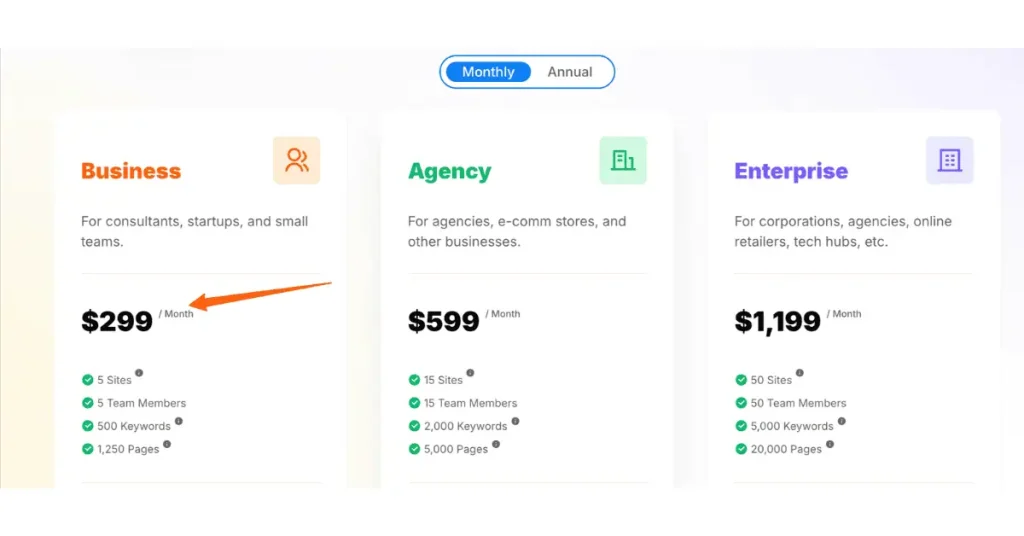
    Pricing Plans

    Now, I know what you’re thinking. “This sounds great, but what’s it gonna cost me?” Well, Alliai offers a few different pricing tiers:

    • Business: $299/month, ideal for consultants, startups, and small teams.
    • Agency: $599/month, Perfect for growing agencies and e-com stores.
    • Enterprise: $1199/month, For the big players with complex needs.

    Annual discount: 2 months free

    Free Trial: 10 Days
    seo tools

    Pros & Cons

    • Saves time on repetitive tasks
    • Insights you might miss manually
    • Regular updates based on algorithm changes
    • Learning curve can be steep for SEO newbies
    • Occasionally overwhelms you with data

    Integrations

    Alliai integrates with a bunch of other tools you might be using. It plays well with Google Analytics, Search Console, and even some popular CMS platforms like Shopify. This makes it pretty easy to incorporate into your existing workflow.

    User Reviews
    ai seo tool

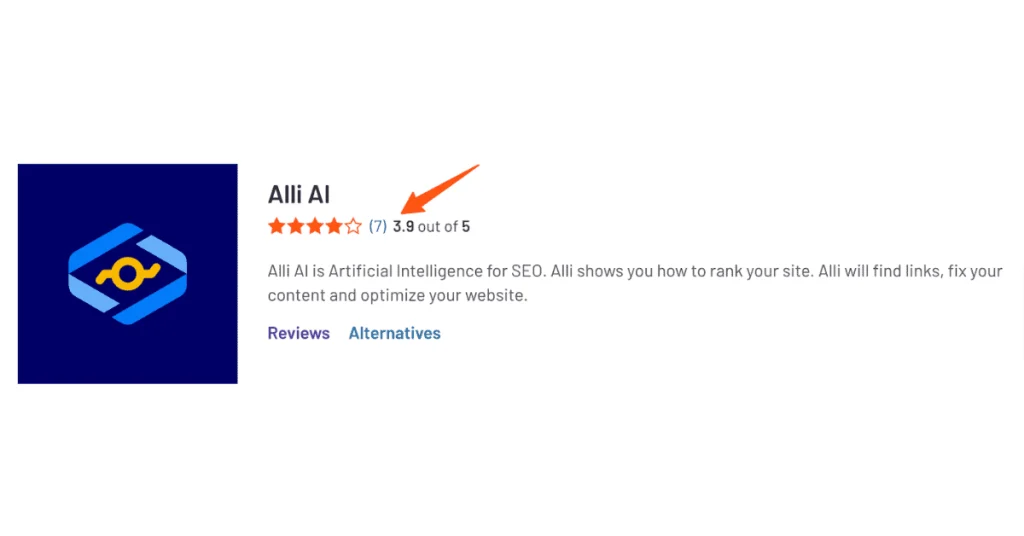
    Alliai got 3.9 stars out of 5 on G2. Not too bad, eh?

    I’m not the only one who’s found Alliai helpful. Here’s what some other users have to say:

    “SEO for the common webmaster and for the agencies!” – John C., Growth intelligence Manager

    “Rank your site with step-by-step instructions” – Mayo L., Program Developer

    Of course, not everyone’s experience is perfect. Some users shared that the learning curve can be steep, and others feel the pricing could be more competitive for smaller businesses. But overall, preferred by masses.

    Bottomline

    Alliai is a powerful tool that can seriously up your SEO game. Is it perfect? Nah. But in my experience, its benefits far outweigh any drawbacks.

    If you’re serious about streamlining your SEO processes and uncovering insights you might miss manually, Alliai is definitely worth a look.

    4. StoryChief

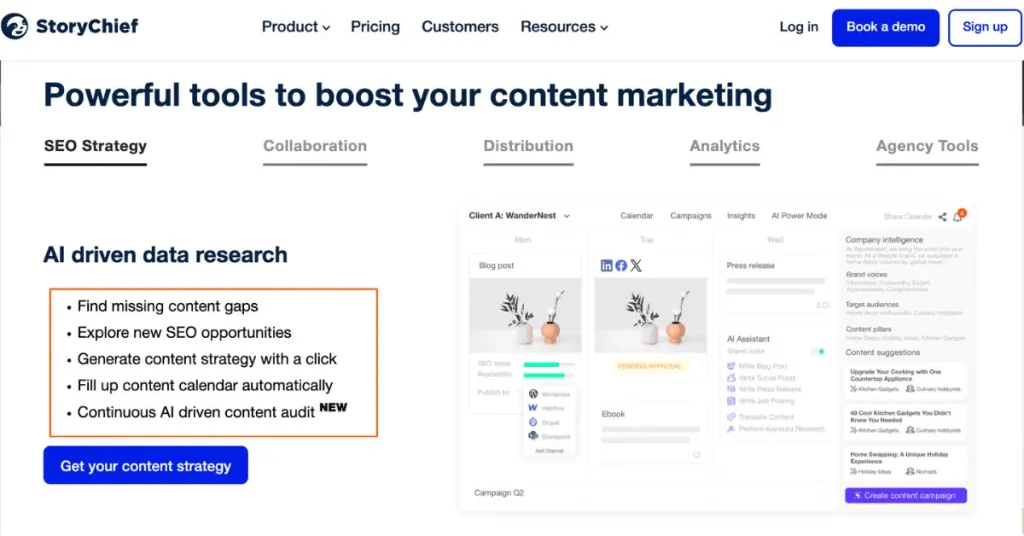
    Let me tell you, content distribution used to be my biggest headache. I’d spend hours crafting the perfect blog post, only to watch it disappear into the void of the internet. That’s when I stumbled upon StoryChief, and honestly, it’s been a game-changer.
    ai seo tool

    StoryChief in a Nutshell

    • AI-powered content creation helper (because who couldn’t use a little help?)
    • Multi-channel distribution (say goodbye to manual posting)
    • SEO tracking that actually makes sense
    • Social media integration (because who has time to post everywhere manually?)

    Now, let’s dive into what makes StoryChief tick, shall we?

    AI-Assisted Content Creation: Your New Writing Buddy

    I remember the days when I’d stare at a blank canvas, willing the words to appear. StoryChief’s AI assistant has been like having a brainstorming partner who never gets tired. It suggests topics, helps with structure, and even gives tips on optimizing for SEO.

    One time, I was totally stuck on a piece about sustainable gardening. The AI suggested some killer angles I hadn’t even considered, like the impact of native plants on local ecosystems. Pretty good, eh?

    Multi-Channel Distribution: Spread the Word

    Before StoryChief, I was manually posting to each platform, tweaking the content for each one. It was a nightmare. Now, I can distribute my content to multiple channels with just a few clicks.

    I once spent an entire Saturday posting a single article across different platforms.

    By the time I finished, I was too burnt out to even think about creating new content. With StoryChief, that same task takes me maybe 15 minutes, tops.

    SEO Performance Tracking: Know Your Worth

    Let’s be real, SEO can be confusing. StoryChief’s SEO performance tracking has made it a lot easier for me to understand how my content is performing.

    It gives you insights into keyword rankings, backlinks, and even suggests improvements.

    I had a client who was obsessed with rankings but couldn’t make heads or tails of the data. StoryChief’s clear, visual reports made it so much easier to explain our progress and strategy. The look of relief on their face was priceless!

    Social Media Integration: Be Everywhere at Once

    If you’re not leveraging social media for your content, you’re missing out big time. StoryChief integrates with all the major platforms, making it a breeze to share your content far and wide.

    I used to dread the social media aspect of content distribution. It felt like a full-time job in itself. Now, I can schedule posts, track engagement, and even repurpose content for different platforms, all from one dashboard. It’s like having a social media manager without the extra salary!

    Pricing Plans

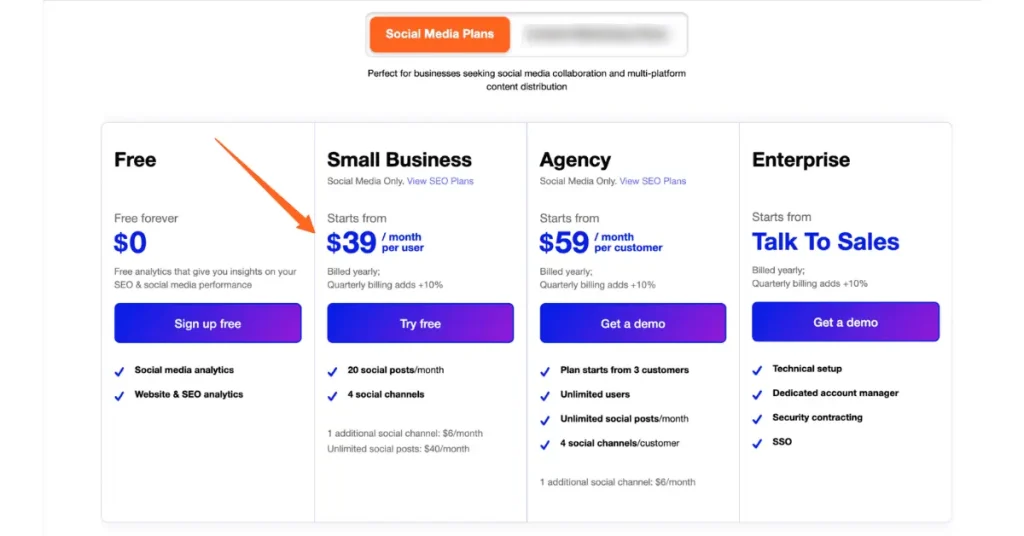
    Now, I know you’re wondering about the damage to your wallet. StoryChief offers a few different plans:
    ai seo tool

    Social Media Plans

    • Small business: $39/month/user, billed annually
    • Agency: $59/month/user, billed annually
    • Enterprise: Custom pricing
    ai seo software

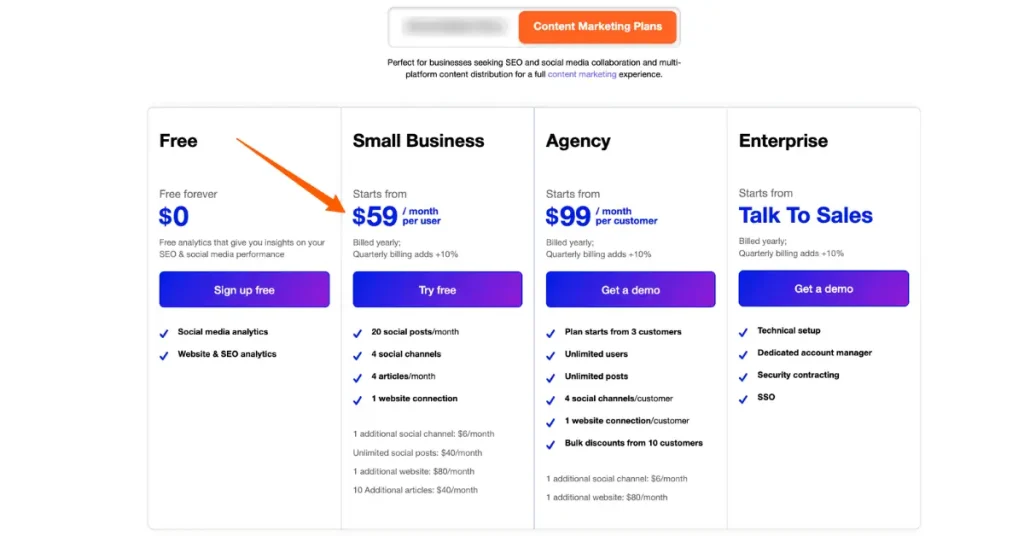
    Content Marketing Plans

    • Small business: $59/month/user, billed annually
    • Agency: $99/month/user, billed annually
    • Enterprise: Custom pricing

    They also offer AI power mode Add-on at $60/month.

    Annual discount: 10% (vis-a-vis quarterly billing option)

    Free Trial: 7 Days

    I started with the small business content marketing plan and found it pretty comprehensive. As my client list grew, I upgraded to the agency plan (for my 3 clients), which has been worth every penny for the extra features and support.

    Pros & Cons

    • Massive time-saver for content distribution
    • AI assistance that actually helps
    • User-friendly interface
    • Learning curve for some advanced features
    • AI suggestions sometimes need a human touch
    • Pricing might be steep for absolute beginners

    Integrations

    StoryChief plays well with others, integrating seamlessly with tools like WordPress, Shopify, Slack and even some e-commerce platforms. This makes it pretty easy to incorporate into your existing workflow without too much hassle.

    User Reviews

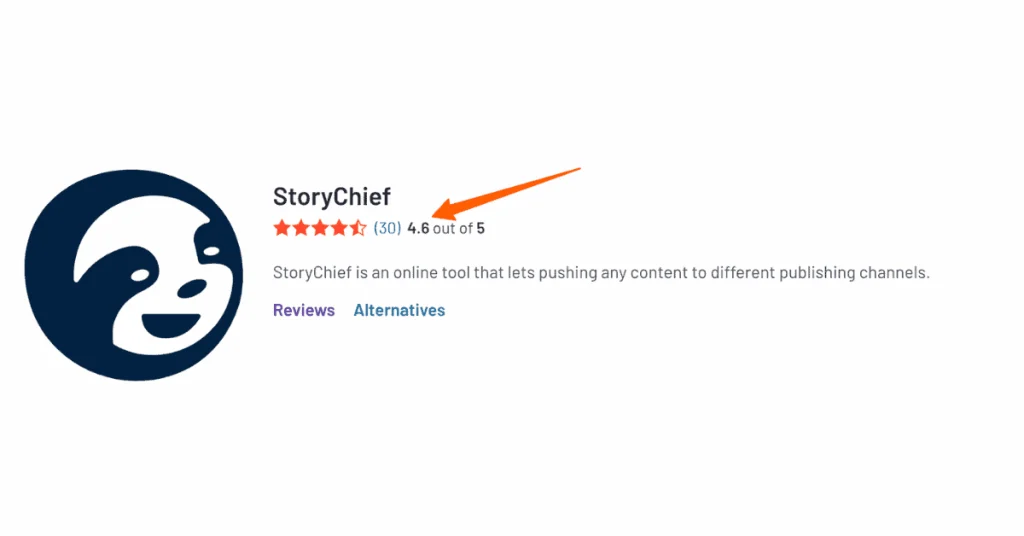
    Story chief commands 4.6 stars out of 5 on G2 which is exceptional. Don’t just take my word for it. Here’s what some other users have to say:
    seo efforts

    “StoryChief is our content marketing central” – Juergen B., Creative Director

    “Simply a must-have for every company with content marketing activities.” – Yves D., Co-founder

    Of course, not everyone’s experience is perfect. Some users have mentioned that the limited features and a bit expensive.

    Others feel the AI suggestions sometimes need a bit of tweaking. But overall, the reviews tend to be pretty positive.

    Bottomline

    StoryChief is a powerful tool that can seriously streamline your content creation and distribution process.

    But in my experience, its benefits far exceed any drawbacks. If you’re serious about getting your content out there and saving time in the process, StoryChief is definitely worth a try.

    5. Sprout Social

    I’ve been in the social media game for quite a while now, and let me tell you, it’s a wild ride. Just when you think you’ve got it figured out, everything changes.
    search engine results

    That’s why I was pretty excited when I discovered Sprout Social. It’s like they took all the headaches of social media management and said, “Hey, let’s throw some AI at this problem.”

    Sprout Social in a Nutshell

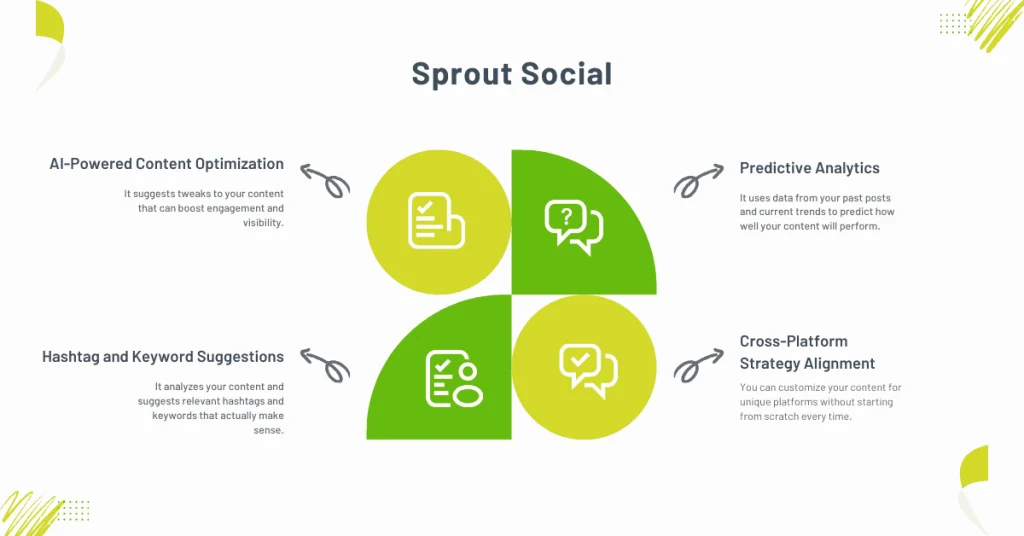
    • AI that actually helps with content optimization (not just a buzzword)
    • Hashtag and keyword suggestions that don’t make you cringe
    • Crystal ball… I mean, predictive analytics for post performance
    • Cross-platform strategy that doesn’t make you want to pull your hair out

    Now, let’s dive into what makes Sprout Social so enticing, shall we?
    seo strategy

    AI-Powered Content Optimization: Your Social Media Wingman

    Remember the days of staring at a blank post composer, wondering if your brilliant idea would flop?

    Yeah, me too.

    Sprout Social’s AI has been like having a social media guru whispering in my ear. It suggests tweaks to your content that can boost engagement and visibility.

    I once spent hours crafting what I thought was the perfect post about a client’s new product launch. Crickets.

    If I’d had Sprout Social then, it probably would’ve told me to tweak the tone and add a question to encourage engagement.

    Hashtag and Keyword Suggestions: No More Shot in the Dark

    Choosing hashtags used to be my least favorite part of posting. Too many, and you look desperate. Too few, and no one sees your post.

    Sprout Social’s suggestions have been a game-changer. It analyzes your content and suggests relevant hashtags and keywords that actually make sense.

    I once used a trending hashtag without checking its meaning first. Turns out, it was not at all related to my post about healthy smoothie recipes. Talk about embarrassing! With Sprout Social, I wouldn’t have made that rookie mistake.

    Predictive Analytics: Like a Crystal Ball for Your Posts

    This feature has been a real eye-opener for me. It uses data from your past posts and current trends to predict how well your content will perform. It’s like having a time machine, but for social media.

    I had a client who was always pushing to post at 9 AM because that’s when they started work.

    Sprout Social’s analytics showed that their audience was actually most engaged at 8 PM. When we shifted our posting schedule, engagement shot up by 50%. That was a sweet victory!

    Cross-Platform Strategy Alignment: Be Everywhere, Effortlessly

    If you’ve ever tried to manage multiple social platforms manually, you know the headache I’m talking about. Sprout Social makes it so much easier to align your strategy across different platforms.

    You can customize your content for unique platforms without starting from scratch every time.

    Pricing Plans
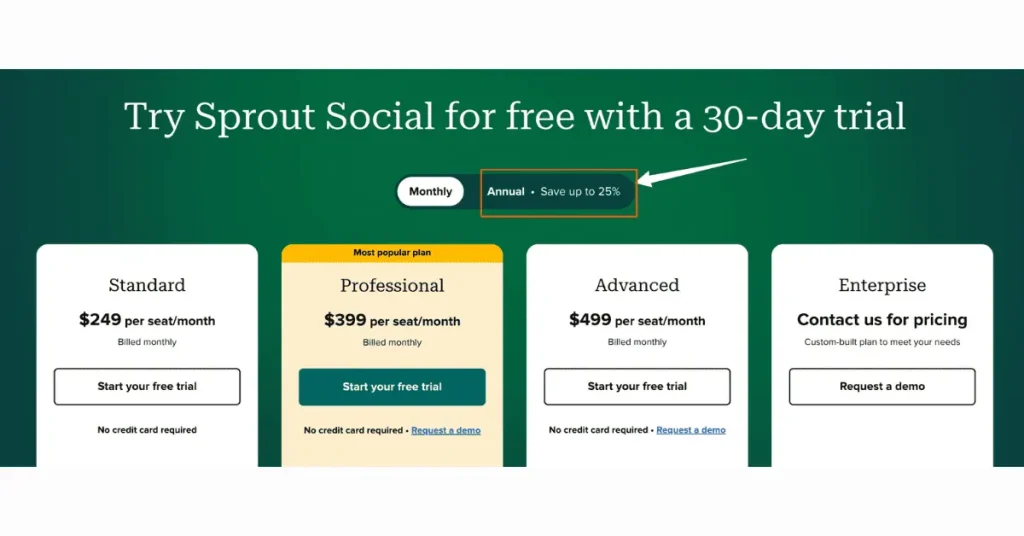
    • Standard: $249/user/month
    • Professional: $399/user/month
    • Advanced: $499/user/month
    • Enterprise: Custom pricing
    search engine optimization

    Annual Discount: 25%

    Free Trial: 30 Days

    I started with the Standard plan and found it pretty comprehensive. As my client list grew, I upgraded to the Professional plan, which has been worth every penny for the add-on’s that you get.

    Pros & Cons

    • Saves a ton of time on social media management
    • AI suggestions that actually make sense
    • Comprehensive analytics that help you make data-driven decisions
    • Learning curve can be steep for social media newbies
    • Some features might be overkill for very small businesses
    • The higher-tier plans can be pricey

    Integrations

    Sprout Social plays well with a bunch of other tools you might be using.

    It integrates seamlessly with major social platforms, of course, but also with tools like Zendesk, Shopify, and even some CRM systems likes Salesforce. This makes it pretty easy to incorporate into your existing workflow.

    Social on the go

    Good news for all you mobile warriors out there – Sprout Social has a robust mobile app.

    You can manage your social presence, check analytics, and even publish posts on the go. It’s been a lifesaver when I’ve had last-minute client requests while out and about.

    User Reviews

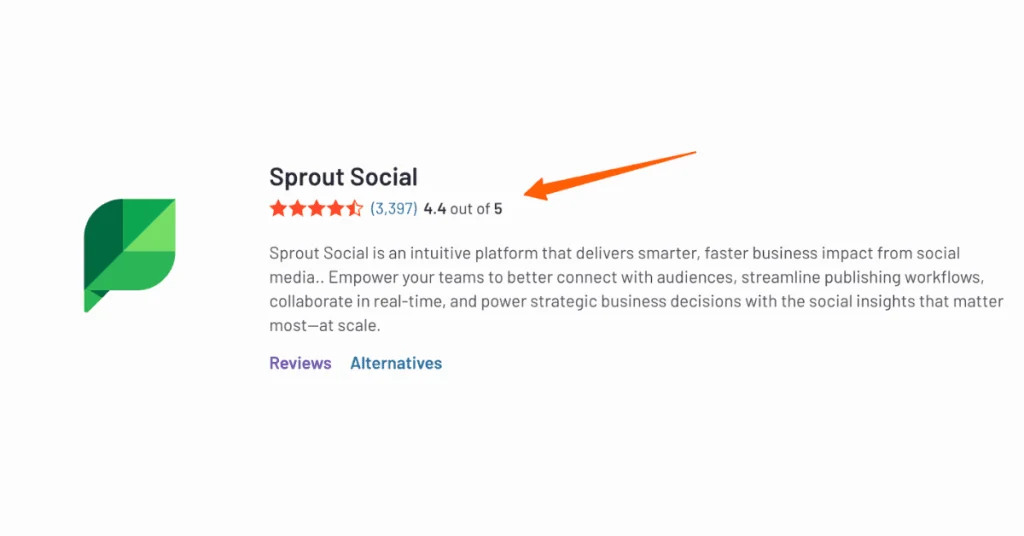
    Sprout social has 4.4 stars out of 5 on G2 which is nothing short of exceptional, if you would ask me.
    ai powered tools

    I’m not the only one singing Sprout Social’s praises. Here’s what some other users have to say:

    “Easy and functional UI, One-stop shop for social!” – Kevin H., Influencer Marketing Manager

    “Game changer for social media management.” – Shane S., Marketing Director

    Some users have mentioned that the tool has few limitations for Instagram which i believe Sprout social will fix in future updates. Others feel the pricing could be more competitive for smaller businesses. May be pay-as-you go plan could be a future option.

    Bottomline

    Sprout Social is an awesome tool that can seriously up your social media game.

    If you’re serious about streamlining your social media processes and getting insights that can actually drive engagement, Sprout Social is definitely worth a look.

    The Human Touch: Balancing AI and Expertise in SEO

    Let me tell you, when I first heard about AI SEO tools, I thought my days as an SEO professional were numbered.

    I mean, who needs a human when you’ve got a super-smart robot doing all the work, right?

    Wrong. So wrong.

    It’s been a journey, but I’ve learned that the magic happens when you combine the power of AI with good old-fashioned human expertise.

    AI SEO Tools: Friend or Foe?

    I remember the day I first tried out one of those fancy AI SEO tools. I was like a kid with a new toy, thinking it would solve all my problems.

    I plugged in a client’s website, hit the magic button, and waited for the miracles to happen. The tool spat out a list of recommendations, and I implemented them all without a second thought. Big mistake.

    Sure, our search engine rankings improved initially, but something was off.

    The content felt robotic, the keyword usage was awkward, and our bounce rate started creeping up.

    That’s when it hit me – AI is a tool, not a replacement for human insight.

    The Importance of Human Oversight

    Here’s the thing about AI SEO tools – they’re incredibly powerful, but they don’t understand context like we do. They can’t pick up on subtle brand nuances or understand your audience’s emotions. That’s where we humans come in.

    I’ve found that the best approach is to use AI tools as a starting point. Let them crunch the numbers, analyze the data, and give you a foundation to work from. But then, it’s up to us to take that information and mold it into something that resonates with real people.

    create content

    For example, I was working on a local bakery’s website. The AI tool suggested targeting keywords like “best pastries” and “affordable cakes.” Good start, but it missed the bakery’s unique selling point – their gluten-free options.

    As a human who had visited the bakery and talked to the owner, I knew this was a crucial aspect of their business. By combining the AI’s suggestions with my own knowledge, we were able to create a strategy that really hit the sweet spot (pun intended).

    Ethical Considerations: Walking the Line

    Now, let’s talk about the elephant in the room – ethics. With great power comes great responsibility, and AI SEO tools give us a lot of power. It’s tempting to use them to game the system, but trust me, that’s a road you don’t want to go down.

    I once had a client who wanted to use AI to generate hundreds of backlinks automatically. It sounded great in theory, but it reeked of black hat SEO tactics.

    I had to put my foot down and explain why this could backfire spectacularly.

    Instead, we used AI tools to identify quality link-building opportunities and then reached out to those sites personally. It took longer, but the results were much more sustainable.

    Will AI Replace SEO Professionals?

    I get this question a lot, and I used to worry about it myself. But here’s the truth – AI isn’t replacing us, it’s empowering us.

    Think of it like this: AI SEO tools are like having a super-smart intern who can do all the tedious, time-consuming tasks in a fraction of the time. This frees us up to focus on strategy, creativity, and the human elements that really make a difference.

    I’ve actually found that since incorporating AI into my workflow, I’ve been able to take on more clients and deliver better results. The key is to embrace AI as a partner, not view it as a competitor.

    Strategies for Combining Human Creativity with AI Efficiency

    So, how do we strike that perfect balance between human expertise and AI efficiency? Here are a few strategies I’ve developed over the years:

    • Use AI for data analysis and initial research. Let it crunch the numbers and identify trends.
    • Review AI-generated content with a critical eye. Does it sound natural? Does it align with the brand voice?
    • Use AI tools for technical SEO audits, but always double-check the recommendations.
    • Leverage AI for content ideation, but inject your own creativity and industry knowledge.
    • Use AI to track search engine rankings, but interpret the results based on your understanding of the client’s goals.

    Remember, AI SEO tools are incredibly powerful, but they’re not infallible. I once had an AI tool suggest targeting a keyword that was technically relevant but completely inappropriate for the client’s family-friendly brand. That’s the kind of nuance that requires human judgment.

    At the end of the day, successful SEO is about connecting with people. AI can help us do that more efficiently, but it can’t replace the human touch.

    By combining the best of both worlds, we can achieve results that are truly out of this world.

    Future Trends: What’s Next for AI in SEO?

    I’ve been in the SEO game for quite a while, and let me tell you, the rise of AI SEO tools has been nothing short of mind-blowing.

    It feels like just yesterday I was manually checking backlinks, and now we’ve got AI doing it in seconds.

    But hold onto your breath, because the future of AI in SEO is looking even wilder.

    The AI SEO Revolution: Tools That Are Changing the Game

    When I first heard about AI SEO tools, I was skeptical. I mean, could a robot really understand the nuances of search intent better than a seasoned pro?

    Well, color me surprised. These tools have come a long way, and they’re only getting smarter.

    I remember the day I discovered my first free AI SEO tool. It was like striking gold. Suddenly, I could analyze competitors, track rankings, and generate content ideas all without spending a dime.

    Of course, I quickly learned that while free AI SEO tools are great for getting started, the paid versions pack a serious punch when it comes to advanced features.

    Some of my current favorites include:
    • SEMrush’s AI Writing Assistant for crafting SEO-friendly content
    • Surfer SEO for real-time content optimization
    • MarketMuse for in-depth content planning based on AI-driven insights
    seo efforts

    These tools have saved me countless hours and helped me deliver superior results.

    But here’s the kicker – they’re not replacing SEO professionals. Instead, they’re empowering us to work smarter and focus on strategy.

    The Future of Search Intent: AI’s Next Big Leap

    If there’s one area where AI is really flexing its muscles, it’s in understanding search intent. Gone are the days when we could stuff a page with keywords and call it a day.

    Now, it’s all about creating SEO content that truly answers user queries.

    I once had a client who was adamant about ranking for “best coffee maker.” We used an AI tool to analyze search intent and discovered that most users were looking for comparisons between different brands.

    Armed with this insight, we created a comprehensive comparison guide that shot to the top of the SERPs.

    Looking ahead, I predict we’ll see AI that can:

    • Predict shifts in search intent before they happen
    • Automatically adapt website content to match changing user needs
    • Create personalized search experiences based on individual user behavior

    The key to staying ahead will be leveraging these AI insights to create SEO content that’s not just optimized, but truly valuable to users.

    Preparing Your SEO Strategy for the AI Takeover

    Now, don’t panic – AI isn’t going to put us out of a job. But it is going to change how we work. Here’s how I’m future-proofing my SEO strategy:

    • Embracing AI SEO tools: I’m constantly testing new tools and integrating the best ones into my workflow.
    • Focusing on E-A-T: Expertise, Authoritativeness, and Trustworthiness are still king, and AI is getting better at recognizing these signals.
    • Prioritizing user experience: AI is all about understanding user needs, so creating content that truly serves your audience is more important than ever.

    I made the mistake of ignoring mobile optimization when it first became a thing.

    I won’t make the same mistake with AI. It’s adapt or get left behind in this game.

    Overcoming the AI Challenge: Potential Pitfalls and Solutions

    Of course, it’s not all smooth sailing. As AI becomes more prevalent in SEO, we’re facing some new challenges:

    • Over-reliance on AI-generated content: While AI can help with content creation, it’s not a replacement for human creativity and expertise.
    • Difficulty in standing out: As more people use AI SEO tools, it may become harder to differentiate your content.
    • Rapid changes in best practices: What works today might not work tomorrow as AI continues to evolve.

    To tackle these issues, I’m:

    • Combining AI insights with human creativity to create unique, valuable content
    • Focusing on building strong brand signals that AI can recognize and value
    • Keep a check on the latest developments and adjusting my strategies accordingly

    I remember when a client’s site tanked because of an algorithm update. It was tough, but we adapted. That’s exactly what we need to do with these AI challenges.

    The future of SEO is undoubtedly intertwined with AI. From free AI SEO tools that democratize optimization to advanced algorithms that understand search intent better than ever, we’re entering a new era of search.

    But at its core, SEO will always be about creating valuable content that serves user needs. As long as we keep that in mind and learn to work alongside AI rather than against it, the future looks bright indeed.

    Wrapping up

    Wow, what a wild ride we’ve been on, huh? From MarketMuse’s brain-bending content strategies to Sprout Social’s social media wizardry, we’ve really dug into the nitty-gritty of these AI SEO tools. And let me tell you, it’s been a eye-opener for me too!

    You know, when I first started in SEO, I was all about the manual grind. Checking backlinks by hand, agonizing over every keyword… it was exhausting.

    Then these AI SEO tools came along and, I’ll be honest, I was skeptical. I was wrong, though. They’re not just fancy toys – they’re like having a super-smart assistant who never sleeps.

    But here’s the thing – and I learned this the hard way – these tools aren’t here to replace us. Nope, they’re here to make us even better at what we do.

    It’s like having a superpower, you know? The AI crunches the numbers, and we bring the creative spark. It’s a match made in SEO heaven!

    I remember this one time, I was working on a client’s site that just wouldn’t budge in the search engines. I was pulling my hair out, trying everything I knew. Then I gave one of these AI tools a shot, and bam! It spotted a content gap I’d totally missed. We filled that gap, and within weeks, the site was climbing the rankings. It was like magic, I’m telling you!

    Now, I know what you’re thinking. “This all sounds great, but I’m comfortable with my current SEO setup.” Trust me, I get it. Change can be scary. But let me tell you something – the SEO world waits for no one. These AI tools? They’re not just the future, they’re the now.

    So here’s my challenge to you: pick one of these tools we’ve talked about. Just one. Give it a spin with their free trial. What have you got to lose? I bet you’ll be amazed at what you discover. Heck, you might even have a bit of fun with it!

    Remember, at the end of the day, SEO is about connecting real people with the information they need. These AI SEO tools? They’re just helping us do that better and faster than ever before.

    So go on, take the plunge.

    And who knows?

    Maybe next time we chat, you’ll be the one telling me about some cool new AI trick you’ve discovered. Now get out there and show those search engines who’s boss!


  • 8 Best Rank Tracking Software in 2024: Tested & Compared

    8 Best Rank Tracking Software in 2024: Tested & Compared

    Read in 23 min
    Best Overall

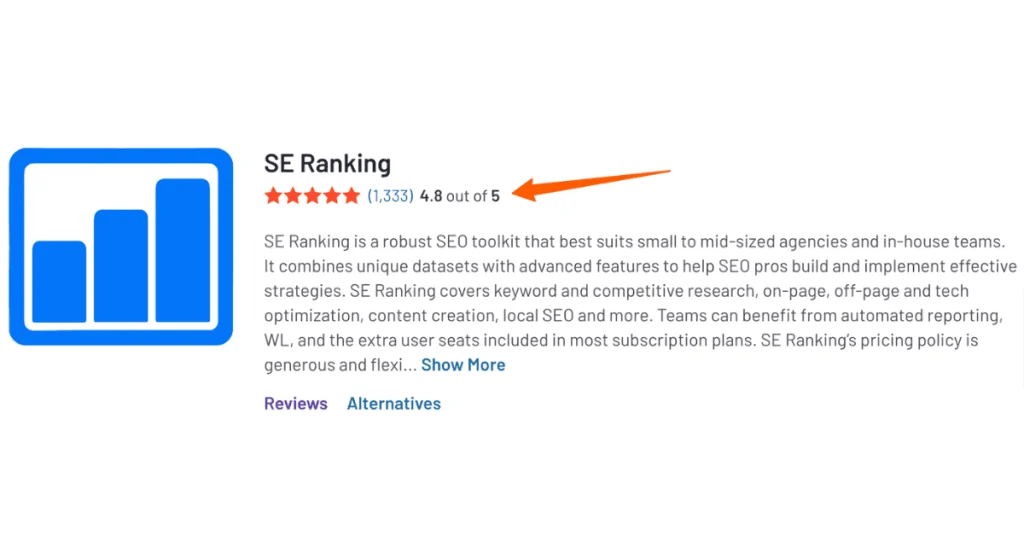
    4.8/5

    1333 reviews (G2)

    SE Ranking

    SE Ranking

    SE Ranking is a robust SEO toolkit that best suits small to medium sized agencies and in-house teams.

    Read Review

    Best for Accuracy

    4.3/5

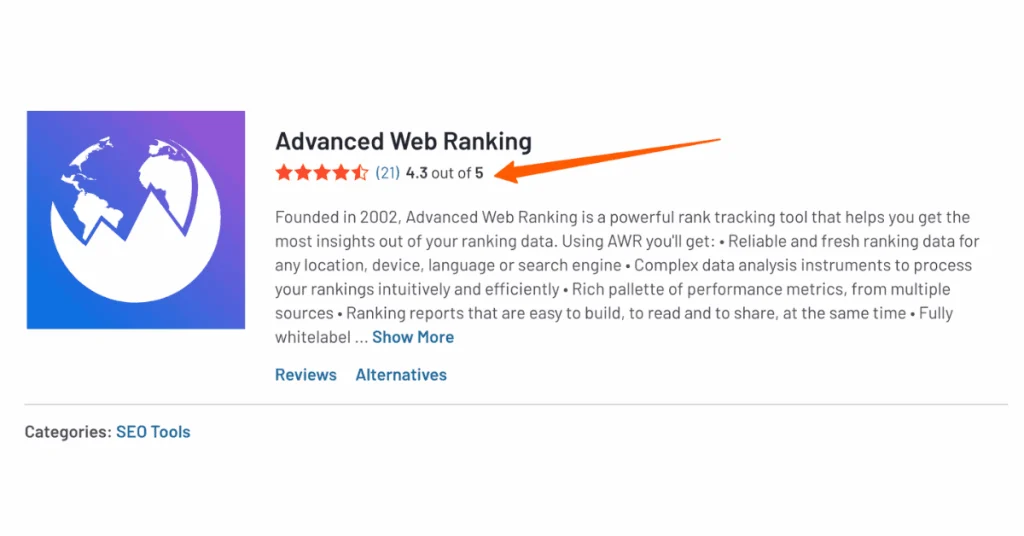
    21 reviews (G2)

    Advanced Web Ranking

    AWR

    Advanced Web Ranking is a powerful rank-tracking tool that helps you get the most insights out of your ranking data.

    Read Review

    Best for geo-tracking

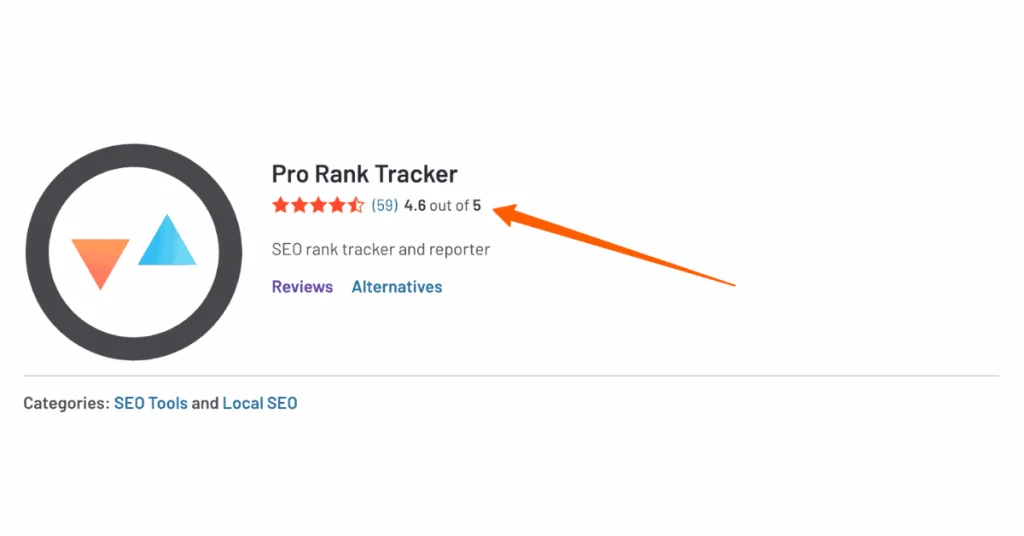
    4.6/5

    59 reviews (G2)

    Prorank Tracker

    Prorank Tracker

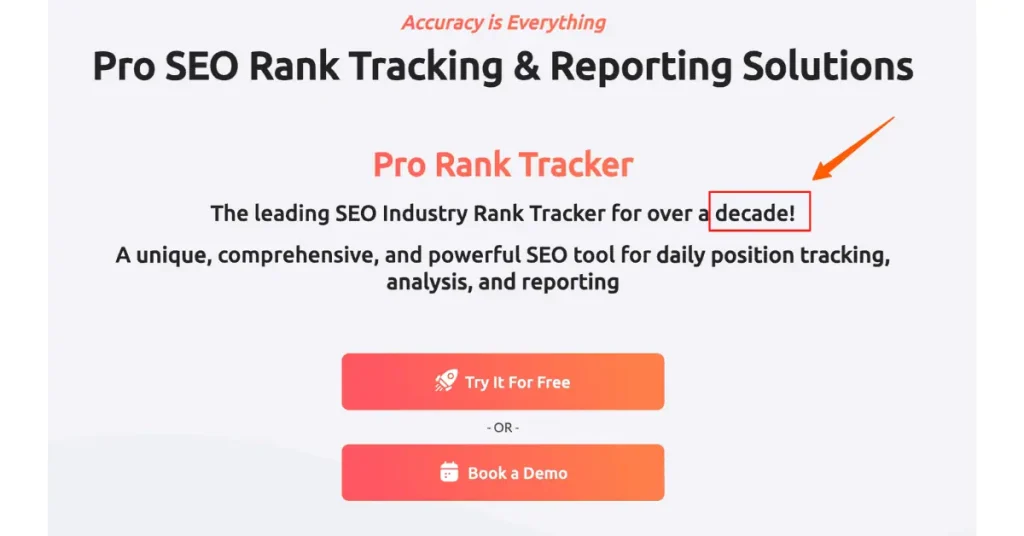
    A unique, comprehensive, and powerful SEO tool for daily position tracking, analysis, and reporting

    Read Review

    Are you tired of playing hide-and-seek with your website’s rankings? Well, not anymore!

    Welcome to our comprehensive guide on the best rank tracking software for 2024.

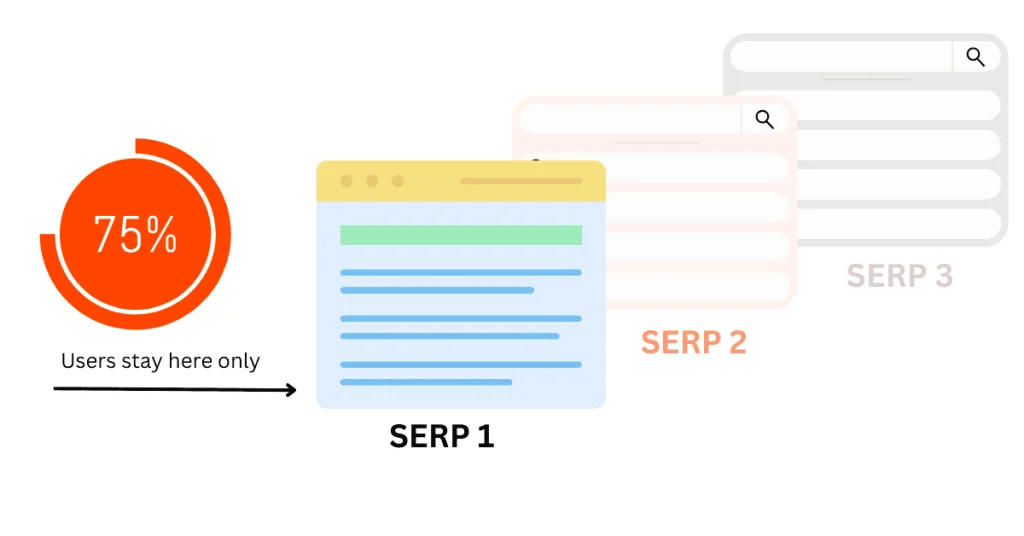
    Did you know that 75% of users don’t scroll after the first page of search results?

    search engine rankings

    That’s why keeping tabs on your rankings is crucial for online success.

    In this article, we’ll explore the top 8 rank-tracking tools that’ll help you climb the SERP ladder and leave your competition in the dust. Let’s get tracking!

    Top 8 Rank Tracking Tools of 2024

    Alright, grab a coffee and get comfy because we’re about to dive deep into the world of rank-tracking tools! I’ve been in the SEO trenches for years, and let me tell you, finding the right rank tracker can be a game-changer.

    Let’s explore the top 8 rank-tracking tools of 2024!

    How I Picked These Tools

    First things first, how did I narrow it down to these 8 tools? Well, it wasn’t easy, I’ll tell you that much.

    I spent months (yes, months!) testing these tools, pulling my hair out over complicated interfaces, and doing little happy dances when I found features that actually made my life easier.

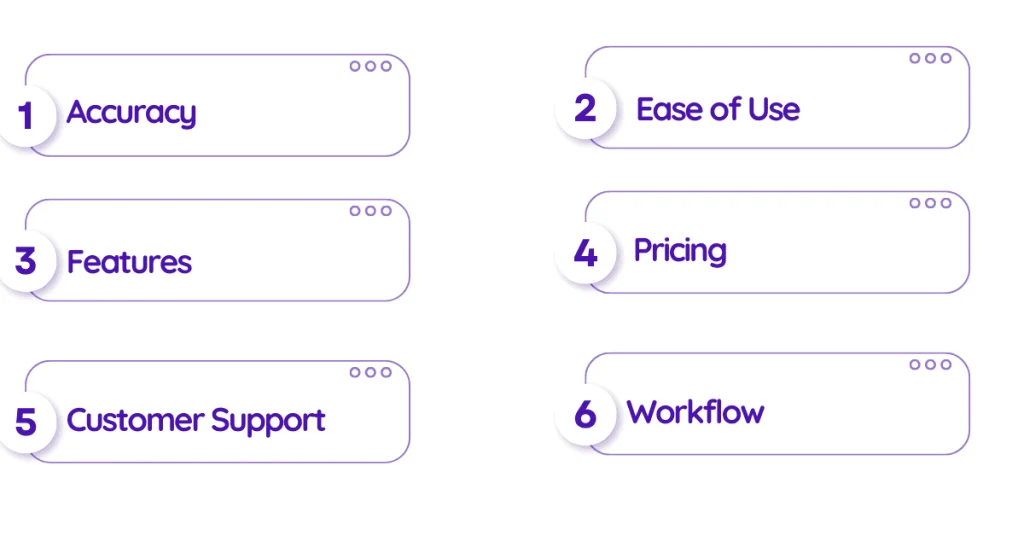
    My criteria?

    keyword rankings
    • Accuracy (because who wants bogus data?)
    • Ease of use (ain’t nobody got time for a PhD in rank tracking)
    • Features (the more, the merrier)
    • Pricing (gotta keep the boss happy)
    • Customer support (because we all need a helping hand sometimes)
    • Oh, and I threw in a healthy dose of “Does this actually improve my workflow?” because at the end of the day, that’s what really matters.

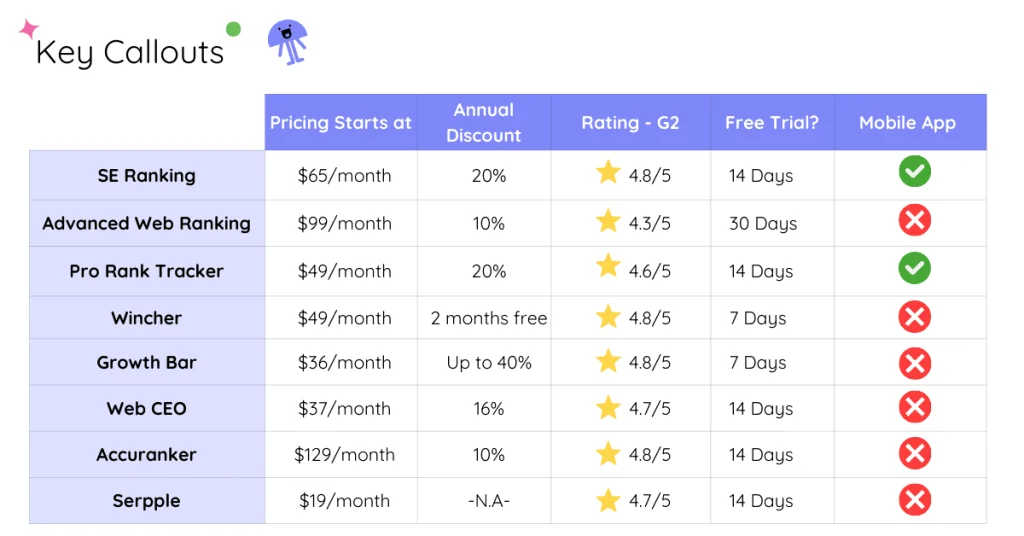
    The Ultimate Comparison Table

    Now, I know you’re itching to see how these tools stack up against each other. I’ve put together a comparison table that’ll make your decision-making process a breeze.

    seo tools

    You can look by price, features, or my personal favorite – the “bang for your buck” factor. Trust me, this table has saved me more time than I care to admit, and I’m sure it’ll do the same for you.

    Meet the Contenders

    Let’s get down to business and meet our 8 contenders. I’ll give you a quick rundown of each, but remember, this is just scratching the surface!

    1. SE Ranking

    This tool surprised me like finding an extra fry at the bottom of the bag. It’s user-friendly, comprehensive, and won’t break the bank. I’ve found its keyword tracking to be spot-on, and the competitor analysis feature? chef’s kiss

    2. Advanced Web Ranking

    Don’t let the name fool you – it’s not just for advanced users. I remember feeling intimidated at first, but once I got the hang of it, it became my go-to for in-depth rank tracking. The white-label reporting is a lifesaver for agency folks.

    3. Pro Rank Tracker

    Pro is right! This tool is one of the best rank tracking tools. I’ve used it for local SEO projects, and let me tell you, its location-based tracking is top-notch. Plus, it updates rankings daily, which is pretty sweet.

    4. Wincher

    I stumbled upon this gem during a late-night SEO binge, and I’m glad I did. It’s straightforward, accurate, and perfect for those who want to track rankings without all the bells and whistles.

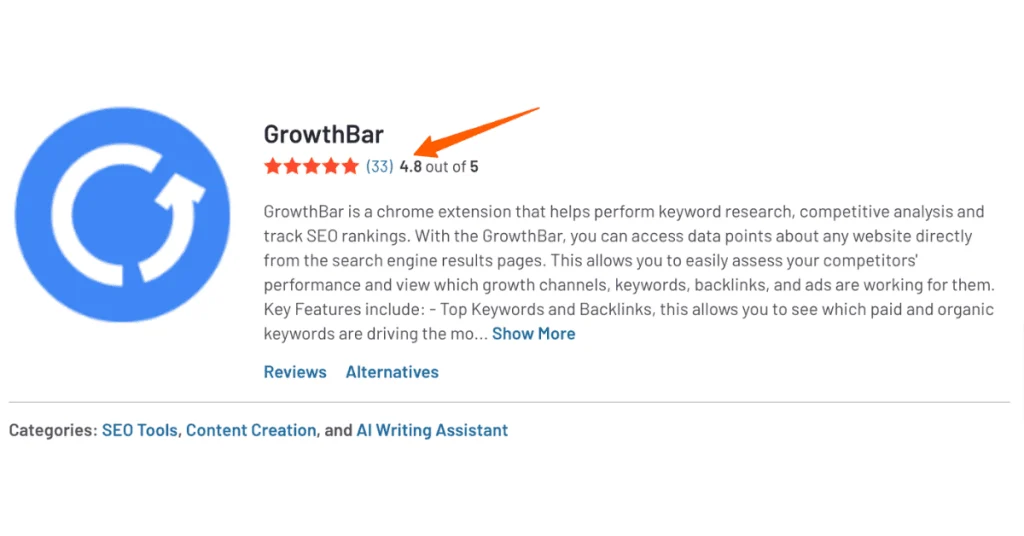
    5. Growth Bar

    Now, this one’s a bit different. It’s actually a Chrome extension, which threw me for a loop at first. But man, is it handy for quick rank checks while you’re browsing. It’s become my secret weapon for on-the-fly competitor analysis.

    6. WebCEO

    WebCEO is like that reliable friend who always has your back. It’s been around for ages, and for good reason. I love its comprehensive SEO toolkit – it’s not just about rank tracking but a whole suite of SEO goodies.

    7. AccuRanker

    Speed demon alert! AccuRanker lives up to its name with scary-accurate and lightning-fast updates. I’ve found it particularly useful for tracking rankings in real time during major algorithm updates.

    8. Serpple

    Serpple is the new kid on the block, but don’t underestimate it. I was skeptical at first, but its clean interface and accurate tracking won me over. It’s great for beginners who don’t want to be overwhelmed with data.

    Phew! That’s a lot of tools, right? But here’s the thing – the best rank tracking tool is the one that meet your specific needs and budget. Don’t be afraid to take advantage of those free trials. I’ve been through more free trials than I care to admit, but it’s the best way to find your perfect match.

    Remember, rank tracking is just one piece of the SEO puzzle. But with the right tool in your arsenal, you’ll be well on your way to dominating those SERPs.

    1. SE Ranking: All-in-One SEO Swiss Army Knife

    Editor’s Pick

    Se Ranking

    SE Ranking

    Comprehensive SEO platform with keyword research, competitor analysis, and website auditing. Offers real-time rank tracking and backlink monitoring for improved search visibility.

    My Rating: 4.9/5
    Best Overall

    4.8/5

    1333 reviews (G2)

    Pricing Starts: $65/month

    Annual Discount: 20%

    Let’s talk about SE Ranking, a tool that’s been my trusty sidekick for the past three years. When I first discovered it, I felt like I’d struck gold in the SEO world.

    keyword rankings

    Key Features and Unique Selling Points

    SE Ranking is like that overachiever in class who’s good at everything. Here’s what makes it stand out:

    • Accurate rank tracking (I mean, scary accurate!)
    • Keyword research that’s actually useful
    • Backlink monitoring that’s saved my bacon more than once
    • Website audit tool that catches things I never would’ve spotted
    • Competitor analysis that’s like having a spy in the enemy camp

    But here’s the kicker – it’s all in one place. No more juggling a dozen different tools. Trust me, my workflow got so much smoother once I started using SE Ranking.

    Pricing Tiers and Plans

    Now, let’s talk money. I remember when I first saw their pricing, I thought there must be a catch. But nope, it’s the real deal.

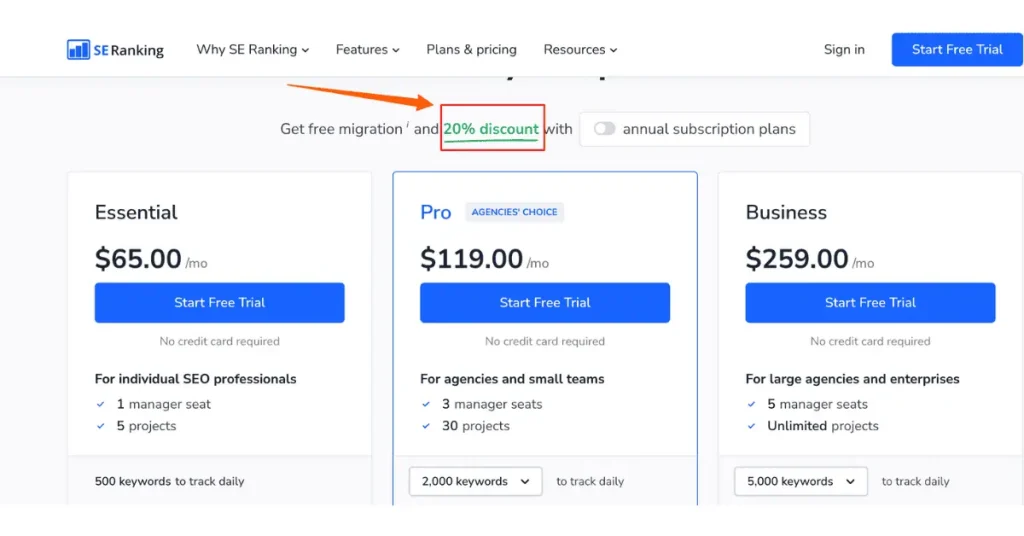
    keyword rankings
    • Essential plan: Around $65/month (this is my go-to)
    • Pro plan: About $119/month (great for agencies and small teams)
    • Business plan: Starting at $259/month (perfect for large enterprises)

    Annual Discount: 20%

    Pro tip: Keep an eye out for their occasional discounts. I snagged a sweet deal during their Black Friday sale last year.

    User Ratings and Reviews

    Don’t just take my word for it. Last I checked, SE Ranking was rockin’ a 4.8 out of 5 stars on G2. That’s like getting an A+ in the school of SEO tools.

    search engine rankings

    Integration Capabilities

    This is where SE Ranking really shines. It plays nice with others, including:

    • Google Analytics
    • Google Search Console
    • Various CMS platforms

    I’ve integrated it with my WordPress site, and let me tell you, it’s smoother than butter on a hot pancake.

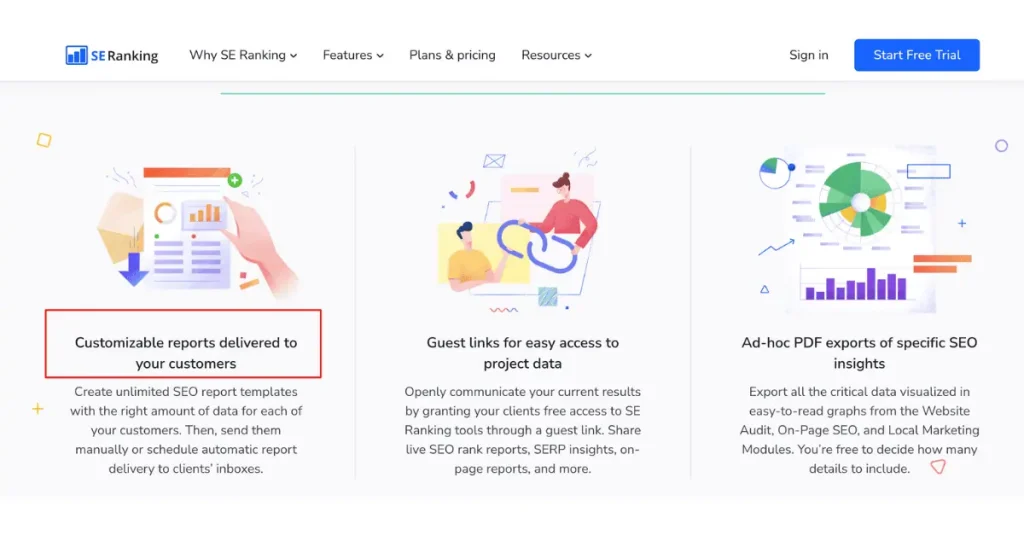
    Reporting Functionalities

    They’re not just pretty faces (though they are that too). They’re actually useful!

    search engine rankings
    • Customizable reports (impress your clients or boss)
    • White-label options (great for agencies)
    • Automated reporting (set it and forget it)

    I once impressed a client so much with these reports that they doubled their contract. No joke!

    Mobile App Availability

    Yep, they’ve got a mobile app, and it’s actually good. I can’t tell you how many times I’ve checked rankings while in line for coffee. It’s like having the power of SE Ranking in your pocket.

    Pros and Cons

    • User-friendly interface.
    • Comprehensive feature set.
    • Affordable pricing.
    • Excellent customer support.
    • Some advanced features can be overwhelming at first.
    • Keyword database could be larger for some niche topics.

    I remember feeling a bit lost when I first dove into their competitor analysis tool. But stick with it – once you get the hang of it, it’s a game-changer.

    Let me share a quick story. Last year, I was working on a tough client project. Their rankings were tanking, and I couldn’t figure out why.

    SE Ranking’s backlink monitoring tool caught a bunch of spammy links I’d missed. We disavowed them, and boom! Rankings shot up like a rocket. The client was over the moon, and I looked like an SEO wizard. All thanks to SE Ranking.

    Bottomline

    Is SE Ranking perfect? Nah. But is it darn close and a tool I’d recommend to any SEO enthusiast.

    You bet your bottom dollar it is. Give it a whirl – your rankings (and your sanity) will thank you. Trust me, I’ve been there, done that, and got the T-shirt!

    2. Advanced Web Ranking: Precision SEO Microscope

    AWR

    Advanced Web Ranking

    Powerful rank tracking software with white-label reporting and local SEO features. Provides accurate SERP data and competitor insights for multiple search engines.

    My Rating: 4.1/5
    Best for Accuracy

    4.3/5

    21 reviews (G2)

    Pricing Starts: $99/month

    Annual Discount: 10%

    Next on our list is Advanced Web Ranking (AWR), a tool that’s been my secret weapon for years.

    keyword rankings

    I like to call it my precision SEO microscope because it lets me zoom in on the tiniest details of my ranking strategy. Let me spill the beans on this powerhouse.

    Key Features and Unique Selling Points

    Here’s what got me hooked:

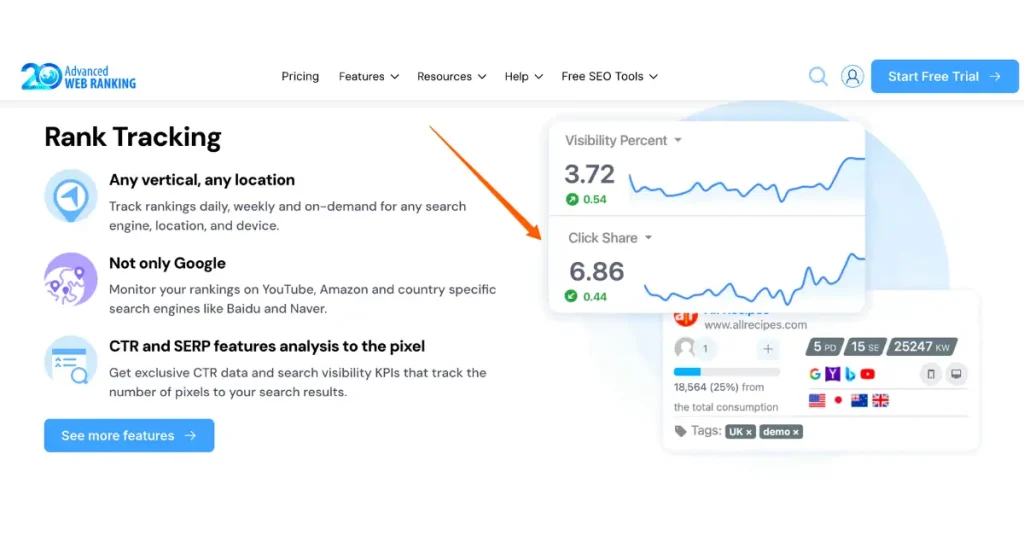
    • Accurate rank tracking (I’m talking down-to-the-decimal accurate)
    • Local SEO tracking
    • SERP feature monitoring (because who doesn’t want to snag those featured snippets?)
    • Competitor analysis that’s like having X-ray vision into your rivals’ strategies
    • White-label reporting (perfect for impressing clients)
    • But here’s the kicker – AWR’s historical data storage is insane. I once had a client ask for ranking data from two years ago, and boom! AWR had my back.

    Pricing Tiers and Plans

    keyword rankings

    Now, let’s talk turkey. AWR isn’t the cheapest tool out there, but boy, do you get what you pay for.

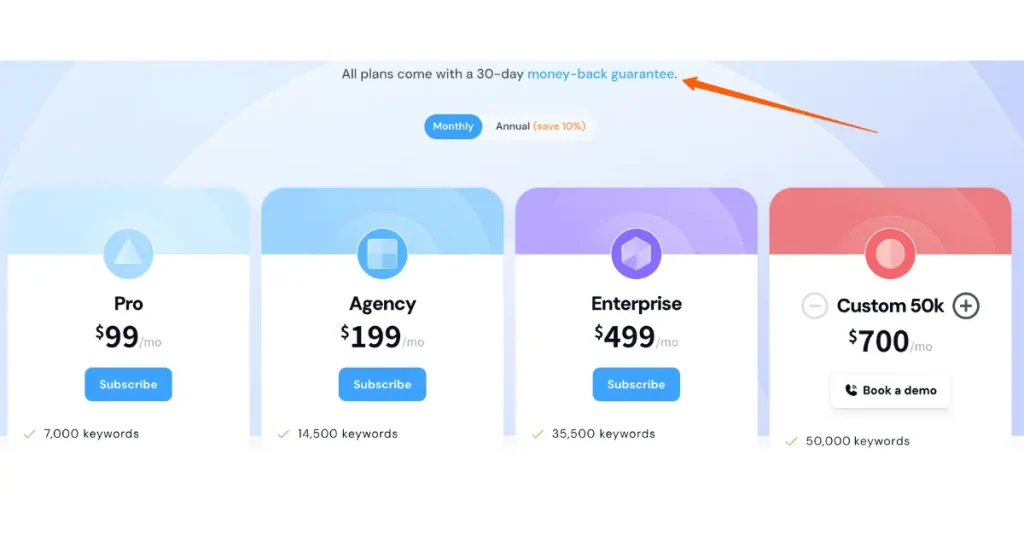
    • Pro plan: Around $99/month (this is my go-to)
    • Agency plan: About $199/month (great for small businesses)
    • Enterprise plan: Starting at $499/month (perfect for you big shots)

    Annual Discount: 10%

    Pro tip: They offer a 30-day free trial. I’d recommend taking it for a spin before committing. That’s how I got hooked!

    User Ratings and Reviews

    Last I checked, AWR was sporting a solid 4.3 out of 5 stars on G2. Not too shabby, huh? Users rave about its accuracy and depth of data.

    seo tools

    Though, I’ve seen a few folks mention the learning curve can be steep. But hey, Rome wasn’t built in a day, right?

    Integration Capabilities

    keyword rankings

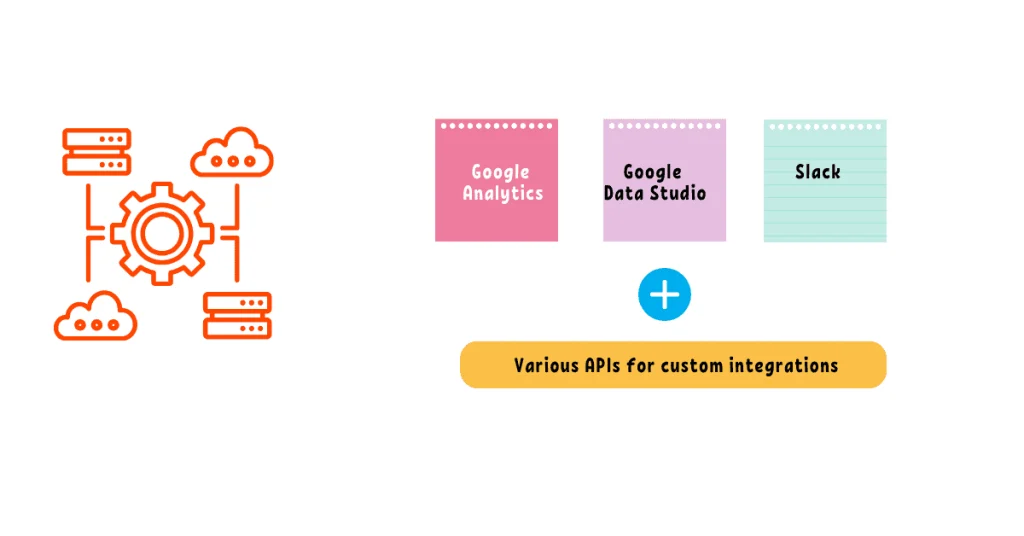
    This is where AWR really shines. It plays nice with a ton of other tools:

    • Google Analytics and Search Console (obviously)
    • Google Data Studio (for you data viz nerds out there)
    • Slack (yeah, I was surprised too!)
    • Various APIs for custom integrations

    I once integrated AWR with our custom CRM, and it was smoother than a freshly waxed surfboard.

    Reporting Functionalities

    They’re not just pretty – they’re informative and customizable as heck.

    • White-label reporting (client’s logo? No problemo)
    • Scheduled automated reports (set it and forget it)
    • Custom metrics and KPIs (because every client is unique)

    I remember the first time I sent an AWR report to a client. They were so impressed they asked if I’d hired a graphic designer. Nope, just AWR working its magic!

    Mobile App Availability

    Alright, here’s where AWR falls a bit short. They don’t have a dedicated mobile app. But don’t fret! Their web interface is mobile-responsive, so you can still check your rankings on the go. It’s not ideal, but it gets the job done.

    Pros and Cons

    Let’s keep it real. AWR is awesome, but it’s not perfect.

    • Incredibly accurate data.
    • Depth of historical data is unmatched.
    • Fantastic white-label reporting.
    • Versatile integration options
    • Steeper learning curve than some other tools.
    • Pricing can be a bit on a higher side.
    • No dedicated mobile app

    I remember when I first started using AWR, I felt like I was trying to fly a spaceship. But once I got the hang of it, totally worth it!

    Here’s a funny story – I once stayed up all night fine-tuning an AWR report for a big client presentation. I was so nervous the next day, I spilled coffee all over my shirt right before the meeting. But you know what?

    The client was so impressed with the AWR data, they didn’t even notice my caffeine-stained disaster of an outfit (Though we were meeting online, and i tried my best to keep that caffeine spot hidden)!

    Bottomline

    If you’re serious about SEO and want a tool that can dive deep into the data, AWR is your jam. It might take a bit to learn all its functions, but once you do, you’ll wonder how you ever lived without it.

    Give it a shot, and who knows? You might just become an AWR evangelist like yours truly!

    3. Pro Rank Tracker: Local SEO Superhero

    Pro Rank Tracker

    Pro Rank Tracker

    User-friendly rank tracking tool with daily updates and customizable reports. Supports local and mobile rankings, offering affordable plans for small businesses and agencies.

    My Rating: 4.5/5
    Best for Geo-Tracking

    4.6/5

    59 reviews (G2)

    Pricing Starts: $49/month

    Annual Discount: 20%

    Let’s chat about Pro Rank Tracker (PRT), a tool that’s been my sidekick for local SEO battles. I like to call it my local SEO superhero because it’s saved me more times than I can count when it comes to geo-specific ranking challenges.

    keyword rankings

    Key Features and Unique Selling Points

    When I first found PRT, I was skeptical. Another rank tracker? But, Here’s what made me fall head over heels:

    • Local rank tracking that’s accurate to a T (I’m talking zip code level precision, folks!)
    • Daily ranking updates (because who has time to wait, right?)
    • SERP feature tracking (featured snippets, anyone?)
    • White-label reporting (clients love seeing their own logo)
    • Keyword discovery tool (it’s like it reads your mind!)

    Pro Tip: PRT’s sub-account system is a game-changer.

    Pricing Tiers and Plans

    seo tools

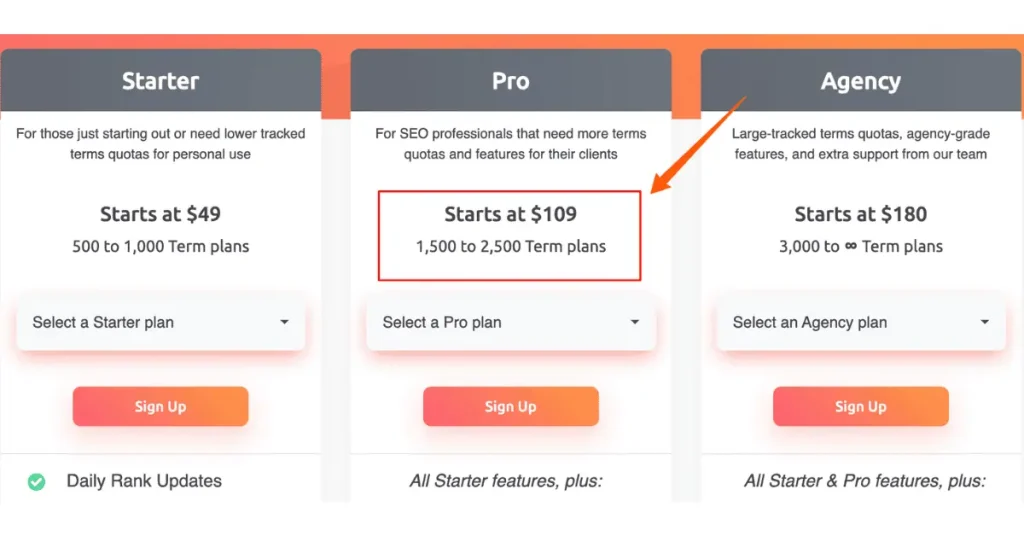
    Alright, let’s talk moolah. PRT isn’t the cheapest tool in the shed, but it won’t break the bank either.

    • Starter: $49/month (perfect for small businesses or freelancers)
    • Pro: $109/month (this is my sweet spot)
    • Agency: $180/month (for you big agency folks)

    Annual Discount: 20%

    Pro tip: They offer a 14-day free trial. I’d say give it a whirl. That’s how I got hooked!

    User Ratings and Reviews

    Last I checked, PRT was rocking a solid 4.6 out of 5 stars on G2.

    seo tools

    Pretty sweet, right?

    Users rave about its accuracy and local SEO capabilities. Though, I’ve seen a few folks mention the interface could use a facelift. But hey, it’s what’s under the hood that counts!

    Integration Capabilities

    Now, this is where PRT could use a bit of improvement. It’s not the most integration-friendly tool out there, but it gets the job done:

    • Google Search Console (obviously)
    • Google Analytics (basic integration)
    • API access for custom integrations

    I once tried to integrate PRT with our custom CRM. It was… an adventure. Let’s just say I got to know their support team really well during that process!
    Reporting Functionalities

    Reports are not just pretty – they’re downright informative!

    • White-label reporting (slap your logo on there and call it a day)
    • Scheduled automated reports (set it and forget it)
    • Custom report builder (because one size doesn’t fit all)

    I remember the first time I sent a PRT report to a local business client. They were so stoked to see their rankings in specific neighborhoods. It was like I’d handed them a treasure map!

    Mobile App Availability

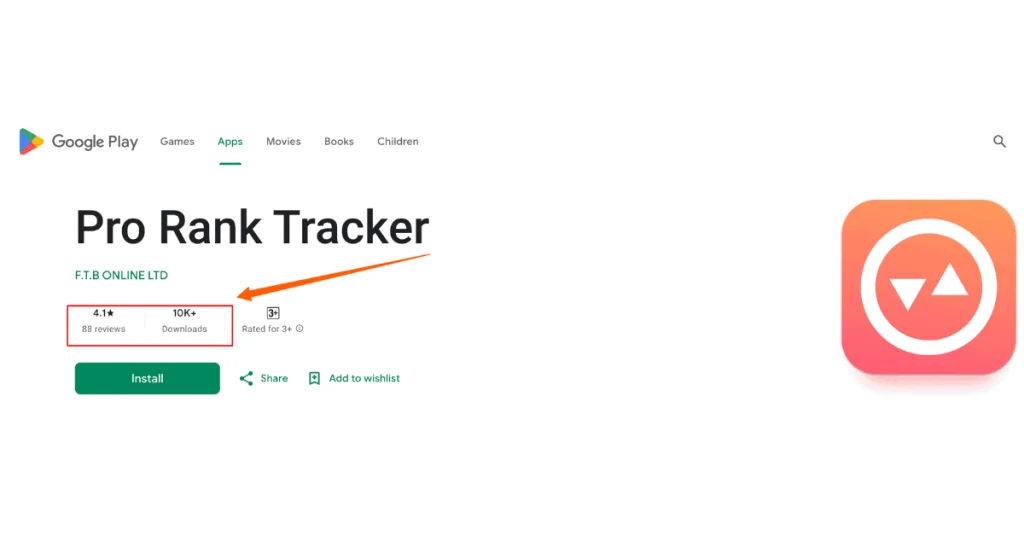
    Good news, folks! PRT has a mobile app, and it’s actually pretty decent. It’s available for both iOS and Android.
    search engines

    Pros and Cons

    Alright, let’s keep it real. PRT is awesome, but it’s not without its quirks.

    • Unbeatable local SEO tracking.
    • Daily ranking updates.
    • Great white-label reporting.
    • Affordable pricing for small businesses.
    • Interface could use a makeover.
    • Limited integration options.
    • Learning curve can be steep for beginners.

    I remember when I first started using PRT, I felt like I was trying to decode hieroglyphics. But once I got the hang of it, it was smooth sailing!
    Bottomline

    If you’re serious about local SEO and want a tool that can dive deep into geo-specific rankings, PRT is your best bet.

    It’s like having a GPS for your SEO strategy – it might take a bit to learn all the features, but once you do, you’ll never get lost in the SERPs again.

    4. Wincher

    A tool that’s become my go-to for straightforward rank tracking.

    rank tracker tool

    I like to call it my no-frills SEO ranking compass because it points you in the right direction without all the fancy bells and whistles.

    Key Features and Unique Selling Points

    When I first stumbled upon Wincher, I was looking for something simple and to the point. I did hit the jackpot! Here’s what got me interested:

    • Accurate rank tracking (I’m talking spot-on accuracy here!)
    • Daily rank updates (because waiting is for chumps)
    • Keyword grouping (a lifesaver for organizing campaigns)
    • Competitor tracking (keep your friends close, and your SEO enemies closer)

    Pro Tip: Wincher’s simplicity is its superpower. I remember when I first used it, I was up and running in minutes. No PhD in SEO required!

    Pricing Tiers and Plans

    keyword rank tracker

    Alright, let’s talk turkey. Wincher won’t make your wallet cry, and that’s a big plus in my book.

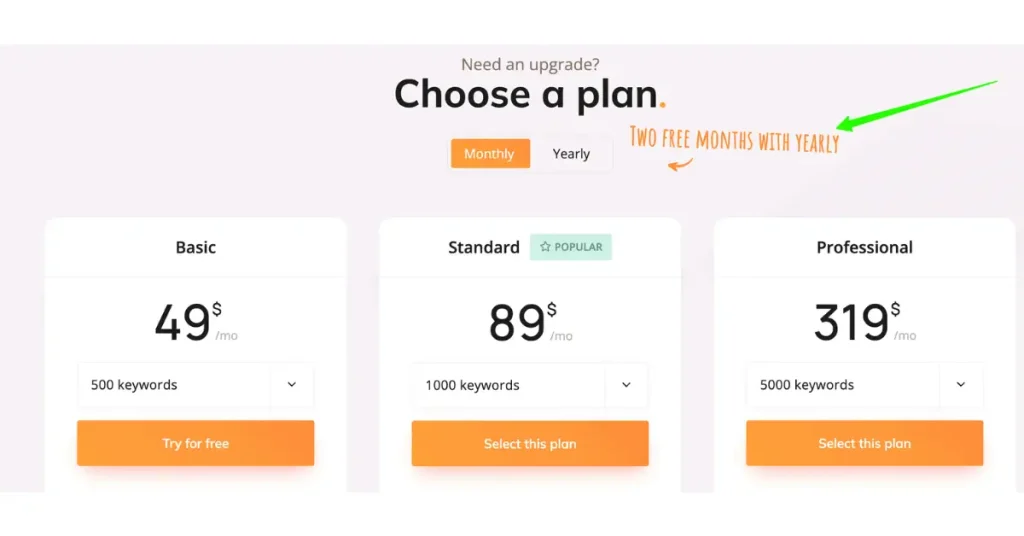
    • Basic: $49/month (perfect for small businesses or bloggers)
    • Standard: $89/month (this is my sweet spot)
    • Professional: $319/month (for you big shots managing multiple clients)

    Annual Discount: 2 months free

    Pro tip: They offer a 7-day free trial. I’d say take it for a spin. That’s how I got hooked!

    User Ratings and Reviews

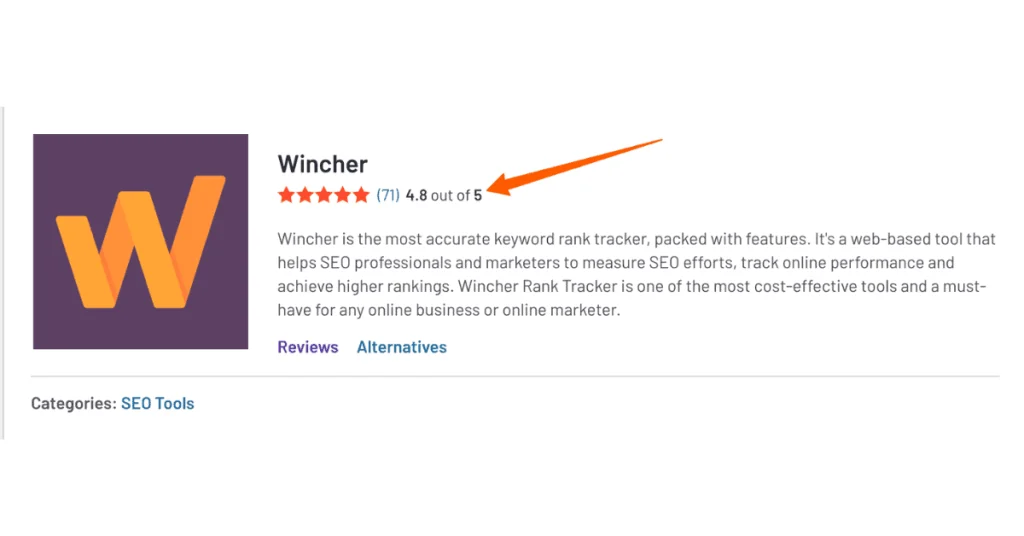
    Don’t just take my word for it. Last I checked, Wincher was sporting a solid 4.8 out of 5 stars on G2.

    keyword tool

    Brilliant, eh? Users rave about its ease of use and accuracy. Though, I’ve seen a few folks mention they wish it had more advanced features. But hey, sometimes less is more!

    Integration Capabilities

    Now, this is where Wincher could use a bit of beefing up. It’s not the most integration-friendly tool out there, but it covers the basics:

    • Google Search Console (of course)
    • Google Analytics (basic integration)
    • API access for custom integrations

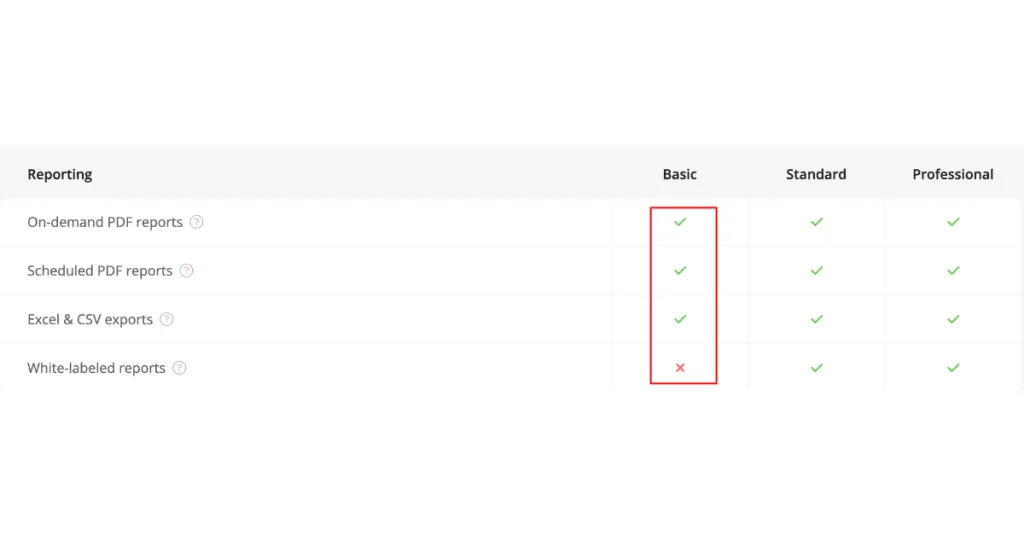
    Reporting Functionalities

    The reports in Wincher are like a good cup of coffee – simple, but they get the job done.

    • Customizable reports (tweak ’em to your heart’s content)
    • Scheduled automated reports
    • PDF and CSV exports (for when you need to impress the boss)
    rank tracker seo tool

    I remember the first time I sent a Wincher report to a client. They were so relieved to see data they could actually understand! No fancy jargon, just clear, concise ranking info.

    Mobile App Availability

    Alright, here’s where Wincher falls a bit short. They don’t have a dedicated mobile app. But don’t fret!

    Their web interface is mobile-responsive, so you can still check your rankings on the go. It’s not ideal, but it gets the job done.

    Pros and Cons

    Let’s keep it real. Wincher is great, but it’s not perfect.

    • Super easy to use (even my tech-challenged aunt could figure it out).
    • Accurate rank tracking.
    • Affordable pricing.
    • Clean, no-nonsense interface.
    • Limited advanced features.
    • No dedicated mobile app.
    • Integration options could be better.

    I remember when I first started using Wincher, I was worried it might be too simple. But you know what? That simplicity saved my bacon more than once when I needed quick, reliable data.

    Bottomline

    If you’re looking for a straightforward, reliable rank tracking tool without all the fancy frills, Wincher is your jam.

    It’s like the trusty compass in your SEO toolkit – it might not have all the features of a GPS, but it’ll always point you in the right direction.

    5. Growth Bar

    Let’s explore Growth Bar, a tool that’s become my secret weapon for quick SEO wins.

    keyword ranking tools

    I like to call it for SEO on-the-go because it’s got a little bit of everything, right at your fingertips!

    Key Features and Unique Selling Points

    When I first stumbled upon Growth Bar, I was skeptical. A Chrome extension for SEO?

    Here’s what got me hooked:

    • Instant keyword difficulty scores (right in Google search results!)
    • On-page SEO suggestions (it’s like having an SEO expert whispering in your ear)
    • Competitor backlink analysis (spy on your rivals with a click)
    • Content outlines generator (writer’s block? What’s that?)
    • Word count and readability checker (because sometimes size does matter in SEO)

    Pro Tip: Growth Bar’s AI content generator is a game-changer. I remember the first time I used it to whip up a blog outline. It was like having a content marketing genie!

    Pricing Tiers and Plans

    SEO tool

    Growth Bar is surprisingly affordable for the punch it packs.

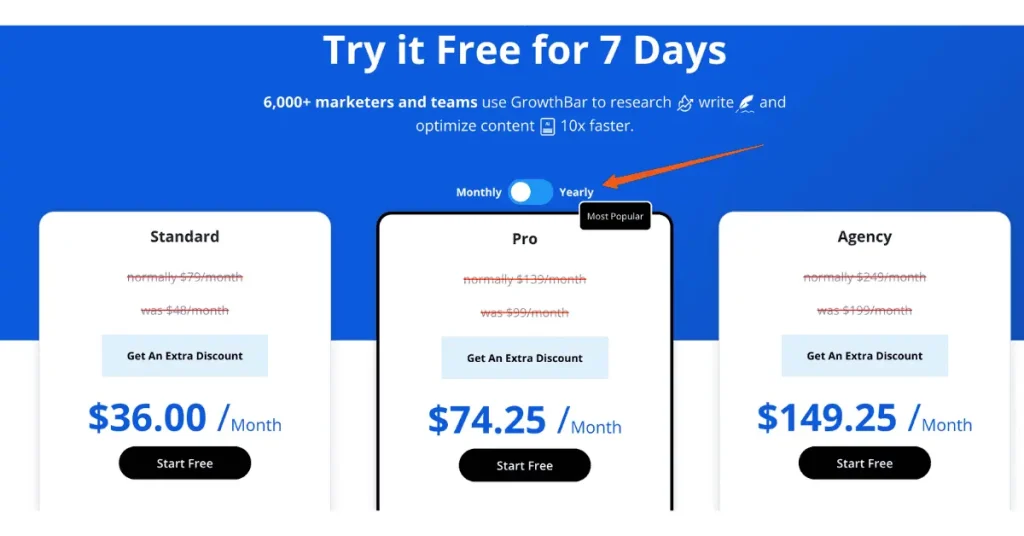
    • Standard: $36/month (perfect for solopreneurs)
    • Pro: $74.25/month (that’s my recommendation)
    • Agency: $149.25/month (for you multi-client juggling pros)

    Annual Discount: Up to 40%, Sounds Unrealistic!

    Pro tip: They offer a 7-day free trial. I’d say give it a try!

    User Ratings and Reviews

    Last I checked, Growth Bar was rockin’ a solid 4.8 out of 5 stars on G2.

    rank tracker tool

    Users liked its ease of use and the time it saves. Though, I’ve seen a few folks mention they wish it had more in-depth reporting. But hey, you can’t have everything in a browser extension!

    Integration Capabilities

    Now, this is where Growth Bar shines in its own unique way. It’s not about traditional integrations, but rather how it integrates into your workflow:

    • Works directly in Google search results
    • Integrates with Google Docs for content creation
    • Plays nice with most websites for on-page analysis

    I once used Growth Bar to optimize a client’s website while on a video call with them. Talk about impressing clients on the fly!

    Reporting Functionalities

    Okay, I’ll be honest – reporting isn’t Growth Bar’s strong suit. It’s more of a real-time, actionable insights kind of tool. But you can:

    • Export keyword lists
    • Save on-page SEO suggestions
    • Keep track of generated content outlines
    multiple search engines

    I remember wishing for more robust reporting at first. But then I realized – Growth Bar isn’t about pretty reports, it’s about getting stuff done!

    Mobile App Availability

    Alright, here’s the deal – Growth Bar doesn’t have a dedicated mobile app.

    But hear me out! Since it’s a Chrome extension, if you’re using Chrome on your mobile device, you can still access some of its features. It’s not ideal, but it’s something!

    Pros and Cons

    Let’s keep it real. Growth Bar is awesome, but it’s not everything.

    • Super easy to use (it’s right there in your browser!)
    • Time-saving features (hello, AI content generator!)
    • Affordable pricing.
    • Great for on-the-fly SEO checks.
    • Limited in-depth analysis.
    • No dedicated mobile app.
    • Reporting features are basic.

    I remember when I first started using Growth Bar, I was worried it might be too simplistic. But you know what? Its simplicity is what makes it so powerful for quick, actionable SEO tasks

    Bottomline

    If you’re looking for a quick, easy-to-use SEO tool that’s always at your fingertips, Growth Bar is your new best friend.

    It’s like having an SEO expert sitting on your shoulder, whispering sweet optimization nothings in your ear. Give it a shot, and who knows? You might just become an SEO speed demon.

    6. WebCEO

    I like to call it my all-in-one SEO command center because it includes a lot when it comes to features!

    target keywords

    Key Features and Unique Selling Points

    When I first used WebCEO, I was like a kid in a Walmart. Here’s what got me excited:

    • Comprehensive rank tracking (local, mobile, you name it!)
    • In-depth site audit (it’s like having an SEO detective on your team)
    • Backlink checker and analyzer (spy on your competitors, anyone?)
    • Content optimization tools (because content is still king!)
    • Social media management (yep, it does that too!)

    Pro Tip: WebCEO’s white-label capabilities are off the charts. I remember the first time I branded a report for a client. They thought I had a whole team of developers working for me!

    Pricing Tiers and Plans

    keyword position tracker

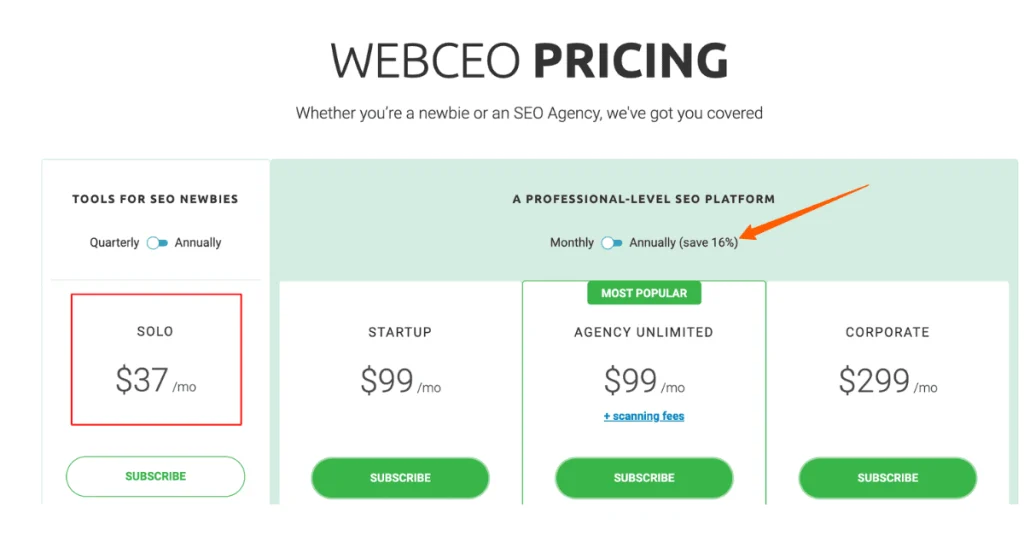
    Alright, WebCEO isn’t the cheapest tool out there, but you get what you pay for:

    • Solo: $37/month (great for small businesses)
    • Startup: $99/month (great for small businesses)
    • Agency Unlimited: $99/month (this is my sweet spot)
    • Corporate: $299/month (for you big shots)

    Annual Discount: 16%

    Pro tip: They offer a 14-day free trial. I’d say take it for a spin. That’s how I got hooked!

    User Ratings and Reviews

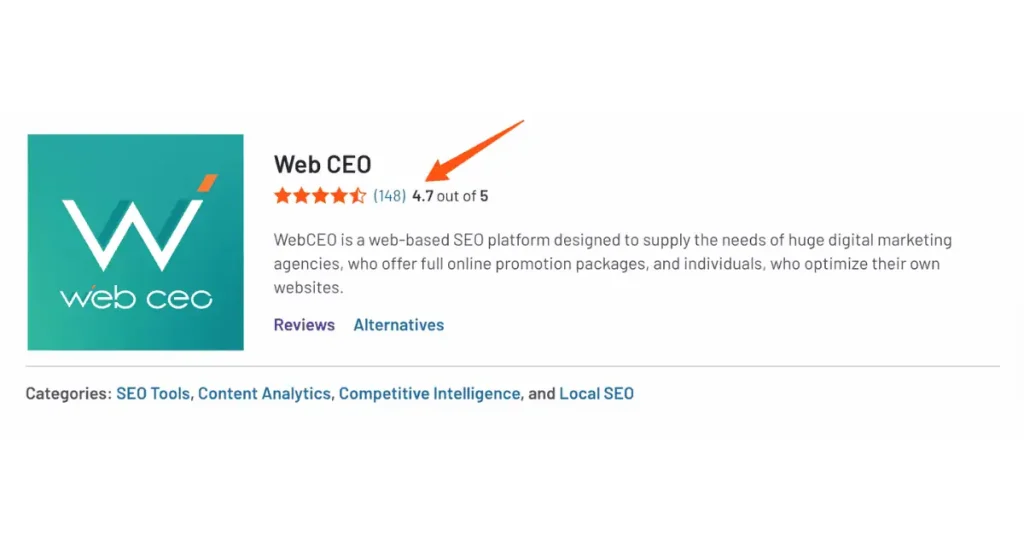
    WebCEO is sporting a solid 4.7 out of 5 stars on G2. That’s brilliant!

    keyword tool

    Users talk about its comprehensive feature set and white-label options.

    Integration Capabilities

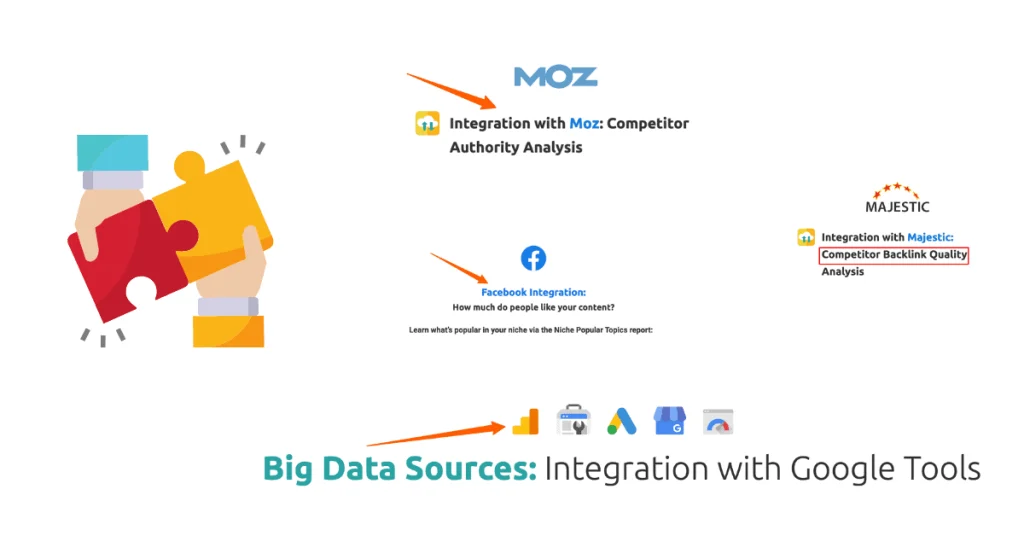
    This is where WebCEO really shines. It plays nice with a ton of other tools:

    • Google Analytics and Search Console (obviously)
    • Google My Business (local SEO, anyone?)
    • Facebook and Twitter (for those social butterflies)
    • Majestic and Moz (because two backlink sources are better than one)
    other search engines

    I once integrated WebCEO with my client’s agency project management tool. It was like seeing two puzzle pieces click together. Satisfying!

    Reporting Functionalities

    Reports are downright beautiful and informative!

    • Customizable white-label reports (slap your logo on there and call it a day)
    • Automated reporting (set it and forget it)
    • Interactive reports (clients love clicking around these)

    I remember the first time I sent a WebCEO report to a client. They called me immediately, gushing about how professional it looked. Little did they know, it took me all of 5 minutes to generate!

    Mobile App Availability

    WebCEO doesn’t support a mobile app, although the mobile-responsive website design makes it quick and easy to check the data on the go.

    Pros and Cons

    Alright, let’s keep it real. WebCEO is awesome, but it’s not perfect:

    • Comprehensive feature set.
    • Excellent white-label capabilities.
    • Great for agencies managing multiple clients.
    • Solid integrations.
    • Steep learning curve (I felt like I was learning a new language at first).
    • Can be pricey for smaller businesses.
    • Sometimes feels overwhelming with all its features.

    Bottomline

    If you’re serious about SEO and want a tool that can do it all, WebCEO is your go-to tool.
    It’s like the command center for your SEO campaigns – it might take a while to learn all the controls, but once you do, you’ll be running circles around the competition.

    7. AccuRanker

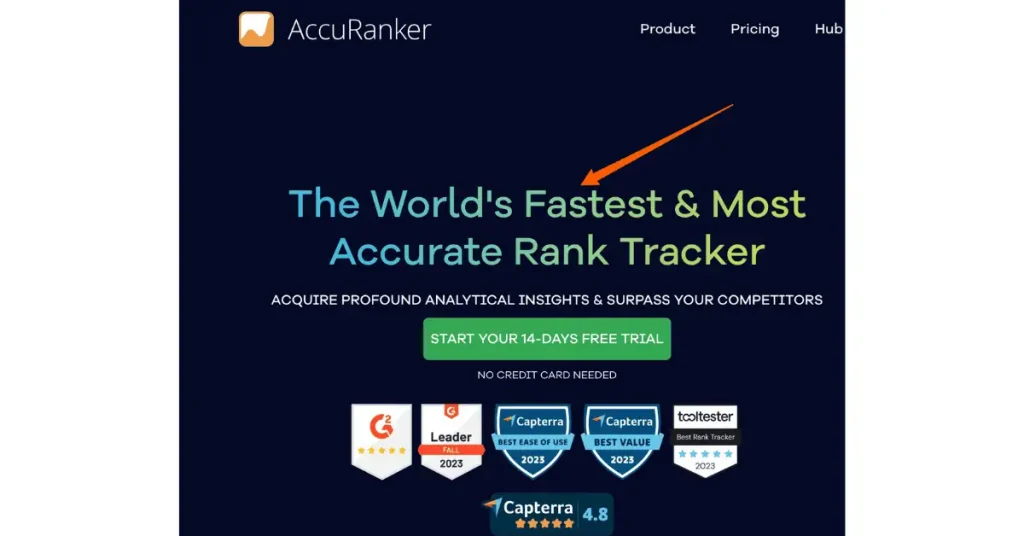
    Let’s explore AccuRanker, a tool that’s become my go-to for quick and accurate rank tracking. I call it my lightning-fast SEO speedometer because, holy moly, is this thing quick!

    keyword rank tracking

    Key Features and Unique Selling Points

    When I first used AccuRanker, I was blown away by its speed. Here’s what got me interested:

    • On-demand ranking updates (I’m talking seconds, not hours!)
    • “Share of Voice” metric (it’s like seeing your SEO market share)
    • SERP feature tracking (featured snippets, anyone?)
    • Advanced competitor tracking (keep those frenemies close)
    • Google Data Studio integration (for you data viz nerds)

    But here’s the kicker – AccuRanker’s “Grump” rating. It’s this cute little tool that shows the general mood of Google based on ranking fluctuations. I remember the first time I saw the “Grump” turn furious during an algorithm update. It was like having an early warning system!

    Pricing Tiers and Plans

    keyword rank tracking

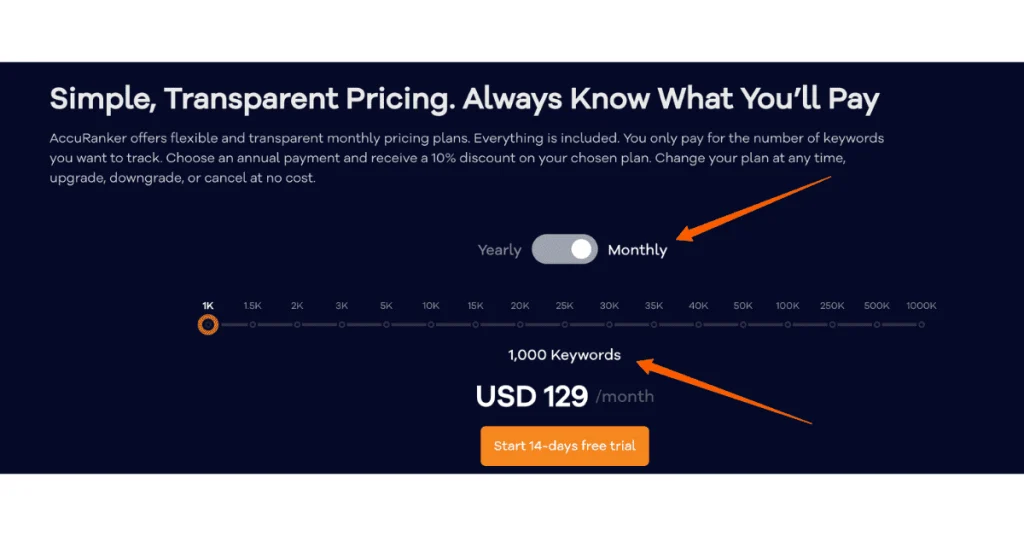
    Alright, let’s talk pricing. AccuRanker isn’t the cheapest tool out there, but it’s worth every penny:

    • Starter: $129/month (1,000 keywords)
    • Pro: $249/month (2,000 keywords)
    • Business: $609/month (5,000 Keywords)

    Annual Discount: 10%

    Pro tip: They offer a 14-day free trial. I’d say give it a whirl.

    User Ratings and Reviews

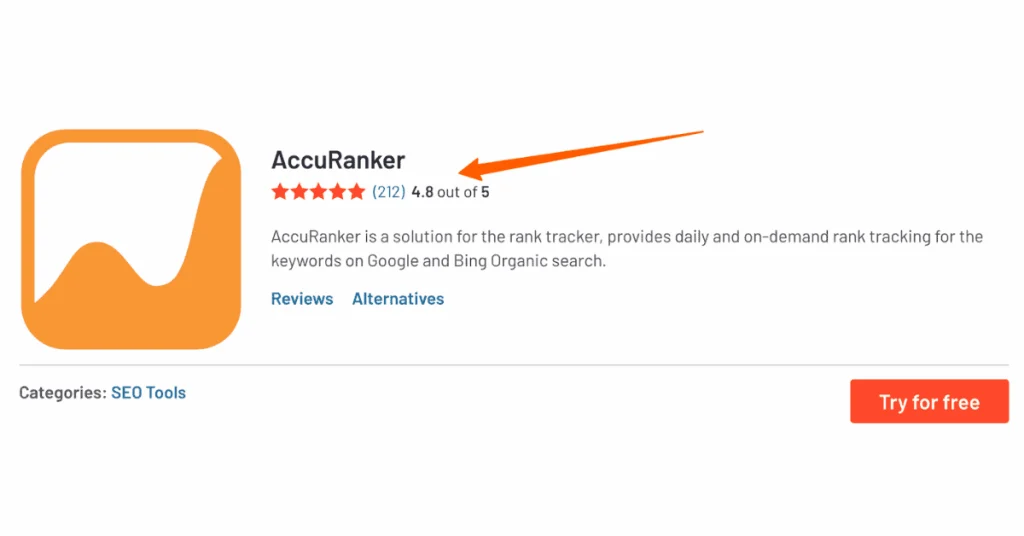
    Last I checked, AccuRanker had a solid 4.8 out of 5 stars on G2.

    tracked keywords

    Users are crazy about its accuracy and speed. However, I’ve seen a few users mention that it can get pricey as you scale up. But hey, quality comes at a price!

    Integration Capabilities

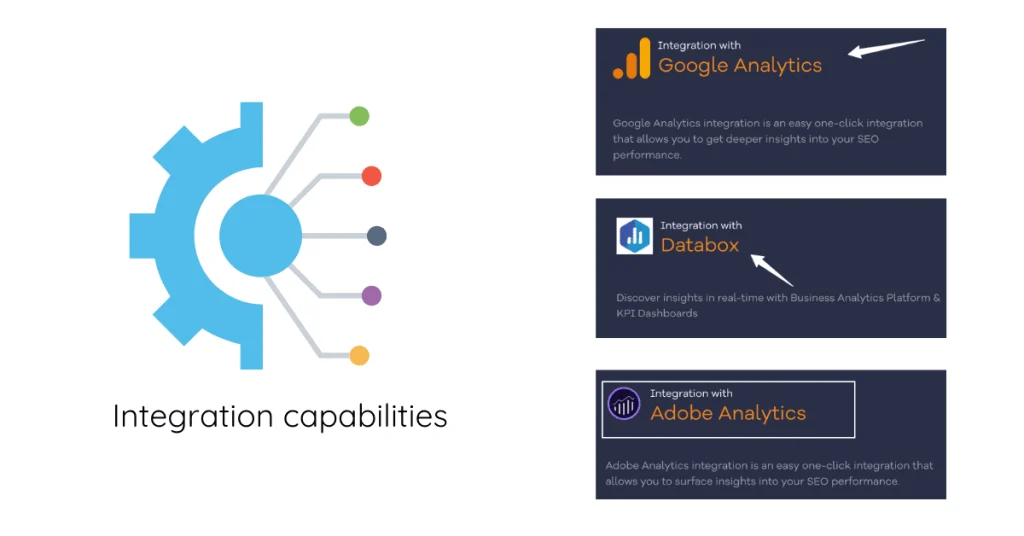
    This is where AccuRanker really shines. It plays nice with a bunch of other tools:

    • Google Analytics and Search Console (obviously)
    • Google Data Studio (for those interactive reports)
    • Databox (because who doesn’t love dashboards?)
    • Adobe Analytics (Yup, I was surprised too!)
    tracking keyword rankings

    I once set up AccuRanker to ping our team’s Slack channel whenever we hit a ranking milestone. The celebratory GIFs were priceless!
    Reporting Functionalities

    They’re not just fast – they’re comprehensive and customizable:

    • White-label reporting
    • Automated reports
    • Custom report builder

    I remember the first time I scheduled an automated weekly report for a client. They were so impressed with the consistent updates they thought I was working 24/7!

    Mobile App Availability

    Alright, here’s the deal – AccuRanker doesn’t have a dedicated mobile app. But don’t worry!

    Their web interface is mobile-responsive, so you can still check your rankings on a move.

    Pros and Cons

    Let’s keep it real. AccuRanker is awesome, but it’s not without its limitations:

    • Lightning-fast ranking updates.
    • Highly accurate data.
    • Great for agencies with its white-label features.
    • Excellent integration options.
    • Can get pricey as you scale up.
    • No dedicated mobile app.
    • Might be overkill for small businesses or bloggers.

    I remember when I first started using AccuRanker, I was worried it might be too focused on just rank tracking. But you know what? Sometimes doing one thing really, really well is better than doing a bunch of things mediocrely.

    Bottomline

    If you want the fastest, most accurate data out there, AccuRanker is your new best friend.
    It’s like strapping a nitro boost to your SEO strategy – it might be more power than you need for a casual drive, but when you’re in the SEO race, it’s unbeatable.

    8. Serpple

    Let’s explore Serpple, a tool that’s become my secret weapon for unraveling the mysteries of search engine results pages. I like to call it my friendly neighborhood SERP sleuth because it’s always there when you need to crack a ranking case!

    rank tracking data

    Key Features and Unique Selling Points

    When I first tried Serpple, I was looking for something simple yet powerful.

    Here’s what i found enticing:

    • Real-time SERP monitoring (it’s like having a 24/7 SEO watchdog)
    • Keyword tracking across multiple locations (local SEO, anyone?)
    • SERP feature tracking (featured snippets, people also ask, the works!)
    • Competitor analysis (keep those SEO rivals on your radar)
    • Daily ranking updates (because a lot can change in 24 hours)

    But here’s the kicker – Serpple’s user interface is so intuitive, my grandma could use it. I kid you not, I once explained it to a tech-phobic client over the phone, and they got it in minutes!

    Pricing Tiers and Plans

    search volume

    Serpple won’t make your wallet cry, and that’s a big plus in my book:

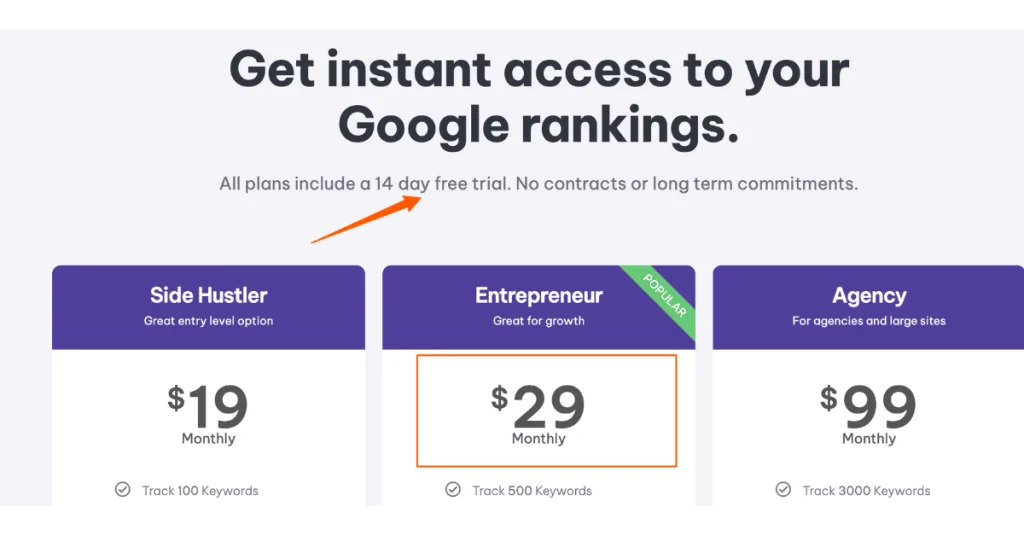
    • Side hustler: $19/month (great entry level option)
    • Entrepeneur: $29/month (great for growth)
    • Agency: $99/month (for agencies and large sites)

    Pro tip: They offer a 14-day free trial. I’d say take it for a spin.

    User Ratings and Reviews

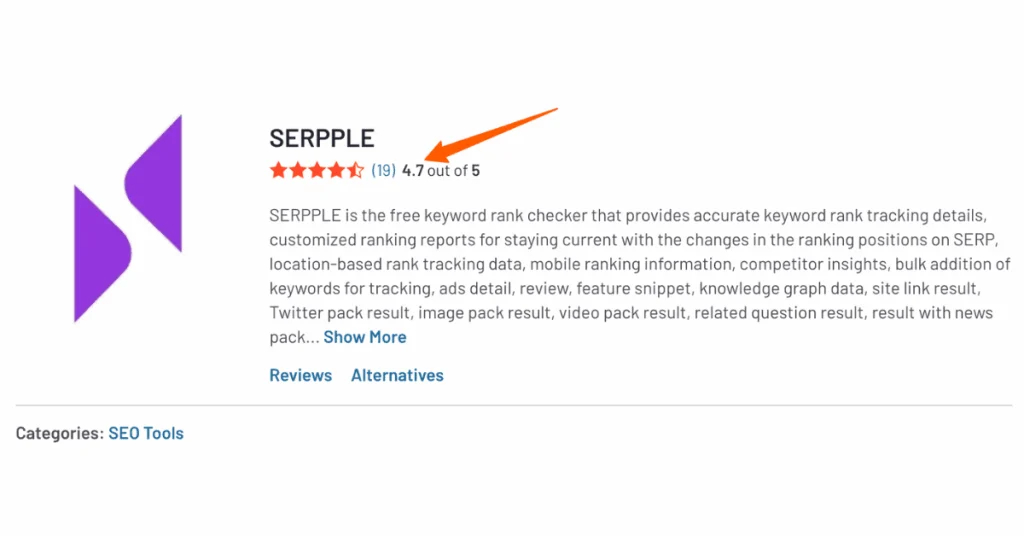
    Serpple has a solid 4.7 out of 5 stars on G2. Brilliant, eh?

    key metrics

    Though, I’ve seen a few folks mention they wish it had more advanced features. But i think, sometimes simplicity is king!
    Integration Capabilities

    Now, this is where Serpple could use a bit of beefing up. It’s not the most integration-friendly tool out there, but it covers the basics:

    • Google Search Console (of course)
    • Google Analytics (basic integration)

    I once tried to integrate Serpple with our custom dashboard. I would say not that great experience.

    But for day-to-day SEO tasks? It gets the job done without breaking a sweat.

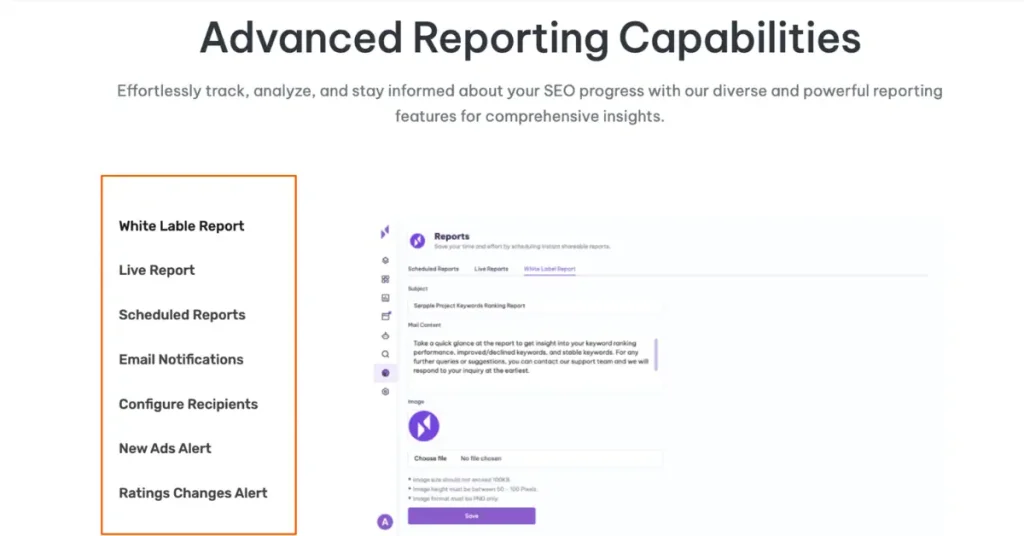
    Reporting Functionalities

    The reports in Serpple are like a good cup of coffee – simple, but they hit the spot:

    • Customizable reports
    • Scheduled automated reports
    • White-label options
    seo metrics

    I remember the first time I sent a Serpple report to a client. They were so relieved to see data they could actually understand! No fancy jargon, just clear, concise SERP insights.

    Mobile App Availability

    Ouch! Serpple doesn’t support a mobile app, sad, eh?

    Nevertheless, the mobile-responsive website design makes it user friendly to check the data on the go.

    Pros and Cons

    Let’s keep it real. Serpple is great, but it’s not perfect:

    • Easy to use.
    • Accurate SERP tracking.
    • Affordable pricing.
    • Great for local SEO.
    • Limited advanced features.
    • Integration options could be better.
    • Might be too simple for SEO veterans.

    I remember when I first started using Serpple, I was worried it might be too basic. But you know what? Its simplicity is what makes it so powerful for quick, actionable SERP insights.

    Bottomline

    If you’re looking for a straightforward, reliable SERP tracking tool without all the fancy frills, Serpple is your new best friend.

    It’s like having a trusty magnifying glass in your SEO toolkit – it might not have all the features of a high-tech forensics lab, but it’ll always help you find the clues you need in the SERPs.

    How to Choose the Right Rank Tracking Software

    Let’s talk about picking the perfect rank-tracking software. Trust me, I’ve been down this road more times than I care to admit, and I’ve learned a thing or two along the way.

    ranking tool

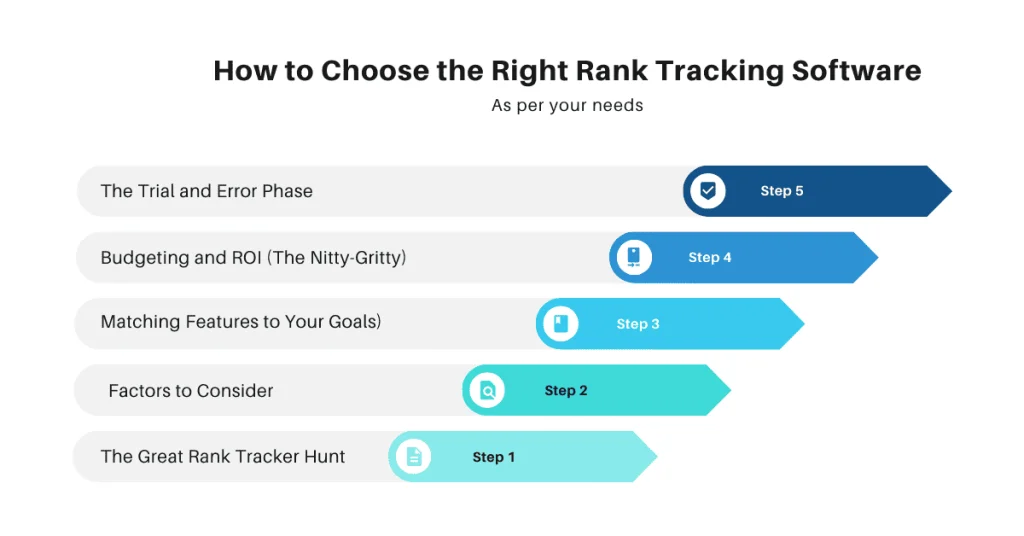
    The Great Rank Tracker Hunt

    I remember when I first started my SEO journey. I thought all rank trackers were created equal. Spoiler alert: they’re not. I ended up choosing a tool based solely on price, and let me tell you, that was a mistake I won’t be repeating anytime soon.

    So, what should you consider when choosing a rank tracker? Let’s break it down.

    Factors to Consider (AKA Don’t Make My Mistakes)

    First things first, accuracy is king. I once used a cheap rank tracker that told me I was ranking #1 for all my target keywords. I was over the moon! Until I actually searched those keywords and couldn’t find my site anywhere on the first page. Talk about a reality check.

    Here are some key factors to keep in mind:

    • Accuracy: Make sure the tool provides reliable data
    • Update frequency: Daily updates are pretty standard these days
    • Number of keywords: How many do you need to track?
    • Search engines covered: Google isn’t the only game in town
    • SERP features tracking: Featured snippets, local packs, etc.
    • Competitor tracking: Keep an eye on those SEO rivals

    Matching Features to Your Goals (Or, Know Thyself)

    Here’s where things get personal. You need to really think about what you’re trying to achieve. Are you a small business owner looking to dominate local search? Or maybe you’re an agency handling multiple clients? Your needs will be different.

    I learned this lesson the hard way when I was working with a local bakery. I had chosen a fancy rank tracker with all the bells and whistles. But you know what? Most of those features were useless for a small local business.

    We didn’t need international rank tracking or integration with 20 different tools. What we needed was solid local rank tracking and Google My Business insights.

    Budgeting and ROI (The Nitty-Gritty)

    Okay, let’s talk money. Rank trackers can range from free to “holy cow, that’s expensive!” But here’s the thing – free isn’t always better, and expensive doesn’t always mean best.

    I once splurged on a super expensive rank tracker, thinking it would solve all my SEO problems. Spoiler alert: it didn’t. It had tons of features I never used, and the ROI just wasn’t there.

    On the flip side, I’ve used some fantastic mid-range tools that provided everything I needed at a fraction of the cost. It’s all about finding that sweet spot between features and price.

    Here’s a quick checklist to consider:

    • What’s your monthly budget for SEO tools?
    • How many keywords do you need to track?
    • Do you need agency features like white-label reporting?
    • Will the tool save you time and help you make better decisions?

    Remember, the most expensive tool isn’t always the best. And the cheapest tool might end up costing you more in the long run if it’s not accurate or doesn’t have the features you need.

    The Trial and Error Phase

    Here’s a pro tip: take advantage of free trials.

    Most rank trackers offer them, and they’re a great way to test drive before you buy. I’ve lost count of the number of free trials I’ve signed up for, but each one taught me something new about what I really needed in a rank tracker.

    And don’t be afraid to switch tools if you’re not happy. I stuck with a subpar rank tracker for way too long because I was too lazy to switch. Don’t be like me. If it’s not working for you, move on.

    In the end, choosing the right rank tracking software is a bit like dating. You might have to kiss a few frogs before you find your prince. But when you do find that perfect match – that tool that gives you accurate data, aligns with your budget, and assists you to achieve your SEO goals – it’s a beautiful thing.

    So go forth, my SEO friends, and may the ranking gods be ever in your favor!

    Maximizing Your Rank Tracking Tool: Best Practices

    Let’s chat about how to squeeze every last drop of value out of your rank tracking tool.

    Trust me, I’ve been around the SEO block a few times, and I’ve learned some tricks that’ll make your rank tracking tool work harder than a caffeinated squirrel.

    Setting Up Effective Tracking Campaigns

    I have a story for you about setting up tracking campaigns. When I first started, I thought more was always better. I ended up tracking every keyword under the sun. Big mistake. I was drowning in data faster than you can say “algorithm update.”

    Here’s what I’ve learned:

    • Focus on quality, not quantity: Don’t track every keyword variation. Pick the ones that really matter to your business.
    • Group your keywords: I organize mine by product categories, funnel stages, and even by season for some clients. It’s like having a well-organized closet, but for SEO.
    • Set up location-specific tracking: If you’re a local business, this is crucial. I once had a client wonder why they weren’t ranking. Turns out, we were tracking rankings for the wrong city. Oops!
    • Don’t forget to track your competitors: Keep your friends close and your SEO enemies closer, right?

    Interpreting Data and Insights

    Now, this is where the rubber meets the road. Having data is one thing, but knowing what to do with it? That’s where the magic happens.

    I remember staring at my first big ranking report, feeling like I was trying to decode ancient hieroglyphics. But over time, I’ve learned to spot patterns and opportunities.

    Here are some tips:

    • Look for trends, not just numbers: Don’t panic over daily fluctuations. It’s the long-term trends that matter.
    • Pay attention to SERP features: Sometimes, you might drop a position but gain a featured snippet. That’s a win in my book!
    • Use annotations: I mark major website changes, Google updates, and even competitor actions. It helps connect the dots between actions and results.

    One time, I noticed a client’s rankings dropped across the board. Panic mode activated! But then I remembered we had just redesigned their site. After digging deeper, we realized we’d accidentally noindexed the entire site during the launch. Face, meet palm.

    Integrating Rank Tracking with Your Overall SEO Strategy

    Here’s the thing: rank tracking is just one piece of the SEO puzzle. It’s like having a great pair of running shoes – helpful, but not enough to win a marathon on its own.

    I learned this lesson the hard way. I used to obsess over rankings, chasing every little fluctuation. Meanwhile, I was neglecting other important aspects of SEO. My rankings looked great, but conversions? Not so much.

    So, how do you integrate rank tracking with your overall strategy?

    • Use ranking data to inform your content strategy: If you’re ranking on page 2 for a bunch of related keywords, that’s a content opportunity right there.
    • Align ranking goals with business objectives: Ranking #1 for a keyword is great, but does it drive conversions? That’s the real question.
    • Don’t neglect technical SEO: I once had a client ranking great for their target keywords, but their site loaded slower than a snail on vacation. Guess what happened to their bounce rate?
    • Keep an eye on the competition: If a competitor suddenly jumps in rankings, it might be time to step up your game.

    Remember, rankings are a means to an end, not the end itself. The goal is to drive traffic, conversions, and ultimately, business growth.

    In a nutshell, maximizing your rank tracking tool is about more than just watching numbers go up and down.

    It’s about using those insights to make smart, strategic decisions for your SEO efforts. And hey, if you’re feeling overwhelmed, don’t sweat it. We’ve all been there. Just take it one keyword at a time, and before you know it, you’ll be an SEO rockstar.

    Wrapping Up

    There you have it – the crème de la crème of rank-tracking software for 2024!

    Whether you’re an SEO pro, a small business owner, or a digital marketing enthusiast, these tools are your ticket to SEO success. Remember, the best rank-tracking software isn’t just about numbers; it’s about gaining actionable insights to skyrocket your online presence.

    So why wait? Take your pick, start your free trial, and watch your rankings soar. Your spot on that coveted first page awaits!

    Call-to-Action: Ready to dominate the SERPs? Start your free trial of our top-rated rank tracking tool today and take your SEO game to new heights!

  • Building Best SEO Reporting Dashboard: 2024 Ultimate Guide

    Building Best SEO Reporting Dashboard: 2024 Ultimate Guide

    Read in 21 min

    Did you know that 76% of SEO professionals consider reporting dashboards crucial for their success?

    Welcome to the ultimate guide on SEO reporting dashboard! I’m thrilled to share my expertise on this game-changing tool.

    seo dashboards

    In today’s data-driven world, having a clear, comprehensive view of your SEO performance isn’t just nice to have – it’s essential. Let’s dive into the world of SEO reporting dashboards and transform the way you analyze and present your SEO data.

    Get ready to impress your clients, bosses, and yourself with powerful, insightful dashboards that drive results!

    Understanding SEO Reporting Dashboard

    Let me tell you, when I first started out in the SEO game, I was drowning in data. Seriously, I felt like I was swimming in a sea of numbers with no life raft in sight. That’s when I stumbled upon SEO reporting dashboards, and yeah, did they change my life!

    So, what exactly is an SEO reporting dashboard? Well, think of it as your personal mission control center for all things SEO.

    It’s a visual representation of all your key SEO metrics in one place. Instead of juggling a dozen different spreadsheets and reports, you’ve got everything laid out neatly in front of you. Trust me, it’s a game-changer.

    Why do we need it?

    The purpose of these SEO dashboards? Simple. They’re designed to give you a quick, at-a-glance view of how your SEO efforts are performing. It’s like having a health check-up for your website, but instead of a doctor, you’ve got charts and graphs telling you what’s working and what’s not.

    I remember the first time I set up a proper dashboard. It was like a light bulb went off in my head.

    seo dashboards

    Suddenly, I could see patterns in our organic search traffic that I’d never noticed before. Our keyword rankings, click-through rates, bounce rates – everything was right there, updating in real-time. It was pretty cool, I gotta admit.

    The Benefits

    Using dashboards for SEO analysis is like upgrading from a bicycle to a sports car. Sure, you could pedal your way through all that data manually, but why would you when you can zoom through it effortlessly?

    First off, dashboards save you a ton of time. No more spending hours compiling reports – the dashboard does it for you. This means you can spend more time actually improving your SEO strategy instead of just reporting on it.

    custom seo dashboards

    Secondly, dashboards make it way easier to spot trends. I once noticed a sudden drop in organic traffic that I might have missed if I was just looking at raw data. Turns out, one of our main pages had accidentally been de-indexed. Caught it early, fixed it fast – crisis averted!

    But here’s the real kicker – dashboards are fantastic for getting buy-in from higher-ups. I used to struggle explaining SEO progress to my clients, but once I started showing them our dashboard, it was like speaking their language. Visuals are powerful, folks.

    Enabling data-driven decisions

    Now, let’s chat about how these dashboards contribute to data-driven decision making. In my experience, having all your data visualized makes it so much easier to connect the dots. You start to see how different metrics influence each other, and that’s when the magic happens.

    For instance, I noticed that our pages with the highest dwell time also tended to rank better. This led us to focus more on creating engaging, in-depth content. The result? Our overall rankings improved, and so did our organic search traffic. That’s the power of data-driven decisions.

    But here’s a word of caution – don’t get so caught up in the data that you forget the human element. I’ve made that mistake before, obsessing over every little fluctuation in the dashboard. Remember, behind every number is a real person interacting with your site.

    To sum up, SEO reporting dashboards are like your secret weapon in the world of search engine optimization. They simplify complex data, save you time, and help you make smarter decisions. If you’re not using one yet, what are you waiting for? Try it now!

    Essential Metrics to Include in Your SEO Dashboard

    Alright, let’s get into the meat and potatoes of SEO reporting dashboard – the metrics.

    When I first started building my dashboards, I was like a kid in a candy store. So many metrics to choose from!

    But over time, I learned that not all metrics are created equal. Some are the real MVPs, while others are just bench warmers.

    Overview of key performance indicators (KPIs) for SEO

    Let’s start with the big picture – KPIs. These are the heavy hitters, the metrics that really show you if your SEO efforts are paying off. In my early days, I made the rookie mistake of trying to track everything. Don’t do that. It’s like trying to watch all the players on a football field at once – you’ll just end up cross-eyed and confused.

    Instead, focus on a handful of KPIs that align with your goals. For me, that usually means organic traffic, conversion rate, and keyword rankings. These give me a solid overview of how we’re doing without overwhelming me with data.

    Organic traffic metrics and their significance

    This is the lifeblood of SEO. I remember the first time I saw a significant spike in our organic traffic – I nearly fell out of my chair! It’s not just about the numbers, though. You want to look at things like which pages are getting the most traffic, where that traffic is coming from geographically, and how long people are staying on your site.

    search engine optimization

    One time, I noticed we were getting a ton of traffic from Australia, which was weird as at that point of time i wasn’t even targeting it. Turns out, we had accidentally targeted some Australian keywords. Oops! But hey, at least the dashboard helped us catch it.

    Keyword performance and ranking metrics

    Next up: keywords. This is where the rubber meets the road in SEO. Your dashboard should show you which keywords you’re ranking for, how those rankings are changing over time, and which ones are actually driving traffic to your site.

    google analytics

    I learned the hard way that ranking #1 for a keyword doesn’t mean squat if nobody’s searching for it. That’s why I always include search volume in my keyword reports now. It’s all about finding that sweet spot between ranking potential and search volume.

    Conversion and engagement metrics

    Lastly, don’t forget about conversion and engagement metrics. These are the ones that really show if your SEO efforts are translating into actual business results. Bounce rate, time on page, pages per session – these all give you insights into how users are interacting with your site.

    I once had a client whose organic traffic was through the roof, but their conversion rate was in the toilet. Turned out, we were attracting the wrong kind of traffic. We adjusted our keyword strategy, and bam! Conversions started rolling in.

    google analytics

    Remember, at the end of the day, SEO isn’t just about getting people to your site – it’s about directing the right people to your site and giving them what they’re looking for. Your dashboard should reflect that goal.

    So there you have it – the essential metrics for your SEO reporting dashboard. It might take some trial and error to figure out exactly which ones work best for your specific situation, but that’s part of the fun.

    Don’t be afraid to experiment and adjust as you go. After all, in the world of SEO, the only constant is change!

    Choosing the Right SEO Dashboard Tools

    This brings back memories of my early days in SEO when I was as lost as a penguin in the Sahara. Let me tell you, I’ve been through the wringer with these tools, and I’ve learned a thing or two along the way.

    Comparison of popular SEO dashboard software

    When it comes to SEO dashboard software, there’s no shortage of options. It’s like being a kid in a Walmart store, except instead of sugar highs, you get data highs. Some of the big players in the game are Google Data Studio, SEMrush, Moz, and Ahrefs. Each has its own strengths and quirks, kinda like my old college roommates.

    I remember when I first tried Google Data Studio. It was free, which was music to my ears as a broke newbie. But man, was there a learning curve! I spent hours trying to figure out how to connect data sources and create visualizations. But once I got the hang of it, it was like unlocking a superpower. The customization options are insane.

    Then there’s SEMrush. It is like the Swiss Army knife of SEO tools. It’s got everything from keyword tracking to backlink analysis. I love how it integrates data from multiple sources into one dashboard. But fair warning: it can be overwhelming if you’re new to the game.

    search engine optimization efforts

    Moz and Ahrefs are also solid choices. Moz has a really user-friendly interface, which I appreciate. Ahrefs, on the other hand, is a backlink powerhouse. I once uncovered a goldmine of link opportunities using Ahrefs that boosted rankings for one of my clients like crazy.

    Features to look for in a dashboard tool

    Now, let’s talk features. What should you be looking for in an SEO dashboard tool?

    First and foremost, data integration. You want a tool that can pull in data from multiple sources – Google Analytics, Google Search Console, your CRM, you name it. Trust me, you don’t wanna be manually entering data like it’s 1999.

    Customization is another biggie. Every business is unique, and your dashboard should reflect that. Look for tools that let you create custom metrics and visualizations.

    I once created a “money keyword” tracker that combined ranking data with conversion rates. It was a game-changer for prioritizing our SEO efforts.

    Real-time data updates are also crucial. SEO moves fast, and you need to keep up. I learned this the hard way when I once presented a report to a client using month-old data. Talk about embarrassing!

    Oh, and don’t forget about share-ability. Being able to easily share your dashboards with team members or clients is a huge time-saver. Plus, it makes you look super professional.

    Free vs. paid options: pros and cons

    Now, the eternal question: to pay or not to pay?

    In my experience, free tools like Google Data Studio can be great for beginners or small businesses. They give you a solid foundation without breaking the bank. But they often have limitations in terms of data sources or customization options.

    Paid tools, on the other hand, usually offer more robust features and integrations. They can save you a ton of time and provide deeper insights. But they can also be pricey, especially for smaller businesses or freelancers.

    I remember when I first splurged on a paid tool. It felt like a big risk at the time, but man, did it pay off. The time I saved and the additional insights I gained more than made up for the cost.

    That being said, don’t fall into the trap of thinking more expensive always means better. I’ve used some pricey tools that were all flash and no substance. It’s all about finding the right fit according to your needs and budget.

    My advice? Start with free tools to get your feet wet. As you grow and your needs become more complex, consider investing in paid options. And always, always take advantage of free trials. It’s like test-driving a car – you wouldn’t buy one without taking it for a spin first, right?

    Choosing the right SEO dashboard tool is a journey, not a destination.

    Be open to experiment and switch things up if something isn’t working for you. Remember, the best tool is the one that helps you make better decisions and drive results. Happy dashboard hunting!

    Designing an Effective SEO Dashboard Layout

    This topic takes me back to my early days when my dashboards looked like a toddler’s crayon masterpiece – colorful, but totally incomprehensible. Trust me, I’ve learned a thing or two since then about making data not just pretty, but actually useful.

    Principles of data visualization for SEO

    Let’s start with the basics of data visualization.

    First rule: just because you can make a 3D exploding pie chart doesn’t mean you should. I learned this the hard way when I proudly presented a dashboard that looked like a Las Vegas neon sign. My client just squinted and said, “What am I looking at?” Talk about a facepalm moment.

    The key is simplicity. Use colors sparingly and consistently. For instance, I always use green for positive trends and red for negative. It’s like a universal traffic light system for data. And please, for the love of all things holy, don’t use too many fonts. Your dashboard isn’t a ransom note.

    Another principle I swear by is the “squint test”. If you can’t get the gist of your dashboard by squinting at it from across the room, it’s too complicated.

    I once spent hours creating this intricate dashboard with every metric under the sun. When I stepped back, it looked like a Jackson Pollock painting. Back to the drawing board I went!

    Organizing metrics for clarity and impact

    Now, let’s talk about organizing those metrics. It’s not just about what you show, but how you show it. I like to use the “newspaper layout” approach. Your most important KPIs should be at the top, like headlines. Think of it as the “above the fold” content of your dashboard.

    For example, I always put organic traffic and conversion rate front and center. These are the metrics that even the most SEO-illiterate stakeholder can understand. Below that, you can dive into more detailed metrics like keyword rankings or page speed insights.

    Group related metrics together. It’s like organizing your closet – don’t put your socks with your shirts. I once had a dashboard where bounce rate was next to backlink count. It made about as much sense as pineapple on pizza (sorry, not sorry, pineapple pizza lovers).

    seo data

    And remember, white space is your friend. Don’t try to cram everything onto one screen. It’s okay to have multiple pages or tabs in your dashboard. Think of it like chapters in a book. You wouldn’t mash the entire Harry Potter series into one page, would you?

    Customizing dashboards for different stakeholders

    Here’s where it gets fun – customizing dashboards for different stakeholders. This is like being a data DJ, mixing and matching metrics to create the perfect beat for each audience.

    For the C-suite, keep it high-level. They want to see the forest, not every tree. Focus on metrics which tie directly to business goals. I remember creating a dashboard for our major client that only had three metrics: organic traffic growth, conversion rate, and revenue from organic search. He loved it because he could understand our SEO performance at a glance.

    For the marketing team, you can get more granular. They’ll want to see things like keyword rankings, top-performing pages, and maybe even some competitor comparison data. I once created a “competitor crusher” dashboard that showed how we were stacking up against our main rivals. It became the marketing team’s favorite toy.

    google analytics account

    For the content team, focus on metrics that can guide their strategy. Think content performance, user engagement metrics, and maybe even some keyword opportunity data. I created a dashboard for content team of one of our clients that showed which topics were driving the most traffic and conversions. It was like giving them a treasure map for content ideas.

    And don’t forget about yourself! As an SEO pro, you’ll want a dashboard that gives you all the nitty-gritty details. This is where you can geek out on things like crawl stats, indexation issues, and backlink profiles. Just maybe don’t show this one to the CEO unless you want to see their eyes glaze over.

    The key is to put yourself in the shoes of each stakeholder. What do they care about? What decisions do they need to make? Your dashboard should answer these questions at a glance.

    Remember, creating the perfect SEO reporting dashboard layout is an iterative process. Don’t be afraid to ask for feedback and make changes. Your first attempt might not be perfect, and that’s okay. My dashboards today look nothing like they did when I started, and thank goodness for that!

    At the end of the day, a good SEO dashboard is like a good story – it should be clear, engaging, and leave your audience wanting to know more. So go forth and create dashboards that would make even the most data-phobic person say, “Huh, that actually makes sense!”

    6-Step Guide to Building Your SEO Dashboard

    Alright, SEO enthusiasts, strap in! We’re about to embark on a wild ride through the world of building your very own SEO dashboard.

    I’ve been through this rodeo more times than I can count, and let me tell you, it’s always an adventure. But don’t worry, I’ve got your back. Let’s break this down step-by-step, shall we?

    google analytics

    1. Define Your Objectives and KPIs

    First things first, we need to figure out what the heck we’re trying to achieve here. It’s like setting out on a road trip – you gotta know where you’re going before you start driving, right?

    I remember when I first started in SEO, my objective was simply “make the numbers go up.” Spoiler alert: that didn’t work out so well. Now, I always start by asking myself (and my clients) some key questions:

    What are we really trying to achieve with our SEO efforts? More traffic? Higher conversions? Better brand visibility?

    Who’s going to be looking at this dashboard? Is it for the data-savvy marketing team or the “just give me the highlights” CEO?

    Once you’ve nailed down your objectives, it’s time to pick your KPIs. This is where things can get a bit tricky. It’s tempting to track everything under the sun, but trust me, that’s a one-way ticket to Data Overwhelm City, population: you.

    I like to stick to the rule of 5-7 key metrics. For example, if your goal is to increase organic traffic, you might focus on:

    1. Organic sessions

    2. Click-through rate

    3. Average position

    4. Organic conversions

    5. Page load time (because speed matters, folks!)

    Remember, your KPIs should be like a good friend – always there when you need them, and telling you what you need to hear, not just what you want to hear.

    2. Choose Your Dashboard Tool

    Now that we know what we’re tracking, it’s time to pick our weapon of choice. Choosing a dashboard tool is like picking a car – you want something reliable, easy to use, and preferably with good cup holders. (Okay, maybe not that last part for dashboards, but you get the idea.)

    I’ve tried more dashboard tools than I care to admit. Google Data Studio is my go-to for most projects. It’s free, integrates seamlessly with Google products, and is pretty user-friendly once you get the hang of it. But it’s not the only fish in the sea.

    Tableau is great if you need more advanced data manipulation capabilities. PowerBI is a solid choice if you’re working in a Microsoft-heavy environment. And if you’re feeling fancy (and have the budget), tools like Databox or Cyfe can create some pretty snazzy dashboards.

    Pro tip: Always check the integration capabilities before committing to a tool. I once spent hours setting up a beautiful dashboard, only to realize it couldn’t connect to half our data sources. Cue the world’s tiniest violin playing just for me.

    3. Gather and Connect Your Data Sources

    Alright, time to gather our data sources. This is like being a digital detective – we’re collecting all the evidence we need to solve the case of the missing rankings. (Cue dramatic music)

    google search console

    Your usual suspects will likely include:

    – Google Analytics (the godfather of web analytics)

    – Google Search Console (for all that juicy search data)

    – Your favorite SEO tool (be it Ahrefs, SEMrush, Moz, or whatever floats your boat)

    But don’t stop there! Think outside the box. Maybe you want to pull in data from your CRM to tie SEO efforts to actual sales. Or social media data to see how your organic efforts are impacting your social presence.

    google analytics

    Setting up these connections can sometimes feel like trying to solve a Rubik’s cube blindfolded. I once spent a couple of hours trying to connect a particularly stubborn API. My secret weapon? Patience, a lot of perseverance, and maybe a little bit of coffee-fueled coding magic.

    4. Design Your Dashboard Layout

    Now for the fun part – designing your dashboard layout. This is where you get to unleash your inner artist. But remember, we’re going for “clear and informative,” not “abstract expressionism.”

    Think of your dashboard as a story. What’s the opening line that grabs attention? (Hint: It’s probably your most important KPI.) How does each section flow into the next? You want your users to navigate through the data as smoothly as a hot knife through butter.

    seo analytics dashboard

    I like to use the “inverted pyramid” approach:

    – Top section: High-level KPIs

    – Middle section: More detailed metrics

    – Bottom section: Granular data and insights

    And please, for the love of all things holy, use white space! I once created a dashboard so cramped it looked like a game of Tetris gone wrong. Give your data room to breathe.

    5. Build and Customize Your Widgets

    Time to build those widgets! This is where the rubber meets the road. Each widget should be a little data storyteller, conveying key information at a glance.

    For trend data, line charts are your best friend. Bar charts work great for comparisons. And don’t underestimate the power of a good old-fashioned scorecard for those crucial KPIs.

    But here’s where it gets really fun – calculated fields. These are like secret ingredients in your grandma’s famous recipe. They can turn good data into great insights. I once created a calculated field that combined ranking data with search volume to show the true value of our keyword rankings. The client’s mind was blown!

    6. Test, Refine, and Automate

    Last but not least, it’s time to put your dashboard through its paces. Testing your dashboard is like proofreading an important email – you don’t want to send it out with any embarrassing mistakes.

    I always rope in a few colleagues to be my guinea pigs. Their fresh eyes often spot things I’ve missed. Like the time I accidentally labeled “Bounce Rate” as “Pounce Rate.” In my defense, I had been looking at cat videos earlier that day.

    Once you’re confident everything’s ship-shape, set up those automated refreshes. There’s nothing worse than presenting outdated data. Trust me, I’ve been there, done that, got the “Why is this data from last month?” t-shirt.

    And there you have it! Your very own SEO reporting dashboard, built from the ground up.

    Remember, dashboard building is an art as much as it’s a science. Don’t be afraid to experiment, iterate, and most importantly, have fun with it. After all, we’re basically data storytellers, and this is our chance to tell a compelling story about our SEO efforts.

    Now go forth and dashboard like the SEO rockstar you are! And if you ever feel stuck, just remember – even the most complex dashboard started with a single widget.

    Best Practices for Data Interpretation and Presentation

    I’ve had my fair share of wins and facepalm moments in this arena, so let me spill the tea on what I’ve learned.

    Techniques for spotting trends and insights

    First things first – spotting trends. It’s like being a detective, but instead of a magnifying glass, you’ve got charts and graphs. I remember the first time I noticed a real trend in our data. It was like seeing the Matrix code – suddenly, everything made sense!

    One technique I swear by is comparing year-over-year data. Seasonal fluctuations can be sneaky little devils. I once panicked over a traffic dip in December, only to realize it happened every year during the holidays. Rookie mistake!

    Another trick is to look for correlations between different metrics. For example, I noticed our organic traffic spiked every time we published a new blog post. Eureka! That led to us ramping up our content production, and our traffic went through the roof.

    Don’t forget to zoom out occasionally. Sometimes, you’re so focused on day-to-day changes that you miss the bigger picture. I like to check our quarterly and annual trends regularly. It’s like stepping back from a painting – suddenly you see the whole masterpiece, not just the individual brushstrokes.

    Crafting compelling narratives with your data

    Now, onto the storytelling part. Because let’s face it, data without a narrative is about as exciting as seeing paint dry. Your job is to turn those numbers into a gripping tale of SEO triumph (or learning opportunities, if things aren’t going so hot).

    Start with the big picture. What’s the main story your data is telling? Is organic traffic on an upward trend? Are conversions skyrocketing? Once you’ve got your headline, dive into the supporting details.

    seo campaigns

    I like to use the “So what? Now what?” approach. For every data point, ask yourself “So what does this mean?” and “Now what should we do about it?” For instance, “Our bounce rate increased by 10% last month. So what? It means users aren’t finding what they need on our site. Now what? We need to review our content and user experience.”

    Don’t be afraid to inject some personality into your narrative. I once presented our link-building progress as a “Battle of the Backlinks,” complete with war metaphors. Was it cheesy? Maybe. But you bet everyone remembered it!

    Tips for presenting dashboards to clients or executives

    Alright, the moment of truth – presenting your dashboard to the bigwigs. I’ve sweat through more shirts doing this than I care to admit, but I’ve picked up some tricks along the way.

    First off, know your audience. Executives usually want the big picture, not the nitty-gritty details. I learned this the hard way when I spent 20 minutes explaining our crawl budget optimization to one of my clients C-Suite executive. The glazed look in his eyes still haunts me.

    Practice the art of progressive disclosure. Start with the high-level metrics, then drill down into more detail as needed. It’s like peeling an onion, but hopefully with fewer tears.

    Always, always, always have actionable insights ready. Don’t just show the data – explain what it means and what you plan to do about it. I once turned a potential disaster (a significant traffic drop) into a win by presenting a solid action plan to recover. The clients were impressed by our proactivity, and we kept the account.

    seo client dashboard

    Use visuals to your advantage. A picture is worth a thousand words, and a good chart is worth a thousand numbers. But remember, not everyone can interpret complex charts. I once confused the heck out of a client with a multi-axis chart. Now I stick to simpler visualizations unless I know my audience can handle the complex stuff.

    Here’s a pro tip: anticipate questions. Think about what the client or executive might ask and have those answers ready. It’s like being psychic, but with data. I always prepare a “deep dive” section for each main metric, just in case someone wants more detail.

    And finally, be honest. If the numbers aren’t great, don’t try to sugarcoat it. I once tried to spin a traffic drop as a “strategic realignment of our target audience.” Yeah, no one bought it. Instead, own up to the challenges and present your plan to overcome them. Honesty builds trust, and trust is worth its weight in gold (or high-quality backlinks, in SEO terms).

    Remember, presenting data is as much about confidence as it is about the numbers themselves. Stand tall, speak clearly, and remember – you’re the SEO expert in the room. Even if your knees are shaking under the table (been there, done that), project confidence in your analysis and recommendations.

    In conclusion, data interpretation and presentation are skills that come with practice. Don’t be discouraged if your first attempts aren’t perfect.

    My early presentations were about as smooth as a gravel road, but over time, I’ve polished my approach. Keep at it, learn from each presentation, and before you know it, you’ll be dazzling clients and executives with your data storytelling skills.

    Advanced SEO Dashboard Techniques

    We’re about to venture into the wild world of advanced SEO dashboard techniques. This is where things get really exciting – and sometimes a little scary. But don’t worry, I’ve been down this rabbit hole before, and I’m here to guide you through it.

    Incorporating AI and ML for predictive analytics

    Let me tell you, when I first heard about using AI and machine learning in SEO, I thought it was some sci-fi mumbo jumbo. Ohh, was I wrong! It’s like having a crystal ball for your SEO efforts, except this one actually works.

    I remember the first time I implemented a machine learning model to predict our organic traffic. It was like trying to teach my grandma how to use Snapchat – frustrating at first, but mind-blowing once it clicked. The model started spitting out predictions that were scary accurate. We could see potential traffic dips weeks in advance and take action before they hit. Talk about being proactive!

    One word of caution though – don’t let the AI become your SEO overlord. I once got so caught up in the predictions that I neglected my gut instinct. Big mistake. The AI didn’t account for a sudden algorithm update, and we were caught with our digital pants down. Lesson learned: use AI as a tool, not a crutch.

    Try experimenting with different models. I’ve had success with time series forecasting for traffic predictions and classification models for predicting which keywords we’re most likely to rank for. It’s like having a super-powered SEO brain at your fingertips!

    Automating reports and alerts

    Now, let’s talk about automation – the lazy SEO’s best friend. Just kidding, it’s everyone’s best friend. Because let’s face it, who wants to spend hours compiling reports when you could be, I don’t know, actually improving SEO?

    I used to spend every Monday morning creating reports for our clients. It was about as fun as watching paint dry. Then I discovered the joy of automated reporting. It was like Christmas morning every day! Our dashboards now automatically generate reports and send them to clients. No more Monday morning report scramble for this guy.

    analytics data

    But here’s where it gets really cool – automated alerts. I set up alerts for sudden traffic drops, ranking changes for important keywords, even competitor movements. It’s like having a team of tiny SEO elves working 24/7 to keep you informed.

    One time, we got an alert at 2 AM about a significant traffic drop. Turns out, someone had accidentally no-indexed our entire blog (oops!). Thanks to the alert, we fixed it before the sun came up, and the client was none the wiser. Crisis averted!

    Just remember, with great automation comes great responsibility. Don’t go alert crazy. I once set up so many alerts that my phone was buzzing more than a beehive. Now I stick to the critical ones to avoid alert fatigue.

    Integrating multi-channel data for holistic insights

    Alright, here’s where we separate the SEO sheep from the SEO goats. Integrating multi-channel data is like assembling the Avengers of digital marketing – when done right, it’s unstoppable.

    I used to look at SEO in a vacuum. Big mistake. Huge. It wasn’t until I started integrating data from PPC, social media, and email marketing that I saw the full picture. It was like putting on 3D glasses – suddenly everything popped!

    For example, we noticed that our email campaigns were driving a ton of branded searches, which in turn boosted our organic rankings. Who knew? By integrating this data into our SEO dashboard, we could see the ripple effects of our email marketing on our SEO performance.

    Creating a holistic dashboard isn’t easy, I’ll tell you that. It’s like solving a Rubik’s cube while juggling. But when you get it right, it’s magic. I remember presenting a holistic dashboard to a client for the first time. Their jaw literally dropped. (Okay, maybe not literally, but they were pretty impressed.)

    One cool technique I’ve used is creating a “customer journey” visualization in our dashboard. It shows how users move from social media to organic search to our website and finally to conversion. It’s like watching the circle of life, but for digital marketing.

    But here’s the kicker – don’t just integrate the data, understand the story it’s telling. I once spotted a pattern where our social media engagement spiked right before we saw an increase in organic branded searches. This led us to double down on our social media efforts, which in turn boosted our SEO performance. It’s all connected!

    Remember, advanced techniques are called advanced for a reason. They can be tricky to implement and even trickier to interpret. Don’t be discouraged if your first attempts feel like you’re trying to read hieroglyphics. Keep at it, experiment, and don’t be afraid to make mistakes. That’s how we learn and grow in this crazy world of SEO.

    So there you have it, advanced SEO dashboard techniques that’ll make you feel like a digital marketing superhero.

    Common Pitfalls to Avoid in SEO Reporting

    Let me tell you about SEO reporting pitfalls. It’s like walking through a minefield, except instead of explosions, you get confused clients and missed opportunities. But don’t worry, I’m here to be your SEO reporting GPS and help you navigate around these traps.

    Overcomplicating dashboards with unnecessary metrics

    First up, the classic blunder of overcomplicated dashboards. I call this the “kitchen sink” approach, where you throw in every metric under the sun because more is better, right? Wrong! I learned this lesson the hard way when I presented a dashboard to a client that looked like a Jackson Pollock painting made of numbers.

    I remember spending hours crafting this monstrosity, crammed with every metric I could think of. Bounce rate? Check. Average time on page? You bet. Number of times the CEO’s name appeared in search results? Why not! (Okay, I didn’t really include that last one, but you get the idea.)

    The result? A dashboard so dense it made quantum physics look simple. The client’s eyes glazed over faster than a donut at Krispy Kreme. That’s when I realized – sometimes less really is more.

    Now, I live by the KISS principle: Keep It Simple, Silly. (Okay, the original saying uses a different S-word, but let’s keep it family-friendly.) I focus on the metrics that actually matter for the client’s goals. Does this metric spark joy… or actionable insights? If not, out it goes!

    Pro tip: Start with the bare essentials and only add metrics if they provide real value. Your dashboard should tell a story, not recite the entire SEO dictionary.

    Misinterpreting data or drawing incorrect conclusions

    Ah, the joys of data misinterpretation. It’s like playing telephone with numbers – what goes in isn’t always what comes out. I’ve had my fair share of “oops” moments here.

    There was this one time I saw a huge spike in organic traffic and thought we’d hit the SEO jackpot. I was ready to pop the champagne and declare myself the SEO king. Turns out, it was just a bot attack. Talk about a bubble burst!

    landing pages

    Another classic mistake is confusing correlation with causation. I once noticed that our rankings improved every time I wore my lucky socks. Coincidence? I think not! (Spoiler alert: it was definitely a coincidence.)

    The key is to always dig deeper. Don’t just look at what the data is saying, but why it’s saying it. Context is king in SEO reporting. I now make it a habit to cross-reference multiple data sources before drawing any conclusions.

    And please, for the love of all things digital, don’t cherry-pick data to make yourself look good. I tried that once, showing only our best-performing keywords to a client. Karma bit me in the behind when they asked about the keywords I hadn’t included. Awkward!

    Neglecting mobile and local SEO metrics

    Last but not least, the sin of neglecting mobile and local SEO metrics. In today’s world, that’s like ignoring the elephant in the room – if the elephant was using a smartphone while looking for a nearby restaurant.

    I used to be guilty of this. My dashboards were all about desktop performance, with mobile treated like an afterthought. Then one day, I checked our mobile traffic stats and nearly fell out of my chair. It was like discovering a secret room in your house – how did I miss this?!

    Now, mobile metrics are front and center in all my reporting. I track mobile page speed, mobile bounce rates, mobile conversion rates – if it can happen on a phone, I’m measuring it. It’s like having a mobile-first mindset, but for data.

    And don’t get me started on local SEO. I once had a client who operated in multiple cities, but I was only tracking their performance for their headquarters location. Facepalm moment of the year right there. Now, I make sure to include metrics like Google My Business insights, local pack rankings, and location-specific search visibility.

    Here’s a fun trick I use now: I pretend I’m a smartphone-wielding local customer and think about what metrics would matter to me. Would I care about how fast the site loads on my phone? You bet! Would I want to know if the business shows up when I search “near me”? Absolutely!

    Remember, in the world of SEO reporting, what you don’t measure can hurt you. It’s like having a hole in your boat – if you don’t know it’s there, you can’t fix it.

    So there you have the common pitfalls of SEO reporting, served up with a side of hard-earned wisdom. Remember, we all make mistakes. The key is to learn from them, adapt your approach, and keep pushing forward. And if all else fails, there’s always those lucky socks!

    Just kidding about the socks. But seriously, keep your reporting clear, accurate, and comprehensive.

    Wrapping Up

    Congratulations! You’re now enriched with the knowledge to create powerful SEO reporting dashboards that will transform your SEO strategy.

    Remember, a well-designed dashboard is your secret weapon for understanding performance, identifying opportunities, and demonstrating value to stakeholders.

    Don’t wait – start building your custom SEO reporting dashboard today and watch your SEO efforts soar to new heights. The insights you uncover will not only improve your SEO performance but also drive better business decisions.

    Are you ready to revolutionize your SEO reporting? Your dashboard awaits!

  • SEO Analytics: The Ultimate Step-By-Step Guide in 2024

    SEO Analytics: The Ultimate Step-By-Step Guide in 2024

    Read in 20 min

    Did you know that 68% of online journeys begin with a search engine? That’s right! And if you’re not leveraging SEO analytics, you’re missing out on a goldmine of opportunities.

    search engine results

    Welcome to our ultimate guide on SEO analytics – your ticket to dominating search rankings in 2024!

    We’ll dive deep into the metrics that matter, explore cutting-edge tools, and reveal strategies to make your competitors wonder, “How did they do that?” Ready to turn data into dollars?

    Let’s get started!

    What is SEO Analytics and Why Does it Matter?

    Alright, let’s dive into SEO analytics! I remember when I first heard this term, I was like, “Ugh, another techie thing to learn?” But trust me, it’s not as scary as it sounds, and it’s been a total game-changer for my blog and my clients.

    What is SEO analytics?

    So, what is SEO analytics? Simply put, it’s like having a crystal ball for your website. It’s all about collecting and analyzing data to figure out how your site is performing in search engines.

    search engine optimization efforts

    Consider it as a health check-up for your online presence. You’re basically looking at things like how many people are finding your site through Google, which pages are getting the most love, and what keywords are bringing in the traffic.

    The role of analytics in improving search engine rankings

    Now, why does this matter? Well, let me tell you about the time I ignored SEO analytics for my blog. I was posting articles left and right, thinking I was killing it. But when I finally decided to peek at my analytics, I realized nobody was finding my amazing listicles or ideas posts (Pheew..)!

    Talk about a wake-up call.

    That’s where the role of analytics in improving search engine rankings comes in.

    By digging into the data, I discovered that people were searching for “freelance digital marketing” instead of “why freelance is the next thing to do?.” A quick tweak to my title and bam! My traffic started to climb. It’s like having a secret weapon to boost your visibility in the vast sea of the internet.

    Benefits

    The benefits of using SEO analytics for businesses are huge. For starters, it helps you understand your audience better. I mean, who doesn’t want to know what makes their readers tick?

    Plus, it saves you a ton of time and energy. Rather than throwing spaghetti at the wall and seeing what sticks, you can focus on creating content that you know people are actually searching for.

    SEO analytics Vs. Web analytics

    But here’s the thing – SEO analytics is different from general web analytics. While general analytics might tell you how many people visited your site or how long they stayed, SEO analytics gets into the nitty-gritty of how people are finding you through search engines.

    It’s like the difference between knowing how many people came to your party versus knowing exactly how they heard about it and what made them want to come.

    seo analysis

    One time, I was looking at my general analytics and felt pretty good about my page views. But when I dug into the SEO analytics, I realized most of my traffic was coming from social media, not search engines. That was a real eye-opener! It showed me I needed to up my SEO game if I wanted to tap into that sweet, sweet organic search traffic.

    Now, I’m not gonna lie – getting started with SEO analytics can feel overwhelming. There are so many metrics and tools out there. But here’s a pro tip: start small. Focus on a few key metrics like organic traffic, keyword rankings, and click-through rates. As you get more comfortable, you can dive deeper into the data rabbit hole.

    And let me tell you, once you start seeing the results, you’ll be hooked. It’s like solving a puzzle, but the prize is more traffic and happier readers. Who wouldn’t want that?

    So, if you’re sitting there thinking, “Do I really need to bother with SEO analytics?” – the answer is a resounding yes! It’s not just for tech geeks or big corporations.

    Whether you’re running a small blog or a growing business, understanding SEO analytics can make a world of difference. Believe me, your future self will thank you for taking the time to learn this stuff.

    Essential SEO Metrics You Need to Track

    Let’s talk about the essential SEO metrics you absolutely need to keep an eye on. Trust me, I’ve learned these lessons the hard way, and I’m here to save you some headaches!

    Organic search traffic and visibility

    When I first started my blog about digital marketing (yeah, I’m a bit of a nerd), I had no clue about organic traffic. I thought all traffic was good traffic, right? Wrong!

    Website owners often consider visitors from organic search results to be the most valuable type of traffic for their sites. These are the people who find you through search engines, not because you begged your friends to visit your site.

    seo analysis

    I remember the day I discovered how to track my organic traffic in Google Analytics. It was like finding a secret passage in my own house! Suddenly, I could see exactly how many people were discovering my “How-to” article reviews through Google. It was a game-changer.

    But here’s the thing: organic search traffic isn’t just about numbers. It’s about understanding your search visibility, too. Are you showing up on the first page of Google? The second? Or are you lost in the depths of page 10, where no one ever ventures? Tracking this can help you understand if your SEO efforts are paying off.

    Keyword rankings and their fluctuations

    Now, let’s chat about keyword rankings. This one’s a doozy, and it used to drive me nuts! I’d check my rankings every day (okay, maybe every hour) and freak out over every little change. Not cool, trust me.

    Here’s what I’ve learned: keyword rankings are like the stock market. They go up, they go down, and sometimes they do crazy things for no apparent reason. The key is to look at the overall trend over time.

    I once spent weeks optimizing a post about “7 best SEO software for small business.” It shot up to position 11 on Google, and I was over the moon! Then, a week later, it dropped to page 3. I nearly had a meltdown. But guess what? A month later, it was back on page 2 and has been there ever since. The lesson? Don’t sweat the small stuff. Focus on creating great content, and the rankings will follow.

    Click-through rates (CTR) and how to improve them

    Click-through rates were a mystery to me for the longest time. I mean, I was getting traffic, so who cares if people were clicking, right? Oh, how wrong I was.

    Your CTR is super important because it tells you how enticing your search result is. Are people seeing your link and thinking, “Ooh, I gotta click that!” or are they scrolling right past?

    seo metrics

    I’ll let you in on a little secret: crafting a killer meta description is key to improving your CTR. I used to just let Google auto-generate these, but when I started writing them myself, focusing on making them interesting and including my target keyword, my CTR shot up like a rocket!

    Additionally, you also need to be careful about your title. Is it within the prescribed character limit? If not, it will be truncated, which could lessen the impact of the title compared to what you were expecting it to be.

    Bounce rate and its impact on SEO

    Bounce rate. Ugh. This metric used to be the bane of my existence. For those who don’t know, your bounce rate is the percentage of people who leave your site after viewing just one page. A high bounce rate can indicate Google that maybe your content isn’t as relevant or helpful as it should be (which is an extremely important factor post the Helpful content update).

    seo metrics

    I remember when I realized my bounce rate was over 80%. Yikes! After some digging, I found out it was because my site was taking forever to load (more on that in a sec). People were getting impatient and leaving before they even saw my awesome content!

    Lowering your bounce rate isn’t just good for SEO, it’s good for your readers too. Make sure your content delivers on what your title promises, and try to include internal links to keep people exploring your site.

    Page load speed and Core Web Vitals

    Last but definitely not least, let’s talk about page load speed and those pesky Core Web Vitals. I used to think, “Eh, my site loads fine for me, so it must be fine for everyone, right?” Wrong again!

    I learned about the importance of page speed the hard way when my traffic took a nosedive after a Google update. Turns out, my beautiful high-res images were slowing down my site big time.

    organic search

    Core Web Vitals are Google’s way of measuring user experience on your site. They look at things like how fast your page loads, how quickly it becomes interactive, and whether stuff moves around while it’s loading. Ignoring these is like showing up to a race in flip-flops – you’re not gonna win any medals.

    After optimizing my images, fixing some clunky code, and choosing a better hosting provider, my page speed improved dramatically. And guess what? My rankings improved too!

    Remember, SEO is not only keywords and backlinks. It’s about creating a great experience for your visitors. Keep an eye on these metrics, and you’ll be well on your way to SEO success.

    Top SEO Analytics Tools for 2024

    Trust me, I’ve been through the wringer with these bad boys, and I’m here to spill the tea on what’s hot in 2024.

    Google Search Console: Your free SEO Swiss Army knife

    Let’s kick things off with Google Search Console. This tool does a little bit of everything, and it’s FREE!

    I remember when I first discovered GSC, I felt like I’d been given the keys to the SEO kingdom.

    search results

    One time, I noticed a huge drop in traffic to my client’s blog about exotic houseplants. I was freaking out, thinking maybe Google had penalized me for overusing the word “monstera” (it’s not my fault they’re so trendy!).

    But after diving into Search Console, I realized I had accidentally set a whole section of my client’s site to “noindex”. Oops! A quick fix later, and traffic was back on track, and so was my client’s trust (Phew!)

    GSC gives you the lowdown on your search performance, shows you what keywords you’re ranking for, and even allows you to submit your sitemap directly to Google.

    Google Analytics 4: Unveiling user behavior and conversions

    Next up, we’ve got Google Analytics 4. Now, I’ll be honest, when GA4 first came out, I was not a fan. It was like trying to read a book in a foreign language. But now? I couldn’t live without it.

    GA4 is all about understanding user behavior and tracking conversions. It’s like having x-ray vision into what your visitors are doing on your site. Are they bouncing faster than a rubber ball? Or are they sticking around and actually buying your artisanal plant pots?

    google analytics

    I once used GA4 to figure out why my “best SEO reporting software” page wasn’t converting. Turns out, people were getting to the end of the article and then… nothing. No call to action, no links to product pages, nada. A few strategic internal links later, and my conversion rate doubled. Thanks, GA4!

    SEMrush: Competitive analysis and keyword research powerhouse

    SEMrush, oh SEMrush, how do I love thee? Let me count the ways! This tool is an absolute beast when it comes to competitive analysis and keyword research.

    seo tools

    I’ll never forget the day I discovered when one of my client’s competitor was outranking for “rare philodendron varieties”. I was livid! But then I used SEMrush to peek at their strategy. Turns out, they were targeting a bunch of long-tail keywords I hadn’t even thought of. Game on, plant nerds!

    SEMrush also helps you find those juicy keyword opportunities that your competitors might have missed. It’s like being a keyword detective, but way more fun and with fewer trench coats.

    Ahrefs: Backlink analysis and content gap identification

    Ahrefs is like that friend who always knows the latest gossip, except instead of celebrity drama, it’s all about backlinks and content gaps.

    When I first started using Ahrefs, I was shocked to discover that a bunch of spammy sites were linking to my blog. It was like finding out your straight-A student is hanging out with the wrong crowd! But thanks to Ahrefs, I was able to disavow those links and clean up my backlink profile.

    seo tools

    The content gap analysis feature is also a game-changer. It shows you topics that your competitors are ranking for, but you’re not. I’ve found so many great content ideas this way. Who knew there was such a high search volume for “freelance digital marketing”?

    Screaming Frog: Technical SEO audits made easy

    Last but not least, we’ve got Screaming Frog. Now, I’ll be real with you – when I first heard about this tool, I thought it was some kind of weird frog-themed video game.

    technical aspects

    Screaming Frog is like having a microscope for your website. It crawls through every nook and cranny, finding technical SEO issues you didn’t even know you had.

    I once used Screaming Frog on a client’s site and discovered they had over 100 pages with duplicate meta descriptions. It was like finding out you’ve been wearing mismatched socks for months – a little embarrassing, but easily fixable!

    The best part about Screaming Frog? It makes technical SEO audits almost… fun? Okay, maybe that’s a stretch, but it definitely makes them less painful.

    So there you have it, my rundown of the top SEO analytics tools for 2024.

    Remember, these tools are only as good as the person using them. Don’t get so caught up in the data that you forget about creating great content. After all, even the fanciest analytics tool in the world can’t help you if your content is as dry as overwatered succulent!

    Setting Up Essential SEO Analytics Tools: A Beginner’s Guide

    Let’s talk about setting up the two most important SEO analytics tools out there: Google Analytics and Google Search Console.

    Trust me, I’ve been through this process more times than I care to admit, and I’m here to save you from the headaches I experienced.

    Setting up Google Analytics

    First up, Google Analytics. When I first set it up for my blog about everything digital (yeah, I went through a phase of growing potatoes in old sneakers), I felt like I was decoding ancient hieroglyphics.

    Here’s the process in a nutshell:

    Step 1: Create a Google Analytics Account

    At first, head over to analytics.google.com. If you’re not already signed in to a Google account, you’ll need to do that. Once you’re in, click on the “Start measuring” button.

    Step 2: Account Setup

    You’ll be asked to provide an account name. This is usually your company name, but if you like, you can name it whatever makes sense to you.

    google analytics

    Step 3: Property Setup

    Next, you’ll set up a property. This is basically the website you want to track. Give it a name, select your time zone and currency, and click “Next.”

    google analytics

    Step 4: Business Information

    Google will ask about your business size and what you intend to do with Analytics. Be honest here – it helps Google provide relevant features.

    seo data analysis
    search engine optimization

    Step 5: Create a Data Stream

    This is where things get real. Choose “Web” as your platform, then enter your website URL. Give it a name (usually your website name is fine).

    google analytics tracking code

    Step 6: Get Your Tracking Code

    After creating your stream, you’ll get a tracking ID and a global site tag (gtag.js). This is the code you’ll need to add to your website.

    Step 7: Install the Tracking Code

    Here’s where I messed up big time when I first did this. You need to copy the entire gtag.js code and paste it into the <head> section of every page on your site. If you’re using WordPress, there are plugins that can do this for you. Otherwise, you might need to edit your theme files.

    Step 8: Verify Installation

    Once you’ve added the code, go back to Google Analytics and click “Check my code.” It might take a few hours, but Google will let you know if it’s working correctly.

    Now, that last step is where I messed up big time. I copy-pasted the code into my website’s footer, patted myself on the back, and went to bed. Woke up the next morning to… absolutely no data. Turns out, I’d put the code in the wrong place.

    Pro tip: make sure you put it in the <head> section of every page you want to track.

    Once you’ve got it set up correctly, give it a day or two to start collecting data. It’s like planting seeds – you gotta be patient before you see any growth!

    Setting up Google Search Console gsc

    Next up, Google Search Console GSC. This tool is like having a direct line to Google itself. It informs how Google sees your site, which is pretty darn important if you want to rank well.

    Here’s how to set it up:

    Step 1: Access Google Search Console

    Head to search.google.com/search-console. Sign in with the same Google account you used for Analytics.

    Step 2: Add Your Property

    Click on “Add property” in the top left. You’ll have two options: URL prefix or Domain. Usually, URL prefix is easier, so let’s go with that.

    seo performance

    Step 3: Enter Your Website URL

    Type in your full website URL, including the “https://” part. Don’t forget the “www” if your site uses it!

    seo performance

    Step 4: Verify Ownership

    This is where things can get a bit tricky. Google offers several verification methods:

    • a) HTML file upload: Download a file from Google and upload it to your website’s root directory.
    • b) HTML tag: Adding a meta tag to your site’s home page.
    • c) DNS record: Add a TXT record to your domain’s DNS configuration.
    • d) Google Analytics: If you’ve already set up GA, you can use this for verification.
    • e) Google Tag Manager: If you’re using GTM, this is an option too.

    I usually go with the HTML tag method. It’s straightforward and doesn’t require file uploads.

    search data

    Step 5: Add the Verification Code

    If you’re using the HTML tag method, copy the meta tag and paste it into the <head> section of your homepage. Yes, it’s another bit of code to add, but I promise it’s worth it!

    Step 6: Verify

    Click the “Verify” button and cross your fingers! If all goes well, you’ll see a success message.

    Step 7: Submit Your Sitemap

    Once verified, go to “Sitemaps” in the left menu. Enter the URL of your sitemap (usually it’s yourdomain.com/sitemap.xml) and click “Submit.”

    search results

    Step 8: Set Preferred Domain

    In the old Search Console, you could set your preferred domain (www or non-www). In the new version, Google tries to figure this out automatically. If you need to change it, you’ll have to add both versions as separate properties and use the “Change of Address” tool.

    Now, verifying your site ownership can be a bit tricky. I remember spending hours trying to figure out why Google wouldn’t verify my site. Turns out, I’d accidentally added an extra character to the verification code. Double-check everything!

    Once you’re all set up, GSC will start showing you data about your search performance, indexing status, and any issues Google’s encountering with your site. It’s like getting a report card for your website – sometimes it’s great news, sometimes… not so much.

    The coolest part? You can use GSC to submit new content for indexing. When I published my groundbreaking article on “11+ Best SEO reporting software in 2024“, I submitted it through GSC and it was indexed within hours!

    And there you have it! You have now completed to set-up Google Analytics account and Google Search Console property. Remember, it might take a few days for data to start rolling in, so don’t panic if you don’t see much at first.

    Setting these tools up is like planting a garden. It takes a bit of work upfront, but once it’s done, you just need to tend to it regularly and watch it grow. Before you know it, you’ll be swimming in juicy data about your website’s performance.

    Advanced SEO Analytics Strategies

    We’re about to dive into the deep end of the SEO pool with some advanced analytics strategies.

    I remember when I first heard about these techniques – I felt like I was trying to decode the Da Vinci Code. But trust me, once you get the hang of it, it’s like having superpowers for your website.

    Segmenting data for actionable insights

    Let’s kick things off with data segmentation. Now, I used to look at my analytics as one big blob of numbers. Big mistake! It’s like trying to eat a whole pizza together – you’re gonna miss out on all the delicious toppings.

    I’ll never forget the day I finally figured out how to segment my data properly.

    I was helping a client running a blog about exotic pets (don’t judge, we all have our quirks), and I couldn’t figure out why his overall traffic was good, but the conversion rate was in the dumps.

    google ads

    When I segmented the data by traffic source, I realized that the social media visitors were bouncing faster than a 5-year old on a trampoline, while the organic search visitors were sticking around and actually buying stuff. Talk about an “aha!” moment. From then on, I focused on creating more search-friendly content for my client, and the conversions shot through the roof.

    The key is to slice and dice your data in ways that make sense for your business. Maybe it’s by device type, or geographic location, or even time of day. Just remember – segments are your friends!

    A/B testing: Optimizing titles, meta descriptions, and content

    Next up, we’ve got A/B testing. This is where things get really fun – it’s like being an insane scientist, but instead of creating monsters, you’re creating killer content.

    I used to think A/B testing was just for big companies with fancy tools. But then I decided to give it a shot with my “7 best SEO software for small business” article. I created two different titles: one was straightforward, the other was a bit more clickbaity (I’m not proud, but it was for science!).

    google ads

    To my surprise, the clickbait title got way more clicks, but people bounced quicker. The straightforward title had fewer clicks, but better engagement. In the end, I went with a hybrid approach, and it became one of my most popular posts.

    Remember, A/B testing isn’t just for titles. You can test meta descriptions, content structure, even the color of your CTA buttons. Just don’t go overboard – you don’t want your site looking like a patchwork quilt!

    Analyzing user intent through search queries

    User intent is like the Holy Grail of SEO. If you can crack this code, you’re golden. But let me tell you, it’s not always easy to figure out what people really want when they’re typing stuff into Google.

    I learned this lesson the hard way with my article on “SEO Reporting in 2024: What’s changing”. Turns out, most people searching for that weren’t actually looking to learn the changes in SEO Reporting (shocking, I know). They were just curious about how it’s done. Once I rewrote the content to match that intent, my bounce rate plummeted.

    The key is to look beyond the keywords and think about the problem your content is solving. Are people looking for quick answers? In-depth guides? Product comparisons? Once you figure that out, you can tailor your content to match, and watch your engagement soar.

    Tracking and optimizing for voice search

    Voice search optimization – now that’s a fun one. When I first heard about it, I thought it was some futuristic sci-fi stuff. But then I realized people were actually finding my client’s site by asking Alexa about exotic pets. Mind. Blown.

    The trick with voice search is to think conversationally. People don’t talk to their devices the same way they type. They ask questions like “Hey Google, what’s the best food for a bearded dragon?” instead of just typing “bearded dragon food”.

    I started incorporating more question-based headers and conversational language into my content, and lo and behold, my client’s voice search traffic started to climb.

    It’s like optimizing for robots and humans at the same time!

    Using machine learning for predictive SEO analytics

    Last but not least, we’ve got machine learning. Now, I’m not gonna lie – when I first heard about this, I thought it was way over my head. But it turns out, it’s not as scary as it sounds.

    Predictive analytics is all about using data from the past to make educated guesses about the future. It’s like having a crystal ball for your SEO strategy.

    I started using a tool that uses machine learning to predict which of my shortlisted topics are likely to trend. It suggested I write for one of my clients about “eco-friendly terrariums for exotic pets”. I was skeptical, but I gave it a shot. That post ended up being one of the biggest traffic drivers for months! with some extra dollars to my account!

    The key with machine learning is to remember that it’s a tool, not some magic syrup. It can give you great insights, but at the end of the day, you still need to use your human brain to create great content.

    So there you have it, a crash course in advanced SEO analytics strategies. Remember, the goal isn’t just to collect data, it’s to use that data to make your site better for your visitors.

    Interpreting SEO Data: Turning Insights into Action

    When I first started diving into SEO analytics, I felt like I was drowning in numbers.

    But don’t worry, I’ve been through the trenches, and I’m here to help you make sense of it all.

    Identifying trends & patterns

    Let me tell you, spotting trends in SEO data is like being a detective in a digital crime scene. You’ve got to look for clues and connect the dots. I remember when I first noticed a strange pattern in my blog traffic. Every Saturday, my page impressions would spike like crazy. Turns out, I had accidentally scheduled all my new posts for Saturday’s without realizing it. Talk about a facepalm moment!

    The key is to look for recurring themes in your data. Are certain pages consistently outperforming others? Is there a particular time of day when your traffic peaks? These patterns can share valuable insights into what’s working and what’s not.

    Pro tip: Don’t just look at your wins. Sometimes, your biggest insights come from analyzing your losses.

    I once had a page that was tanking hard, and it led me to discover a technical issue that was affecting my whole site. Oops!

    Setting realistic KPIs and benchmarks

    Setting KPIs is like setting New Year’s resolutions. It’s easy to get over-ambitious and set yourself up for disappointment. Trust me, I’ve been there. I once set a goal to double my organic traffic in a month. Spoiler alert: it didn’t happen.

    seo campaign

    The trick is to be realistic and specific. Instead of saying “I want more traffic,” try something like “I want to increase organic traffic to my product pages by 15% by next quarter.” This gives you a clear target to aim for.

    And don’t forget to benchmark! You need to know where you’re starting from to know if you’re making progress. It’s like trying to lose weight without ever stepping on a scale. How will you know if all those kale smoothies are working?

    Creating data-driven SEO strategies

    This is where the rubber meets the road. Creating strategies based on your data is like being a chef in a kitchen full of ingredients. You’ve got all these flavors (data points) at your disposal – now it’s time to whip up something delicious (a killer SEO strategy).

    I remember when I first started using data to drive my strategies. I noticed that my long-form content was getting way more engagement than my shorter posts. So, I shifted my focus to creating more in-depth articles. The result? My average time on page shot up faster than a cat chasing a laser pointer.

    Remember, your strategy should always be flexible. SEO is like the weather in Seattle – if you don’t like it, wait five minutes and it’ll change.

    Communicating SEO results to stakeholders

    Ah, the joy of explaining SEO to people who think a SERP is some kind of burp.

    Been there, done that, got the t-shirt.

    The key here is to speak their language. Your CEO probably doesn’t care about your improved crawl rate, but they’ll definitely perk up when you talk about increased revenue.

    I once had to present SEO results to a client who was about as tech-savvy as a potato. I ended up using a gardening analogy – keywords were seeds, content was water, and backlinks were fertilizer.

    By the end of the presentation, he was so excited about “growing his digital garden” that he increased my budget on the spot!

    Remember, visuals are your friend. A simple graph showing the upward trend of organic traffic can be worth a thousand words (or in SEO terms, about 7 keywords).

    Common pitfalls in SEO data interpretation (and how to avoid them)

    I’ve fallen into more SEO data pitfalls than I care to admit. But don’t worry, I’m here to be your guide.

    One common mistake is focusing too much on vanity metrics. Sure, it feels great to see your pageviews skyrocket, but if your bounce rate is higher, something’s wrong.

    Another pitfall is misinterpreting causation and correlation. Just because your traffic increased the same week you started wearing your lucky socks doesn’t mean the socks caused the traffic boost. (Though I still wear mine, just in case.)

    And don’t even get me started on the dangers of data tunnel vision. It’s darn easy to get so focused on one metric that you miss the bigger picture. I once spent weeks obsessing over improving my site speed, only to realize I’d neglected my content quality and my rankings had taken a nosedive.

    The key to avoiding these pitfalls? Always look at the big picture, question your assumptions, and don’t make important decisions based on a single day’s data.

    Remember, interpreting SEO data is as much an art as it is a science. It takes practice, patience, and a healthy dose of skepticism. But once you get the hang of it, it’s like having a superpower.

    You’ll be able to see patterns and opportunities that others miss, and your SEO game will be much stronger than a double shot of espresso.

    Future of SEO Analytics: Trends to Watch

    When I first started in this field, “future trends” meant figuring out how to rank for more than one keyword at a time.

    Now? We’re talking about AI, visual search, and cookieless tracking.

    It’s like we’ve gone from the Flintstones to the Jetsons overnight!

    AI and machine learning in SEO analytics

    Let me tell you, when I first heard about AI in SEO, I thought it was just another buzzword.

    I was wrong! It’s like having a super-smart intern who never sleeps and can crunch numbers faster than I can say “algorithm update.”

    I remember the first time I used an AI-powered SEO tool. It suggested I target a keyword I thought was completely irrelevant. Against my better judgment, I gave it a shot. Lo and behold, that post ended up being one of my top performers!

    It was like the AI knew my audience better than I did. Talk about a humbling experience.

    The future of AI in SEO analytics is all about predictive analysis. Imagine being able to forecast traffic drops before they happen, or identify trending topics before they explode.

    The rise of visual search analytics

    Visual search is like playing “I Spy” with the entire internet. And let me tell you, it’s changing the game faster than you can say “Google Lens.”

    I learned this lesson the hard way when I realized for one of my clients, the product images weren’t optimized for visual search. The competitors’ products were showing up when people searched for images similar to my client’s.

    The key to visual search analytics is understanding that it’s not just about the image itself, but also the context around it. Alt text, file names, surrounding content – it all matters.

    In the future, we’ll likely see more sophisticated tools for tracking how our images perform in visual searches. It’s like SEO for your eyeballs!

    Mobile-first indexing and its impact on analytics

    Mobile-first indexing is like that friend who insists on always driving – it’s taken the wheel, and we better get used to it.

    When Google first announced mobile-first indexing, I thought, “No big deal, my site looks fine on mobile.” Oh, sweet summer child. I quickly realized that “looking fine” and “performing well” are two very different things. My mobile page speed was slower than a snail on a leisurely stroll, and my rankings took a hit.

    The future of mobile analytics isn’t just about having a responsive design. It’s about understanding user behavior on mobile devices.

    How do they navigate? Where do they drop off?

    It’s like trying to read a tiny digital map – challenging, but crucial for finding your way.

    Privacy concerns and cookieless tracking

    Privacy in digital marketing is like trying to have a private conversation in a crowded coffee shop – tricky, but not impossible.

    I remember when GDPR first hit. It was like Y2K all over again – everyone panicking, thinking the digital marketing world was going to end.

    Spoiler alert: it didn’t. But it did force us to get creative with how we track and analyze data.

    Cookieless tracking is the new frontier. It’s like trying to bake cookies without flour – sounds impossible, but with the right ingredients (or in this case, technologies), it can be done.

    We’re talking about using first-party data, contextual advertising, and maybe even blockchain for verification. It’s a brave new world, folks!

    Integrating SEO analytics with other marketing channels

    Integrating SEO with other marketing channels is like conducting an orchestra. Each instrument (or channel) is great on its own, but when they play together? Magic happens.

    I learned this lesson when I noticed a strange pattern in my analytics. My organic traffic would spike every time I sent out an email newsletter. Turns out, people were searching for my brand after reading the email. Mind. Blown.

    seo analysis

    The future of integrated analytics is all about breaking down silos. Imagine being able to see how your SEO efforts impact your social media engagement, or how your PPC campaigns affect your organic rankings.

    We’re moving towards a world where “SEO analytics” won’t be a standalone thing. Instead, it’ll be part of a holistic digital marketing analytics approach. It’s like going from looking at individual puzzle pieces to seeing the whole picture.

    As we wrap up this journey into the future of SEO analytics, remember this: the only constant in SEO is change. What’s cutting-edge today might be old news tomorrow. The key is to stay curious, continuous learning, and always be ready to adapt.

    Who knows? Maybe in a few years, we’ll be optimizing for search queries from Mars. (Note to self: Start brainstorming Martian keywords…)

    Wrapping Up

    Wow, what a journey through the world of SEO analytics! We’ve covered everything from essential metrics to futuristic trends, and I hope you’re as excited as I am about the possibilities.

    Remember, SEO analytics isn’t just about numbers – it’s about understanding your audience, optimizing your content, and staying ahead of the competition.

    So, what are you waiting for? Dive into your data, experiment with the tools we’ve discussed, and watch your rankings soar.

    The future of your online presence is in your hands, and with SEO analytics, you’ve got the power to shape it.

    Here’s to your SEO success in 2024 and beyond!

  • Elevate Your SEO: Keys to Accurate Rank Tracking in 2024

    Elevate Your SEO: Keys to Accurate Rank Tracking in 2024

    Read in 19 min

    Ready to boost your SEO game? Imagine knowing exactly where your pages stand in search rankings at any given moment.

    Accurate rank tracking isn’t just a nice to have; it’s essential for refining your strategy and staying ahead in the ever-competitive SEO landscape of 2024.

    keyword rank checker

    Why settle for guesses when you can have precise data?

    Here’s why this matters: With the right rank-tracking tools and strategies, you can spot trends early, make informed decisions, and boost traffic to your site.

    Think of it as your SEO dashboard, showing you real-time insights into your digital footprint.

    Isn’t it time you took complete control of your SEO destiny?

    TL;DR:

    • Understand the necessity of accurate rank tracking in 2024
    • Learn how it impacts your SEO strategy
    • Discover tools that provide real-time insights
    • Drive more targeted traffic with informed decisions

    Introduction to Accurate Rank Tracking

    Rank tracking is more important than ever in 2024. Why?

    Because the competition is fiercer, and search engines are constantly updating their algorithms.

    If you’re serious about climbing those search results, you need to know exactly where your keywords stand at any moment.

    rank tracking software

    Accurate tracking helps you spot trends, make informed adjustments, and stay ahead of your competitors. But it’s not just about knowing your rank; it’s about understanding and using the data to drive your SEO strategy.

    TL;DR:

    • Accurate rank tracking is essential in 2024 due to increasing competition and frequent algorithm updates by search engines.
    • It helps evaluate the outcomes of your SEO initiatives and refine strategies accordingly.
    • Accurate tracking enables setting realistic goals and monitoring progress, ensuring alignment with the overall strategy.
    • It aids in identifying seasonal trends and planning content and promotions to capitalize on peak interest periods.

    Why Accuracy Matters in 2024

    Imagine trying to navigate a place without a map. That’s what SEO is like without accurate rank tracking. When your data is precise, you can see the real impact of your efforts.

    For example, if you’re tracking keyword rankings accurately, you’ll know which tactics are working and which aren’t.

    organic traffic

    Take an industry example: an e-commerce site aiming to rank for “organic skincare products.” By tracking their keyword rankings accurately, they noticed a dip in their position for this key term.

    They discovered that their competitors had optimized for new, trending sub-keywords.

    With this insight, they adjusted their content to include these sub-keywords, regaining and improving their rank. This wouldn’t have been possible without precise tracking.

    Setting the Stage for SEO Success

    Accurate rank tracking is the backbone of effective SEO planning. It’s not just about knowing where you are but also about plotting your course.

    With precise data, you can set realistic goals and monitor your progress. It helps you stay laser-focused and ensures your efforts are aligned with your broader strategy.

    For example, a travel blog aiming to rank for “budget travel tips” needs to know how its keywords are performing to adjust its content strategy.

    travel blog

    If it notices that its articles are not ranking as well as it hoped, accurate rank tracking can help pinpoint the problem. Maybe it needs more backlinks, better keyword integration, or more engaging content. With this data, it can tweak its strategy and see what works.

    Additionally, accurate tracking helps identify seasonal trends. For instance, if a website selling holiday decorations tracks its keyword rankings throughout the year, it can see spikes in interest around certain holidays.

    This allows it to plan its content and promotions accordingly, ensuring it capitalizes on peak interest periods.

    Accurate rank tracking provides the roadmap you need to succeed in SEO. It highlights where you are, where you must go, and the best way to get there.

    With the correct data, you can make decisions that catapult your SEO efforts forward.

    The Importance of Precision in SEO

    Precision in rank tracking is crucial for effective SEO strategies.

    When your rank tracker provides accurate data, you can make informed decisions directly impacting your search engine rankings. Unreliable data, on the other hand, can lead to misguided efforts, wasted resources, and missed opportunities.

    Let’s explore why accuracy matters and the risks of flawed data.

    The Role of Accuracy in SEO Success

    Accurate rank tracking is the backbone of a successful SEO strategy. Here’s how precise tracking influences your tactics and decisions:

    keyword rank tracking
    • Identifying Trends: Accurate data helps you spot trends early. For instance, if a keyword suddenly drops in ranking, you can quickly investigate and adjust your strategy.
    • Performance Measurement: You need precise tracking to measure the success of your SEO efforts. Without accurate data, you cannot know what’s working and what’s not.
    • Competitive Analysis: Knowing where you stand compared to competitors is vital. Accurate rank tracking allows you to benchmark against them effectively.
    • Resource Allocation: When you know which keywords drive traffic, you can allocate resources more efficiently. There’s no guessing, just data-driven decisions.

    Take the example of an e-commerce site. By accurately tracking its keyword rankings, it noticed that “summer dresses” was losing its top spot to a competitor.

    With this insight, it revamped its content and backlinks, regaining its ranking within weeks. Without precise tracking, it might not have noticed this drop until it was too late.

    Potential Pitfalls of Inaccurate Rank Tracking

    Flawed data can have severe consequences for your SEO efforts. Here are some potential negative outcomes:

    • Misguided Strategies: If your rank tracker shows inaccurate rankings, you might focus on the wrong keywords, wasting time and resources.
    • Missed Opportunities: Inaccurate data can cause you to miss out on trending keywords or emerging opportunities that could drive significant traffic.
    • Poor Performance Assessment: You can’t accurately assess the performance of your SEO campaigns without reliable data, leading to potential missteps and ineffective strategies.
    • Competitive Disadvantage: Without precise tracking, you can’t effectively benchmark against competitors, putting you at a strategic disadvantage.

    Consider a digital marketing agency that relied on inaccurate rank tracking. They believed their client’s site was performing well based on flawed data.

    However, they discovered multiple underperforming keywords when they switched to a more accurate tracker. This oversight had cost their client valuable traffic and sales. Accurate data would have highlighted these issues sooner, allowing for timely corrections.

    In summary, the importance of precision in rank tracking cannot be overstated. Accurate data provides the foundation for successful SEO strategies, enabling you to make informed decisions, measure performance effectively, and stay competitive.

    On the flip side, inaccurate data can derail your efforts, leading to wasted resources and lost opportunities. Ensure your rank tracker is reliable to keep your SEO on track and achieve your goals.

    Choosing the Right Rank Tracking Tool

    Selecting the right rank-tracking tool can significantly impact your SEO success. With so many options available, how do you find the one that aligns with your specific goals?

    Let’s break it down and see what features are essential to look for in a reliable rank tracker.

    Key Features to Consider

    When choosing a rank-tracking tool, several key features should be at the top of your list:

    • Accuracy and Precision: Ensure the tool provides accurate data, reflecting real-time changes in keyword rankings.
    • Frequency of Updates: The best tools offer daily or hourly updates to keep you informed.
    • Comprehensive Reporting: Look for detailed, easy-to-understand, and actionable reports.
    • Scalability: The tool should grow with your business, handling increased data as your SEO efforts expand.
    • Integration Capabilities: Can it work seamlessly with the tools you already use?, like Google Analytics or SEMrush?
    keyword rank tracking

    Imagine you’re running an online store and suddenly notice a drop in sales.

    A precise rank tracker can quickly show if a drop in keyword rankings on search engines like Google or Bing might be the cause. This insight allows you to react swiftly, adjusting your strategy before it impacts your revenue significantly.

    Compatibility with SEO Objectives

    Your rank-tracking tool should align perfectly with your SEO objectives. Here’s what to consider:

    • Targeted Keywords: Ensure the tool can effectively track all your crucial keywords.
    • Geographic Targeting: If you’re focusing on local SEO, ensure the tool can track rankings in specific regions.
    • Competitor Analysis: The ability to monitor your competitors’ rankings can provide valuable insights.

    For instance, if your goal is to dominate local search results, choose a tool that excels in local SEO tracking. It should provide data on your rank in specific cities or regions, helping you optimize for local search trends and stay ahead of competitors.

    User-Friendly Interface

    An intuitive interface can help you save time and streamline your SEO efforts. Look for:

    • Ease of Navigation: You should be able to find what you need without clicking through endless menus.
    • Clear Visuals: Charts and graphs should be easily read and interpreted.
    • Customization Options: You should be able to tailor the dashboard to show the most relevant data for your needs.

    Consider using a tool that presents data in a clean, intuitive layout. For example, SEMrush offers customizable dashboards that allow users to view the most critical metrics at a glance, streamlining the SEO workflow.

    Search Engines Supported

    Your rank-tracking tool should support multiple search engines to give you a comprehensive view.

    alternative search engines

    Here’s what to consider:

    • Google: The primary search engine for most businesses.
    • Bing and Yahoo: Other significant players that can’t be ignored.
    • Niche Engines: Depending on your industry, consider tools that track rankings on smaller or industry-specific search engines.

    Tracking keyword rankings across various search engines can identify unique opportunities and threats.

    search engine

    For instance, a travel website might notice that it ranks higher on Bing than Google for specific keywords. This insight could lead to targeted optimization strategies to balance and improve platform rankings.

    Keyword Research and Analysis

    Effective rank tracking goes hand-in-hand with robust keyword research. Here’s how a good tool can help:

    • Discover Organic Competitors: Identify your competitors for organic traffic.
    • Analyze Competitors’ Tactics: See what keywords your competitors rank for and their strategies.
    • Find Competitors’ Best Keywords: Pinpoint top-performing keywords your competitors use and incorporate them into your strategy.

    For example, Ahrefs allows users to see detailed keyword data, including how competitors rank and which keywords drive their traffic. This can inform your strategy, helping you to target high-value keywords more effectively.

    Customization and Reporting

    Finally, customization and detailed reporting are crucial:

    • Customizable Reports: Tailor reports to highlight the most critical metrics for your strategy.
    • Scheduled Reports: Schedule automated report deliveries to ensure your team stays informed.
    • Insightful Data: Ensure reports provide actionable insights, not just raw data.
    rank tracker tool

    A tool like Moz Pro offers customizable reports that can be scheduled and shared with your team. This ensures everyone is on the same page and making data-driven decisions.

    In conclusion, choosing the right rank-tracking tool involves considering various factors, from accuracy and integration capabilities to user-friendly interfaces and robust reporting.

    By evaluating these features, you can find a tool that suits your immediate needs and grows with your business, helping you achieve long-term SEO success.

    Top Rank Tracking Tools

    Choosing a suitable rank tracker can significantly impact your SEO efforts. With search engine algorithms continuously evolving, a reliable tool for tracking keyword rankings is essential.

    Let’s explore some of the top-rank tracking software available in 2024 and understand their key features and benefits.

    1. Semrush

    Semrush is known for its advanced keyword position tracking. Here’s what makes it stand out:

    • Track Keyword Rankings: Monitor your rankings on Google, Bing, Yahoo, and more.
    • Device-Specific Data: Get ranking data for both desktop and mobile devices.
    • Competitor Analysis: Analyze competitors’ keyword tactics and identify opportunities.
    • SERP Checker: Check keyword positions in universal organic results and Google Maps listings.
    • SEO Intelligence: Gain insights into keyword difficulty and search volumes.
    rank tracker

    For instance, a digital marketing agency can utilize Semrush to monitor their clients’ keyword rankings across different devices, allowing them to optimize their strategies accordingly.

    rank tracker

    With its comprehensive competitor analysis, it can identify gaps and lost opportunities to stay ahead in the SEO game.

    2. SEO Tester Online

    keyword rank tracker

    SEO Tester Online offers robust mobile and local SEO rank tracking:

    • Mobile Rank Tracker: Track mobile keyword rankings and optimize for mobile search.
    • Mobile-Specific Opportunities: Identify ranking opportunities unique to mobile searches.
    • Local SEO Rank Tracker: Track local keyword rankings and optimize for local search.
    • Location-Specific Data: Identify ranking opportunities based on specific locations.
    keyword rank tracker

    Did you know that more than 60% of organic search engine visits in the US come from mobile devices? (Source: Statista) This makes SEO Tester Online’s mobile focus particularly valuable for businesses looking to capture this significant market share.

    A small business focusing on local customers can benefit greatly from SEO Tester Online. By tracking local keyword rankings, they can tailor their content to meet the needs of local searchers, improving their visibility and attracting more customers.

    3. Ahrefs

    keyword tool

    Ahrefs is a powerful rank-tracking tool with extensive features:

    • Multi-Engine Tracking: Track keyword rankings on various search engines.
    • Detailed Keyword Analysis: Get in-depth keyword analysis and competitor insights.
    • Google Tools Integration: Integrate with Google Analytics and Google Search Console for enhanced insights.
    keyword tool

    For instance, an e-commerce site can use Ahrefs to track keyword rankings across multiple search engines, providing a broad view of its SEO performance.

    By integrating with Google tools, it can gain deeper insights and refine its strategies to drive more traffic and sales.

    4. Mangools

    keyword research

    Mangools offers an easy-to-use keyword rank checker with customizable reporting:

    • Keyword Rank Checker: Check keyword positions on Google, Bing, and Yahoo.
    • Keyword Insights: Get insights into keyword difficulty and search volumes.
    • Custom Reports: Build custom reports with target keywords and competitors.
    • Report Sharing: Share reports with clients or team members.
    keyword research

    A freelance SEO consultant can leverage Mangools to create detailed keyword reports for their clients. By sharing these custom reports, they can demonstrate progress and highlight areas for improvement, building trust and showcasing their expertise.

    5. Rank Tracker

    rank tracker tool

    Rank Tracker provides comprehensive tracking features across multiple platforms:

    • Google Ranks Checker: Check keyword positions on Google and other search engines.
    • Keyword Insights: Get insights into keyword difficulty and search volumes.
    • Position History: Track keyword ranking history to identify trends.
    • Ranking Data Analysis: Analyze ranking data to optimize content and improve SEO.

    An SEO team in a large corporation can use Rank Tracker to monitor their keyword positions over time, identifying trends and making data-driven decisions.

    rank tracker tool

    rank tracker tool

    By analyzing the ranking data, they can optimize their content strategy and improve their overall SEO performance.

    Selecting the right rank-tracking tool is crucial for effective SEO. Each tool offers distinct features that cater to different needs, from local SEO to comprehensive competitor analysis.

    By evaluating these tools based on your specific goals, you can enhance your SEO strategy and achieve better results.

    Remember, the essential factor is finding a tool that aligns with your business objectives and integrates effortlessly with your existing processes. The right choice will help you stay competitive and promote long-term business growth.

    Rank Tracking Across Search Engines

    Keeping tabs on your target keywords across multiple search engines can broaden your SEO strategy significantly.

    Why restrict to just one search engine when there are several that people use daily?

    target keyword

    A comprehensive rank tracker that monitors various platforms can provide a more complete picture of your online presence and help you identify new growth opportunities.

    The Need for Multi-Engine Monitoring

    Monitoring your keyword rankings across different search engines is crucial for several reasons:

    • Diverse User Bases: Different search engines cater to different user bases. While Google dominates the market, Bing and Yahoo still hold a significant share, especially in certain demographics.
    • Algorithm Variations: Search engines use different algorithms, which means your site might rank differently on each one. Understanding these gaps can help you optimize your site more effectively.
    • Broader Insights: By tracking across multiple platforms, you can better understand how your keywords perform overall.

    Imagine a business that relies solely on Google for its SEO insights. Suppose that the same business tracked its keywords on Bing and Yahoo. In that case, it might discover untapped audiences driving additional traffic.

    According to Statista, Bing accounted for nearly 11% of desktop searches globally in 2024. Ignoring this segment means missing out on a quarter of potential search traffic.

    Benefits of Broad Coverage

    There are several advantages to having broad coverage in your rank-tracking efforts:

    • Increased Visibility: Optimizing for multiple search engines increases your site’s visibility across the web.
    • Risk Mitigation: Relying on one search engine can be risky. If your rankings drop on Google, having a presence on other platforms can cushion the impact.
    • Competitive Edge: Understanding where you rank on different search engines can provide a competitive edge. You might outperform competitors on one platform even if you lag on another.

    For instance, a local business might rank higher on Bing for specific keywords, driving local traffic that Google misses. This broad coverage can lead to more consistent and diversified traffic sources, ensuring the business doesn’t rely too heavily on a single platform.

    Implementation Strategies

    To effectively implement a multi-engine rank tracking strategy, follow these steps:

    1. Choose the Right Tools: Select a rank tracker tool that supports multiple search engines. Tools like Ahrefs, SEMrush, and Moz offer extensive multi-engine tracking capabilities.

    2. Set Up Keyword Lists: Create separate lists of target keywords for each search engine. This will help you understand how different engines respond to your content.

    3. Monitor Regularly: Regular monitoring is crucial. Set up alerts and reports to stay updated on your rankings across platforms.

    4. Analyze and Adjust: Regularly analyze the data to spot trends and modify your SEO strategy accordingly. Focus on improving rankings where you see the most potential.

    For example, an e-commerce website could use SEMrush to track its keyword rankings on Google, Bing, and Yahoo.

    By analyzing this data, the site might notice that certain products perform better on Bing. The business can then optimize those product pages specifically for Bing, driving more traffic and sales.

    In conclusion, keyword rank tracking across multiple search engines is essential for a comprehensive SEO strategy. It broadens your scope, helps mitigate risks, and provides deeper insights into your performance.

    Spotting SEO Opportunities

    How can you uncover hidden opportunities and get ahead in the SEO game? Leveraging your rank tracker to analyze target keywords is a great place to start. This approach reveals how your content is performing and highlights areas ripe for improvement.

    Let’s dive into how to make the most of your rank-tracking data.

    Utilizing Data to Enhance SEO Tactics

    Data is your best friend when it comes to refining your SEO tactics. Here’s how you can use your rank tracker to gain valuable insights:

    • Monitor Keyword Performance: Track how your target keywords rank over time. This will help you see what’s working and what isn’t.
    • Identify Seasonal Trends: Some keywords perform better at certain times of the year. Recognizing these patterns can help you plan your content calendar more effectively.
    • Analyze Competitor Rankings: See where your competitors rank for the exact keywords. This can provide insights into their strategies and areas where you can outperform them.

    For example, a fashion retailer might notice that searches for “summer dresses” spike in the spring. By planning, they can optimize their content and product listings to capture more traffic during this peak season.

    Identifying Underexploited Areas

    Sometimes, the best opportunities are the ones that aren’t immediately obvious. Here’s how to use your rank tracker to uncover these hidden gems:

    • Long-Tail Keywords: These are less competitive but highly specific phrases that can attract targeted traffic. Check for long-tail variations of your main keywords that you’re not actively targeting.
    • Content Gaps: Analyze your competitors’ content to find gaps you can fill. If they aren’t covering a particular angle or question, that’s your chance to create content that stands out.
    • Emerging Trends: Identify new trends in your industry. Early adoption of trending topics can give you a significant edge.

    A tech blog, for instance, might discover that competitors haven’t covered a new gadget release in depth. By publishing detailed reviews and guides, they can attract readers searching for information on that specific product.

    keyword research

    Want a quick win? Focus on moving keywords from positions 11-20 to the first page. A study by Advanced Web Ranking found that the click-through rate jumps from 2.5% for position 10 to 34% for position 1 on desktop searches. (Source: Advanced Web Ranking, 2023)

    Adjusting Strategies Based on Data

    Your SEO strategy should be dynamic and constantly evolving based on the latest data. Here’s how to adjust your approach effectively:

    • Revise Underperforming Content: Identify pages that aren’t performing well and update them with new information or better keywords.
    • Focus on High-Performing Areas: Double down on content that is already performing well. Look for ways to expand on these topics and maintain your rankings.
    • Experiment with New Approaches: Don’t be afraid to try new tactics based on your data. Whether tweaking your meta tags or exploring different types of content, experimenting can lead to valuable insights.

    Consider a health and wellness site that notices its blog post on “yoga for beginners” performs exceptionally well. To capitalize on this interest and attract more traffic, the site could create a series of related posts, such as “yoga poses for flexibility” or “yoga for stress relief.”

    target keyword

    Have you considered the impact of local SEO on your rankings? According to SEOroundtable, 46% of all Google searches have local intent. (Source: SEOroundtable) Are you tracking your performance in local pack results?

    In conclusion, leveraging your rank tracker to analyze target keywords can uncover valuable SEO opportunities. By monitoring performance, identifying underexploited areas, and adjusting your strategies based on data, you can stay ahead in the competitive SEO world.

    Analyzing Data for Insights

    Have you ever wondered how to turn raw rank-tracking data into actionable SEO insights? Analyzing your data effectively is key to understanding your search engine performance and refining your strategies. Let’s break down the process and explore some proven techniques.

    Techniques for Data Interpretation

    Interpreting rank tracking data can seem overwhelming, but with the right approach, it becomes manageable. Here are some methods to help you extract valuable insights:

    • Trend Analysis: Look at how your target keywords have moved over time. Are there patterns or sudden changes?
    • Competitor Comparison: Compare your keyword rankings with those of your competitors. Identify where you are leading or lagging.
    • Keyword Grouping: Organize your keywords into groups based on themes or topics. This helps in understanding which areas are performing well and which need improvement.
    • Correlation Studies: Examine the correlation between your keyword rankings and traffic or conversion rates. This can reveal which keywords are most valuable.

    For example, a travel blog might notice that their keywords related to “summer vacation spots” peak during certain months. By analyzing these trends, they can plan content to align with these high-traffic periods, maximizing their visibility and engagement.

    Tools and Platforms for Analysis

    Several tools and platforms can assist in analyzing rank-tracking data effectively. Here are some popular options:

    • Google Analytics: Integrate your rank-tracking data with Google Analytics to comprehensively view your website’s performance.
    • Ahrefs: Offers detailed keyword analysis and competitor insights, helping you understand where you stand.
    • SEMrush: Provides robust tools for keyword research, rank tracking, and competitor analysis.
    • Moz: Known for its user-friendly interface, Moz helps you track keyword rankings and analyze SEO performance.

    Turning Data Into Actionable Insights

    It’s one thing to gather data, but turning it into actionable insights truly matters. Here’s how to do it:

    • Identify Quick Wins: Look for keywords where minor improvements can lead to significant gains. These are often keywords on the cusp of the first page.
    • Optimize Underperforming Pages: Use your data to identify pages that aren’t ranking as well as they should. Update and optimize these pages for better performance.
    • Expand on High-Performing Topics: Find topics where you are already performing well and create more content around these themes.
    • Monitor and Adjust: SEO is not a one-time task. Continuously monitor your rankings and adjust your strategies based on the latest data.

    Local SEO and Rank Tracking

    Optimizing for local SEO is crucial if you want to stand out in local search engine results. Effectively using rank-tracking tools can boost your local visibility and attract more local customers. Let’s explore some techniques for leveraging these tools in your local SEO campaigns.

    Strategies for Local SEO Success

    Using rank tracking for local SEO requires a strategic approach. Here are some key strategies to consider:

    • Focus on Local Keywords: Identify and target keywords relevant to your local audience. These could include your city, neighborhood, or specific local terms related to your business.
    • Monitor Local Rankings: Use a rank tracker to monitor your keyword rankings in your local area. This will help you understand how well you are performing in local search engine results.
    • Optimize Google My Business (GMB): Ensure your GMB listing is complete and optimized. This includes accurate business information, high-quality images, and customer reviews.
    • Local Backlinks: Build backlinks from local websites and directories. This can improvize your local search rankings and increase your online authority.

    For example, a coffee shop in Austin could focus on keywords like “best coffee in Austin” or “Austin coffee shops.” By monitoring these keywords, the shop can adjust its SEO strategies to maintain a high ranking in local search results.

    Localized Keywords and Their Impact

    Localized keywords are essential for capturing local traffic. Here’s how they can impact your SEO:

    • Relevance: Localized keywords enhance the relevance of your content to local searchers, increasing the chances of your business appearing in local search results.
    • Higher Conversion Rates: Local searchers are often ready to make a purchase. By targeting localized keywords, you attract customers who are more likely to convert.
    • Improved Visibility: Using localized keywords can improve your visibility in “increasingly popular near me” searches.

    Consider a plumber in Chicago. Targeting keywords like “emergency plumber Chicago” or “Chicago plumbing services” can attract more local customers searching for these specific services.

    Adjusting to Local Search Trends

    Local search trends can change quickly, so staying on top of them is essential. Here’s how to adjust your strategies based on these trends:

    • Analyze Search Data: Use tools like Google Trends to discover popular search terms in your region. This enables you to adjust your keyword strategy to match current trends.
    • Update Content Regularly: Ensure your website content is fresh and relevant. Periodic updates can help you stay ahead of local search trends and maintain high rankings.
    • Monitor Competitors: Keep an eye on what your local competitors are doing. If they’re ranking higher for certain keywords, analyze their strategies and adapt accordingly.
    • Engage with Local Community: Participate in local events and activities. This not only boosts your local presence but also provides opportunities for content creation and backlink building.
    search engine results pages

    For instance, a local bakery could notice a spike in searches for “gluten-free bakery near me.” By updating their website to highlight their gluten-free options and optimizing for these keywords, they can attract more customers.

    Niche Market Adaptations

    Navigating the world of SEO for niche markets can be tricky. Each market has unique challenges that require tailored solutions. Effectively using a keyword rank tracker in these markets means customizing your approach to meet specific needs and ensuring your strategies are on point.

    Let’s explore why customization is critical and how to tackle these unique challenges.

    Custom Solutions for Unique Challenges

    In niche markets, a one-size-fits-all approach doesn’t work. Here’s how you can tailor your rank-tracking efforts to fit your specific market needs:

    • Targeted Keywords: Focus on keywords that are highly relevant to your niche. These might be less competitive but can drive more qualified traffic.
    • Localized Strategies: If your niche is geographically specific, ensure your rank tracker monitors local search engine results.
    • Competitor Analysis: Analyze your direct competitors within the niche. This provides insights into their strategies and areas where you can outperform them.
    • Content Customization: Develop content that speaks directly to your niche audience. Use insights from your rank tracker to identify topics that resonate.

    For instance, an online store specializing in eco-friendly products might focus on keywords like “sustainable living tips” or “eco-friendly home goods.” The store can optimize its content by tracking these niche-specific keywords to attract an audience that values sustainability.

    Challenges in Niche SEO

    Niche markets come with their own set of SEO challenges. Here are some common issues and how to address them:

    • Limited Search Volume: Niche keywords often have lower search volumes. To combat this, focus on long-tail keywords that capture more specific search intents.
    • High Competition for General Terms: General terms might be dominated by big players. Instead, target specific, less competitive keywords where you can stand out.
    • Constantly Evolving Trends: Niche markets can change rapidly. Use your keyword rank tracker to monitor emerging trends and adjust your strategy accordingly.
    • Content Relevance: Keeping your content relevant to your audience’s needs is crucial. Update your content regularly based on the latest data from your rank tracker.

    For example, a blog on vegan recipes might struggle with broad terms like “healthy recipes.” Still, it can excel with specific keywords such as “vegan gluten-free desserts.” Focusing on these niche keywords can attract a dedicated audience looking for specialized content.

    Advanced Techniques and Features

    Advanced rank tracking techniques and the latest features can help improve your efforts’ precision and effectiveness. Using these tools, you can keep your strategies on point. Let’s explore some cutting-edge developments in rank tracking.

    Cutting-Edge Developments in Rank Tracking

    n recent years, rank-tracking tools have evolved significantly. These advancements help you get more precise and actionable data:

    • Real-Time Tracking: Gone are the days of waiting for weekly updates. Modern rank trackers offer real-time data, allowing you to react instantly to changes in search engine rankings.
    • Local and Global Insights: Advanced tools provide detailed insights into local and global rankings, helping you optimize your strategy for different markets.
    • Competitor Analysis: Some rank trackers now include robust competitor analysis features, which give you a clearer picture of your position relative to your rivals.
    keyword research

    For example, tools like SEMrush offer real-time tracking and comprehensive competitor analysis, making identifying gaps and opportunities in your strategy easier.

    AI and Machine Learning Enhancements

    Artificial Intelligence (AI) and machine learning (ML) are transforming how we approach SEO. Here’s how these technologies are enhancing rank tracking:

    • Predictive Insights: AI can analyze patterns and predict future ranking trends, helping you stay ahead of the curve.
    • Automated Recommendations: Machine learning algorithms can suggest optimizations based on your data, saving you time and effort.
    • Improved Accuracy: AI enhances the precision of rank tracking by considering many factors that traditional methods might overlook.

    For example, Ahrefs uses AI to provide predictive insights and automated recommendations. This helps you make more informed decisions and optimize your content effectively.

    Predictive Analytics in SEO

    Predictive analytics is another game-changer in SEO.

    target keyword

    By analyzing historical data, you can forecast future trends and adjust your strategies accordingly:

    • Trend Analysis: Use predictive analytics to understand how your target keywords might perform.
    • Traffic Forecasting: Predictive tools can estimate future traffic based on current rankings, helping you plan your content and marketing efforts more effectively.
    • Risk Mitigation: Identify potential drops in rankings before they happen and take preemptive measures to counteract them.

    For instance, a company using predictive analytics might notice a seasonal drop in search volume for certain keywords. By preparing in advance, they can adjust their marketing strategy to maintain consistent traffic throughout the year.

    Wrapping Up

    Accurate rank tracking is the backbone of a successful SEO strategy in 2024.

    By focusing on precision, selecting the right tools, and leveraging advanced techniques, you can stay ahead in the competitive SEO landscape. Integrating real-time updates, AI, and machine learning enhances your ability to effectively adjust and refine your strategies.

    So, what are the key takeaways?

    First, accurate data is crucial. It informs your decisions and helps you fine-tune your strategies.

    Second, choose rank-tracking tools that align with your SEO goals and offer features like comprehensive insights and competitor analysis.

    Third, utilize advanced techniques such as AI-driven predictive analytics to anticipate trends and stay ahead.

    I’ve seen firsthand the transformative power of accurate rank tracking. We dramatically improved our search engine results by implementing specific techniques discussed in this tutorial.

    For instance, using real-time data from tools like SEMrush, we could quickly respond to ranking changes and adjust our strategies on the fly. This not only boosted our rankings but also enhanced our overall SEO performance.

    I highly encourage you to adopt these rank-tracking techniques. They are not just about tracking positions; they provide valuable insights that can drive your entire SEO strategy.

    With accurate data, you can make informed decisions, optimize your content, and achieve better visibility and higher rankings in search engine results.

    By integrating these practices into your workflow, you’ll be well-equipped to navigate the dynamic world of SEO and achieve sustained success.

    Remember, the key is to stay updated, adaptable, and proactive in your approach.

    Frequently Asked Questions

    Accurate rank tracking helps you understand which keywords are performing well and which need adjustment. This lets you optimize your content, improve rankings, and drive more organic traffic.

    (Keywords: SEO strategy, rank tracking)

    Top tools for 2024 include SEMrush, Ahrefs, and Moz. They offer real-time updates, competitor analysis, and comprehensive insights to enhance your SEO strategy.

    (Keywords: best rank tracking tools, SEO tools 2024)

    It’s best to check your keyword rankings weekly. This frequency helps you stay updated on changes and make timely adjustments to your SEO strategy without being overwhelmed by daily fluctuations.

    (Keywords: keyword ranking frequency, SEO monitoring)

    Absolutely! Rank tracking helps identify how well you’re performing in local searches. It guides you in optimizing for local keywords and improving your visibility in your target area.

    (Keywords: local SEO, rank tracking, local)

    Common mistakes include not using accurate tools, ignoring competitor analysis, and checking rankings too infrequently. Avoid these to ensure you get reliable data and can adjust your strategy effectively.

    (Keywords: SEO mistakes, rank tracking errors)

  • Transform your SEO Data Analysis into Engaging Visual Stories: 9-Step Guide

    Transform your SEO Data Analysis into Engaging Visual Stories: 9-Step Guide

    Read in 12 min

    SEO data analysis can feel like piecing together a giant jigsaw puzzle.

    But imagine the power you’ll have when you can turn those complex data points into engaging visual stories that captivate your audience.

    This guide is your key to unlocking that power. Picture yourself presenting your SEO insights in an informative and visually stunning way. It’s like going from a black-and-white TV to a 4K experience; you’re in control.

    Together, we’ll walk through a simple 9-step process to transform raw data into visuals that tell a story.

    search engines

    These visuals will help you communicate effectively with your team and stakeholders, foster collaboration and shared understanding, and crystallize your SEO strategies.

    TL;DR

    • Understand the basics of SEO data visualization
    • Choose relevant metrics
    • Use the right tools
    • Design an effective dashboard
    • Incorporate interactive elements
    • Keep visualizations updated
    • Highlight key performance indicators
    • Use storytelling techniques
    • Tailor visualizations for different audiences

    Ready to make your SEO data analysis pop? Let’s dive in!

    What is SEO data analysis and Visualization?

    SEO data analysis is like piecing together a puzzle, each metric showing your website’s performance.

    You can uncover trends and insights that drive your SEO strategy by tracking metrics like organic traffic, bounce rates, and conversion rates. But how do you make sense of all this data? That’s where SEO data visualization comes in.

    SEO data visualization transforms raw data from tools like Google Analytics into visual formats like charts, graphs, and dashboards. This approach makes complex data more accessible and easier to interpret.

    seo analytics

    Imagine turning a dense spreadsheet into a colorful dashboard highlighting key metrics at a glance. It’s not just about aesthetics but clarity and better decision-making.

    Importance of Visualization

    Why is visualization crucial in SEO? First, it simplifies data interpretation.

    When you visualize data, patterns, and trends that were hidden in spreadsheets, become immediately apparent. For example, a line graph showing organic search traffic over time can quickly reveal whether your SEO efforts are paying off.

    Second, it aids in communication, making your work more efficient. Visual data is more engaging and easier to understand, whether you’re presenting to your team or stakeholders.

    Studies show that humans consume visual information 60,000 times faster than text (source: 3M Corporation).

    Presenting data visually ensures your audience grasps vital points quickly, saving time and effort.

    Lastly, visualizations are potent tools for problem-solving and opportunity identification.

    Organic traffic

    Source: Hotjar.com

    For instance, a heatmap of your website’s click activity can show which areas are receiving the most attention and which are being ignored. This insight can guide adjustments to improve user experience and increase conversions, empowering you to address issues and seize opportunities.

    Further Reading: SEO Reporting In 2024: What’s Changing?

    Consider this example: A marketing team uses a Google Analytics account to track organic search traffic. They notice a steady decline in visitors but can’t pinpoint the cause.

    By visualizing the data, they see a sharp drop corresponding with a recent website redesign. This visualization helps them identify and address the issue quickly.

    Industry Examples and Statistics

    Let’s look at how industry leaders use SEO data visualization to drive success.

    Netflix’s data analysts examined subscriber interests and found that fans of the original British show admired actor Kevin Spacey and director David Fincher.

    seo campaign

    This insight helped Netflix create one of its most successful series. As a result, Netflix renews more than 80% of its shows, significantly higher than the industry average of 25%. (Source: Toucantoco)

    In another case, Starbucks processes over 90 million weekly transactions across more than 25,000 stores globally.

    They’ve managed to use this data to make intelligent decisions. The numbers show their personalization and customer engagement efforts are paying off.

    Impressively, 18 percent of Starbucks’ 75 million customers generate 36 percent of the company’s sales. This is a significant win for Starbucks and highlights a huge potential if they can earn the loyalty of more customers.

    9-Step Guide to Captivating Visual Stories

    SEO data can be overwhelming, but turning it into visual stories makes it much more digestible. By visualizing SEO data, you can reveal insights that might otherwise be hidden in spreadsheets.

    This process helps you understand your data better and allows you to present your findings more effectively.

    Here’s a step-by-step guide to transforming your SEO analytics into engaging visual stories.

    TL;DR

    • Choose the Right SEO Metrics
    • Select Appropriate Visualization Tools
    • Design Your SEO Dashboard
    • Incorporate Interactive Elements
    • Regularly Update Your Visualizations
    • Highlight Key Performance Indicators (KPIs)
    • Use Storytelling Techniques
    • Customize Visualizations for Different Audiences
    • Test and Iterate Your Visual Stories

    Step 1: Choose the Right SEO Metrics

    Choosing the right metrics is the first step in creating compelling visual stories from your SEO data. Not all data is equally valuable; focusing on the right metrics can make a big difference.

    Start by identifying which metrics align with your SEO goals.

    For example, you’ll want to track organic search traffic metrics like page views, bounce rates, and average session duration to increase organic traffic.

    Tools like Google Analytics (GA4) and Google Search Console GSC can provide these metrics. Prioritize metrics that offer insights into your most critical SEO activities.

    google search console

    Next, consider the relevance of each metric. Only some metrics will be equally important at all times. Prioritize those that provide the most actionable insights.

    For example, if you’re running a content marketing campaign, engagement metrics like time on page and social shares might be more relevant than usual.

    Step 2: Select Appropriate Visualization Tools

    The right tools can make all the difference in visualizing your SEO data effectively. There are several options available, each with its strengths and weaknesses.

    Google Data Studio is a powerful, free tool that integrates well with other Google services like Analytics and Search Console. It allows you to build personalized dashboards and reports.

    Tableau is another popular option, known for its robust data visualization capabilities and interactive features. While it has a steeper learning curve, it’s highly effective for detailed SEO analytics.

    Power BI by Microsoft offers strong integration with other Microsoft products and is excellent for business intelligence and SEO analytics.

    seo analytics tools

    Each tool has unique features, so choose the one that best suits your needs.

    Check out our post on 11+ Best SEO Reporting Software In 2024 for a comprehensive comparison.

    Step 3: Design Your SEO Dashboard

    Designing an effective dashboard is crucial for visualizing your SEO data. A well-structured dashboard can help you quickly identify trends and insights.

    Start by organizing your data logically. Group related metrics together to create a clear and intuitive layout. Use charts and graphs to represent data visually, as these are often easier to understand than raw numbers.

    For example, a line chart can show trends over time, while a pie chart can illustrate the distribution of different traffic sources.

    keyword rankings

    Pay attention to the design principles. Keep your dashboard clean and uncluttered.

    Refrain from using excessive colors or intricate charts, as these can make your data harder to understand. Instead, use contrasting colors to highlight key metrics and trends.

    Also, consider using white space to make your dashboard visually appealing and easier to navigate.

    Step 4: Incorporate Interactive Elements

    Interactive elements can make your data visualizations more engaging and accessible. Features like filters, drill-downs, and hover effects allow users to interact with the data and discover insights on their own.

    Filters let you view specific segments of your data. For example, you could use a filter to view traffic data for a particular date range or from a specific source.

    keyword research

    Drill-downs allow users to explore data in more detail, moving from a high-level overview to a more detailed view. Hover effects can provide additional context when a user hovers over a data point.

    Incorporating these interactive elements can make your visual stories more dynamic and engaging. It also helps users find the insights they need without digging through raw data.

    Step 5: Regularly Update Your Visualizations

    Keeping your visualizations up-to-date is essential for maintaining their relevance and accuracy. Regular updates ensure that your data reflects the most current trends and insights.

    Automating data updates can save time and reduce the risk of errors. Many visualization tools, like Google Data Studio and Tableau, offer features for automating data refreshes. Set up this automation to ensure your dashboards are always up-to-date.

    It is also important to review your visualizations regularly. Check for outdated information or trends that may no longer be relevant, and make adjustments to keep them accurate and useful.

    Step 6: Highlight Key Performance Indicators (KPIs)

    Key performance indicators (KPIs) are critical metrics that reflect the success of your SEO efforts. These metrics directly measure your SEO strategy’s performance and indicate whether you’re achieving your goals.

    Highlighting these KPIs in your visualizations can help you and your stakeholders quickly assess performance.

    Identify the KPIs that are most relevant to your goals.

    Common SEO KPIs include organic traffic, conversion rates, and keyword rankings. Display these KPIs prominently in your dashboards to ensure they are easily visible.

    Visual elements like bold colors or larger fonts can draw attention to your KPIs. Make sure they stand out from other metrics and are immediately noticeable.

    You can also consider using different chart types or positioning the KPIs in a prominent location on the dashboard to make them more noticeable.

    Step 7: Use Storytelling Techniques

    Storytelling is a powerful way to make your data more engaging and memorable. Telling a story with your data helps your audience grasp the context and importance of your findings.

    Begin by focusing on the main message you want to share. What is the main takeaway from your data? Build your visualizations around this message, using charts and graphs to support your story. This approach can help you connect to the audience more deeply and make your data more relatable.

    google analytics tracking code

    Use narrative elements like titles, subtitles, and annotations to guide your audience through visualizations.

    For example, a title can introduce a chart, a subtitle can provide additional context, and annotations can highlight key data points.

    Step 8: Customize Visualizations for Different Audiences

    Different stakeholders may have different data needs and interests. Customizing your visualizations for different audiences ensures everyone gets the insights they need.

    For example, an executive might be more interested in high-level KPIs and trends. At the same time, a marketing manager might need more detailed data on campaign performance. Tailor your dashboards to highlight the most relevant information for each audience.

    Using different visualization tools or creating separate dashboards for various stakeholders can help you meet their unique needs.

    For more tips, check out our post on How To Supercharge Your SEO Reporting With AI Tools.

    Step 9: Test and Iterate Your Visual Stories

    Creating compelling visual stories is an ongoing process. Testing and iterating your visualizations can help refine your approach and improve your results.

    Start by gathering feedback from your audience. What do they find most useful? Are there any areas where they feel more information is needed? Use this feedback to adjust your visualizations.

    Regularly reviewing and improving your visualizations can help you stay current with changing trends and needs. Continuously testing and iterating your visual stories will ensure they remain relevant and effective.

    10 Game-Changing Visualization Techniques to Enhance Your Data

    Visualizing SEO data is not just nice; it’s crucial for making sense of complex information and gaining actionable insights.

    By transforming numbers into visual stories, you can uncover trends, spot opportunities, and communicate findings more effectively.

    Let’s explore ten powerful visualization techniques that will elevate your SEO analytics, Google Analytics, and Google Search Console data and make your data analysis more efficient and effective.

    TL;DR

    • Heatmaps
    • Line Charts
    • Bar Graphs
    • Pie Charts
    • Scatter Plots
    • Histograms
    • Area Charts
    • Bubble Charts
    • Treemaps
    • Gantt Charts

    1. Heatmaps

    Heatmaps are fantastic for showing where users interact most on your website using color variations. They highlight high and low activity areas, indicating where users click, scroll, and spend the most time.

    For example, using heatmaps in SEO analysis can reveal which parts of your landing page draw the most attention, helping you optimize content placement. Tools like Hotjar and Crazy Egg make creating heatmaps straightforward and effective.

    2. Line Charts

    Line charts are perfect for tracking trends over time. Connecting data points with a line lets you see patterns and shifts easily.

    In SEO analysis, line charts can help you monitor organic traffic over months or years, revealing the impact of your strategies.

    With user-friendly tools like Google Data Studio and Excel, crafting these charts is a breeze. They offer customization to suit your needs and make you confident in your SEO analytics.

    3. Bar Graphs

    Bar graphs are ideal for comparing different categories of data. Each bar’s length represents its value, making it easy to see differences at a glance.

    seo analytics

    In SEO, bar graphs can compare traffic sources, showing which channels drive the most visitors. Tableau and Power BI are excellent tools for creating detailed, customizable bar graphs.

    4. Pie Charts

    Pie charts break down proportions within a whole, using slices to represent parts of the data. They are handy for showing the distribution of traffic sources or device usage.

    keyword rankings

    In SEO analysis, a pie chart can illustrate the percentage of visitors from organic search versus other channels. Google Charts and Chart.js are user-friendly options for making pie charts.

    5. Scatter Plots

    Scatter plots depict the connection between two variables, with each point representing a data pair. This chart type helps identify correlations, such as the connection between bounce rate and session duration.

    search engine results

    Scatter plots in SEO analysis can highlight how different metrics interact. Tools like Plotly and Matplotlib make creating scatter plots easy and effective.

    6. Histograms

    Histograms display a dataset’s distribution, showing how data is spread out. By grouping data into bins, histograms reveal the frequency of different values.

    In SEO, histograms can help you understand the distribution of session durations or page load times. R and Python are robust tools for generating histograms, especially for large datasets.

    7. Area Charts

    Like line charts, area charts emphasize cumulative data trends over time by filling the area under the line. They are great for showing overall growth or decline.

    seo metrics

    In SEO, area charts can track cumulative monthly traffic, highlighting trends and seasonal changes. Google Sheets and Highcharts offer excellent features for creating area charts.

    8. Bubble Charts

    Bubble charts enhance scatter plots by adding a third dimension, using bubble size to represent an additional variable.

    seo metrics

    This allows for more complex data visualization, such as showing the relationship between traffic, bounce rate, and conversion rate. D3.js and Chart.js are powerful tools for creating interactive bubble charts that can reveal intricate data relationships.

    9. Treemaps

    Treemaps visualize hierarchical data as nested rectangles, where each rectangle’s size represents its value. They help display the structure of website content and traffic distribution.

    search data

    In SEO analysis, treemaps can show which site sections receive the most visits. Tableau and Google Charts are popular choices for creating detailed treemaps.

    10. Gantt Charts

    Gantt charts are essential for project management, showing task timelines and progress. In SEO, Gantt charts can help plan and track projects like content updates or link-building campaigns.

    google ads

    Microsoft Project and TeamGantt are excellent tools for creating and managing Gantt charts, ensuring your SEO projects stay on track.

    Essential Tips for Successful Visualization

    Creating compelling visualizations is vital to maximizing your SEO analytics. Whether you’re presenting data to your team or trying to uncover insights, these tips will help ensure your visualizations are clear and impactful.

    Data Accuracy

    Your role in ensuring data accuracy is crucial. Inaccurate data can lead to wrong conclusions, potentially harming your search engine optimization efforts.

    google analytics account

    Always double-check your data sources and verify your metrics. Tools like Google Analytics GA4 and Google Search Console provide reliable data. Still, it’s your interpretation and display that ensures its accuracy.

    Balance Between Detail and Simplicity

    Striking the correct balance between detail and simplicity is essential. Overloading your visualizations with too much information can overwhelm the viewer, while too little detail can leave out important insights.

    Focus on key metrics that reflect your SEO goals to achieve clarity. Use labels and annotations sparingly to highlight crucial points without cluttering the visual.

    Impact of Visual Design

    The design of your visuals dramatically impacts how your data is interpreted. Good design practices make data more accessible and engaging to understand.

    marketing efforts

    Use consistent colors, fonts, and styles to create a cohesive look. Contrast helps to emphasize important data points, while a clean layout ensures your visual is easy to read. Remember, the goal is to make your data tell a story.

    Taking it to the Next Level

    Once you’ve mastered the basics, it’s time to take your SEO data visualization to the next level. Here are some advanced techniques to consider.

    Predictive Analytics

    Predictive analytics can provide deeper insights by forecasting future trends based on historical data. This approach uses algorithms to analyze patterns and predict future outcomes.

    Predictive analytics can help you forecast traffic growth or identify potential drops in organic search traffic before they happen. Incorporating predictive analytics into your SEO strategy helps you stay ahead of the curve.

    Integrating Multiple Data Sources

    Collating data from multiple sources can provide a more comprehensive view of your SEO performance. Integrating data from Google Analytics, Google Search Console (GSC), and other SEO tools allows you to correlate different metrics and uncover more profound insights.

    technical aspects

    For instance, combining traffic data with social media metrics can help you understand the full impact of your content strategies.

    Using Machine Learning

    Machine learning can automate data analysis and uncover patterns that might not be immediately visible. By applying machine learning algorithms, you can identify correlations and trends within your SEO data.

    analyze data

    This can lead to more effective optimization strategies and better decision-making. Tools like Python and R offer libraries for machine learning that can be integrated into your data analysis processes.

    Alternatives to Standard SEO Data Visualization Techniques

    While traditional charts and graphs are effective, other methods of visualizing your SEO data can be just as impactful.

    Infographics

    Infographics use a blend of visuals and text to present information effectively. They are great for summarizing complex data and presenting it in an easy-to-digest format.

    website visitors

    They can highlight key statistics, trends, and insights, making them perfect for sharing on social media or in reports.

    Videos

    Videos are an engaging way to present data. They can incorporate animations, voiceovers, and visual effects to bring your data to life.

    Videos are handy for presentations and webinars where you must explain complex data sets interactively. Adobe Premiere Pro and Camtasia are excellent for creating professional data visualization videos.

    Presentations

    Presentations allow you to combine different types of visualizations and narrative elements to tell a comprehensive story.

    seo reporting

    Using slides, you can lead your audience through your data, highlighting important points and explaining their significance. PowerPoint and Google Slides offer robust features for creating detailed, interactive presentations.

    Wrapping Up

    Visualizing your SEO data can transform how you understand and communicate insights.

    This guide covered everything from choosing the right metrics, like organic traffic, bounce rate, and conversion rate, and tools like Google Analytics and SEMrush to designing effective dashboards and using advanced techniques like predictive analytics and machine learning.

    For instance, a line chart showing the trend of organic search traffic over time or a heatmap indicating the areas of a webpage that receive the most clicks can provide valuable insights.

    Turning complex data into engaging visual stories allows you to make more informed decisions and convey your SEO successes clearly.

    When you visualize data accurately and balance detail and simplicity, the results speak for themselves. Sound design principles ensure that your visualizations are informative and compelling.

    These techniques help you highlight key performance indicators and effectively tailor your visual stories to different audiences.

    From my experience, using visual storytelling in SEO has been a game-changer. Implementing heatmaps, line charts, and interactive dashboards has provided insight into user behavior and SEO performance.

    For instance, a well-designed dashboard helped my team identify and fix a drop in organic search traffic, leading to a 20% increase in visitors the following month for a client. These tools have made our reporting more precise and engaging, encouraging stakeholders to take actionable steps.

    Implementing these techniques into your SEO strategy allows enhanced data analysis and presentation. Whether you’re just starting or looking to refine your approach, the tips and tools discussed here offer a pathway to creating impactful visualizations.

  • How to Integrate Multiple Data Sources for Automated SEO Reports

    How to Integrate Multiple Data Sources for Automated SEO Reports

    Read in 7 min

    Tired of sifting through endless data from different SEO tools? You’re in the right place.

    Automated SEO reports are here to save your time and sanity.

    Integrating multiple data sources gives you a unified view of your SEO performance without the manual grind.

    automated seo report

    Imagine having all your critical metrics in one place, updated in real-time. Sounds like a dream, right?

    Automated SEO reports streamline your workflow and provide more accurate insights, helping you make better decisions faster.

    Ready to simplify your SEO reporting process? Let’s get started.

    TL;DR

    • Combine data from different SEO tools automatically.
    • Save time and reduce manual work.
    • Get real-time, accurate insights.
    • Make better, faster decisions with comprehensive data.

    What are Automated SEO Reports?

    Imagine never having to manually recompile SEO data. That’s the magic of automated SEO reports.

    These reports pull data from various tools and present it in an easy-to-digest format. By automating data collection and reporting, they aim to save time and reduce errors.

    Instead of spending hours gathering information, you get real-time insights.

    automated SEO report

    Automated SEO reports streamline your workflow, providing consistent and accurate data.

    They help you make quicker, data-driven decisions, enhancing your SEO strategies without the tedious manual effort.

    Benefits of automated SEO reporting

    In digital marketing, staying ahead means being efficient and effective. Automated SEO reporting plays a crucial role here. Let’s dive into some key benefits:

    • Efficiency Booster: Automated reports are a time-saving marvel that instantly collects and compiles data. Say goodbye to countless hours of manual data entry.
    • Accuracy: Reduce human errors with automated data processing. Accurate data means better decision-making.
    • Consistency: Regular, automated reports ensure consistency in data presentation, helping you track performance over time without discrepancies.
    • Real-Time Insights: Access up-to-date information whenever you need it. This allows for quicker adjustments to your strategies.
    • Comprehensive Data: Integrate data from various sources into one report for a holistic view of your SEO performance.
    • Customization: Tailor reports to focus on the metrics that matter most to you. You get the insights you need, whether keyword rankings, traffic, or conversions.
    • Enhanced Collaboration: Easily share automated reports with your remote team or clients, ensuring everyone is on the same page.

    Automated SEO reporting isn’t just a time-saver; it’s a game-changer.

    Integrating these reports into your workflow enhances your ability to respond to trends, optimize campaigns, and drive better results. Automated SEO reports put the crown on your head in a world where data is king.

    Steps to Integrate Multiple Data Sources for Automated SEO Reports

    Creating effective SEO reports means integrating data from various sources to get a complete picture. For a deep dive, read SEO Reporting In 2024: What’s Changing?

    Here’s how you can streamline your SEO reporting with an automated system.

    Follow these steps to improve the accuracy and efficiency of your SEO reports, freeing up your time for strategic tasks.

    Step 1: Identify Essential Data Sources

    First, you must determine which data sources are essential for your SEO reporting. Think about the platforms you rely on daily. Google Analytics (GA4) and Google Search Console are must-haves.

    Tools like SEMrush and Ahrefs offer valuable insights into keyword rankings and backlinks. Remember, social media analytics if you track engagement on those channels.

    seo reporting software

    Recommended Read: 11+ Best SEO Reporting Software In 2024

    Make sure you have the necessary permissions to access these sources.

    Setting up accounts for any new tools you plan to integrate is also a good idea. This way, you have a clear starting point and know exactly where your data comes from.

    Step 2: Set Up Data Extraction

    Once you’ve identified your sources, setting up data extraction is the next step. This is where the magic happens.

    Connect to each data source using APIs. APIs allow you to pull data directly from platforms like Google Analytics without manual intervention.

    automated reporting

    Scheduling regular data extraction is crucial. This ensures your reports are always up-to-date.

    Pick a schedule that matches your reporting needs, whether daily, weekly, or monthly. Consistent data extraction helps maintain the accuracy and reliability of your reports.

    Step 3: Clean and Normalize Data

    Now that you’ve extracted data, it’s time to clean and normalize it. Start by removing duplicates and irrelevant data. This step ensures that your data is as accurate as possible. AI tools can transform your SEO reporting process, making it faster and more accurate.

    Further Read: How To Supercharge Your SEO Reporting With AI Tools

    Standardizing data formats is equally essential. Data from different sources often comes in various formats.

    Normalizing your data ensures consistency, making it easier to analyze and report. Think of it as organizing your closet – everything in its place, making it easier to find what you need.

    Step 4: Implement a Data Integration Tool

    With clean data, the next step is to implement a data integration tool. Tools like Google Data Studio, Tableau, and Power BI are excellent.

    best SEO reporting tools

    They allow you to bring all your data into one place, making it easier to visualize and analyze.

    Configure your chosen tool to automate data import and integration. This means setting up connections to your data sources so that the data flows in automatically.

    These tools often come with templates and customization options, enabling you to tailor the reports to your needs.

    Step 5: Automate Report Generation

    Finally, it’s time to automate your report generation. Using your chosen tool, design your report template. This template should include all the key metrics and visualizations you need.

    Set up automated data refresh to keep the report updated. This means that whenever new data is available, your report updates itself.

    Schedule regular report distribution to ensure stakeholders receive the latest insights without manual effort. This could be through email, dashboards, or any other preferred method.

    Read: How to Transform Your SEO Data Analysis Into Engaging Visual Stories

    Essential Tips for Seamless Data Source Integration

    Integrating multiple data sources for SEO reporting can be a game-changer but requires careful attention to detail.

    Beyond the steps outlined earlier, here are some key insights to ensure your process is smooth and effective.

    1. Ensure Data Accuracy

    Data accuracy is crucial for reliable SEO reporting. Regularly audit your data sources to spot any discrepancies or errors. This helps maintain the integrity of your reports and builds trust in the insights you provide.

    2. Maintain Data Consistency

    Data formatting consistency is essential.

    search engine

    Different sources can have varied formats, leading to potential confusion. Standardizing these formats ensures that your data is comparable and easy to analyze, making your automated SEO reporting more effective.

    3. Align Reports with Business Objectives

    Your SEO reports should reflect your business goals. Whether it’s increasing organic traffic, improving conversion rates, or enhancing user engagement, aligning your reports with these objectives ensures that your insights are actionable and relevant.

    4. Monitor Tool Performance

    Even the best tools need regular check-ups. Monitor the performance of your data integration tool to ensure it’s running smoothly. Make adjustments as necessary to keep your system efficient and effective.

    Enhancing Automated SEO Reports

    Once you’ve got the basics down, it’s time to elevate your SEO reporting. Here’s how you can enhance your reports for even better insights.

    1. Use Machine Learning to Predict Trends

    Machine learning can analyze past data to predict future trends. This can help you stay ahead of the curve and adjust your strategies proactively. By identifying patterns, you can forecast potential challenges and opportunities in your SEO efforts.

    2. Integrate AI for Advanced Analysis

    AI, a game-changer in data analysis, can take your SEO reporting to the next level.

    seo insights

    It has the ability to identify insights that might be overlooked in manual reviews, offering a deeper understanding and more precise recommendations. Integrating AI into an automated SEO reporting tool can catapult your data analysis capabilities.

    3. Continuously Refine Report Templates

    Your initial report template is just the beginning. Continuously refine it based on feedback and evolving business needs. Regular updates ensure that your reports remain relevant and useful, providing the most valuable insights for your SEO strategy.

    Alternatives

    If automated integration isn’t feasible for your business, there are other methods to consider. Here are a few alternatives to keep your SEO reporting on track.

    1. Manual Data Compilation

    Manually compiling data can be time-consuming and prone to errors. While it allows for a high level of control, the process is less efficient and can lead to inconsistencies. This method is best for small datasets or when automation tools are unavailable.

    2. Single-Platform Reporting

    Relying on a single platform for reporting can simplify the process, but it offers a limited view. This method is useful for beginners or small businesses but lacks the depth and breadth of integrated multi-source reports. It’s a trade-off between simplicity and comprehensiveness.

    3. Outsourcing to SEO Agencies

    Outsourcing your SEO reporting to an agency can save time and ensure professional handling. However, it may lack the customization needed for specific business objectives. This option works well if you prefer to focus on core activities and leave SEO reporting to experts.

    Wrapping Up

    Integrating multiple data sources for an automated SEO report can transform your digital marketing efforts.

    By pulling together data from tools like Google Analytics or Google Search Console and automating your reporting process, you can save time and gain more accurate insights.

    This approach streamlines your workflow and ensures that your reports are up-to-date and actionable.

    Throughout this guide, we’ve covered the essential steps:

    • Identifying key data sources
    • Setting up data extraction
    • Cleaning and normalizing data
    • Using tools like Google Data Studio for integration

    We’ve also discussed the importance of maintaining data accuracy, ensuring consistency, aligning reports with business goals, and regularly monitoring your tools’ performance.

    In my experience, optimizing automated SEO reporting has been a game-changer.

    By implementing these techniques, I reduced reporting time by 50% and enhanced the quality of insights.

    The use of machine learning to predict trends and the integration of AI for advanced analysis were particularly empowering.

    These strategies allowed us to stay ahead of SEO trends and make confident, data-driven decisions that boosted our performance.

    Remember, the key to successful SEO reporting lies in your ability to adapt and continuously refine your processes. You can achieve a more efficient and insightful reporting system by following the steps and tips outlined in this tutorial.

    Key Takeaways:

    • Integrate data from various sources for comprehensive insights.
    • Automate data extraction and reporting for efficiency.
    • Maintain data accuracy and consistency.
    • Use machine learning and AI for advanced analysis.
    • Regularly refine your report templates based on feedback.
    • Align reports with business objectives for actionable insights.
    • Monitor and adjust your tools for optimal performance.

    Following these practices will help you maximize the benefits of automated SEO reporting, making your SEO strategy more effective and your decision-making process more informed.

    Frequently Asked Questions

    Keywords: integrate data sources, start SEO reporting

    A: Identify key data sources like Google Analytics, Search Console, and social media platforms. Use tools like Google Data Studio to combine these into a single, automated report.

    Keywords: SEO reporting tools, automated SEO report

    A: Tools like Google Data Studio, Supermetrics, and SEMrush can help automate the process. These tools pull data from various sources and compile them into easy-to-read reports.

    Keywords: multiple data sources, SEO reporting benefits

    A: Integrating data from multiple sources provides a comprehensive view of your SEO performance. It helps identify trends, track progress, and make informed decisions based on a complete data set.

    Keywords: update SEO reports, SEO report frequency

    A: Aim to update your reports weekly to confirm you have the latest insights. Some businesses, especially those in a highly competitive market, may benefit from daily updates.

    Keywords: SEO integration challenges, data source problems

    A: Common challenges include data discrepancies, integration issues, and accuracy. Using reliable tools and regularly auditing your data can help mitigate these issues.

  • How To Skyrocket User Engagement with SEO Metrics

    How To Skyrocket User Engagement with SEO Metrics

    Read in 10 min

    Need help with high bounce rates and low user interaction? It’s a common issue. But guess what? There’s a solution that’s simpler than it seems.

    Leveraging SEO metrics can be your game-changer.

    These metrics can transform your understanding of user interactions and help you make data-driven decisions.

    SEO metrics like bounce rate, time on page, and click-through rate reveal how users engage with your content.

    User engagement

    Brands that excel in customer engagement are 41% more likely to see significantly higher conversion rates than the previous year (Source: Emarsys)

    Imagine knowing exactly what content resonates with your audience. By tracking user engagement through SEO metrics, you can tailor your content strategy to meet your audience’s needs.

    This means more engaged users and, ultimately, higher conversions.

    By the end of this post, you’ll have actionable insights to boost engagement using SEO metrics.

    Let’s dive in.

    TL;DR:

    • Importance of key SEO metrics for customer engagement
    • Key SEO metrics to track and analyze
    • Strategies to improve engagement with data-driven insights

    What is User engagement?

    User Engagement is vital, but what exactly does it mean?

    In simple terms, It measures how users interact with your content.

    This includes activities like clicks, shares, comments, and time spent on your site. By analyzing these actions, you can understand how effective your content is and how much it resonates with your audience.

    Why it matters?

    Why should you care about customer engagement? Let’s break it down. Understanding and monitoring it is crucial for several reasons.

    • Provides deeper insights into user behavior: Knowing how users navigate your site can reveal valuable patterns. For instance, if you notice users spend more time on certain pages, you can deduce what content they find most appealing.
    • Helps identify what content clicks with your audience: By tracking engagement, you can pinpoint which topics, formats, and styles your audience prefers. This information allows you to create more of what they love.
    • Enables data-driven decision-making: Instead of guessing what works, you can use concrete data to guide your content strategy, leading to more effective marketing efforts.
    • Enhances user retention and satisfaction: Engaged users are more likely to return to your site and convert into customers, subscribers, or loyal followers.

    So, how can you practically track customer engagement?

    SEO metric is a tried-and-tested method. These metrics offer tangible indicators of user activity and preferences.

    Tools like Google Analytics can assist you in monitoring essential metrics such as bounce rate, average session duration, and click-through rates.

    Keyword rankings

    You can adapt your content strategy by consistently observing these metrics to better cater to your audience’s needs.

    In conclusion, understanding and tracking customer engagement is not just beneficial; it’s essential. It offers insights that can transform your content strategy, improve user satisfaction, and drive higher conversion rates.

    For a deeper dive into SEO metrics and their impact on reporting, check out our detailed guide on SEO Reporting in 2024: What’s Changing?

    Focusing on customer engagement and leveraging the right SEO metrics can help create a more engaging, effective, and successful online presence.

    Key Steps to Track Engagement with SEO Metrics

    Tracking engagement is crucial for understanding how visitors interact with your website.

    Utilizing new metrics and advanced tools can help you gain insights that drive better decisions and improve user experience. Let’s explore a structured process for effectively tracking customer engagement.

    1. Identify Key Engagement Metrics

    To begin, it’s essential to identify which engagement metrics matter most for your site.

    Key metrics include bounce rate, average session duration, pages per session, click-through rate (CTR), and social shares.

    • Bounce Rate: This metric shows the % of visitors who exit your site after reading just one page. A high bounce rate indicates your content isn’t meeting user expectations.
    • Average Session Duration: It informs how long users stay on your site. Longer sessions often suggest higher engagement.
    • Pages Per Session: This metric indicates the average number of pages scrolled during a single session. More pages per session typically mean users find your content interesting.
    • Click-Through Rate (CTR): CTR measures the percentage of users who click on a specific link. Understanding the effectiveness of your calls to action is crucial.
    • Social Shares: The number of times your content is shared on social media platforms can reflect its popularity and engagement level.

    Choosing the right metrics depends on your specific goals. To increase organic traffic, focus on metrics that indicate content effectiveness, such as CTR and social shares.

    2. Set Up Analytics Tools

    Once you’ve identified your key metrics, the next step is to set up analytics tools.

    Google analytics

    Don’t worry, it’s easier than you might think. Google Analytics, a widely used tool, offers comprehensive tracking and insights. Here’s a straightforward guide to get you started:

    • Install Google Analytics: To start collecting data, add the tracking code to your website. You can do this through your site’s content management system (CMS) or by manually inserting the code into your site’s HTML.
    • Configure Goals: In Google Analytics, set goals to monitor specific user actions, like form submissions or product purchases. This helps you measure conversions and other vital engagements.
    • Enable Enhanced Link Attribution: This feature allows you to see which links on a page are clicked the most, providing deeper insights into user behavior.
    • Set Up Event Tracking: Track specific interactions like button clicks, video plays, or downloads to get a more granular view of engagement.

    Tools like Hotjar can also provide heatmaps and session recordings, showing how users navigate your site. This visual data complements the numerical insights from Google Analytics.

    3. Track and Measure Engagement

    With your tools in place, it’s time to start tracking customer engagement. Regularly monitor the key metrics you’ve set up to gather meaningful data. Here are some tips:

    • Create Custom Dashboards: In Google Analytics, set up custom dashboards to easily view your most important metrics. This saves time and keeps your focus on what’s important.
    • Use Segments: Analyze different segments of your audience, such as new vs. returning users or mobile vs. desktop users. This helps identify specific patterns and behaviors.
    • Monitor Real-Time Data: Google Analytics’ real-time reports let you see current user activity on your site. This is vital for tracking the immediate impact of new content or promotions.
    target audience

    Plugins and integrations can enhance your data collection. For instance, integrating your social media accounts with Google Analytics can help you track social shares and their impact on site traffic.

    4. Analyze Data and Generate Reports

    Collecting data is just the initial step; the real value comes from analyzing it and applying the insights to your website.

    For instance, you can scout for patterns and trends in your engagement metrics to understand user behavior.

    If you notice that certain types of content consistently attract more engagement, you can focus on creating more of such content. Here’s a practical guide on how to make the most of your data:

    • Identify Trends: Look at your data over time to spot trends. For example, do certain types of content consistently attract more engagement?
    • Compare Periods: Compare metrics across different periods to evaluate the impact of changes you’ve made. For example, did a new blog post format improve average session duration?
    • Use Visualization Tools: Tools like Google Data Studio and Google Search Console can help visualize your data, making it easier to interpret and share. Create charts and graphs to highlight key insights.

    Further, Read How to Transform Your SEO Data Analysis Into Engaging Visual Stories

    Generating reports that summarize your findings is crucial for making informed decisions. These reports can guide your content strategy, helping you focus on what works best for your audience.

    AI SEO tools can revolutionize the way you handle reporting. By automating SEO reports, these tools can process vast amounts of data quickly and accurately.

    Further Reading: How to Supercharge Your SEO Reporting with AI Tools

    5. Optimize Based on Insights

    Finally, apply the insights from your analysis to implement strategic changes.

    Remember, your audience’s feedback and behavior are invaluable in this process. Here’s how to optimize your site for better visitor engagement:

    • Update Content: Refresh and update your most popular content to keep it relevant. Add new information, improve readability, and optimize search results.
    • Improve User Experience: Use your data to identify areas for improvement in the user experience. This could include simplifying navigation, speeding up page loading, or making your site more mobile-friendly.
    • Test and Iterate: Implement A/B testing to compare different versions of your content or site elements. Apply the results to refine and improve your approach continually.

    Reviewing and acting on your engagement data helps create a more engaging and effective website.

    Best Practices for Successfully Tracking User Engagement

    Tracking user engagement effectively requires more than setting up tools and monitoring metrics.

    You must dig deeper to understand your audience and make informed decisions. Here are some key insights to consider:

    Continuous Monitoring

    Monitoring user engagement is not a one-time task. It’s essential to continuously monitor your metrics. Tools like Google Search Console and Google Analytics help you track changes in organic traffic and other SEO metrics over time.

    seo metrics to track

    Regular tracking lets you spot trends, identify issues early, and make timely adjustments. This proactive approach can significantly improve your website’s SEO performance.

    Adapting to New Metrics

    The digital landscape is constantly evolving. What worked yesterday might not work tomorrow. Therefore, it’s crucial to stay updated with new metrics and tools.

    Adapting to these changes can provide deeper insights into user behavior.

    For example, emerging metrics like scroll depth and interaction rates can offer a more detailed picture of user engagement.

    Being flexible and ready to incorporate new metrics into your analysis will keep you ahead of the curve.

    Role of Qualitative Data

    While quantitative data provides the numbers, qualitative data gives you the why behind those numbers.

    User feedback, surveys, and session recordings can reveal user motivations and frustrations.

    seo efforts

    This information is invaluable for making informed improvements. For instance, if users consistently leave feedback about difficult navigation, you know exactly what to fix.

    Understanding these considerations helps in building a robust engagement strategy.

    Here are key points to remember:

    • Continuous monitoring is essential.
    • Adapt to new metrics as they emerge.
    • Qualitative data complements quantitative metrics.
    • Regularly update your tracking methods.
    • Use comprehensive tools for in-depth insights.

    Going Next Level: How to Enhance Tracking

    Once you’ve mastered the basics, it’s time to take your tracking to the next level. Here are advanced techniques to further improve your insights and strategies.

    A/B Testing

    Often known as split testing, it involves comparing two web page versions to see which performs better. You can determine what drives user engagement by changing one element at a time, such as a headline or a call-to-action button.

    This method is incredibly effective for optimizing content and improving conversion rates.

    search engines

    For example, a slight tweak in your landing page design might significantly increase user interactions.

    Consider a scenario where a marketing professional changes the color of a call-to-action button from green to red, resulting in a 20% increase in click-through rates.

    Cohort Analysis

    Cohort analysis helps you understand how different groups of users behave over time.

    You can track and compare users’ engagement by segmenting them based on shared characteristics, such as when they first visited your site.

    This analysis can uncover patterns that might not be apparent when looking at all users as a single group. For instance, users who joined during a specific marketing campaign have higher engagement levels.

    User Journey Mapping

    User journey mapping involves visualizing a user’s steps to complete a task on your site.

    This technique helps identify pain points and opportunities for improvement in the user experience.

    By mapping user journeys, you can see where users drop off and why, allowing you to make data-driven adjustments. For example, simplifying a multi-step process could lead to higher conversion rates.

    These advanced techniques can significantly enhance your tracking capabilities:

    • Implement A/B testing.
    • Conduct cohort analysis.
    • Create user journey maps.
    • Utilize advanced tools and features.
    • Continuously refine based on insights.

    Alternatives to Traditional Engagement SEO Metrics

    While traditional metrics like bounce rate and session duration are valuable, other methods to track user engagement can provide deeper insights.

    Heatmaps

    Heatmaps are visual representations of user interactions on your website, showing where users click, scroll, and hover.

    This tool can highlight which areas of a page are getting the most attention and which are being ignored. Heatmaps can help you optimize page layouts and improve user experience.

    search engine results pages

    For instance, if a critical call-to-action button is rarely clicked, a heatmap might show it’s placed too far down the page.

    Understanding heatmaps is crucial as they provide valuable insights into user behavior, helping you make informed design decisions.

    Session Recordings

    Session recordings allow you to watch real user interactions on your site. By tracking how visitors engage with your content, you can identify usability problems and areas for improvement.

    This method provides a first-hand look at user behavior, making it easier to understand their challenges and preferences. For example, watching recordings might reveal that users struggle with a complex form, prompting you to simplify it.

    User Feedback Surveys

    Direct feedback from users can be precious. Surveys can help you gather insights on user satisfaction, preferences, and pain points.

    This qualitative data complements your quantitative metrics, providing a fuller picture of user engagement.

    For instance, if many users mention that your site is challenging to navigate, you have clear guidance on where to focus your improvements.

    Exploring alternative metrics can offer fresh perspectives on user engagement:

    • Utilize heatmaps for visual insights.
    • Analyze session recordings for behavior patterns.
    • Conduct user feedback surveys.
    • Combine qualitative and quantitative data.

    Additional Practices to Boost User Engagement

    Improving user engagement is essential for any website. Engaged users are likelier to return, convert, and share your content. Let’s dive into five effective ways to boost user engagement on your site.

    Introduce a Lead Magnet

    A lead magnet is an invaluable resource you offer visitors in return for their contact details.

    This could be an eBook, a discount code, or a free trial. Lead magnets work because they provide immediate value to your users.

    By offering something relevant and valuable, you can capture their interest and encourage them to interact more with your site.

    seo metrics

    For example, if your website focuses on SEO, offering a free SEO checklist (to augment SEO efforts) can attract and engage users interested in improving their search engine rankings.

    To create one, you can use tools like Canva to design eBooks and discount codes or Mailchimp to manage your email list. These tools can improve the process and make it easier for you to implement this strategy.

    Improve User Experience

    User experience (UX) is crucial for keeping visitors on your site. Users will leave quickly if your website is hard to navigate, slow to load, or visually unappealing.

    Focus on creating a seamless experience. Ensure your site is mobile-friendly, easy to navigate, and visually attractive.

    Google’s Core Web Vitals metrics measure critical aspects of UX, such as loading speed, interactivity, and visual stability.

    Prioritizing these metrics can significantly enhance user satisfaction and engagement. For instance, reducing page load time can decrease bounce rates and enhance users’ time on your site.

    Utilize Google Search Console for Insights

    Google Search Console is vital for assessing your site’s performance in search engines. It offers crucial insights into the relevant keywords driving traffic, how users discover your site, and the top-performing pages.

    By examining this data, you can enhance your content and boost user engagement.

    For example, suppose you notice a high click-through rate (CTR) for a particular keyword. In that case, you can create more content around that topic to attract more visitors.

    Regularly monitoring and adjusting based on these insights helps keep your content relevant and engaging.

    Create Interactive Content

    Interactive content, such as polls, quizzes, and surveys, can significantly boost user engagement. This type of content invites users to participate rather than passively consume information.

    Interactive elements can make your site more enjoyable and memorable, enabling users to spend more time there.

    For instance, a quiz that helps users determine the best SEO strategy for their business can provide value and keep them engaged. Plus, interactive content often gets more shares on social media, increasing your reach and engagement even further.

    Focus on Quality Content

    Quality content is the anchor of user engagement. Users visit your site for valuable, informative, and entertaining content.

    Ensure your content is well-researched, well-written, and relevant to your audience. Use SEO metrics to understand what type of content clicks with the users and focus on those topics.

    For example, blog posts that provide actionable tips, in-depth guides, or insightful case studies can attract and retain users. Regularly updating your content to keep it current and relevant is also crucial.

    Wrapping Up

    Boosting user engagement through SEO metrics is essential for any successful website. We’ve covered the fundamentals, starting with understanding user engagement and its importance.

    You can gain valuable insights by identifying key metrics, setting up analytics tools, and consistently tracking and analyzing engagement.

    Adopting best user engagement practices involves more than continuous monitoring and new metrics. It also includes incorporating qualitative data and utilizing advanced techniques. A/B testing, cohort analysis, and user journey mapping are not just buzzwords but practical tools that can refine your strategy.

    Exploring alternatives to traditional metrics, such as heatmaps, session recordings, and user feedback surveys, can provide deeper insights into user behavior and make your strategy more effective.

    In my own experience, implementing these strategies made a significant difference.

    By introducing a lead magnet and improving the user experience, I saw a noticeable increase in organic search traffic and engagement. Utilizing tools like Google Search Console allowed me to gain valuable insights and create interactive content that resonated with my audience, leading to SEO success.

    Focusing on quality content has always been a priority, and it truly pays off in terms of user retention and satisfaction.

    In summary, consistently applying these practices will help you skyrocket user engagement and achieve your website goals.

  • How to Choose the Best SEO Reporting Software Like a Pro

    How to Choose the Best SEO Reporting Software Like a Pro

    Read in 9 min

    Choosing the best SEO reporting software can feel like a challenge, right? You’re not alone in this struggle.

    Many marketers, just like you, find themselves grappling with confusing data and clunky interfaces.

    Think about it: hours spent trying to make sense of reports that should be helping you, not holding you back. Frustrating, isn’t it?

    search engine optimization

    But fear not; there’s a solution. This guide is your key to choosing the best SEO reporting tool like a seasoned pro. You’ll save time and gain clear, actionable insights to propel your SEO strategy forward.

    Ready to revolutionize your reporting? Let’s dive in.

    TL;DR:

    • Identify your reporting needs
    • Research top SEO reporting tools
    • Compare features and usability
    • Test and implement the right software

    What is an SEO Reporting Tool?

    An SEO reporting tool is a software solution designed to analyze, track, and report on the performance of SEO campaigns.

    Think of it as your personal assistant for all things SEO. It provides the data you need to understand your website’s performance in search engines.

    SEO reporting tools are not just tools; they are game-changers for marketers and businesses.

    best seo reporting tools

    They enable you to make informed, data-driven decisions, showing you which strategies are effective, where you can improve, and, ultimately, how to achieve better results for your website.

    Why Choosing the best SEO Reporting software Matters

    Choosing the right SEO reporting tool is crucial for effective SEO management. Here’s why it’s so important:

    • Accurate data collection: Reliable tools ensure the data you base your decisions on is correct.
    • Comprehensive analysis: A promising tool that thoroughly analyzes and helps you understand the bigger picture.
    • Customizable reporting: Tailored reports mean you get the most important insights into your business.
    • Ease of integration with other tools: Seamless integration with your existing systems saves time and hassle.
    • Time-saving features: Automation and efficient reporting processes free up your time for other essential tasks.

    Imagine sifting through piles of data manually – sounds exhausting, right?

    The right SEO reporting tool simplifies this process, making it easier to understand your SEO performance and plan future strategies.

    For example, tools like Google Analytics offer robust features that track user behavior and website performance, providing insights critical for SEO success (source: Google Analytics).

    google analytics

    SEO reporting tools are set to revolutionize the industry in 2024. Integrating AI and machine learning will offer predictive analytics and personalized insights, making it essential to choose a tool that can evolve with your business needs.

    For more on the future of SEO reporting, check out our detailed guide on SEO Reporting in 2024: What’s Changing?

    Step-by-Step Instructions to Choose the Best SEO Reporting Tool

    Choosing the right SEO reporting software can seem overwhelming, but it doesn’t have to be.

    Here’s a simple, step-by-step guide to help you find the perfect SEO reporting tool to fit your needs and improve your SEO strategy.

    TL;DR

    • Identify Your Needs
    • Research Available Tools
    • Evaluate Features
    • Check Integration Capabilities
    • Consider Usability
    • Read Reviews and Testimonials
    • Test the Tool
    • Analyze Pricing
    • Make a Decision
    • Implement and Train
    • Track and Tweak

    Step 1: Identify Your Needs

    Before diving into the options, it’s crucial to identify what you need from an SEO reporting tool.

    Do you need detailed keyword tracking, backlink analysis, or site audit capabilities?

    Start by listing the key metrics and features essential for your reporting. Prioritize these based on your goals.

    For example, if your primary focus is improving keyword rankings, look for tools that excel in keyword tracking and analysis. 

    By identifying your requirements, you can streamline your choices and select a tool that aligns perfectly with your goals.

    Step 2: Research Available Tools

    Once you finalize your needs, the next step is to research the available SEO reporting tools.

    There are many options out there, each with its strengths and weaknesses. Use reliable sources like review sites, industry blogs, and forums to gather information.

    Sites like G2 and Capterra offer detailed reviews and comparisons from real users, providing valuable insights into each tool’s performance.

    best seo reporting tools

    Additionally, read articles and expert opinions to get a comprehensive view of the tools available on the market.

    Step 3: Evaluate Features

    After researching the available tools, it’s time to compare their features.

    A good SEO reporting tool should offer customizable reports, automated data collection, and integration with other SEO tools. Create a checklist of your needed features and see how each tool measures up.

    seo reports

    For example, tools like SEMrush and Ahrefs are known for their comprehensive features and ease of use. By evaluating the features, you can ensure that your chosen tool meets all your requirements and helps you achieve your SEO goals.

    Further Reading: 11-best-SEO-reporting-software-in-2024

    Step 4: Check Integration Capabilities

    Integration capabilities are crucial when choosing an SEO reporting tool.

    Ensure the tool you select integrates well with other software you use, such as Google Analytics, Google Search Console, or your CRM system.

    Seamless integration can help save time and streamline your reporting process. To verify integration capabilities, check the tool’s documentation or ask the vendor. This step ensures you can connect your tools quickly and avoid technical issues.

    To learn more, you may check our post on How To Integrate Multiple Data Sources For Automated SEO Reports

    Step 5: Consider Usability

    A user-friendly interface significantly impacts your overall experience with the SEO reporting tool. Evaluate usability by testing demos or free trials.

    Pay attention to how intuitive the tool is and how easily you can navigate its features. The tool should be easy for all team members, regardless of their technical expertise.

    Look for features like drag-and-drop report building, clear visualizations, and simple navigation. An easy-to-use tool reduces your team’s learning curve.

    Step 6: Read Testimonials

    Before you make your final choice, take a moment to read through reviews and testimonials from other users.

    These insights can be incredibly valuable, offering a real-world perspective on the tool’s performance and reliability.

    Look for reviews on trusted platforms like G2, Capterra, and Trustpilot. Look for common themes in user feedback, like customer support, usability, and overall satisfaction. Learning from others’ experiences will help you make a well-informed decision and choose a tool that fits your needs.

    Step 7: Test the Tool

    Many SEO reporting tools offer free trials or demos. Take advantage of these to explore the tool’s capabilities.

    seo reporting solutions

    This hands-on experience will give you a clear idea of whether the tool meets your needs and is user-friendly.

    During the trial period, test the features you’re most interested in, such as report generation, data accuracy, and integration with other tools. This step is crucial in ensuring your chosen tool correctly fits your organization.

    Step 8: Analyze Pricing

    Pricing is a vital factor in your decision-making process.

    Compare different pricing plans and see what fits within your budget. Consider the value the tool provides relative to its cost.

    seo tools

    Some tools may offer tiered pricing based on features or usage levels, so choose a plan that aligns with your needs.

    Remember to account for additional costs, such as setup fees or ongoing support. By analyzing pricing carefully, you can ensure you get the best value for your investment.

    Step 9: Make a Decision

    After evaluating all these factors, it’s time to make a decision.

    Summarize all your gathered information and compare the tools based on your criteria. Use a checklist to ensure the tool meets your needs, fits your budget, and integrates well with your systems.

    Consider any additional factors, such as customer support and future scalability. Making an informed decision will help you finalize a tool that fits your current requirements and grows with your business.

    Step 10: Implement and Train

    Once you’ve chosen a tool, ensure proper implementation.

    Follow the vendor’s guidelines for setup and integration. This step ensures that the tool works seamlessly with your existing systems. Train your team thoroughly to ensure everyone can use the tool effectively.

    Provide training sessions, user manuals, and support resources to help your team get up to speed. Proper training will maximize the tool’s benefits and ensure accurate reporting.

    Step 11: Track and Tweak

    Continuous monitoring is essential to getting the most out of your SEO reporting tool.

    Review the tool’s performance regularly and make adjustments as needed. Stay updated with new features and updates that can enhance your reporting process.

    Collect feedback from your team members and address any issues promptly. By monitoring and adjusting, you can ensure that the tool continues to meet your needs and provides accurate, actionable insights.

    By following these steps, you can ensure that you choose the best SEO reporting tool to meet your needs and improve your SEO efforts. 

    Key Factors for Choosing the Right SEO Reporting Tool

    When selecting the right SEO tools, a few tips can make a difference in your experience and outcomes. Here are some insights to keep in mind:

    Customization Options: Every business has unique reporting needs. Customizable reports are crucial because they allow you to tailor the data to match your goals and metrics.

    Whether tracking specific keywords or analyzing traffic patterns, the ability to customize can save time and provide more relevant insights.

    Customer Support: Reliable support from your SEO tool provider is invaluable. When issues arise, or you need help understanding a feature, prompt and effective customer support can keep your workflow smooth.

    Scout for tools that offer robust support options, including live chat, email support, and comprehensive knowledge bases.

    Scalability: Your business will grow, and your SEO reporting tool should grow with it. Scalability ensures that the tool can handle increased data, more complex reports, and additional users as your needs expand.

    Choose a tool that offers flexible plans and features that adapt to your business’s evolving requirements.

    Taking it to the Next Level

    Once you’ve chosen the right SEO reporting tool, it’s time to get the most out of it. Here are a few ways to enhance its use:

    Advanced Features: Dive into your SEO tool’s advanced features for deeper insights. These might include advanced filtering options, competitor analysis, and predictive analytics. These features can provide a more comprehensive view of your SEO performance and help you identify new opportunities.

    Integration with AI Tools: Integrating AI tools can take your SEO reporting to the next level. AI can help predict trends, automate repetitive tasks, and provide more nuanced insights.

    For more, check out our guide on How to Supercharge Your SEO Reporting With AI Tools.

    Alternatives to SEO Reporting Tools

    Sometimes, even using one of the best SEO reporting tools might not fit your needs. Here are some alternatives:

    Manual Reporting: Creating reports manually can be time-consuming but offers complete control over the data presented. It allows for a personalized touch to fit specific needs. However, it requires more effort and expertise.

    Outsourcing: Hiring an agency or consultant to handle your SEO reporting can be a good option if you lack the time or expertise. Outsourcing enables you to leverage the skills of professionals specializing in SEO, though it can be more expensive.

    Hybrid Approaches: Combining tools and manual methods can provide a balanced solution. For instance, you can use tools for data collection and initial analysis, then manually refine the reports to meet specific requirements.

    This approach combines efficiency with customization, allowing you to get the best of both worlds.

    Summary

    • Customization Options: Ensure the tool allows tailored reports to meet your needs.
    • Customer Support: Choose tools with robust and reliable customer support.
    • Scalability: Choose tools that can grow with your business.

    Automated SEO Reports

    Why spend countless hours manually compiling SEO data when you can automate it?

    Automated SEO reports streamline the entire process, allowing you to focus on analyzing results and strategizing for future improvements.

    With the right SEO reporting software, you can effortlessly track performance metrics, generate comprehensive reports, and share insights with your team or clients in just a few clicks.

    automated seo reporting software

    These tools save you time and ensure accuracy by eliminating human errors.

    For instance, you can identify the keywords driving the most traffic to your website or which pages perform best in organic search. 

    Build and Automate Your First SEO Report

    Creating and automating your first SEO report is easier than you think. Here’s a step-by-step guide to get you started:

    1. Choose the Right Tool

    Select an SEO reporting software that fits your needs. Popular options include SEMrush, Ahrefs, and Google Data Studio. Each offers unique features, so pick one that aligns with your goals.

    2. Set Up Your Data Sources

    Connecting your SEO reporting tool to your data sources is straightforward.

    Log in to your SEO reporting software, navigate to the ‘Data Sources’ section, and select the platforms you use for tracking SEO performance, such as Google Analytics, Google Search Console, and more. The tool will guide you through establishing the connection.

    3. Customize Your Report

    Tailor the report to highlight the metrics that matter most to you. This could include keyword rankings, organic traffic, backlink profiles, and more.

    4. Schedule Automatic Reports

    Most SEO reporting tools let you schedule automatic report generation and delivery. Set the frequency that works best for your workflow—weekly, monthly, or quarterly.

    5. Review and Refine

    Once your report is set up, review it to ensure all the necessary information is included. Make adjustments as needed to optimize its effectiveness.

    Following these steps, you can build and automate an SEO report that provides valuable insights without the manual hassle.

    For more detailed guidance, check out our comprehensive guide on How to Transform Your SEO Data Analysis Into Engaging Visual Stories

    This guide explores the different types of SEO data you can visualize, the best practices for doing so, and how to interpret the insights gained from these visualizations.

    You can monitor your SEO efforts using automated reports and make decisions that drive success. So, why wait? Start building your first automated SEO report today!

    Wrapping Up

    Choosing the right SEO reporting software is vital for effective SEO management. We’ve explored what an SEO reporting tool is and why selecting the right one matters.

    The step-by-step guide walked you through identifying your needs, researching tools, evaluating features, checking integration capabilities, considering usability, reading testimonials, testing tools, analyzing pricing, making a decision, implementing and training, and finally, tracking and tweaking your setup.

    Critical factors like customization options, reliable customer support, and scalability are essential. Taking your reporting to the next level involves leveraging advanced features and integrating AI tools.

    Based on your needs, alternative methods to using SEO reporting tools, such as manual reporting or outsourcing, can also be considered.

    From my experience, automating SEO reports with the best tools, such as Google Analytics and other SEO tools, saves significant time and provides accurate, actionable insights. By automating your reports, you can focus more on strategy and less on data collection.

    To build and automate your first SEO report, choose the right tool, set up your data sources, customize your report, schedule automatic reports, and regularly review and refine your setup.

    This approach ensures you get the most out of your SEO efforts and stay ahead in the competitive digital landscape.

    Ready to streamline your SEO reporting? Start today with the insights and tips we’ve shared, and watch your SEO performance soar.

  • How to Supercharge Your SEO Reporting with AI Tools

    How to Supercharge Your SEO Reporting with AI Tools

    Read in 10 min

    Is your SEO reporting taking up too much time? Do you feel overwhelmed by the endless data you need to analyze? It’s time to let AI SEO tools do the heavy lifting.

    AI tools can transform your SEO reporting process, making it faster and more accurate.

    Imagine getting real-time insights and actionable data without the tedious manual work. You’ll have more time to focus on strategy and creative work.

    25% of marketers believe that AI automation boosts the effectiveness of their marketing strategies. (Source: Semrush)

    seo reporting tools

    So, what are you waiting for?

    TL;DR

    • AI SEO tools save time and boost accuracy.
    • Get real-time insights and actionable data.
    • Focus more on strategy and creativity.

    Curious to explore how AI can streamline your SEO reporting? 

    Let’s get started!

    Overview of AI in SEO Reporting

    SEO reporting is the backbone of understanding your website’s performance in search engines. It helps you keep track of critical metrics, analyze performance trends, and make informed decisions.

    But let’s be honest; manually sorting through all that data can be exhausting. This is where AI SEO tools come in handy.

    Why is SEO Reporting important?

    Imagine driving a car without a dashboard. You wouldn’t know your speed, fuel level, or if something needs attention.

    SEO reporting is similar. It provides essential data about your website’s performance, including traffic, rankings, and conversion rates.

    These reports help you understand what’s working, what isn’t, and where to focus your efforts. They’re crucial for tweaking strategies to improve results.

    AI as a Game-Changer in SEO Reporting

    AI SEO tools can revolutionize the way you handle reporting. By automating SEO reports, these tools can process vast amounts of data quickly and accurately.

    They highlight key insights and make spotting trends and opportunities easier without the tedious manual work.

    For example, AI tools can automatically identify changes in keyword rankings or shifts in traffic patterns, giving you the information you need to act promptly.

    search engine optimization

    Consider the case of HubSpot. They integrated AI into their SEO strategy and saw a significant improvement in their reporting accuracy and speed. Using AI SEO tools, they could make data-driven decisions quickly and more effectively.

    Another great example is Moz. Their AI-powered reporting tools helped them automate routine tasks, allowing their team to focus on more strategic activities.

    The result? Better insights and improved performance.

    Benefits of AI SEO Tools in Reporting

    AI SEO tools offer several advantages, making reporting more effective and less time-consuming. Here are a few key benefits:

    • Improved Accuracy: AI minimizes the risk of human error in data analysis.
    • Enhanced Efficiency: Automating reports saves time, allowing you to focus on strategy.
    • Better Data Analysis: AI can handle complex data sets and provide deeper insights.
    • Real-Time Monitoring: Get up-to-date information on your SEO performance.
    • Predictive Insights: AI can forecast trends and suggest proactive measures.
    • Scalability: Easily manage SEO reporting for large websites or multiple clients.
    • Customization: Tailor reports to highlight the metrics that matter most to your business.

    Integrating AI tools into your strategy is more than keeping up with the latest technology; it’s about gaining a competitive edge in a rapidly evolving landscape.

    Utilizing AI helps you stay ahead of competitors through strategy formulation based on real-time data and predictive insights. For a deeper dive into the future of SEO reporting, check out our comprehensive post on SEO Reporting in 2024: What’s Changing?

    AI tools like SEMrush’s AI-driven analytics are powerful tools that can revolutionize your reporting process.

    For instance, according to a study by HubSpot, 63% of marketers reported that AI has significantly improved their data analysis capabilities. This is a clear testament to AI’s impact on your SEO strategy.

    By embracing AI, you’re improving your reports and empowering your strategy to be more dynamic and responsive.

    Step-by-Step Approach to Supercharge SEO Reporting

    Are you looking to streamline your SEO reporting process and get more accurate insights? AI SEO tools can enable you to achieve this with ease. Here’s a step-by-step guide to supercharging your SEO reporting.

    TL;DR

    • Define Your SEO Goals
    • Select the Right AI SEO Tools
    • Automate Data Collection
    • Analyze Keyword Performance
    • Monitor Backlinks
    • Track Competitor Strategies
    • Generate Automated SEO Reports
    • Use Predictive Analytics
    • Optimize Content with AI
    • Measure and Adjust
    • Stay Updated with SEO Trends

    1. Define Your SEO Goals

    Before diving into the tools, it’s essential to understand what you want to achieve. Are you planning to increase organic traffic, improve keyword rankings, or boost conversions? Clearly defined goals will guide your SEO strategy and help you choose the right tools.

    For instance, if your primary goal is to boost keyword rankings, tools like SEMrush and Ahrefs can provide comprehensive keyword analysis and tracking.

    2. Select the Right AI SEO Tools

    Shortlisting the right tools can make or break your SEO strategy.

    Tools like Moz, Ahrefs, and SemRush each have unique features. Moz is excellent for tracking keyword rankings and building links, while Ahrefs excels at competitor analysis.

    search engine optimization

    Evaluate your requirements and select tools that align with your goals.

    For a detailed comparison, check out our post on How To Choose The Best SEO Reporting Software Like A Pro

    3. Automate Data Collection

    Manually gathering data from multiple sources can be overwhelming. AI SEO tools automate this process, pulling data from platforms like Google Analytics, Google Search Console, and social media.

    This not only saves time but ensures your data is accurate and up-to-date. For example, Screaming Frog can efficiently crawl your site and gather crucial SEO data, making the process seamless.

    4. Analyze Keyword Performance

    Keywords are the foundation of SEO. AI tools can analyze keyword performance, highlighting which keywords drive traffic and which need improvement.

    search engine results

    Tools like SEMrush and Ahrefs provide detailed keyword reports, including search volume, competition, and ranking difficulty.

    Use this data to focus on high-potential keywords and adjust your strategy.

    5. Monitor Backlinks

    Backlinks are critical for SEO, but tracking them can be challenging.

    AI SEO tools like Ahrefs and Majestic can monitor your backlinks, alerting you to new links and identifying harmful ones.

    Maintaining a healthy backlink profile improves your site’s authority and ranking. Ahrefs offers a comprehensive backlink analysis, helping you understand your link profile and plan your link-building efforts.

    6. Track Competitor Strategies

    Knowing what your competitors are doing can provide valuable insights.

    AI tools can analyze competitors’ SEO strategies, revealing their top-performing keywords, backlink sources, and content strategies.

    seo analytics

    Tools like SpyFu and SimilarWeb offer detailed competitor analysis, helping you identify opportunities and threats. Understanding your competition helps refine your plan to stay ahead.

    7. Generate Automated SEO Reports

    Creating SEO reports manually is time-consuming. AI SEO tools can generate automated reports, providing detailed insights and visualizations. These reports can be customized to filter out the metrics that matter most to you.

    Tools like Google Data Studio and SEMrush offer robust reporting features, enabling you to create professional reports quickly and easily.

    8. Use Predictive Analytics

    Predictive analytics helps you forecast future trends and adjust your strategies proactively. AI tools analyze past data to predict future SEO performance, identifying potential opportunities and risks.

    technical seo

    Tools like BrightEdge use predictive analytics to provide actionable insights, helping you stay ahead of the curve.

    9. Optimize Content with AI

    Content is crucial in SEO. AI tools can help optimize your content by providing recommendations on keyword usage, readability, and relevance. Tools like Clearscope and MarketMuse analyze your content and suggest improvements to enhance SEO performance.

    Clearscope can identify content gaps and recommend topics to cover, ensuring your content is comprehensive and valuable to readers.

    10. Measure and Adjust

    Continuously measuring your SEO performance and adjusting your strategies is critical to success. AI SEO tools provide real-time data, enabling you to track progress and make data-driven decisions.

    Regularly reviewing your SEO metrics helps identify what’s working and needs improvement. Use this information to refine your approach and achieve better results.

    11. Stay Updated with SEO Trends

    SEO is constantly evolving. To stay updated and ensure your strategies remain effective, follow industry blogs, attend webinars, and participate in SEO forums. Tools like Google Trends and SEMrush’s blog can provide valuable insights into emerging trends.

    Incorporating AI tools into your SEO reporting can significantly enhance your ability to analyze data, track performance, and make informed decisions. By following these steps, you’ll be well on your way to supercharging your strategy.

    Further Reading:
    How To Integrate Multiple Data Sources For Automated SEO Reports
    Transform Your SEO Data Analysis Into Engaging Visual Stories: 9-Step Guide

    Key Considerations for Successfully Leveraging AI SEO Tools

    When using AI SEO tools, there are a few extra points to remember for optimal results.

    First, it’s crucial to monitor your data sources. Ensure your tools integrate well with reliable data sources like Google Analytics and Google Search Console.

    This integration provides a comprehensive view of your SEO performance, reducing the risk of missing out on critical insights.

    create seo reports

    Next, remember the importance of continuous learning.

    The world of SEO and AI is ever-changing. To stay updated with best practices, participate in webinars, follow industry blogs, and engage with SEO communities.

    Lastly, balance is key. While AI tools can automate many tasks, human oversight is essential.

    Review your tools’ insights regularly and combine them with your expertise to make the most informed decisions.

    Taking it to the Next Level

    Want to improve your SEO even further? Consider experimenting with advanced techniques, such as machine learning models tailored to your needs. Custom models can analyze your unique data sets, offering insights that off-the-shelf tools might miss.

    Another way to enhance your SEO efforts is by integrating AI with other digital marketing tools.

    For example, combining AI SEO tools with customer relationship management (CRM) software can provide a holistic view of your marketing performance, linking SEO efforts directly to customer acquisition and retention.

    Lastly, investing in training for your team can pay huge dividends. Ensure everyone is proficient in using AI tools and interpreting the data they produce. This knowledge empowers your team to leverage AI to its full potential.

    Other Alternatives

    While AI tools are powerful, other options exist for effective SEO reporting. One alternative is to use manual data analysis.

    Tools like Excel or Google Sheets can be versatile when analyzing and visualizing SEO data. Although more labor-intensive, this method allows for complete customization.

    You can also outsource your reporting to a specialized agency. 

    Agencies often have access to an array of tools and expertise that can provide high-quality insights without needing to manage the tools yourself. This can be cost-effective if you lack the time or resources to handle in-house reporting.

    Lastly, consider using non-AI software solutions.

    Tools like Google Data Studio can help you create detailed reports by pulling data from various sources and offering robust visualization options. While not AI-driven, these tools offer significant capabilities for effective reporting.

    5 Best paid and free AI SEO tools

    Looking to boost your SEO game with some top-notch AI tools? Both paid and free options can significantly impact your SEO strategy.

    Let’s dive into a quick summary of the best ones out there.

    Paid AI SEO Tools

    1. Semrush

    Semrush is a versatile SEO tool that offers a wealth of insights for keyword research, site audits, and competitor analysis. Its AI capabilities help you identify the most effective keywords to target and provide a comprehensive view of your performance over time. 

    Local SEO

    With SEMrush, you gain invaluable insights into your competition’s strategies, equipping you with the knowledge to stay ahead.

    2. Surfer SEO

    Surfer SEO focuses on content optimization. It uses AI to analyze top-ranking pages and offers clear tips on how to improve your content. From keyword density to content structure, Surfer SEO offers actionable insights to help your pages rank higher.

    ai seo software

    Its user-friendly interface makes it a favorite among content marketers, even those who are not AI experts.

    3. DashThis

    DashThis is an excellent tool for creating automated SEO reports. It integrates with various data sources like Google Analytics and Search Console, pulling in data to create visually appealing and easy-to-understand reports.

    seo report

    DashThis allows you to customize your reports to highlight the most critical metrics, saving time and effort.

    Free AI SEO Tools

    1. Google Analytics

    Google Analytics, a cornerstone of any SEO strategy, provides detailed data on your website’s traffic, user behavior, and conversions.

    free ai seo tool

    While it may not offer the advanced AI features of paid tools, it more than compensates with its robust data analysis capabilities. Best of all, it’s completely free, making it a cost-effective choice for any SEO professional.

    2. Google Search Console (GSC)

    Google Search Console is another vital tool for SEO. It offers invaluable insights into how your site performs in Google search. It provides the data you need to optimize your site, from tracking keyword rankings to identifying technical issues.

    seo report

    It’s an invaluable resource, especially considering it’s free.

    Using a mix of these AI SEO tools can significantly enhance your SEO efforts.

    Whether you opt for the advanced features of paid tools like SEMrush and Surfer SEO or the robust capabilities of free tools like Google Analytics and Search Console, each brings unique benefits.

    For a deeper dive into the best SEO tools available, check out our post on 11+ Best SEO Reporting Software In 2024.

    Wrapping Up

    Integrating AI tools into your SEO reporting can dramatically improve efficiency and accuracy. Here’s how you can do it effectively.

    First, recognize the importance of reporting and finalizing an SEO report template. It’s essential for tracking your website’s performance and making data-driven decisions. With AI, this process becomes more accessible and more insightful.

    AI tools have changed the game by automating tedious tasks and providing real-time insights. They help you collect and analyze data without manual effort, saving time and reducing errors.

    Next, let’s discuss the benefits of using AI for SEO reports. These tools offer precise data collection, faster processing, and deeper insights, making your reports more comprehensive and actionable.

    To supercharge your reporting, start by defining clear goals. Know what you want to achieve, and use this to guide your tool selection. Choose the right AI tools for your needs—whether paid options like SEMrush or free ones like Google Analytics.

    Automate your data collection to ensure accuracy and consistency. Analyze keyword performance to understand what’s working and what isn’t. Monitor backlinks and competitor strategies to stay competitive.

    Generate automated SEO reports for a quick overview of your progress. Use predictive analytics to forecast trends and adjust your strategies accordingly. Optimize your content based on AI recommendations to boost performance.

    Lastly, measure your results and stay updated with the latest SEO trends. This continuous process ensures your strategies remain effective and your SEO efforts constantly improve.

    In my experience, integrating AI tools has significantly improved the efficiency and accuracy of my SEO reports. It has allowed me to focus more on strategy and less on manual data collection, ultimately enhancing my overall SEO efforts.

    Leveraging AI tools for SEO reporting can transform your approach, making it more efficient and effective. Use these insights to take your SEO to the next level and stay ahead in the digital landscape.

    Frequently Asked Questions

    Keywords: AI SEO benefits, improve SEO reports.

    AI tools automate data collection and analysis, saving time and increasing accuracy. They provide actionable insights that help you optimize your SEO strategy effectively.

    Keywords: best AI SEO tools, top SEO tools

    Popular AI tools for SEO reporting include SEMrush, Surfer SEO, and DashThis for paid options. Google Analytics and Search Console (GSC) are great free alternatives.

    Keywords: AI SEO reporting setup, start AI SEO

    Begin by defining your SEO goals. Then, select the right AI tools that align with those goals. Automate your data collection processes and regularly analyze the results to adjust your strategy.

    Keywords: AI keyword analysis, SEO keyword tools

    AI tools analyze keyword performance to identify which keywords drive traffic. They provide insights on keyword opportunities and trends, helping you optimize your content.

Get 50 Actionable insights to

  • Supercharge your Marketing
  • Achieve 10X Productivity
  • Earn your first $1000 online
Bonus: You will get my free newsletter, delivered weekly.

No Spam. No fluff. Unsubscribe Anytime

50 Actionable insights

Unlock the secrets of top 1% digital entrepreneurs to achieve financial freedom.

yours free!

Bonus: You will get my free newsletter, delivered weekly.

No Spam, No Fluff. Unsubscribe Anytime

error: Protected content